bing tracking image
  1. Trailer Brake Controller
  2. Redarc
  3. Electric
  4. Electric over Hydraulic
  5. Proportional Controller
  6. Up to 2 Axles
THIS ITEM IS NOT A FIT FOR
2018 Ford Explorer
Redarc

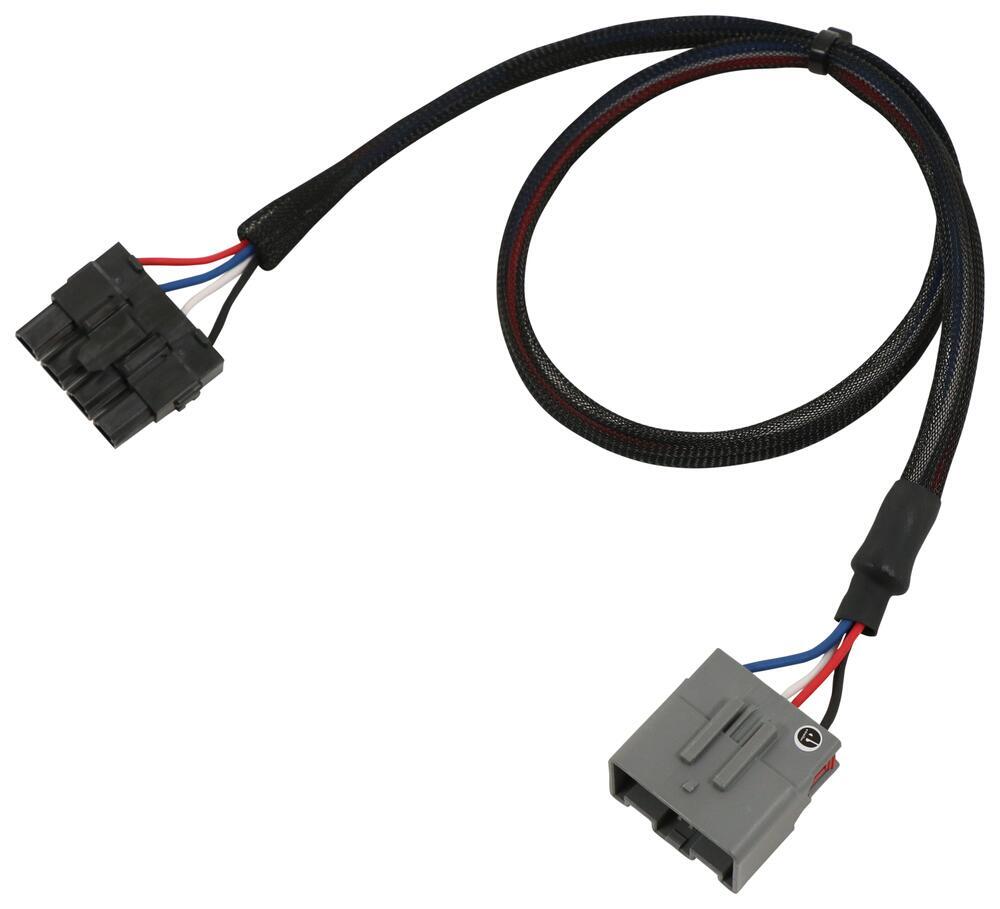
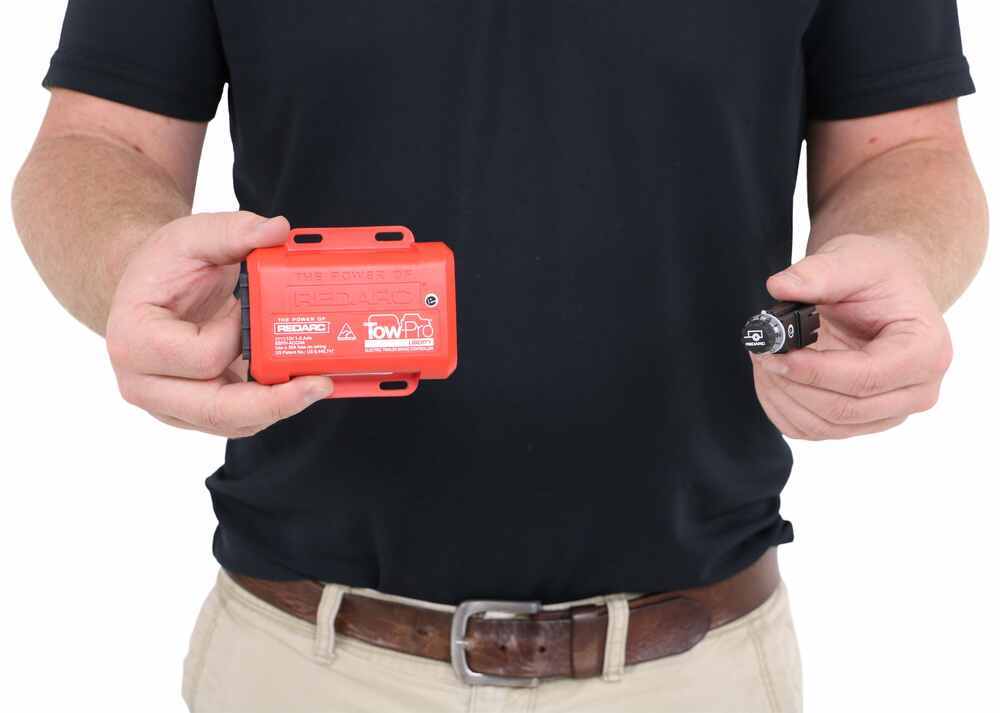
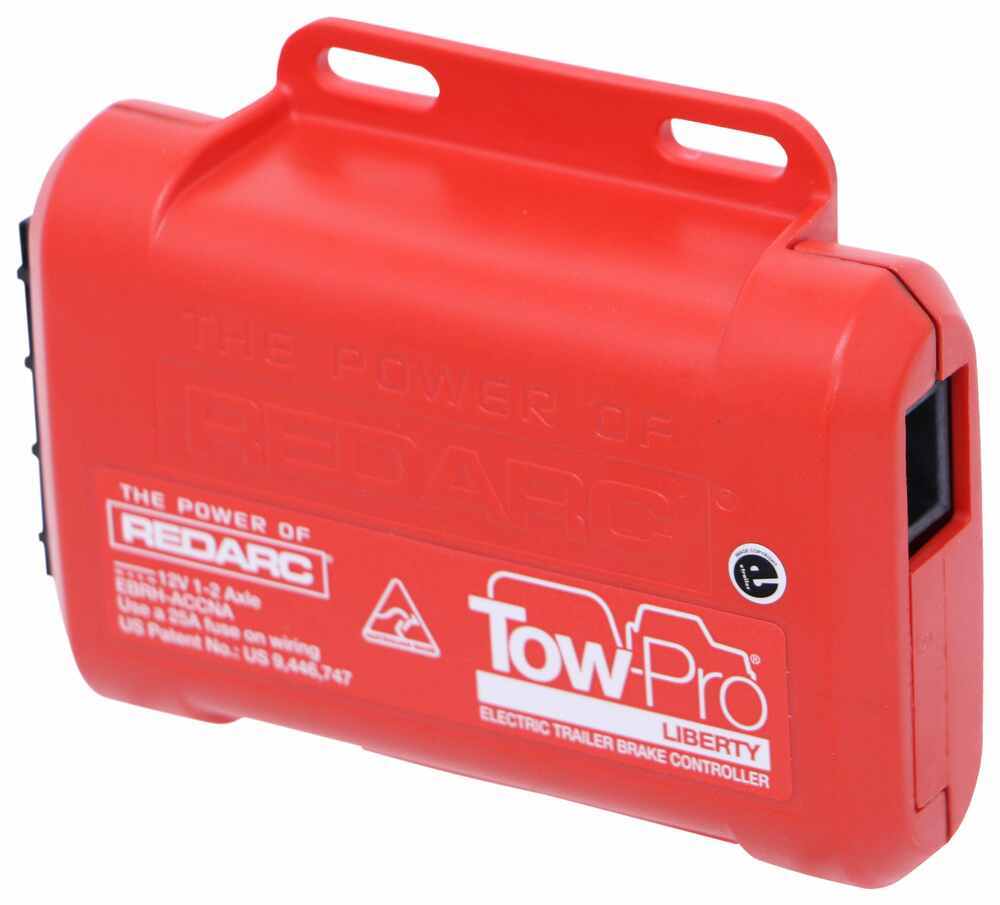
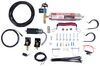
Redarc Tow-Pro Liberty Brake Controller w/ Custom Harness - Dash Knob - Up to 2 Axles - Proportional

Part Number: RED49CR
In Stock
$217.00
Trailer Brake Controller
Not Confirmed to Fit

2018 Ford Explorer

Will this fit?

To see if this custom-fit item will work for you please tell us what vehicle you'll use it with.

zoom in icon
slider vertical icon
zoom out icon
Comment field cannot be left empty.
Name field cannot be left empty.

Thank you! Your comment has been submitted successfully. You should be able to view your question/comment here within a few days.

Error submitting comment. Please try again momentarily.

Product Images

In Use/Installed

This is one of our favorite brake controllers, with flawless braking and a tiny dash knob that looks like it came straight from the factory. It's so easy to adjust your settings or activate manual override. Great Prices for the best trailer brake controller from Redarc. Redarc Tow-Pro Liberty Brake Controller w/ Custom Harness - Dash Knob - Up to 2 Axles - Proportional part number RED49CR can be ordered online at etrailer.com or call 1-800-940-8924 for expert service.
  • All Info
  • Reviews (2737)
  • Q & A (0)
  • Videos (6)
  • Photos

Redarc Trailer Brake Controller - RED49CR

  • Electric
  • Electric over Hydraulic
  • Proportional Controller
  • Up to 2 Axles
  • Plug-In
  • Behind-Dash
  • Redarc
  • Dash-Mounted Knob
  • Single Trailer Only
  • Indicator Lights

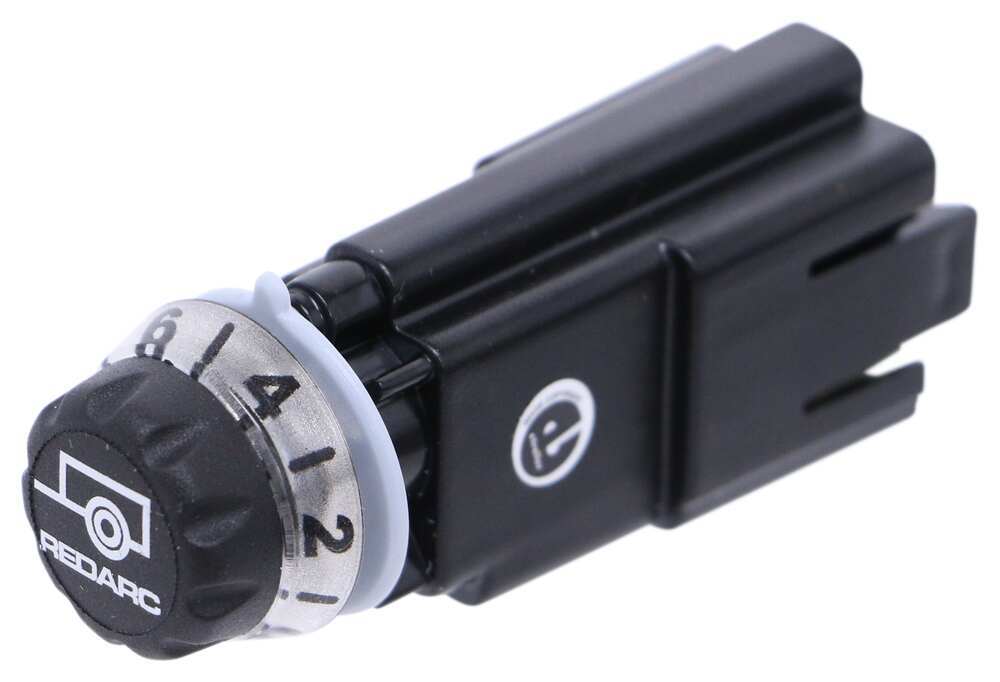
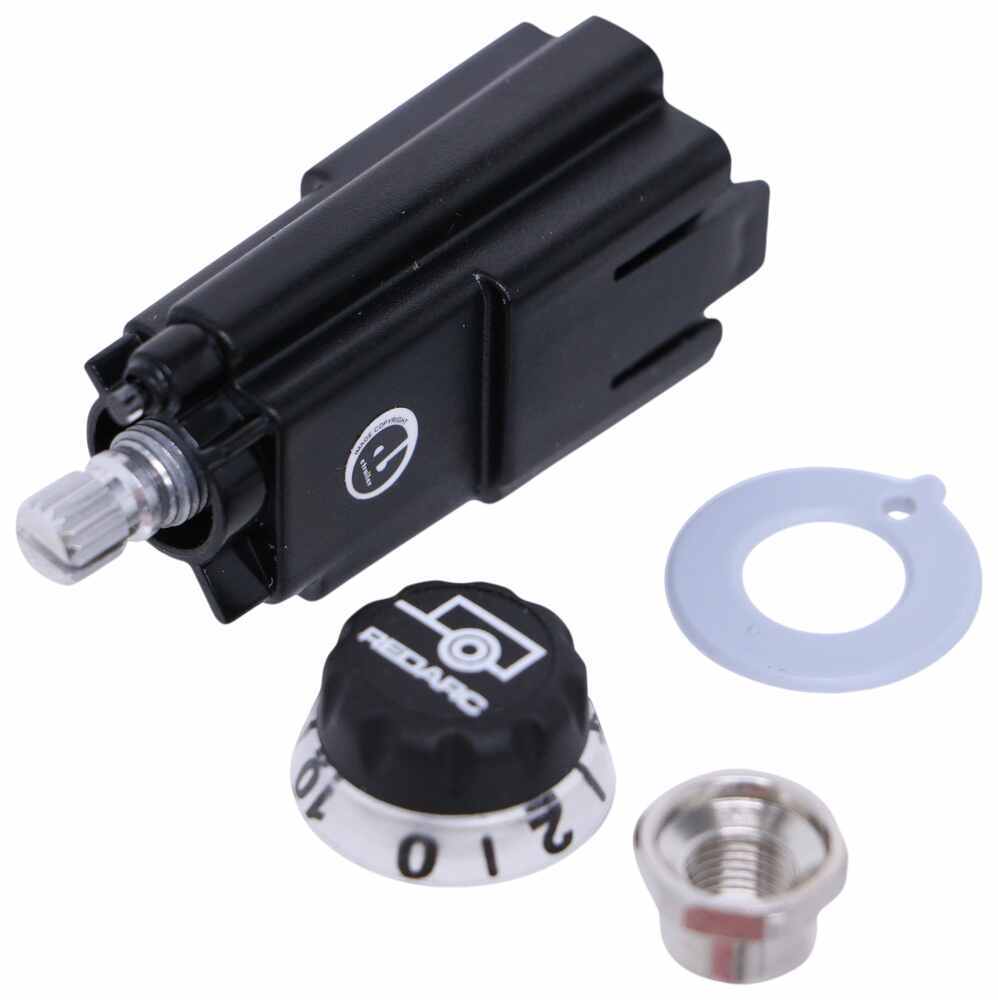
This is one of our favorite brake controllers, with flawless braking and a tiny dash knob that looks like it came straight from the factory. It's so easy to adjust your settings or activate manual override.


Features:

  • Proportional - Smooth, safe, and good for your brakes long-term
  • Sleek (tiny!) knob that blends into your dash - The main unit mounts out of sight behind the dashboard
  • Simple controls - Use the knob to adjust the settings, activate manual override, and troubleshoot
  • Safe - Meets or exceeds both UNECE R21 and FMVSS 201 regulations for sustainability and safety
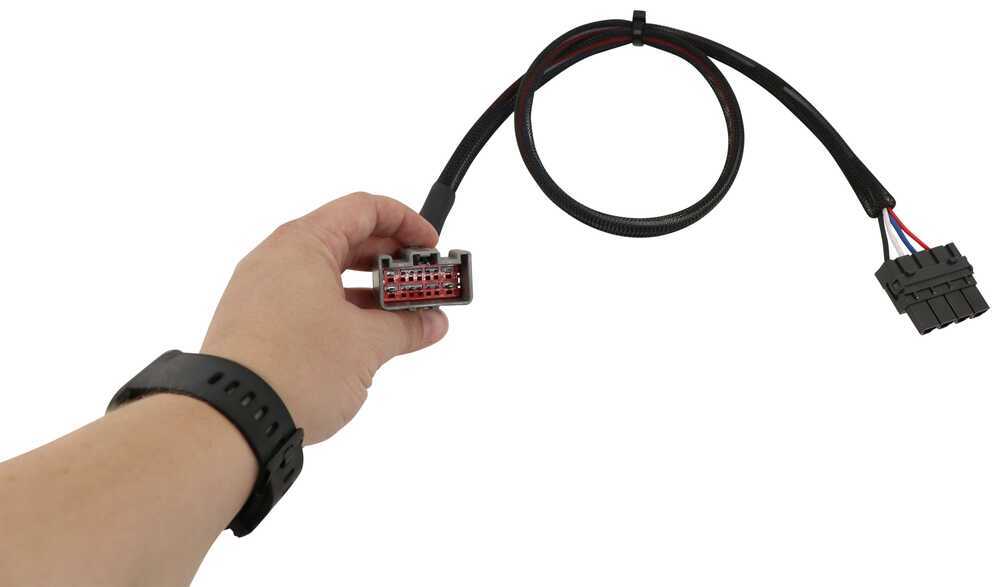
  • Plug-and-play - Vehicle-specific harness included
  • Made in Australia - If it can take the Outback, it can take anything, mate


Specs:

  • Application: trailers with up to 2 axles (4 brake assemblies)
    • Compatible with electric or electric-over-hydraulic trailer brakes
  • Main unit dimensions: 4" long x 3-3/8" wide x 1-1/8" tall
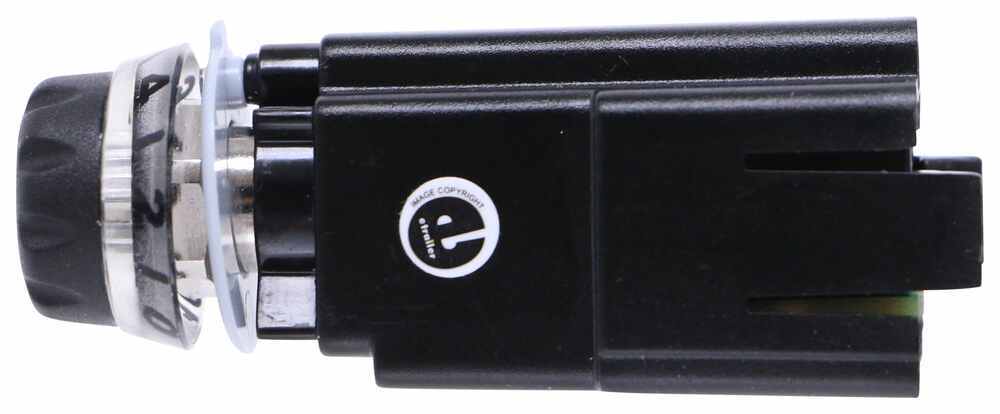
  • Control knob dimensions: 1-7/8" long x 9/16" wide x 3/4" tall
    • Length without dial: 1-1/4"
  • Output voltage range: 9V - 16V
  • Output current rating: 18 amps continuous
  • Maximum charging voltage: 12V DC
  • 2-Year warranty


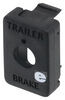
Note: Pick up a universal mounting panel to give your installation a professional look! 331-TPSI-001 - sold separately


How to Use Redarc Tow-Pro Liberty

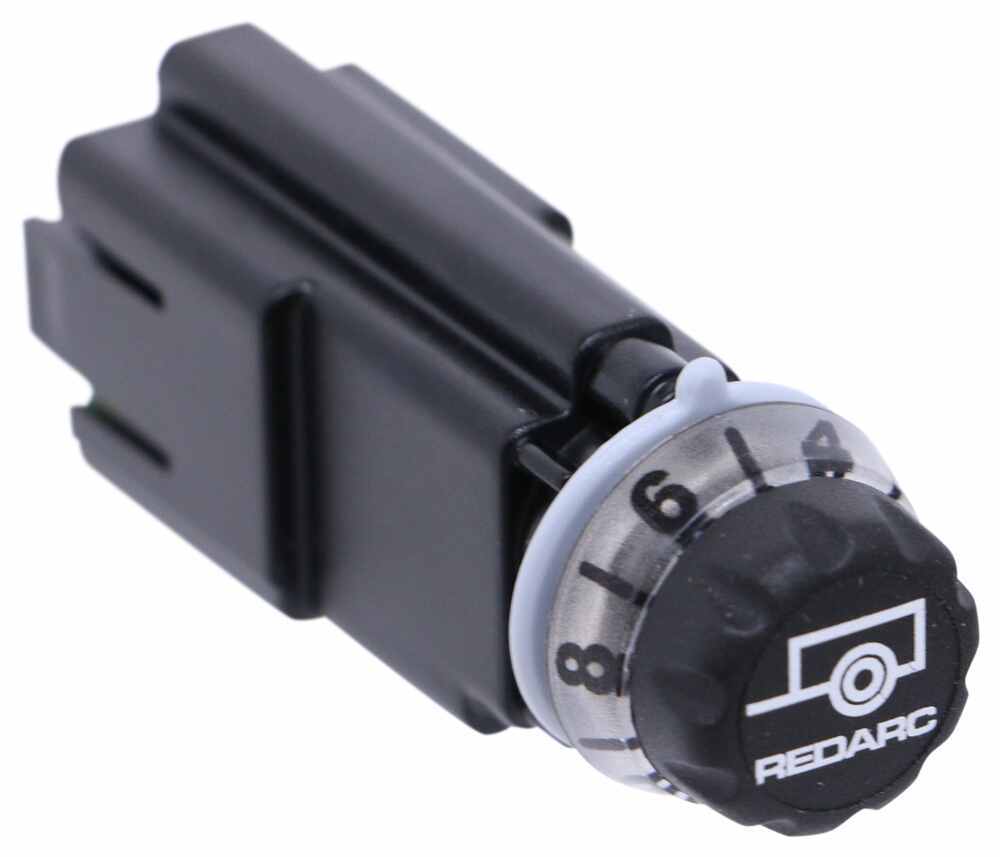
Adjusting the braking settings on the Tow-Pro Liberty is super simple. To get more power output - the maximum amount of power that will be applied to your trailer's brakes - rotate the knob clockwise toward 10. To decrease the power output, rotate it counterclockwise toward 0.


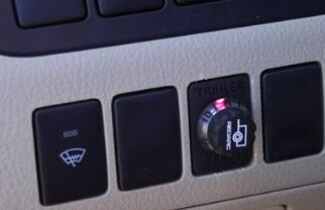
Redarc Tow Pro Liberty Braking Output Red Light

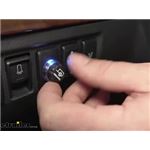
When you apply the tow vehicle's brakes, the knob will change from blue to red to signal that the trailer brakes are being activated. The higher the braking power output, the deeper the red that you will see.


Manual Override

To engage manual override, simply press the control knob. This will activate the trailer's brakes and brake lights independent of your tow vehicle, great for stopping sway or controlling your trailer's momentum in an emergency.


How to Calibrate Redarc Tow-Pro Liberty

When you are calibrating the brake controller for the first time, the LED lights will signal your progress.


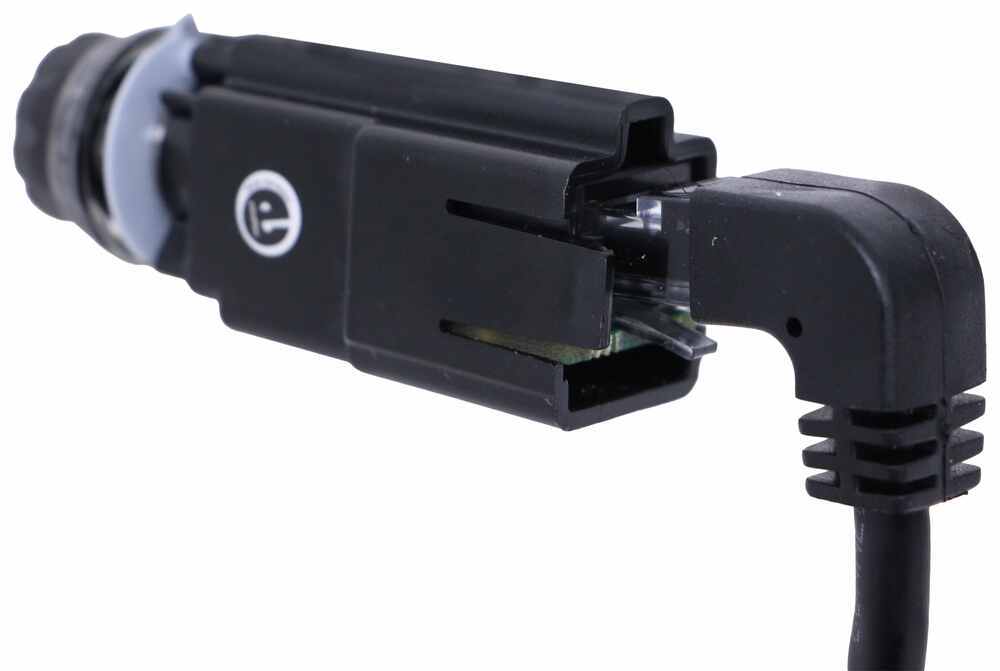
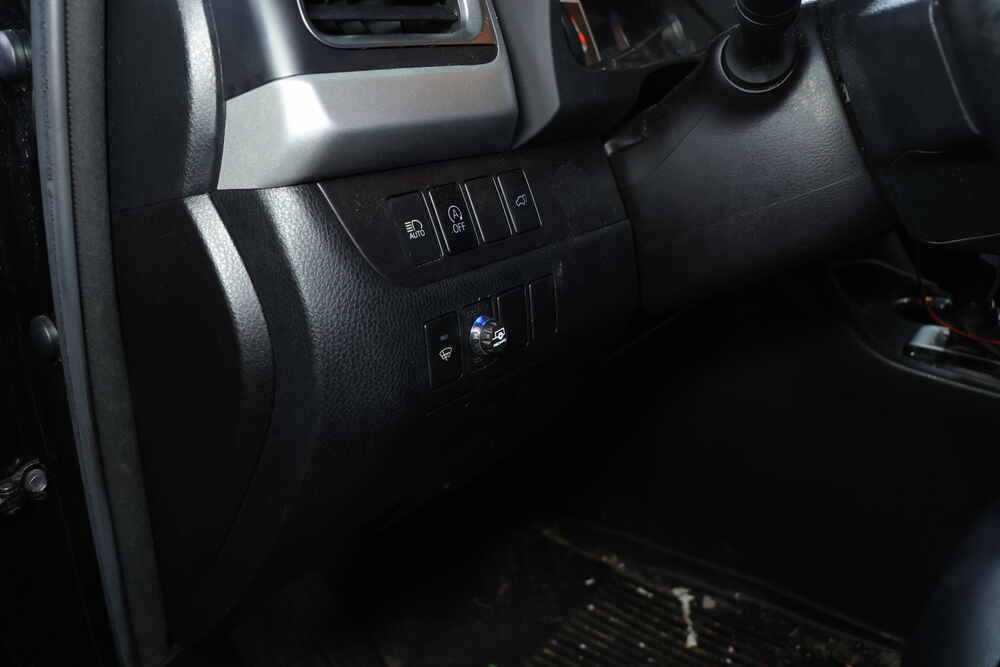
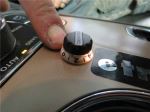
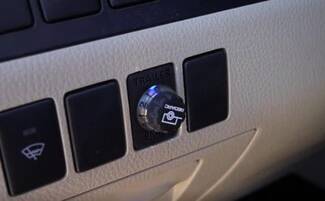
Redarc Tow Pro Liberty Dash Mounted Remote Knob

You'll start by braking 20 times or so to let the unit learn its orientation and the direction of travel. You don't need to have a trailer connected for it to calibrate; the only difference is that the knob won't illuminate at all. If your trailer is connected, the LED light will flash green/blue as it calibrates. When the display turns solid blue, initial calibration is complete.


Once done, the unit will remain calibrated. If recalibration is required, it will happen automatically and without LED indication.


How to Install Redarc Tow-Pro Liberty

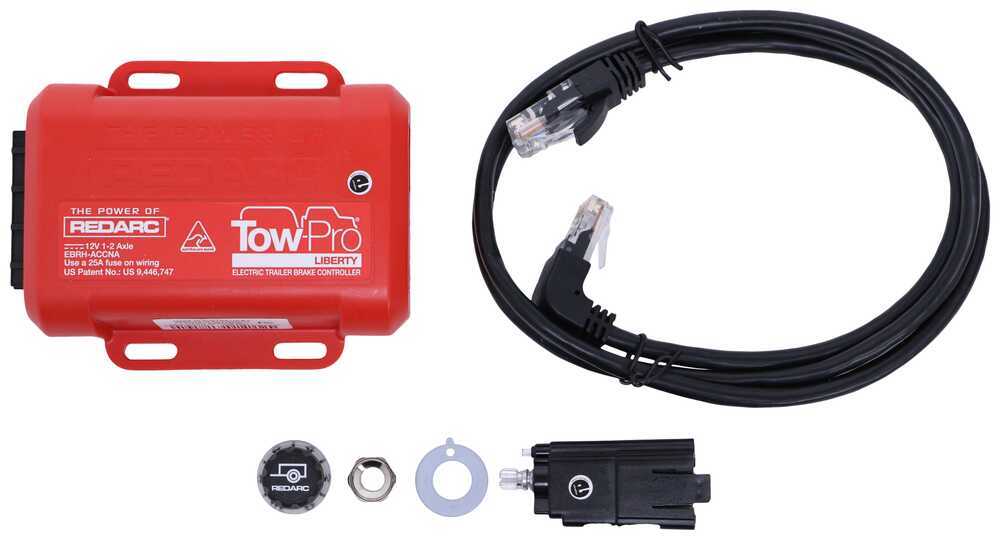
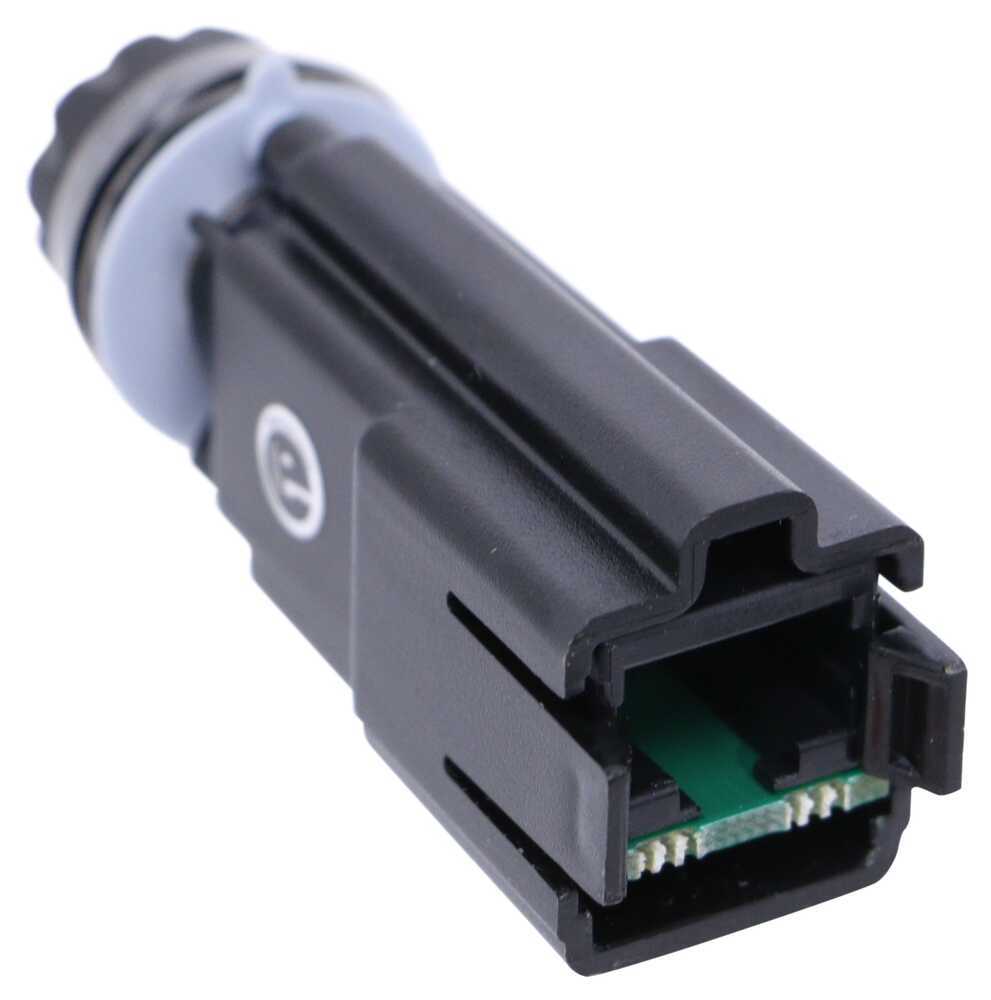
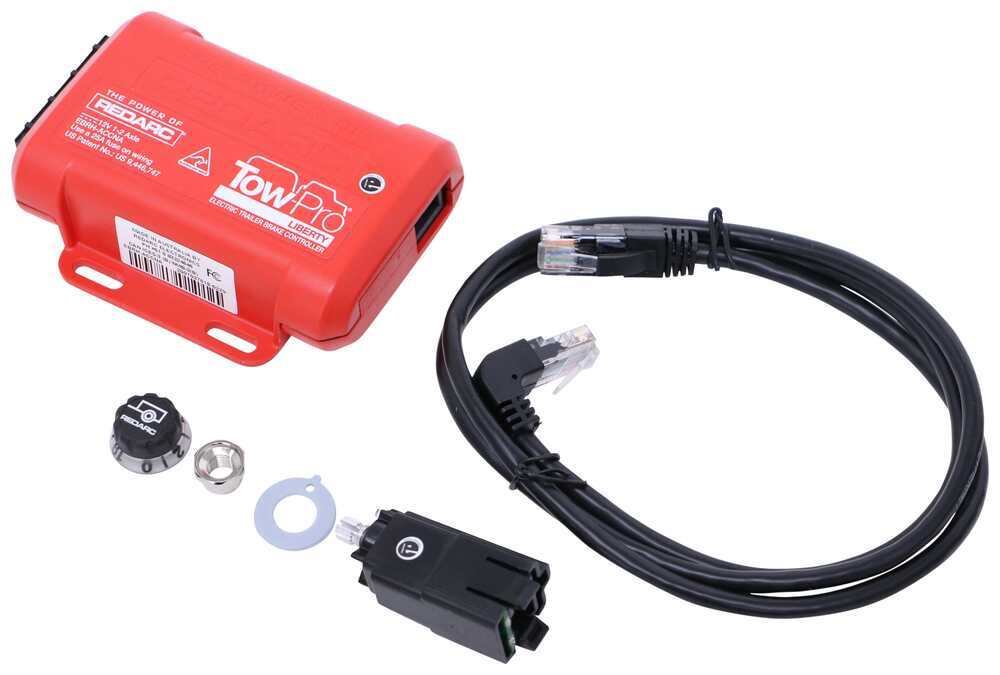
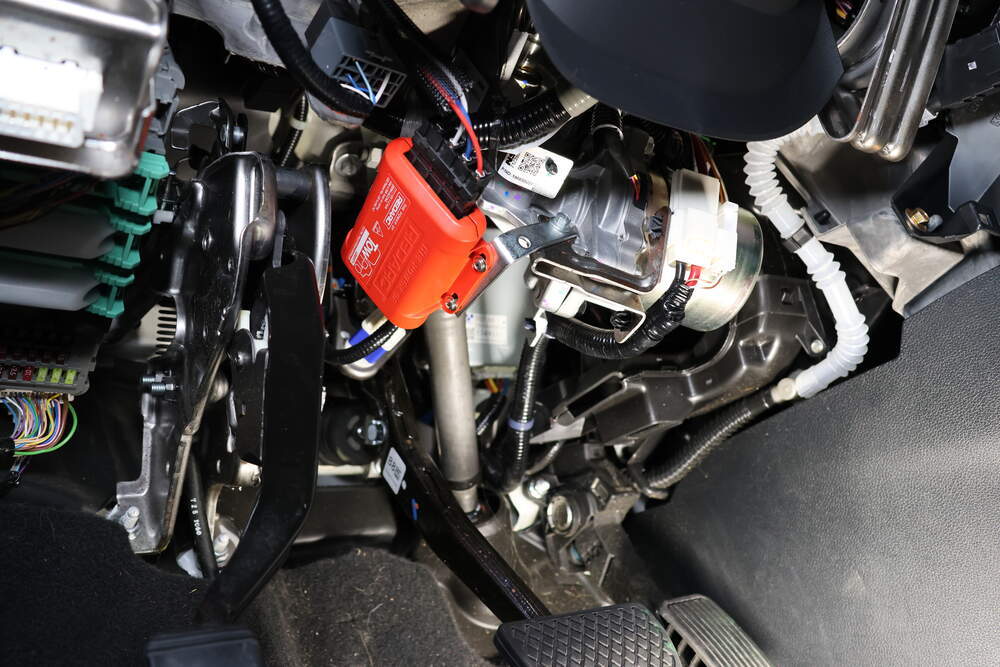
The Liberty has almost no mounting restrictions. It comes in 2 pieces: the main unit and the control knob. The main unit mounts out of sight and out of the way. You don't have to worry about dinging your knee on a bulky brake controller or interfering with your vehicle's airbags.


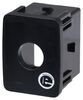
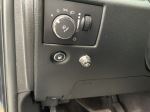
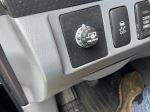
The control knob can be installed in any convenient spot that's easy for you to see and access. This can be a blank switch panel, an open spot on your center console, or wherever there's space on your dashboard. A universal mounting panel is included to ensure a clean, from-the-factory look. Custom-fit panels are available for certain vehicles as well. Before you do any drilling, be sure there's enough clearance behind the dash for the entire knob to install!


where to install REDARC Tow Pro Liberty on 2023 Jeep Wrangler 4xe

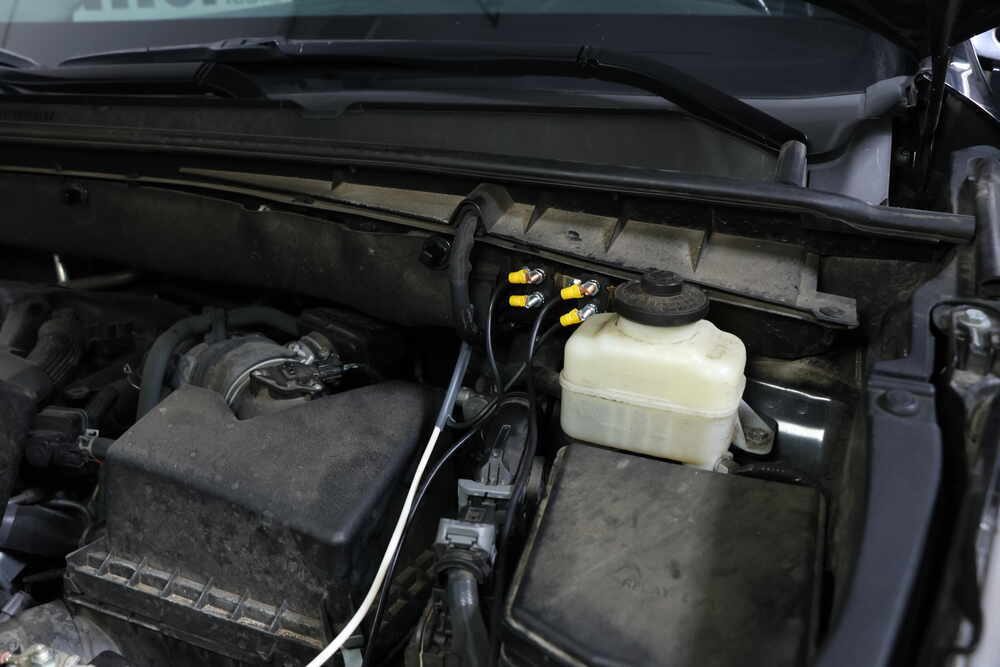
Once you've decided where you want to put the control knob, you'll need to find a good place to install the main unit. Your only restriction is the 3' cable connecting the main unit and the control knob. Securely mount the box using screws, double-sided tape, or zip-ties (not included). A mounting kit (RE67FR - sold separately) is also available for the Tow-Pro Liberty. Do not attach the module to wiring or cables that can shift as you drive!


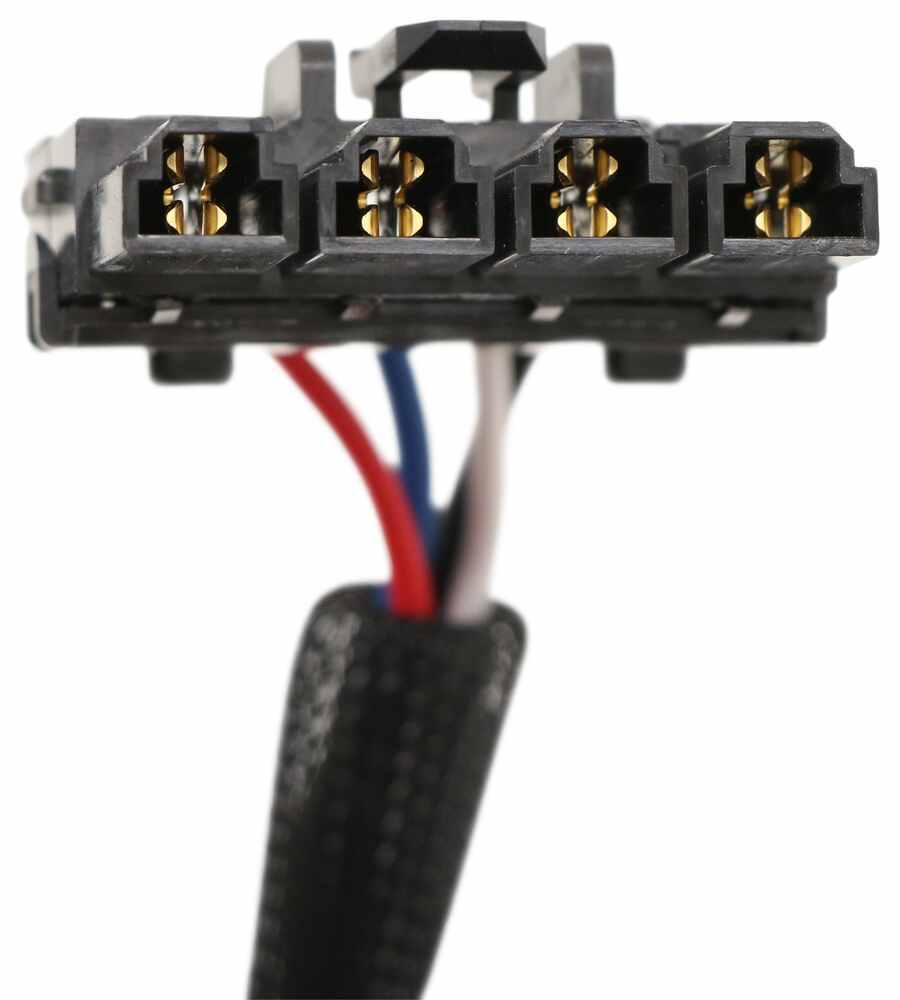
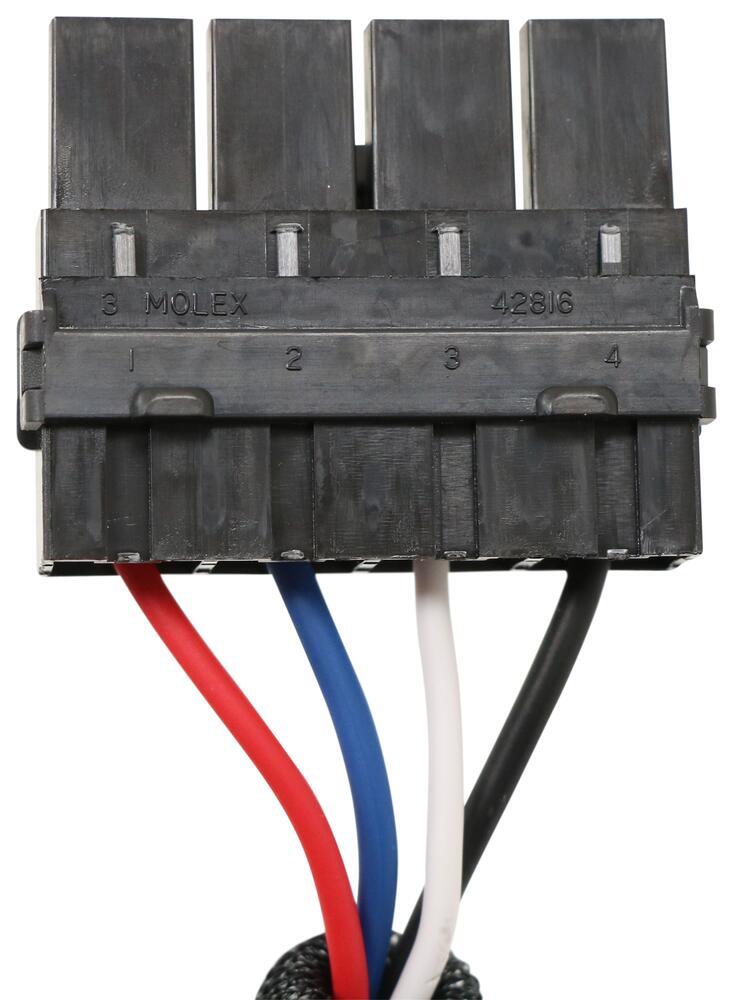
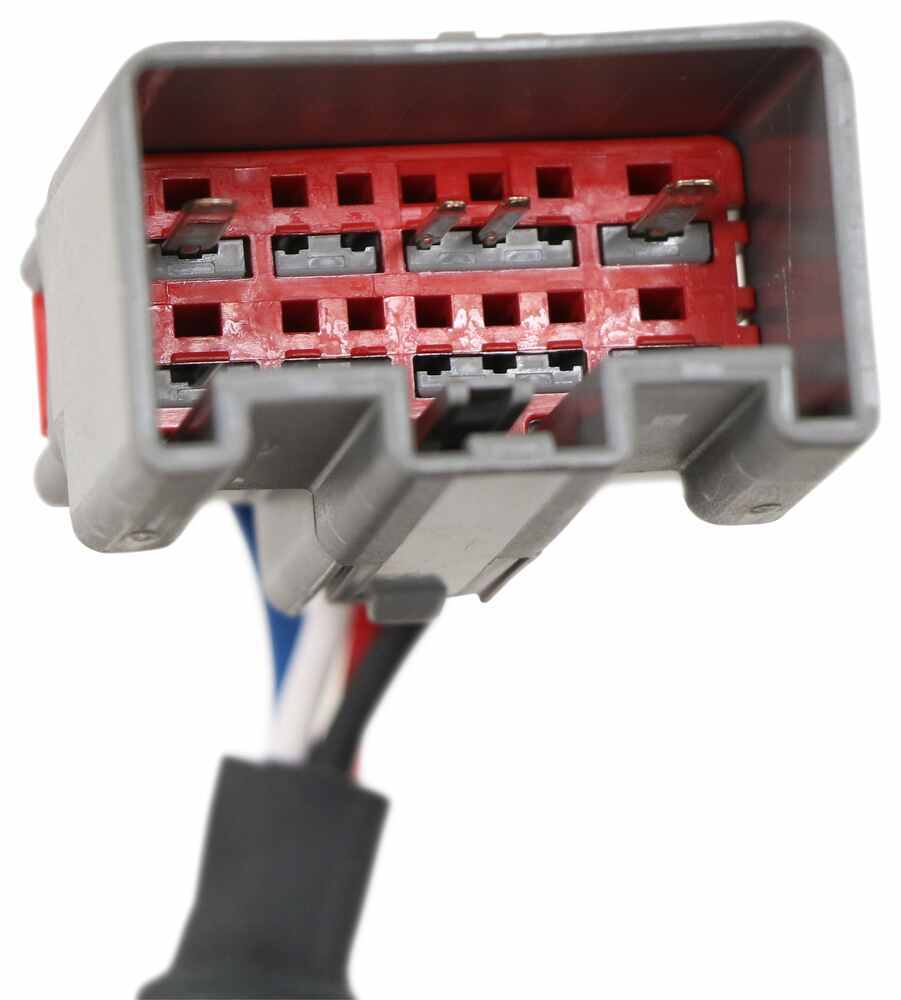
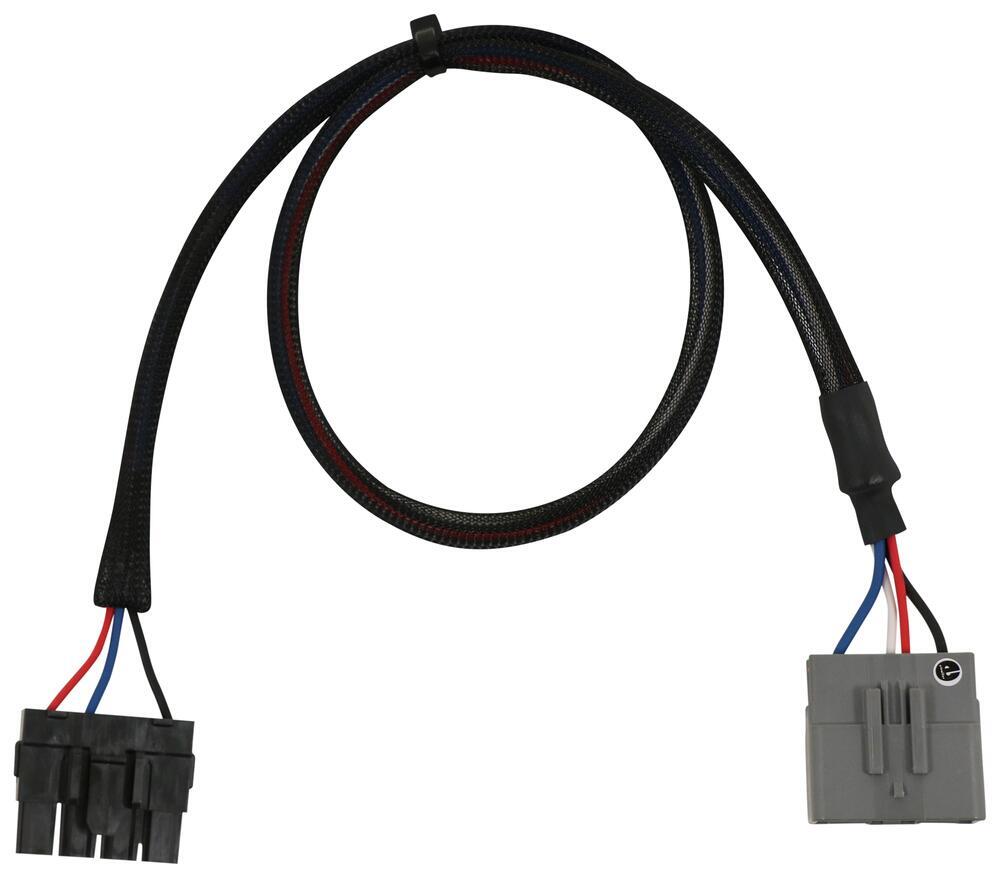
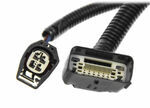
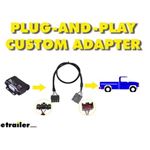
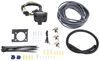
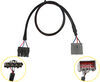
Custom wiring harness of Redarc Tow Pro Liberty

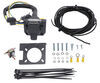
Then plug the custom-fit harness right into your vehicle and the brake controller and you're done!


Note: If you don't already have a 7-way plug at the back of your vehicle, take a look at our exclusive 7- and 4-way brake controller installation kit (ETBC7 - sold separately).


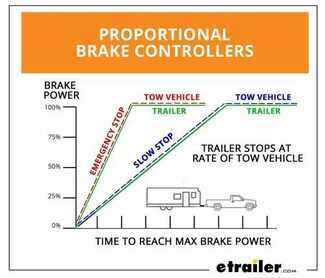
What is Proportional Braking?

What is proportional Braking

Proportional braking means that your trailer brakes mimic your tow vehicle's brakes. If you slam on the brakes in your vehicle, your trailer brakes will activate with the same intensity; if you brake lightly, your trailer brakes lightly too. The trailer's braking is in proportion to your vehicle's braking. This saves wear and tear on the tires and the brakes on both your vehicle and trailer.


The Tow-Pro Liberty uses an internal 3-axis accelerometer to sense how your vehicle is braking so it can send the right amount of braking power to your trailer. It measures the inertia of your tow vehicle and activates the trailer's brakes to slow at the same rate. The result is uniform braking across your towing setup. No push-pull action - just smooth, proportional braking every time.


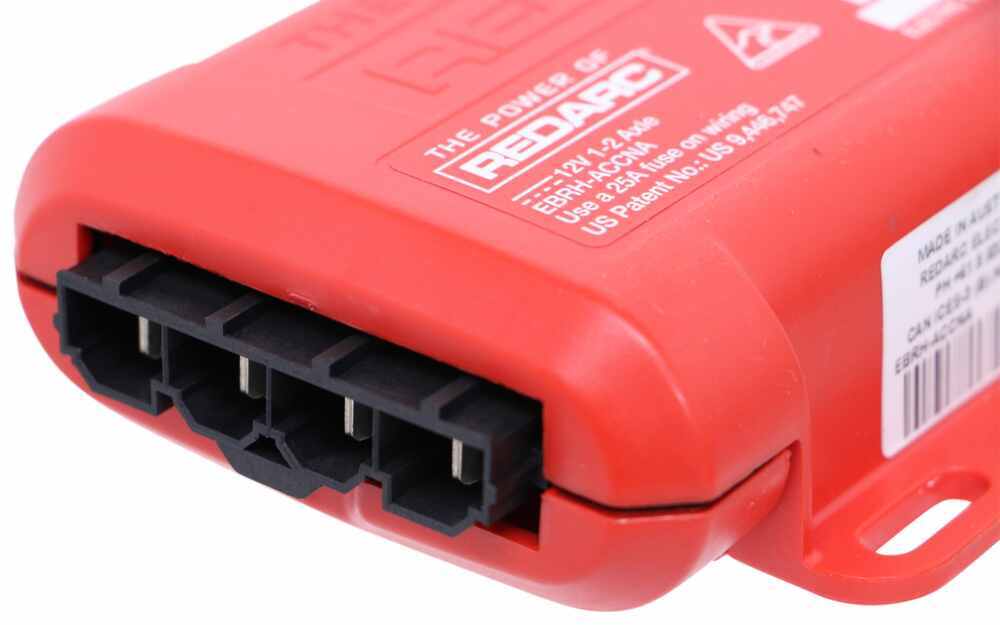
EBRH-ACCNA Redarc Tow-Pro Liberty Trailer Brake Controller - Dash Mounted Knob - Hidden - Proportional Brake Controller

TPH-005 Redarc Wiring Harness for Tow Pro Electric Brake Controllers - Plug and Play

Installation Details RED49CR Installation instructionsAlternate Instructions RED49CR Installation instructions


California residents: click here


Video of Redarc Tow-Pro Liberty Brake Controller w/ Custom Harness - Dash Knob - Up to 2 Axles - Proportional

Videos are provided as a guide only. Refer to manufacturer installation instructions and specs for complete information.


Video Transcript for Redarc Tow-Pro Liberty Brake Controller Installation - 2020 Ford Explorer

Hi there Ford owners standard 2020 Ford Explorer. We'll be taking a look at and showing you how to install REDARC's Tow-Pro Liberty brake controller. Now, the best part about the Tow-Pro Liberty is its small size and footprint that it puts here on our dash. Many of your traditional brake controllers are gonna have a box that's mounted down here in this location. And every time you get in and out, your knees come close to it, you have the potential of, you know, hitting your leg on it. Sometimes it hurts, and that could potentially damage the controller, knock it off of its brackets.

With our Tow-Pro Elite here, it's just this tiny little button in the modules hidden behind the dash. So we no longer have that big hunking box here. We still have the ability to make our adjustments just like we do at traditional controller, as well as that manual operation, so you're really not sacrificing anything going with this. I guess the only minimal sacrifice you're gonna make is that the installation is gonna be slightly more difficult, 'cause you're not just screwing it right onto the dash and plugging a wire in. We are gonna have to hide the module behind the dash, and find a mounting location for the button, but honestly, it's really not that hard.

We're gonna run through this and show you some locations where you have the potential of mounting it, and we'll show you how to get this all installed. On our install today, we will be installing this on an Explorer that does not have a factory tow package. So we'll be using part number ETBC7, which is a brake controller wiring kit for vehicles that do not have the factory tow package that comes with everything you need to get this installed. If your Explorer does have a tow package, then you can just get REDARC's brake controller harness, which will save you a lot of time on your installation. We'll begin our installation here at the back of the vehicle.

There are a few things you're gonna need to have prepared before you install a brake controller. One of 'em is 4-pole flat trailer connector wiring. If you're gonna be installing it like we are here where we're using kit ETBC7, you have to have a fully functioning 4-way to make your 7-way connector work. Now if you already have a fully functioning 7-way, then you don't need to really pay attention to this part of it. But if you don't and if you don't have a 4-way, you can get a custom-fit wiring harness here from etrailer, and follow along with the video there to install your 4-way.

Once you have your 4-way installed, we can now upgrade it to a 7-way with this ETBC7 kit, and it also gives us all the necessary wiring components we're gonna need to install our brake controller. So we'll be using that. We're also gonna be using this bracket. In kit ETBC7, you do get a bracket for your 7-way. However, the hitch that's installed on here, the cross tube is quite high behind the fascia back here. So in order to install the bracket that comes in this kit, we would need to make our own custom brackets that would come down far enough, so we'd have a location to mount that bracket 'cause you really don't wanna mount it into a plastic paneling that's just gonna end up wearing out and potentially breaking over time. So we're using this mount here from CURT. It does not come included into your kit, but it works out really nicely here on these Explorer vehicles due to their limitations of where the cross tube is. So it just clamps right here onto the receiver tube, and gives us our mounting point for our connector there. So first thing we're gonna do is now get it mounted up. So we're gonna go ahead and slide our wiring through the opening. The little slit at the bottom's a little bit too small to slide all this wire through. Once you've got it slid through there, we're gonna use the hardware that comes with the ETBC7 kit and the connector to install it. Got that right here. We're gonna be using the black hardware. So each one has a nut flat washer and lock washer. Those are all gonna go on the back side. So line your connector up with the holes in your bracket, go ahead and slide your bolt through. And then on the opposite side, we're gonna be placing our flat washer followed by our lock washer, and then we're gonna put our nut in place following that. And let's get that loosely installed, and then we can just work our way around a bracket, installing the same hardware in each hole. And now we can go back and snug 'em down. And with these guys, you can use a wrench on the backside, but honestly, most of the time you can just hold it with your fingers and get it plenty snug doing it like that. And we're just using a Phillip screwdriver here on the other side. And I'll mount up the 4-pole connector. On the bracket that comes included with your ETBC7, there'll be a little notch on the side, this would simply slide into it. For the one that we're gonna be using here, there's a small clamp that it comes with, so we'll slide it. It's got a little groove here on the side. We'll put the groove over that. It kind of pushes on there. It's kind of similar to how the bracket that comes with the ETBC7, it's just the notches more inset. We'll then gonna use the clamp that comes with the CURT bracket. We're gonna put the small carriage bolts through the bracket and then this guy here will just slide in place right like that. And then we can put our nut on the other side and just loosely install it. And we're not gonna be tightening these very tight, 'cause we just need to hold the wiring connector here is really all our goal is. And they're really small, so they are kind of difficult to work with. There we go. We got it started in one, and then we'll flip it up and start the other one. And we'll go back and just snug them up just enough to hold the bracket securely, the connector securely. We really don't wanna tighten these very much, 'cause we can damage our connector in there. And I'm just gonna kind of work myself, work it back and forth, tightening that one just a little bit. Then we'll move up to the top one, and we're probably gonna have to find an alternate method here to get in there. Maybe you just have to use a hand ratchet maybe with a small extension to get that top one. So now we've got our connector all mounted up. We can start hooking things up. So right here, we've got the 4-pole that's on our 7-way that just takes the connector and plugs it into the existing 4-way connector that you've got on the lights on your vehicle. So we're just plugging in our vehicle's 4-way connector into the connector on the 7-way. Now we've got four more circuits here that we need to concern ourselves with. We're actually not gonna be using the yellow one. That's going to be for a reverse light, and we're not gonna be hooking that one up today, but we are gonna be hooking up what we need for our brake controller. So you've got a white wire here, which is our ground. It already has a ring terminal on it. I've already checked it. This is just not gonna reach a rounding point, so we are gonna have to extend this wire to make it long enough. And we've got our black and our blue wire. The black is gonna be our power feed for our 7-way, for the charge line, our auxiliary power circuit, and the blue is gonna be the output from the brake controller. You're gonna get some duplex wire in your kit, and we're gonna be connecting that duplex to these circuits and running them to the front so we can make our connections. I've already taken that duplex wire and ran it. And this is what the wire looks like here. You'll get plenty of it to be able to route all to the front, and we're gonna show you the path that we took to route it up there, but we need to make our connections here at the back. So we're gonna go ahead and start with these, and then we can extend this wire and get it grounded. So we can go ahead and start cutting into our duplex now. The duplex here has a gray sheathing on it and inside there's a black and a white wire. They're both a very thick gauge that we'll be able to utilize to run our circuits as necessary. We're just cutting with our razor knife down the center of it here, and that'll reveal the wires inside. We'll just trim off this excess. All right. And then we can strip back both ends of these circuits. All right. So we'll be connecting our black to our black and our white to our blue. We're not gonna use the butt connectors though that come with this component. They're regular butt connectors, and you're gonna get corrosion in there if you leave these up. So just cut those off of there. Now you won't get any heat shrink butt connectors in your kit, but I highly recommend that you replace these with heat shrinks, so that way your connections back here last more than a year. After we strip it off, we can now connect them together. So we're using these heat shrink butt connectors, you can get these here at etrailer. So we'll slide it on one side and crimp it down. And then over on the other side. since this is the black wire, we're gonna connect to the black on our connector. Give it a little bit of a twist there just help keep all the strands from deviating from where I wanted to go. There we go. And then we'll do the same thing with our white circuit now connecting it to the blue. All right. So we can grab our heat gun and shrink those down. But since we know that our white wire here for our ground is gonna be too short to reach where our we're wanting to put it. We're gonna have to extend it. So I'm gonna go ahead and cut this wire here as well, extend it, and then we can make our connections up there. And you won't get another ring terminal in your kit, so you can try and save it by using two butt connectors and just extending it in between. That's what we'll do, so that would be similar to what you guys be doing at home. So we'll cut it about here. I'm gonna strip back this in. We'll strip back this end. So we've got ourselves some extra white wire. We'll now take our butt connector, slide it on our connector end. Clip that down. We'll then grab the extension that we're gonna be using here. Slide that into place and crimp it down. On the other side of our wire, we'll use another butt connector so we can reattach the ring terminal in. All right. And that'll give us enough white wire now for our circuit to reach a location where we can attach the ground of the frame, and secure it up where it's gonna be out of the way. So we'll grab our heat gun now, and we're gonna shrink down each of these butt connectors. So now we're gonna go ahead and attach our ground. We're just gonna attach it to the bottom of the frame right at the very back, where it meets the bumper, where it goes across. We're gonna put it right there. Now, if you are having some difficulties, I'm having a pretty hard time getting the self stopper to bite. So we're gonna start with a drill bit about an eighth inch in size, and then we'll step it up from there as we need to try to get that self tapper to go in. There we go. We're gonna take our wire, slide the ring terminal on, and then we can run it back down. All right. We just wanna make sure that our circuit is secure, that you can't rotate it. And that all feels good. We're not able to rotate it. So now we can start running our wires up to the front. We'll be cleaning this up with some cable ties and stuff here in the back. Just kinda securing it all together. Probably push it up above this under panel here, and secure it all just right about that. All right. So we've gone ahead and tucked all that wiring up above the paneling there. I did poke a hole in this paneling, so I could run a cable tie through it to secure the wiring to it, 'cause we wanna keep it away from our exhaust over here. Now that duplex wire, that's gonna head towards the front. So we're gonna go ahead and just show you the path we took to get that there now. We do stay above this paneling, so we showed it. You saw it earlier when we we're making our connections, it pokes up the paneling and it runs all the way up above this paneling until we come out on the other side of our suspension here. And you can kind of see the wire a little bit right in here, where it's kind on the above the paneling. We wanna make sure we go above the suspension though, above all these moving components. We don't want our wires getting wrapped up in there, so they scale above 'em all. And then they drop down right here. We tuck it behind this paneling here at the back of the fuel tank. And then we tuck it above this paneling here, and just stay above this paneling all the way forward. There are some fasteners like here and there and there. You can use a 10 millimeter socket to remove those. So you can just fold this down a little bit, poke your wire up, and then you can put those back in. But we stay all the way up to the front of this, and that's where our duplex comes out right here. From there we just poke it up following kind of the brake lines and stuff. And our wiring's gonna come up right here. Now you do wanna be careful. Your steering shaft is right there, so we poked it, made sure we poked it underneath this wiring and stuff here, so that way it stays closer to the frame away from those moving components. We then round it up, and just cable tie it right here to this ground. Now from this point, we do need to strip back the rest of the duplex wire. So anything that's left from this point on, get rid of all that duplex, 'cause we need to separate our wires out and route them appropriately. After you get rid of that duplex, we can see here, we've got our two wires, you got the black coming out of it and the white. The black we send off to the other side, goes over there, and it's going to eventually attach to a circuit breaker, and that's this circuit right here that we ran over. We then mounted a circuit breaker right here, and we mounted our other circuit breaker right there. This is the 40 amp and that's the 30 amp. You could also use a 20 in place of the 30. You'll get both of those in your kit. We're just using the heavier one to make sure the customer has the most power. So I'd recommend the 30 anyway. So those just run in with our self-tapping screws that come in the kit. We use a quarter inch socket to get those mounted up. So this is the wire that's coming right out of the duplex. We're gonna hook this to the 40 amped circuit breaker on the silver stud. So just go ahead. And after you've cut it to lengths, strip the end and crimp on one of these small ring terminals that comes in your kit. We can then slide that onto the silver stud of our 40 amp breaker. and just run that down, and we'll secure it with a 3/8 socket. All right. Now, after you cut the excess off your black wire, we're gonna use the rest of that black wire to go inside to power our brake controller. So we went ahead and took that wire and added a ring terminal to one end. We're gonna attach that to the silver stud of the smaller breaker, our 30 ampere. I'll just slide our ring terminal on there, reinstall the nut, and we'll secure it down as well. Now the circuit breakers we got here, the bronze side, both of these will actually route into our battery, which is located right there to the positive side, to get power. We're not gonna do that just yet. That's gonna be pretty much the last step that we do, 'cause we don't want to have any live circuits while we're working on 'em. So we're not gonna connect 'em to the battery there till the end, but we will need a path to get 'em in there. So that we drill the hole right here. This was when the 4-pole wiring was installed. We're gonna use that same hole to route our wires in over there. We'll now head over to the opposite side of the vehicle again. We did drill a hole over there, and that hole we drilled right here next to where our wires routed up. So through this hole, we're gonna pass the white wire that's in our duplex wire. And then after we had cut the excess black wire off and hooked it to our smaller circuit breaker, it's gonna come back this direction and poke through that hole, so we can go inside to connect to our brake controller. Now there is a cover right here, just pops right off. There's tabs there, there, and there, and just pull it up. One on the other side, same thing, for your battery cover. But one on this side, if we look straight down from this corner here, it's pretty hard to see with a camera due to the angle, but with your eyes you could probably see it fairly well, there's a grommet, pretty big down there. It's about that big. And towards the top of the grommet, there's a small little nipple that pokes out, and that little nipple looks exactly like this, we cut it off. Just cut the end of that off, and that'll give you a point where you can pass your wire inside. Now, after you cut this side off, the other side of the grommet does have a small piece of rubber that seals it. We just took a screwdriver and poked that, so that way our wires are able to poke through. After we did that, in order to get our wiring inside, it's actually pretty difficult to just take these wires and poke 'em through that grommet even though you got a hole there now. The wires just like tend to flex up like this and curl up, and it just makes it very difficult to get 'em to actually pass through. So we're using a piece of airline tubing, but if you're doing this at home, you might have a metal coat hanger, something like that works really well that you can poke through the grommet and then pull up and then you can do some electrical tape to tape your wires through. And then we'll just pull this fish wire, and that'll bring it through our grommet on the other side. I've also found that when you tape those, it works out really well if you put some silicone on the end of it before you pull it through. And also make sure you tape all the way up to the end of your wires and a little bit past it. And we're just gonna put a little dab on there. All right, so now we're inside the vehicle. This is the driver's side here. This is your hood release lever there for opening the hood. If we follow that back, our grommet is pretty much right here, just above where your kind of footrest thing is, maybe a little bit closer to the side paneling there as we go find the grommet. And we already poked our fish wire through, so we're just pulling it back now. All right. So when we checked back up above, one of the wires had wrapped around something, so that's why it stopped. That's why if you get real stiff like that when you're pulling, just stop 'cause you might break something on the other side or you might even pull the wires outta your fish wire here and then you gotta kind of start all over again. So now we've got 'em pulled inside. We'll just remove our fish wire, and then we're gonna pull through all the slack from our wiring here. There's a good chance we'll be using some of this white wire for other purposes as well, 'cause we're just about out of the black wire in our kit. But the white wire is the same gauge, so we can still utilize that. And you're gonna have a lot more white wire here than you're black wire. All right, so we can see all this excess white, and then that's all the black that we've got. So what we've got in here now is we've got our power circuit, this black wire for our brake controller, and the white wire here, this is the output from the brake controller that goes back to the connector. We only need two more circuits for a brake controller, and that's a ground which we can source from right in here in the cab. And we need our brake input signal, which we'll get right from the factory brake switch, which is gonna be located up there. All right, and also while we're down here into the dash, we need to tap into the brake switch on our vehicle. That way when the brake is pressed, it sends an output to our brake controller, so that with the controller knows that you're pressing the brake so no stats send that output out. The brake connector is, you see your DLC right here, if you just go straight back behind the DLC, you'll find the connector for your stoplight switch located right there. So we went ahead and just disconnected it. Just press the release tab right there, and you can pull it out. I did cut off a little bit of the sheathing. It's wrapped in like this cloth tape, so I just made a little cut there to expose some of the wires. The wire in here that we need to concern ourself with is the violet with the white stripe. So I'm separating that one out. There's our violet and white stripe. We're gonna tap into it using a quick splice. We'll get some in your kit. I did change it from the quick splice though, that comes in the kit, which is a blue quick splice. We're using a red one. Red was designed for smaller gauge wires, and the blue may work, but it's a little bit, it's a little bit on the small, on large size, so sometimes it may not penetrate all the way through the wire because of the gap. So just slide your quick splice on there. We're actually gonna slide it on the other way, 'cause there's only an open end on one side for your additional circuit that you add in. So we'll take it and slide in our extra wire here into the open end onto the end that you can't push all the way through. So we've got that pushed in there. Then we'll take our other one here. I mean, it's fine if we go this direction. It's just probably be a little cleaner looking if we go this way, so we'll do that. But it's important to get your wires lined up. Okay, everything looks lined up in there now. After you've got everything lined up in the grooves, simply take a pair of pliers and squeeze the center metal tab down in place. And there we go. We've now connected an extension here. We're just using some red wire as an extension. It doesn't come into your kit. We're just using a small piece. You can directly connect the connector for your brake controller to it, but it's just easier to work with if you extend it down. So we can plug it back in, and now we can work with this wire that's hanging down. All right, we got that plugged back in. Looking pretty good here. So this is the length of wire we've got for our black and our red. They're pretty close, so we might as well take our white wire here and trim it off at a similar distance. And then we can use this extra white wire that we've got here for our ground circuit when we go to add that in. So we can start wiring in our connector now. Here's the connector for our REDARC brake controller. Now with our Tow-Pro Liberty, it actually does not come included with it, so you have to purchase this separately. I'm not sure why they do that, 'cause you have to have the connector for it to operate, but you have to purchase this separately. And we're just gonna connect them up. And for the most part, we're gonna be doing pretty much color for color, but there is gonna be some minor deviations from that. They are pre-stripped, so you can pull those ends off. That one wasn't stripped all that well, but there we go. So we've got all these exposed. We're gonna go ahead and strip back these three wires here. All right. And now we can make our connections here. So we'll start with the black wire. That's our main power wire for our brake controller. So go ahead and slide it into a butt connector. You can use regular ones here since we're inside the vehicle. Go ahead and crimp that down. And on the other side, slide in the black wire from your brake controller harness. All right, so that's our main power done. Next we're gonna do the brake output, which is the blue wire, and they're all labeled here on the sticker too. So we got that one. That's gonna connect to our white wire so. And this is the white wire that's running all the way back to the 7-way connector. And that connects to the blue wire, our brake controller harness. Now we'll hook up our red wire, which is the signal from our vehicle that the brake being pressed. So that'll connect to the red wire. We just connect it over there. So we'll match those up. And here on the other side, slide that in and we can get that crimp down. All right, so all we got left now is our ground circuit. Gonna go ahead and. We're actually just gonna leave this alone for now, 'cause we may need to extend it to reach a ground, but we may not need to extend it, you know, if we don't need to extend it. We'll assess that once we determine the location that we're gonna be installing our module. So that's gonna be our next step now is figuring out where we're gonna mount our module in here, so we can get that mounted up, get it connected, and then we'll determine where the best place to put our ground is. All right, so we decided that the best location to mount our module is actually gonna be right here just behind the DLC on this little paneling. Looks like our zip tie is gonna line up there very nice. So I'm gonna go ahead and pull this down real quick, because we know it's gonna fit there, but after we put it there, it's actually gonna be fairly difficult to get to some of the connector ends and stuff. So we wanna be able to plug those in now that we can get to it and then we can mount it up. So we're gonna take out our little harness here. This will allow us to be able to mount up our button. We're gonna save the curved end for the button side, and we're planning on putting that somewhere, probably over here in this cover. We'll probably just mount it right under the cover, 'cause this paneling is way too thick for our button to mount into. I guess we could potentially put it off to the side here a little bit, but there is some components back there. This isn't too bad of a spot though right here, so we may consider this in this spot, but we're probably gonna stick with the paneling. But no matter how you look at it, we need to have this plugged in and route it up to that location. So I'm gonna kind of start routing it there now. Let's see my module's gonna slide in from this direction. So we've got that there. This is going to plug into the ethernet side, so we'll plug it in there now, and then we can get our module up here and set it in place. There we go. Our other end here. Here we go. And then yeah, we'll make sure we hide all this stuff back. So now we'll secure it in place. We're just gonna use some cable ties to do so. Now we can push that around the module. So it comes out the other side here, and we can then secure it on the other side. Well then repeat this for the other side to get two cable ties on it. I'm gonna leave that one a little loose till I get the other one fed in, and then I can snug them both down. I do recommend leaving it loose, so you can kind of maneuver it around and get things to line up the way that you need to. Now both these holes that are here on the back of the paneling, I did have to drill those. I just use the quarter inch a bit. I just kind of held the module up there until I saw where they lined up, and then just drill them out. And then the module was long enough where this bit kind of hung out over the end, so we didn't need to drill out the opposite side. All right, that's looking all pretty good. We do still have the ground we gotta hook up. No big deal. And we gotta get our button mounted up. We're gonna get the button mounted up next, and then we'll come back to the ground, 'cause we can extend that and do all kinds of different things with it as necessary, to get it where we're gonna go. And honestly, I think we might go to this stud right back here sticking out of the firewall. That'll be a pretty decent place for us to get ground. We just need to make sure we route our cabling in a way that avoids our operation of our brake pedal there. So let's hit the switch mounted up first though. So we pulled that panel off of there. It just simply pulls out of there. There's our paneling. You can see there, it would just kind of pull out. So we're gonna try to mount it in here. You need to just double check a couple of things though before we mount it in there, and one of those is depth. That's the biggest hurdle you're gonna have when installing this brake controller, 'cause you can usually find a place for that module fairly easily 'cause you can put it pretty much wherever you want. But our button needs to be in a location that's fairly close to where we're gonna be sitting in the captain seat there so we can operate it and use the manual slide, and everything else we put on normal brake controller. So this is in pretty good reach right here. But we need to see if this is here, what kind of depth do we got So we know that this button's basically gonna be sitting like that. We are really close on depths there 'cause of this connector, so we may actually end up having to put it a little bit lower than we wanted to. Originally we wanted to put it here above just to make it a little bit closer and higher. But after assessing the depth, it's may not be possible in that location. So let's just see. I don't think it's gonna fit just due to that. The depth is huge, 'cause I'm barely, I'm probably gotta get off clearance for the button to fit, but we still have that 90 degree cable that has to plug in the backside, and I don't believe we've got the clearance for that. So we are gonna have to go a little bit lower than we wanted to. We might be able to put it next to the button, next to the handle there. We don't have the depth there either, so it's gonna have to go just below the hand where the mount is, there. The other option would've been potentially there. Let's see if we get the button in there. Yeah, we're not gonna have the depths in this location either 'cause this guy is pretty deep. It extends back over an inch, probably an inch and a half, maybe even close to two inches there, so you really gotta make sure you got that room. So we're just gonna have to drop it down some more. You know, we didn't want to, but in order for everything to fit, this is just how it's gonna have to go. So now we've determined where we're gonna mount that. We're gonna go ahead and get it mounted up. We'll drill out our location here, and then mount it right below the opening here. And we can go do that on our work bench since this paneling comes off. So now we need to drill out for our switch here. Here's our nut. This is actually the diameter we need to drill it to, 'cause the nut, that collar there, will pass into the plastic there to thread onto there, and that's a 10 millimeter diameter. Now you probably don't have metric bits at home, 3/8 is ever so slightly smaller than 10 millimeters, so we're gonna go right up from that to a 25/64, which would be just a hair larger than a 10 millimeter, which will work out nice for us. We're gonna drill it. Try to get it right here about this location. Here we go. We get that cleaned up some. Hit it from the other side, clean it up. We can take our razor knife in there and clean that up a little bit better as well. Another thing I do with my razor knife is I just kind of scrape it on the surface to take out some of those raised bars there, right near where our hole was. So that way our component here can sit more flush. Now we do got another hole we have to drill though. If we look at our switch, there's a tiny little piece of plastic there that is for our LED light, and that has to pass through. And we're actually gonna use our nut. And this is just a little collar, but if you look at the collar, it's got a hole on it where that LED lines up with. So we're just gonna slide that in there. That fits so that's good. That's one of the things we wanted to verify is that our hole's big enough. And we'll turn that collar till it's pretty much up right there. And then we'll just use this as a template. I'll probably just take a punch, and just mark like a little center punch or something, and mark that, and then I'll drill out that hole as well. And then we're just gonna use our small eight inch bit here just to drill that out. All right, so we got everything drilled out. Slide your switch in the back lining up your light on top. Slide your collar in place. Put your nut on there and then start tightening it down. We're using the 12 millimeter socket, and I'm just gonna use it in my hand here, 'cause we don't wanna over tighten this. So I'm just snugging it up. That feels like that's probably pretty good. It does rotate just a little bit, so that means we probably go a little bit more snug. And if you need to, you can brush out a tool, but I will tell you these are fairly fragile, so just be careful with them. All right, that feels more solid. All right. And once you get it tightened down, you'll wanna make sure that the switch is solid, so we can't rotate it. Also check that your button can be pressed, and we can press it. So we can go ahead and put our other button on now. Turn this fully counterclockwise, and then we're gonna take the zero and line that up with the hole right there. Double check, make sure you can press. And that seems exactly what we're looking for right there. So we'll just plug our wire into the backside of our panel here. Take the excess. Just poke that in there. I would recommend just leaving it just poked in here like this rather than cable tying it. 'Cause if you need to get to your fuses or anything, it'd be nice to have this extra length of wire to just let this panel kind of chill on the floor without hanging by the wire like that. And there we go. It did snap back into place. We had the clearance we needed to mount it here. It would've been nice to put it up there, but unfortunately just the location of connectors and stuff in the fuse box that are sticking out further prevented us from being able to do that. But this should work out pretty nice right here. It's a little bit lower than we'd like, but it is still reachable from the driver's seat and still visible. So now we're gonna go ahead and remove this nut. This is straight behind the brake pedal. I'm gonna zip that off of there. That's where we're going to. That's where we're gonna mount our ground wire. So we can go ahead and hook up our ground now. Our white wires already stripped, so now we're gonna take one of the ring terminals in our kit here. Slide your white wire in the ring terminal, and this is the small white wire off of the brake controller harness. Get that crimped down. That'll simply just slide back over the stud, and then we'll reinstall the nut. And I'm gonna turn the wire towards the outside, just try to keep it away from our pedal even more. So now at this point, we're gonna take these wires here. We're gonna secure 'em up underneath here, keep everything out of the way. And then we'll head back underneath the hood where we can get our unit hooked up directly to the battery. All right, so we've run out of the black wire that comes in our kit, but we still have some white wire that's left over, and we can use this for the last little connections we need to make. We're just gonna be going from the circuit breakers to the positive post on the battery over there. So go ahead and take your excess white and cut it in half. I do have one side that's a couple inches longer than the other, just 'cause of the difference between where those breaker sit. So we're gonna cut this in half now. And we're gonna take the half that we had cut, poke it through the hole here that we had made. That'll head over towards the battery. And we can trim off excess and stuff like that if we need to. And now we've got our two that we need for this side. So we'll hook up this side first. So go ahead and strip back each end here, and this is gonna get a small ring terminal just like the other side of our circuit breaker has there. Okay Now we can attach those to the copper toast on our breakers. All right, get that slid there. Reinstall the nut. We'll do the same thing with this one. And then we'll snug those down with our 3/8 socket. The other end of our wires, they're gonna go to the battery here. We're just gonna get these appropriately length and trimmed, something like out like that, and we'll trim off this extra. We'll strip those back. And then each one of these is going to get one of the larger ring terminals that come in your kit All right, now we can connect those to our battery here. We're just gonna tuck 'em outta the way for a moment. Lift up on our battery cover there, and we'll grab a 10 millimeter socket to remove the nuts, so we can attach it to the battery. We're gonna take both of our circuits here, and wind them up on that positive stud, and then we'll go back in here and snug them down. All right, so now that we've got everything all hooked up, if you come into your button here and press your button, you should see it pulse blue. And there's our blue pulse. It fades in and it fades out. That is the indication that you currently do not have a trailer connected. So we are gonna plug in our test box to simulate a trailer, so that way we can get some feedback from it. But once we plug in a trailer, it's gonna be flashing at us between blue and green, letting us know that it's not calibrated. So we're gonna go ahead and plug in our trailer test box. Get outside on our test course so we can get it calibrated, and we'll show you that procedure there. So we're now outside, and you can see here we've got our tester plugged in and it's flashing between green and blue with it primarily being green. As it gets calibrated, as long as you've got a trailer hooked in or some kind of test box that simulates a trailer, you'll get this feedback. As you drive the vehicle to calibrate it, all you need to do is drive in a straight line and then press the brake pedal. And this will help it learn its position in the vehicle, so it knows what orientation the inertia sensor is inside the box. You'll wanna get timed at 15 miles an hour and then press the break, and try and do it in a straight line as possible. Turns will take it longer, and it can take a potentially 20 plus break presses for it to calibrate. We're gonna do that here with you so you'll see it, but as you do this, it will slowly change to having more blue on time and less green on time as it calibrates. And eventually it'll be solid blue, letting us know that it's fully calibrated. So let's go ahead and just start our calibration process here. We are now solid blue. It is no longer flashing, so everything's working properly. And that'll do it for our look at RERARC's Tow-Pro Liberty trailer brake controller on our 2020 Ford Explorer..
Ratings & Reviews

4.7

2765 reviews
5 Stars
(1543)
4 Stars
(171)
3 Stars
(27)
2 Stars
(21)
1 Star
(37)
This is one of our favorite brake controllers, with flawless braking and a tiny dash knob that looks like it came straight from the factory. It's so easy to adjust your settings or activate manual override.

by:


by:


by:


by:


by:


by:


by:


by:


by:


by:


by:


by:


by:


by:


by:


by:


by:


by:


by:


by:


by:


by:


by:


by:


by:


25
2765
Show More Reviews

See what our Experts say about this Redarc Trailer Brake Controller

  • Parts Needed to Install a Red Arc Brake Controller in a 2023 Toyota Tacoma
    To install a Redarc Tow Pro Liberty in your 2023 Toyota Tacoma Sport you will need the following parts: Redarc Tow-Pro Liberty Brake Controller item # RED24FR Plug-and-Play Wiring Harness for Redarc Tow-Pro Trailer Brake Controllers item # RED99FR Mounting Panel for Redarc Tow-Pro Trailer Brake Controller Control Knob item # 331-TPSI-002 You don't need a mounting bracket to mount the main control unit. It comes with slots in the sides for zip tying it some where convenient. It weighs...
    view full answer...
    Image 1 for Image 2 for
  • Is etrailer or EcoHitch Better for a 2021 Subaru Ascent
    Hey Sergi, thanks for reaching out! Go with the etrailer Trailer Hitch Receiver # e55ZR. There are some subtle differences in design but really what the price difference amounts to is the EcoHitch Invisi Trailer Hitch Receiver # 306-X7381 was really the first of it's kind on the market, but then other companies started coming out with their own designs like it and TorkLift/EcoHitch still thinks that their design is much more superior to everything else on the market...which it isn't. Then...
    view full answer...
  • Parts Needed to Add 7-Way and Brake Controller to 2018 Toyota Highlander Hybrid
    In order to use the brakes on your trailer you will need to start by adding a 7-way to your 2018 Toyota Highlander. In order to add this you can use the Tekonsha OEM Replacement Vehicle Wiring Harness w Brake Controller Adapter - 7 Way Trailer Connector # 22119. This will plug into the connection point in your rear cargo area for installation. You will also need to splice the blue wire into your vehicle wiring and run the body harness to your car battery. In addition to the 7-way you will...
    view full answer...
  • 7-Way Wiring Harness And Trailer Brake Controller For A 2024 Honda Pilot Trailsport
    We can definitely get you set up. For a 7-way wiring harness for your 2024 Honda Pilot trailsport I recommend the Curt T-Connector # C35ZV which will plug in to the existing tow package connector at the rear your vehicle. I do also recommend getting the # C58000 mounting bracket which will allow you to mount the 7-way plug right next to the hitch. For a brake controller my recommendation in the Redarc Tow-Pro Liberty # RED24FR. The main reason I recommend this one is because it takes...
    view full answer...
  • What Redarc Brake Controller Comes with the Vehicle Specific Pigtail for My 2015 GMC Sierra 1500?
    Hello Drew, I'm glad that you wrote in. For your 2015 GMC Sierra 1500 you want part # RED26CR, this part number is the brake controller and the vehicle specific pigtail for you Sierra 1500. The # RED24FR you were looking is just the brake controller by itself.
    view full answer...
  • Recommended Brake Controller for Roadmaster Tow Dolly with Electric Brakes
    Hi Jerry; you don't need a specific brake controller for the Roadmaster Tow Dolly # RM-2050-1. Any electric brake controller will work. My personal recommendation would be the Redarc Tow-Pro Liberty Brake Controller # RED24FR. This brake controller is simple and reliable. The main unit installs behind the dash with only the control knob visible so it doesn't take up space in the cab. You will also need the # RED69FR for installation. There may be a custom wiring harness for your vehicle,...
    view full answer...
  • Recommended Brake Controller For A 2013 Toyota Tacoma With Factory Tow Package
    Hey Jeanie, The reviews aren't false, the app that allows you to adjust your brake settings on the Curt Echo # C51180 has been having a lot of issues pairing to the phone. With you having the tow package you really should just get a dash mounted brake controller like the Redarc Tow-Pro Liberty Brake Controller # RED24FR. This brake controller has a tiny little control knob to mount to the dash so that you won't have a bulky box to hit you knee on. with the Plug-and-Play Wiring Harness...
    view full answer...
  • Parts Needed to Install 7-Way and Brake Controller 2024 Toyota Grand Highlander
    We can definitely help install a brake controller and 7-way on your 2024 Toyota Grand Highlander but first the brake controller I recommend is the Redarc Tow Pro Liberty part # RED24FR with the install harness part # RED69FR. As this controller puts only a small knob on the dash of your vehicle and works really well using an inertia sensor to sense how hard to apply the trailer brakes. You will also need the 7-way kit part # TK57VR that its your vehicle which also comes with brake controller...
    view full answer...
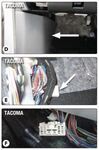
  • Recommended Plug In Wiring Harness for a Redarc Tow-Pro Brake Controller in a 2019 Toyota Tacoma
    To install the Redarc Tow-Pro Liberty Brake Controller item # RED24FR in your 2019 Toyota Tacoma all you will need is the Plug-and-Play Wiring Harness for Redarc Tow-Pro Trailer Brake Controllers item # RED99FR. I have attached a couple of pictures below that will show you where to find the factory connector you'll need to install the Redarc brake controller.
    view full answer...
    Image 1 for
  • Which Harness For Redarc Liberty Brake Controller For 2025 Ram 1500
    Hi Steven, Thanks for the purchase and we do have the right harness for your 2025 Ram 1500 and the Redarc Liberty Brake Controller # RED24FR. The correct plug-in harness is the following part: - Redarc Plug-and-Play Wiring Harness # 331-TPH-020 You can also find the instructions linked below.
    view full answer...
  • Complete Tow Package for 2020 Honda Pilot to Tow 5,000 Camper with Brakes, Hitch, Wiring, Ball Mount
    Hello Lewis, I can definitely get you set up with the correct towing components to get you out on the road to adventure! You’ll want to check your owner’s manual to see what Honda says you can tow, just because the hitches are rated that high doesn’t mean you should be towing that much weight. - Hitch: Just as long as your camper is no more than 5,000 pounds, a Class IV isn’t necessary. I would go with our etrailer Trailer Hitch Receiver - Custom Fit Class III - 2" # e44AR. I really...
    view full answer...
  • Parts Needed To Install a Redarc Tow-Pro Liberty Brake Controller On a 2020 Ford F-150 XLT
    Yes, you can install the Redarc Tow-Pro Liberty Brake Controller # RED24FR on your 2020 Ford F-150 XLT. You will need the Tekonsha Plug-In Wiring Adapter # 22292 to connect to the factory connector on your F-150 that came with a 7-way towing connector. Then you will connect the Liberty to the Tekonsha harness using the Adapter # 331-TPH-017. There is a chance that your factory connector will not have battery power on the connector. If your connector does not have power you will need the...
    view full answer...
  • Recommended Brake Controller to 2024 Nissan Frontier With Tow Package
    For your 2024 Nissan Frontier I recommend the Redarc Tow-Pro Liberty Brake Controller # RED24FR. I like the Liberty because it is simple, reliable, and looks great in any vehicle. The main unit installs behind the dash, so only the control knob will be visible. The knob controls the braking power and acts as the manual override. It also uses colored LED lights for diagnostics. The # RED39FR wiring harness will plug into the port under the dash you referenced for a plug and play installation.
    view full answer...
  • Brake Controller for 2021 Volkswagen Atlas With Tow Package
    Hey Ryan, welcome back! A brake controller will cover anything with brakes and then you will also need a ball mount. The # C57DR you were looking at will work, but you don't really need all of that. The sway bar would be a permanent addition to a single trailer so it wouldn't work on anything else you may tow later on. The Echo is convenient, but a lot of people have issues with the app so I don't really recommend it anymore. Nothing would be more frustrating then trying to get on the...
    view full answer...
  • Recommended Brake Controller and 7-Way for a 2013 Toyota RAV4
    I sure can Mike! I saw you were looking at the Universal Installation Kit for Trailer Brake Controller item # ETBC7. This is one of the most important parts you'll need. It's going to add a 7-way connector and all necessary wiring to your RAV4. It includes a pre-wired 7- and 4-way trailer connector that mounts easily at the rear of your RAV4 with an included bracket. This kit is designed for use on a vehicle with an existing 4-way flat trailer connector and plugs directly into it. Your...
    view full answer...
  • Availability of Custom Wiring Harness for Redarc Tow-Pro Elite Installation on 2023 Subaru Ascent
    Hey Andy! Since you have the tow package on your 2023 Subaru Ascent there is a custom wiring harness available. You will still need the Redarc Tow-Pro Elite Brake Controller # RED44FR. Then you can use the Curt Custom Wiring # C48RJ along with the Redarc Curt Adapter # 331-TPH-019. This will allow you to plug directly into the OEM brake controller port on your Ascent. If you want to save a little money, the same two wiring harnesses will also work with the Redarc Tow-Pro Liberty # RED24FR....
    view full answer...
  • Troubleshooting Fault Codes in a Redarc Tow Pro Liberty Installed in a 2022 Toyota 4Runner
    The easiest way to determine what could be causing the issue with your Redarc Tow-Pro Liberty Brake Controller # RED24FR, installed in your 2022 Toyota 4Runner using the Plug-and-Play Wiring Harness # RED49FR is to check the fault code chart in the installation instructions. There are a number of different fault codes that indicate the problem and solution. I have included pictures of the fault code chart here for quick reference. If you you need further help with this, please let me know...
    view full answer...
    Image 1 for Image 2 for
  • Recommended Brake Controller for 2025 Forest River Sunseeker With Sprinter Chassis
    Hey Graham! It looks like the Sunseeker is built on the Sprinter 3500 chassis, I recommend verifying that to be sure. For a brake controller I recommend the Redarc Tow-Pro Liberty # RED24FR. This is simple, reliable, and doesn't take up any space in the cab. The main unit mounts behind the dash so only the control knob is visible, giving it an OEM look. Do you have a factory 7-way with the brake controller port? If you do, you can use the Tekonsha Custom Wiring Adapter for Trailer Brake...
    view full answer...
  • Custom Wiring Harness for Redarc Tow-Pro Liberty Installation in 2024 Jeep Grand Cherokee L
    Hey Rich! The Liberty is my favorite brake controller and one you will be really happy with. Your 2024 Jeep Grand Cherokee L does have a tow port for brake controller installation. Redarc doesn't make a specific wiring harness so you will need the following: -Redarc Tow-Pro Liberty Brake Controller # RED24FR -Curt Custom Wiring Adapter for Trailer Brake Controllers # C51446 -Redarc Tow-Pro Wiring Adapter for Curt Brake Controller Harness # 331-TPH-019 The Curt wiring harness will fit...
    view full answer...
  • Is Encapsulated Power Diode Needed to Install Redarc Tow-Pro Liberty on a 2020 Subaru Forester
    The Redarc Encapsulated Power Diode # RED34FR shouldn't be needed for installing the Redarc Tow-Pro Liberty # RED24FR and Pigtail # RED69FR on your 2020 Subaru Forester. The answer page you're referring to didn't have us telling someone to install it, rather that person asked how it installs and our expert gave them insight on how to install it. Aside from that we haven't recommended the Power Diode for any other Subaru vehicles.
    view full answer...
  • Brake Controller Plug Location on 2021 Jeep Grand Cherokee
    The factory brake controller connector on your 2021 Jeep Grand Cherokee is located under the dash behind the hood latch, as shown in the provided photo. Keep in mind, the connector will only be there if the vehicle has the factory tow package which includes the 7-way trailer connector at the rear bumper. If you have the tow package, to install the Tekonsha # TK90160 Primus brake controller on your 2021 Grand Cherokee you'll need the Tekonsha # TK93VR wiring harness. One end plugs into...
    view full answer...
    Image 1 for
  • Trailer Hitch, Wiring, and Brake Controller for 2020 Ford Transit T350 Crew Van
    Hey Kevin! Starting with a hitch I recommend the etrailer Trailer Hitch # e98842. This is a Class III hitch with a 2" receiver and a bolt-on installation. Based on the information you have given me I'm assuming you don't have factory wiring so you you will need the # 22114 (single rear wheel) or # 22116 (dual rear wheel) to add a 7-way. The correct wiring kit depends on if you have a dual rear wheel setup or not. Double check the rear bumper of your van and see if you have a dummy plug....
    view full answer...
  • Should There Be a Light On the Redarc Tow-Pro Liberty Brake Controller While Driving Without Trailer
    In regards to the Redarc Tow-Pro Liberty Brake Controller part # # RED24FR, the unit should not be illuminated while driving without a trailer. If you press the button while a trailer is not attached you should see a breathing blue light and that simply indicates the controller is in sleep mode. This is further explained in the manual so please give this a look over.
    view full answer...
  • Brake Controller Recommendation/Install 2021 Kia Telluride with Factory 7-Way/Tow Package
    It looks like you've got everything you need, except for a brake controller. The Curt # C51180 Echo Wireless Brake Controller would be very effective, with your vehicle being already pre-wired, the install would be plug and play. The only knock I have on the Echo is that it can't be locked to the vehicle. If you leave your vehicle unattended for a few minutes, somebody could walk off with it, which would leave you without functional trailer brakes. For this reason, and because you're...
    view full answer...
    Image 1 for
  • Parts Needed to Add 7-Way Wiring and Brake Controller to 2013 Lincoln Navigator
    Hello Allan; to add a 7-way you need the Universal Installation Kit for Trailer Brake Controller # ETBC7. This kit comes with the adapter, wiring, and everything else required to upgrade your existing 4-way to a 7-way. The # C55774 you were looking at is designed to fit if you have the factory 7-way with a US Car connector. For the brake controller I recommend the Redarc Tow-Pro Liberty # RED24FR. This brake controller is reliable and easy to use. The main unit installs behind the dash...
    view full answer...
  • Best Brake Controller for a 2019 Ford E-450 Cutaway
    The best brake controller for your 2019 Ford E-450 Cutaway is the Redarc Tow-Pro Elite Trailer Brake Controller item # RED44FR. The Tow-Pro Elite is very similar in design to a factory trailer brake controller. There is a control box that gets installed under the dash, out of sight and then a control knob that gets mounted on your dash wherever you prefer. This will provide a very clean look and will allow you to mount it in many different locations whereas a standard brake controller will...
    view full answer...
    Image 1 for
  • What Is Needed to Install a Brake Controller on a 2010 Ford E-450 Class C RV with Factory 7-Way
    If the 7-way trailer connector you have was equipped from the factory which it most likely was then all you will need to do is plug in the brake controller and then you are good to go. The plug for your 2010 Ford E-450 chassis should be located up under the dash, near the emergency brake pedal. If you like you can test the pins inside the connector to see if they are active but you should not need to. I recommend using the Redarc Tow-Pro Elite Trailer Brake Controller part # RED44FR with...
    view full answer...
  • Parts Needed to Add 7-Way Connection to 2011 Thor Majestic 23A on Ford E-350 Chassis
    Wiring for your 2011 Thor Majestic 23A on Ford E-350 Chassis will depend on whether or not you have the factory tow package/ports, which it sounds like you do. For a 7-way you would need the T-One Vehicle Wiring Harness for Factory Tow Package - 7-Way Trailer Connector # 118261. See the attached picture which shows what the connections look like. If you do not have the port for this and don't have the factory tow package then you would need to first install the # 118551 for a 4-way. Once...
    view full answer...
    Image 1 for
  • Replacing Bad Brake Controller For 2015 Ford F-350
    Sounds like the brake controller on your 2015 Ford F-350 is shot so you'll need to replace it. The best and most reliable option is the Redarc Tow-Pro Liberty Brake Controller # RED24FR with Harness # 331-TPH-005.
    view full answer...
  • Recommendation For Replacing Factory Brake Controller On a 2016 Ford F-250 Super Duty
    The Redarc Tow-Pro Elite Brake Controller # RED44FR is a great option to replace your factory brake controller. This controller utilizes a small dash mounted knob which is used to adjust and activate the trailer brakes. It is capable of being used with electric or electric over hydraulic brakes on up to 3 axles. You can also switch from a proportional controller which adjusts the brakes depending on how hard you are braking or a user controlled mode which is more like a timed brake controller...
    view full answer...
  • Recommended Trailer Brake Controller For a 2014 Ford F-350 With Factory 7-Way Trailer Connector
    I recommend installing the Redarc Tow-Pro Elite Brake Controller # RED44FR on your 2014 Ford F-350. This controller only takes up a small footprint on the dash unlike other controllers and can be easily adjusted while you drive. It can be used on trailers with up to 3 braking axles if you end up getting a larger trailer in the future. The Redarc Plug-and-Play Wiring Harness # 331-TPH-005 will allow you to easily connect the brake controller to the factory connector behind the dash on your F-350.
    view full answer...
  • Parts Needed to Add Electric-Over-Hydraulic Disc Brakes to a 2019 Grand Design Solitude 375RES
    To replace the electric brakes on your 2019 Grand Design Solitude 375RES you will first need disc brakes. For your 7K axles I highly recommend the Kodiak Disc Brake Kit # K2HR712DS because it has a dacromet coating and stainless steel calipers which gives them great corrosion resistance. The kit includes enough parts for brakes on 1 axle so you will need 2 of them. For brake lines I recommend the HydraStar Hydraulic Brake Line Kit # HS496-252 which gives you a steel main line but then...
    view full answer...
  • Recommended Trailer Brake Controller For a 2016 Forest River Forester On Ford E-450 Cutaway Chassis
    I recommend installing the Redarc Tow-Pro Liberty Brake Controller # RED24FR on your 2016 Forest River Forester 2861DSF with the Ford E-450 cutaway chassis. This controller hides the main unit behind your dash and only requires a small hole in the dash for control knob. With the small area available in your drivers area this will be the best option. You will be able to connect it to the Ford wiring with the Plug-and-Play Wiring Harness # 331-TPH-005
    view full answer...
  • Is Brake Controller Required for Towing a Trailer with a 2018 Thor Axis Motorhome
    Yes, you'll need a trailer brake controller to tow a trailer since the trailer brake controllers for trailers and the brake kits for flat towing are different. The brake controller I recommend for your 2018 Thor Axis Motorhome is the Redarc Tow-Pro Liberty # RED24FR because it can be installed virtually anywhere in your motorhome and you only need access to the control knob so it's out of the way and saves you space. Here are the parts you'll need depending on what your motorhome is equipped...
    view full answer...
  • What is Best Trailer Brake Controller for 2020 Ford F-450 Cab and Chassis Truck
    The best brake controller solution I can recommend for your 2020 Ford F-450 Cab and Chassis is definitely the Redarc Tow-Pro Elite Trailer Brake Controller part # RED44FR. What's great about this controller is that is a very similar design to a factory brake controller in that only requires a small knob get installed on your dash. I attached a picture of what it looks like installed on a dash as well as a review video for more info as well. This provides your truck with a very clean look...
    view full answer...
    Image 1 for Image 2 for
  • Parts Needed To Add a 7-Way Onto A 2015 Thor ACE Class A Motorhome
    To install a 7-way and brake controller on your 2015 Thor ACE Class A Motorhome you'll need the Universal Installation Kit for Trailer Brake Controller - 7-Way RV and 4-Way Flat - 10 Gauge Wires # ETBC7. The 4-way connector on the # ETBC7 will connect to the 4-way you already have in place and from there you'll just need to ground your white wire to the frame and connect your black (12v power) and blue (brake controller) wires to the included 10awg wire and run it up to your engine bay....
    view full answer...
  • Correct Wiring Harness for Redarc Tow-Pro Elite Brake Controller on 2017 Ford E-450 Motorhome
    I took a look at your order for the Redarc Tow-Pro Elite Trailer Brake Controller # RED44FR, and while it will work with your 2017 Ford E-450 motorhome, it also looks like you have the wrong plug-in adapter. It looks like you ordered the Redarc Plug-and-Play Wiring Harness # 331-TPH-007, which is the incorrect harness for a 2017 E-450. The correct harness for a 2017 Ford E-450 is the Redarc Plug-and-Play Wiring Harness for Tow-Pro Trailer Brake Controllers # 331-TPH-005. This harness...
    view full answer...
  • Brake Controller that Mounts Small on 2013 Ford E-450
    Finding a location on your dash to mount your brake controller can be challenging but basically you want to put it on the lower dash in an area that is out of the way for your legs but still accessible. Now if the clearance in the area is tight you can use the Redarc Tow Pro Liberty part # RED24FR with the custom fit harness for your 2013 Ford E-450 part # 331-TPH-005 and you'd have a great solution that's easier to mount since it only puts a small knob on the dash instead of a box.
    view full answer...
  • Recommended Brake Controller for a 2014 Thor Chateau Motorhome on Ford E-350 Chassis
    For your 2014 Thor Chateau on a Ford E-350 Chassis, I recommend using the Redarc Tow-Pro Elite Trailer Brake Controller part # RED44FR with the TrailerMate Custom Wiring Adapter for Trailer Brake Controllers part # 331-TPH-005. The Tow-Pro Elite is very similar in design to a factory trailer brake controller. There is a control box that gets installed under the dash, out of sight and then a control knob that gets mounted on your dash wherever you prefer. This will provide a very clean...
    view full answer...
  • Recommended Mounting Location For Redarc Tow-Pro Elite In 2017 Ford E-450 Motorhome
    If it were my vehicle, I would mount the knob just below the steering wheel towards the right side of the dash that way it is a comfortable distance to reach with your right arm. The beauty of the Redarc Tow Pro Elite # RED44FR is you are not restricted to any specific mounting location, just where ever you feel is the most convenient for you. You will just need to drill a hole in the dash making sure you have at least 1-3/4" of space behind the knob. For your 2017 Ford E-450 motorhome...
    view full answer...
  • Brake Controller Recommendation for 2013 E-350 with Clean Look on Dash
    For your 2013 Ford E-350 with factory brake controller wiring we don't offer a way to install the factory controller but we do have a similar setup that will give you a very clean look on your dash. The Redarc Tow Pro part # RED44FR is a proportional controller that will only require mounting a small knob on the dash like what I attached a picture of. The install harness you'd need then is the part # 331-TPH-005 which plugs into the connector you found behind the coin tray.
    view full answer...
    Image 1 for
  • What Install Harness is Needed for Redarc Tow Pro Liberty for 2012 Ford E-450 Van
    To install the Redarc Tow Pro Liberty Brake Controller # RED24FR in your 2012 Ford Van E-450 that has the factory tow package you'd only need the install harness part # 331-TPH-005 and you'd be set.
    view full answer...
  • Parts Needed To Install Redarc Tow-Pro Liberty Brake Controller on 2012 Ford E-350
    The Redarc Tow-Pro Liberty Brake Controller part # RED24FR can be easily installed on a 2012 Ford E-350 using the Redarc Plug-and-Play Wiring Harness part # 331-TPH-005. If you don't have power to the controller once plugged-in just make sure to check the owner's manual for the fuse locations and then appropriate fuses within the fuse box.
    view full answer...
  • Can Redarc Tow-Pro Elite RED44FR Replace OEM Trailer Brake Controller In 2014 Ford F-250?
    You can absolutely install the Redarc Tow-Pro Elite Trailer Brake Controller # RED44FR to replace the factory trailer brake controller in your 2014 Ford F-250 Super Duty XLT Crew Cab. You will need the Redarc Plug-and-Play Wiring Harness for Tow-Pro Trailer Brake Controllers # 331-TPH-005 to plug into your factory trailer brake controller port after unplugging the integrated factory controller, and then plug the other end into the # RED44FR to take care of all of the wiring. Since your...
    view full answer...
  • Recommended Trailer Brake Controller and Wiring Harness for 2009 Ford Econoline XLT Van
    For your 2009 Ford XLT Econoline extended van, your 7-way will give you a connection for a brake controller under your dash. I recommend using the Redarc Tow-Pro Elite Trailer Brake Controller - 1 to 3 Axles - Proportional # RED44FR with the Redarc Plug-and-Play Wiring Harness for Tow-Pro Trailer Brake Controllers # 331-TPH-005. I've attached an install video to assist with the install, but it is on a different vehicle. It will install the same way though.
    view full answer...
  • Brake Controller Wiring Harness and Air Bags for 2014 E-450
    Hey Chip! What kind of brake controller do you have? For the 2014 E-450 we have the # 331-TPH-005 for Redarc and # C51432 for Curt. The Tekonsha stuff is out of stock right now since the parent company is bankrupt and they're for sale. However, you can adapt a Curt wiring harness to a Tekonsha controller using # C68VV. Nothing is specifically listed for the F-750 but if the connector looks the same these wiring harnesses will work. For the air bags I recommend the Firestone Ride-Rite Air...
    view full answer...
  • Brake Controller Recommendation for 2012 Itasca Cambria 28T
    Hey Marcus, we have just what you are looking for with the Redarc Tow Pro Liberty part # RED49CR which is a great performing brake controller that only puts a small knob on the dash of your RV so your knee won't hit it. It also comes with a custom fit harness too so it will plug right into your RV for an easy install. What will you be towing?
    view full answer...
  • Where is Brake Controller Install Connector on 2012 Itasca Cambria
    Hey Marcus, yeah the gray connector in the picture you sent in is the correct connector for the install of a brake controller. Where did you end up finding it?
    view full answer...
  • Which Redarc Tow Pro Liberty Kit Fits 2011 Ford E-450
    Hey Kirk, I believe you are asking about which Redarc Tow Pro Liberty with custom harness fits your 2011 Ford E-450 and it's the part # RED49CR.
    view full answer...
  • Recommended Brake Controller and Custom Wiring Harness for a 2015 Jayco Greyhawk Motorhome
    Hey Joe. Your 2015 Jayco Greyhawk motorhome has two possible locations for the brake controller plug depending on what configuration your dash is. I've attached a couple of pictures below that will show you the location for either one. Please note that your motorhome should only have one if it came from the factory with a 4-way or 7-way connector. To add a brake controller with a custom harness to your Jayco Greyhawk, I recommend the Redarc Tow-Pro Liberty item # RED49CR. This is a proportional...
    view full answer...


Info for this part was:

Employee Lindsey S
Edited by:
Lindsey S
Employee Jameson C
Expert Research:
Jameson C
Employee Joshua S
Video Edited:
Joshua S
Employee Wilson B
Updated by:
Wilson B
Employee Alex H
Updated by:
Alex H
Employee Sabrina W
Updated by:
Sabrina W
Employee Amanda K
Written by:
Amanda K

At etrailer we provide the best information available about the products we sell. We take the quality of our information seriously so that you can get the right part the first time.


Product Experts Available Now!
Call 1-800-940-8924
<