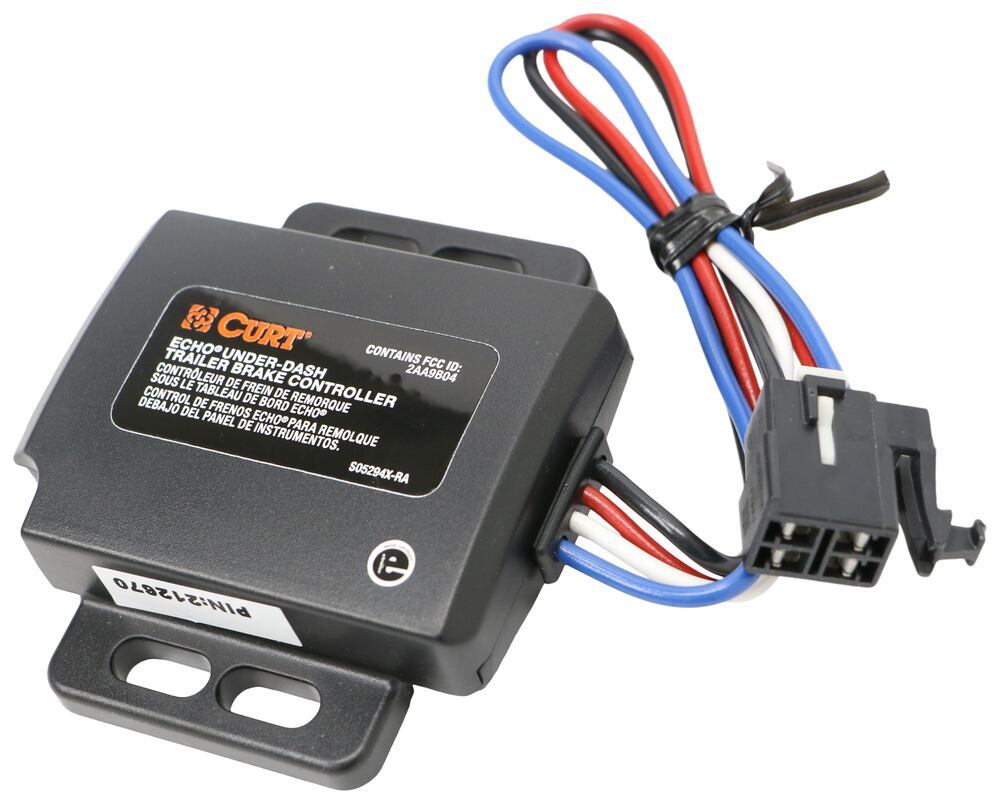
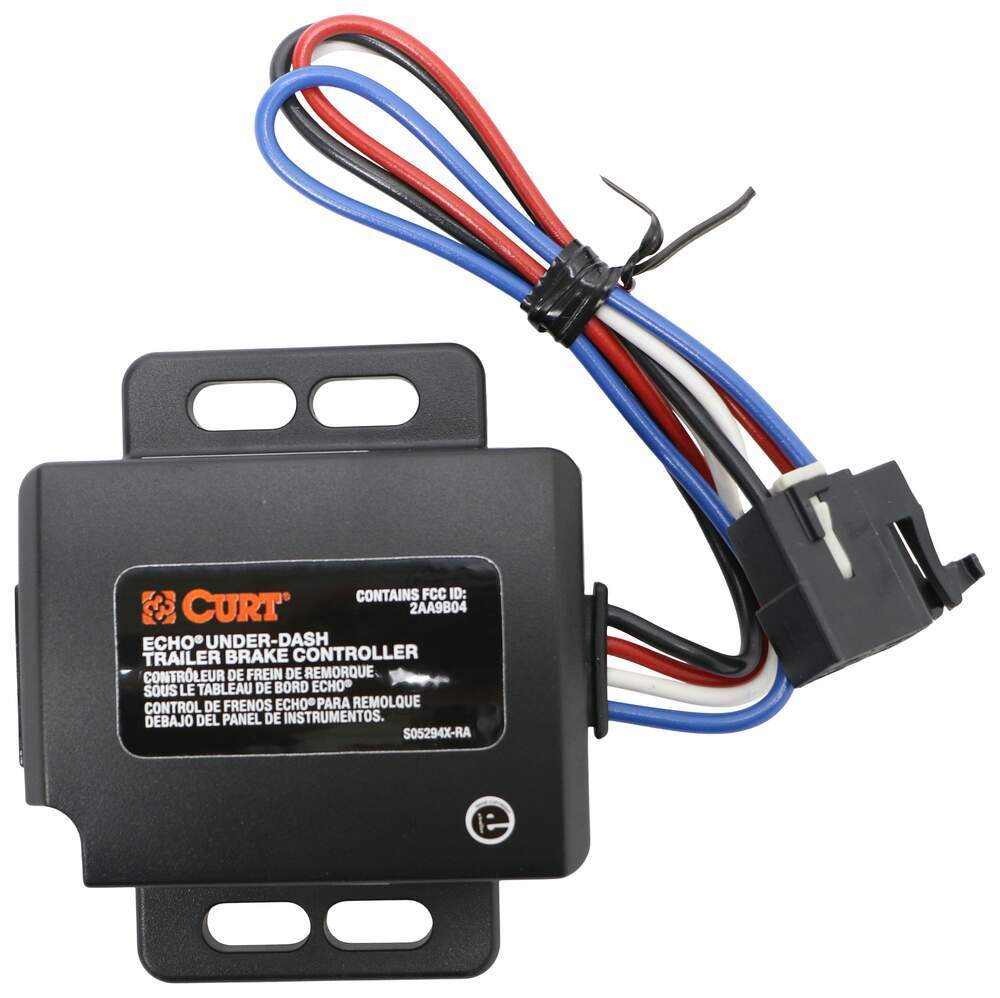
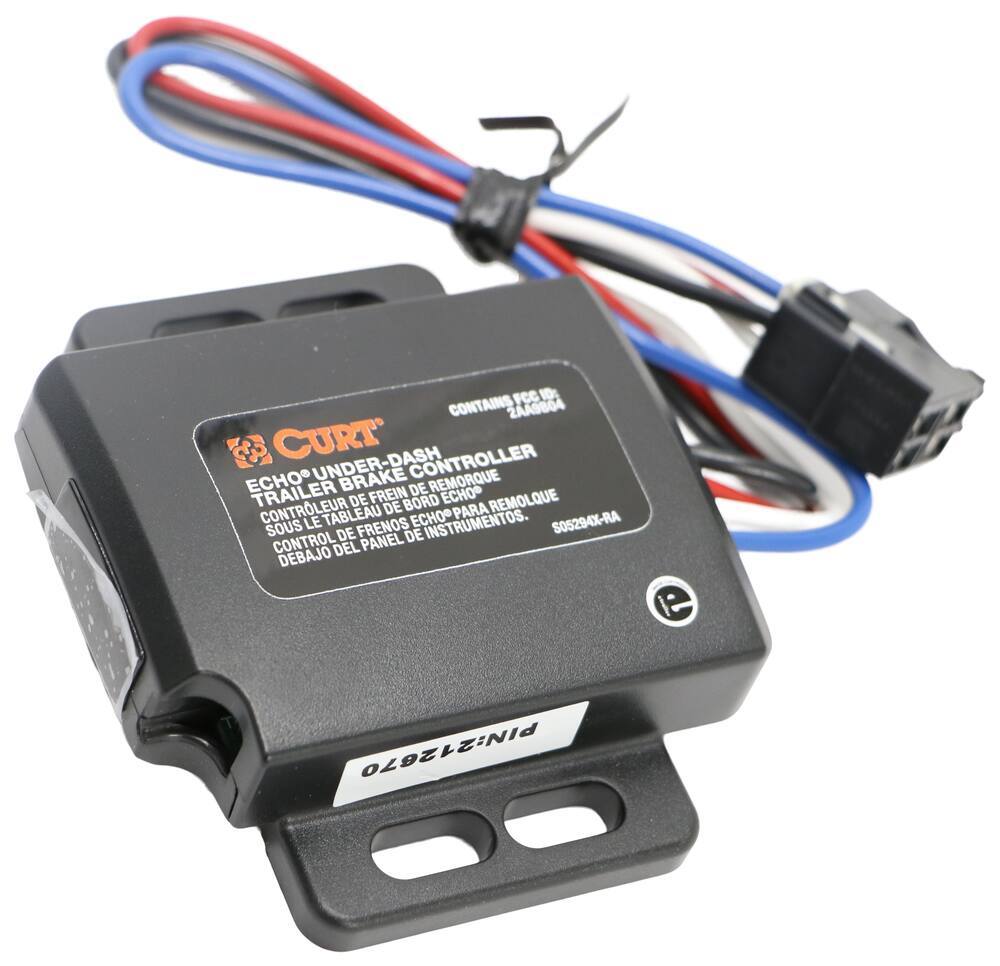
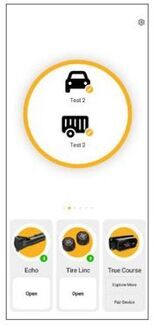
Towing? There's an app for that. This brake controller connects to your phone with Bluetooth so all your settings are right in your hand. The plug-and-play unit mounts under your dashboard, out of sight and out of your way. Great Prices for the best trailer brake controller from CURT. Curt Echo Under-Dash Bluetooth Brake Controller w/ Custom Harness - Up to 4 Axles - Proportional part number C27GJ can be ordered online at etrailer.com or call 1-800-940-8924 for expert service.
All Info
Q & A (0)
Related Parts
Videos (1)
Photos
CURT Trailer Brake Controller
- C27GJ
Highlights
Custom Fit for Your Vehicle: Works with your vehicle's existing wiring.
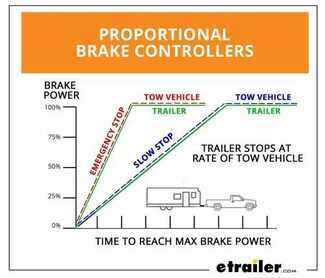
Smooth, controlled stops: Proportional braking matches trailer braking to your vehicle for even deceleration.
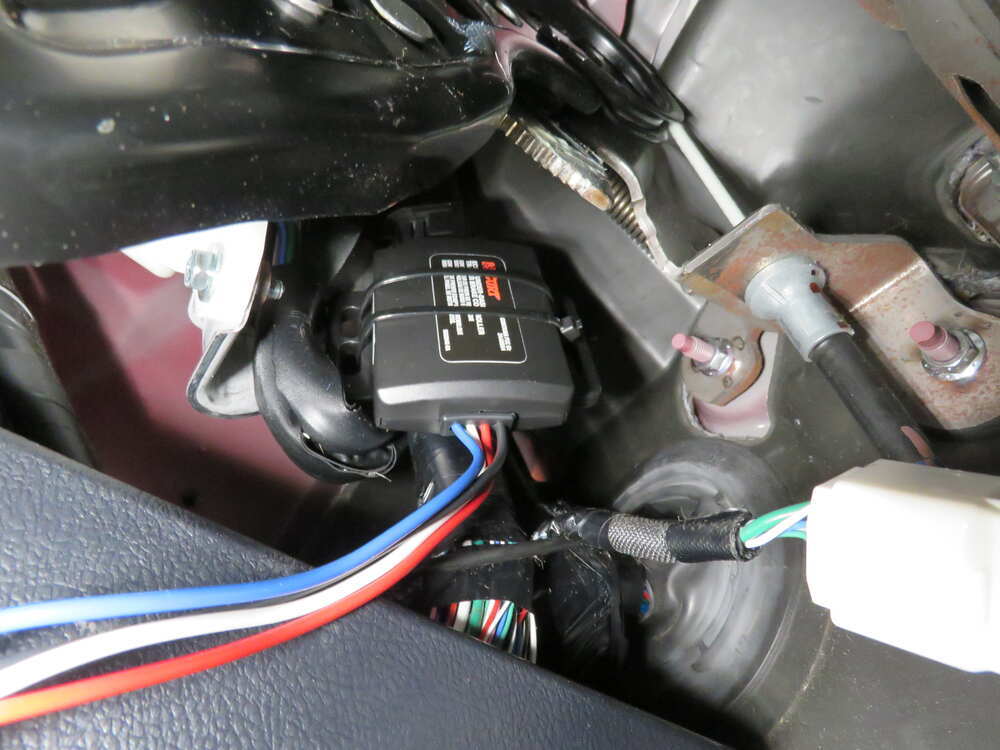
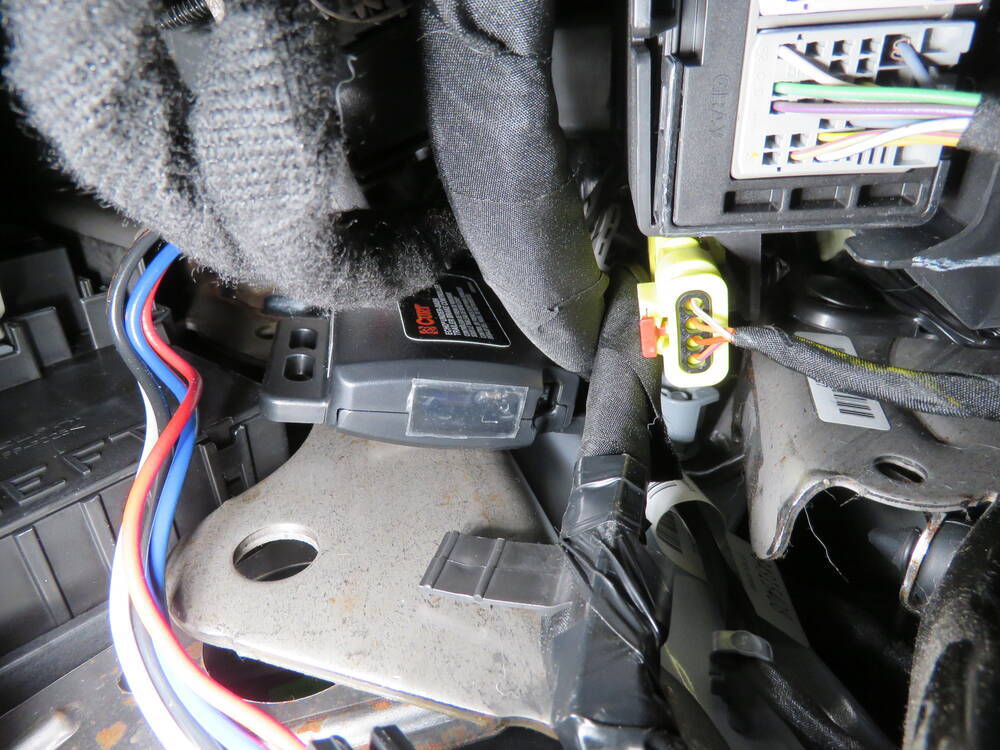
Clutter-free cab: Under-dash mount hides the unit out of sight and away from your knees.
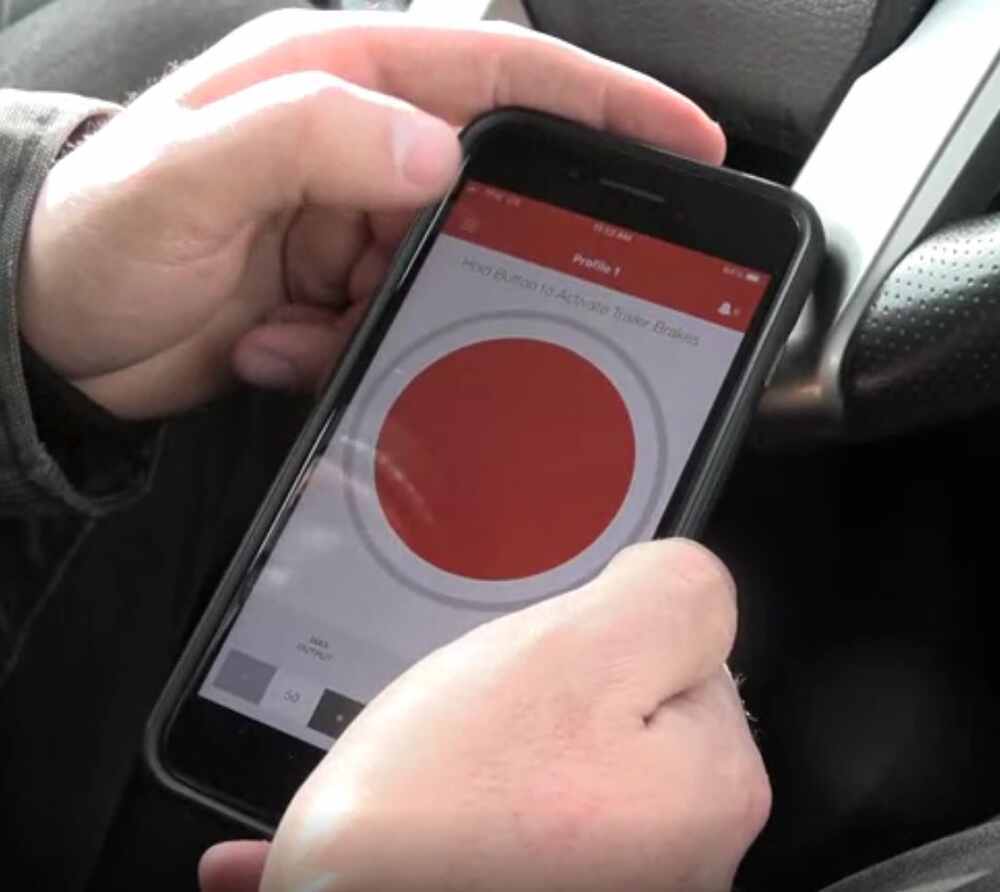
Control from your phone: Bluetooth link and OneControl app let you adjust gain, sensitivity, and apply manual override.
Ready to tow fast: Plug-and-play custom harness connects without splicing for quick DIY install.
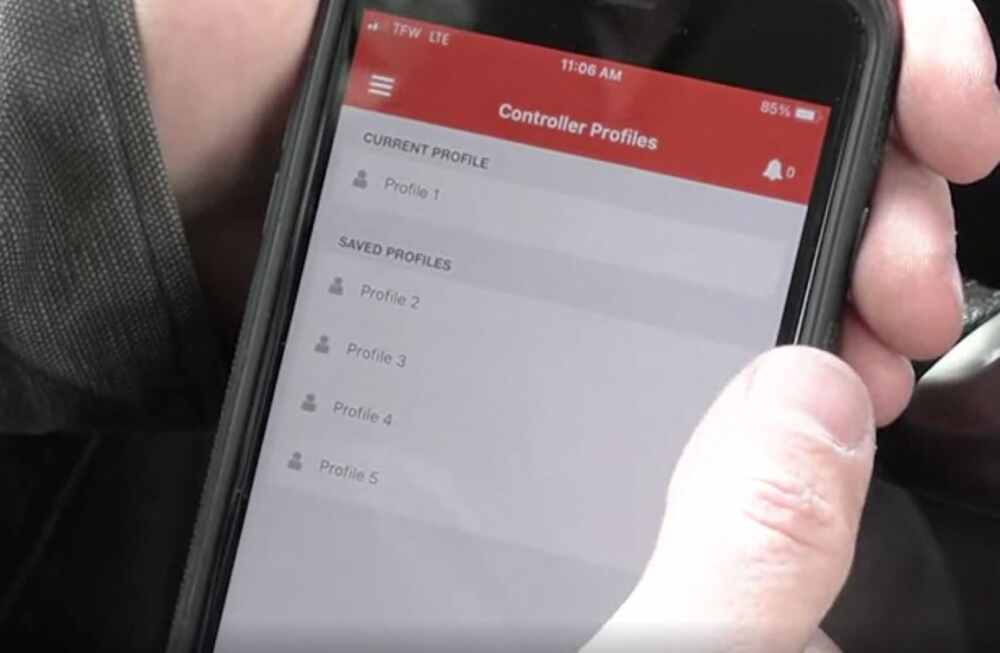
Tow different trailers safely: Save profiles for multiple trailers with 1 to 4 axles for easy switching.
Features to know about
Keeps the Cab Clean: Hidden Under-Dash Mount
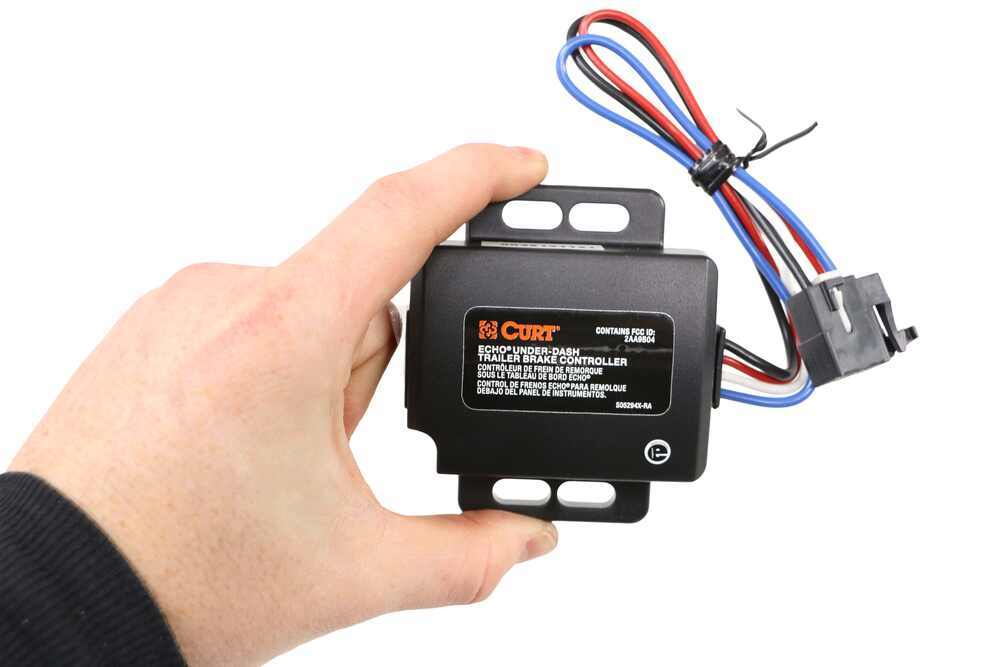
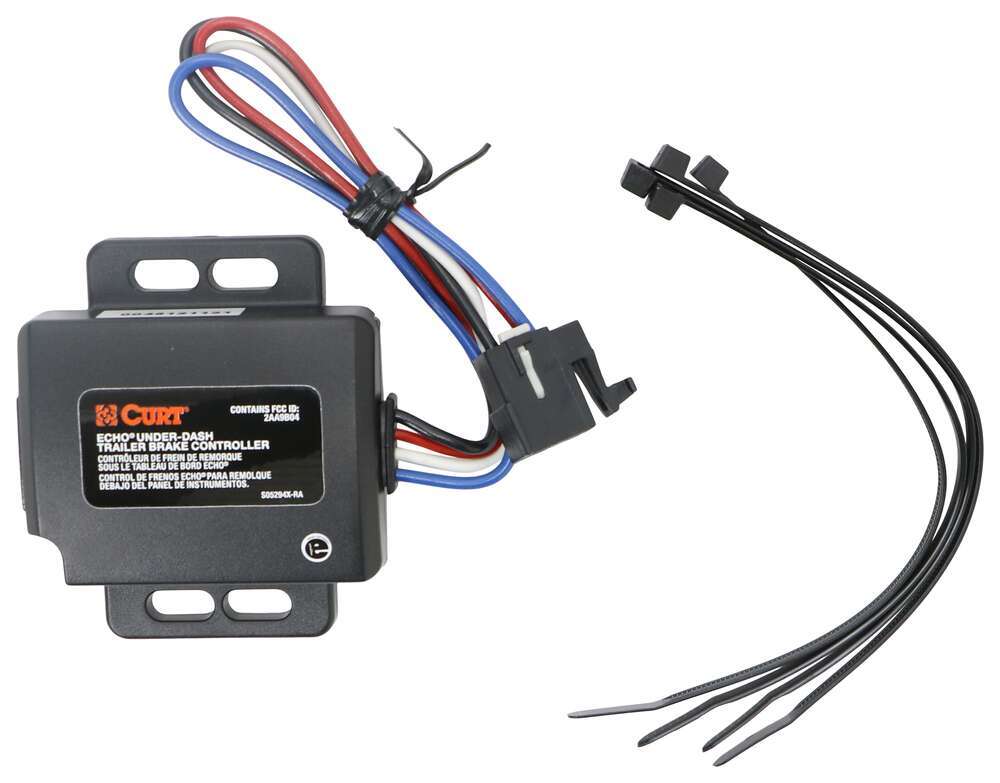
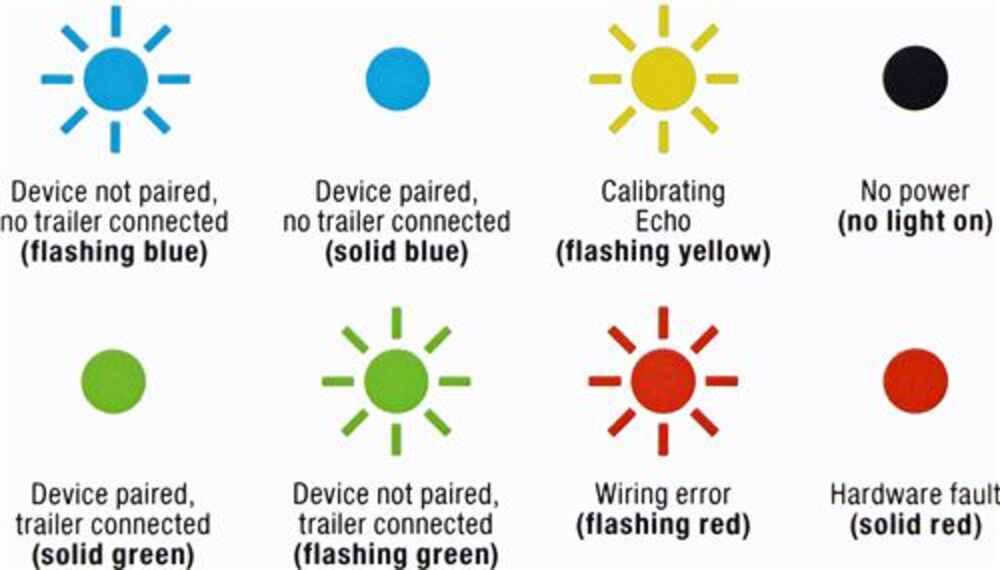
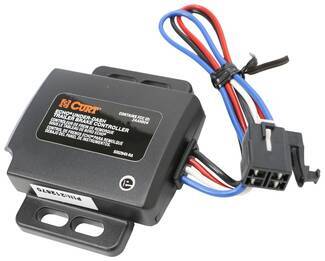
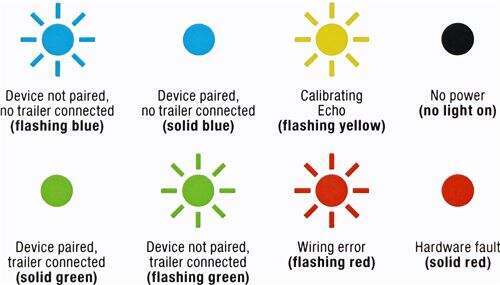
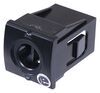
Bulky brake boxes can ruin a clean dash layout and get in the way. The Echo mounts out of sight behind the dash, leaving nothing visible inside the cab. At only 3-3/8" long x 3" wide x 7/8" thick, it tucks away easily without interfering with airbags or knees. A single LED on the main unit handles all system diagnostics, and you manage settings wirelessly through your smartphone using Bluetooth.
Tows Smoothly and Confidently: Proportional Braking for Up to 4 Axles
Jerky trailer stops are a thing of the past thanks to true proportional control. An internal 3-axis accelerometer measures braking force and syncs your trailer brakes with your tow vehicle for smooth, balanced deceleration. It works with trailers that have 1 to 4 axles (up to 8 brake assemblies) and supports electric trailer brakes. The even braking feel helps reduce wear on tires and brake components while keeping everything stable on steep grades or in traffic.
Simplifies Setup: Plug-and-Play Harness and Quick Calibration
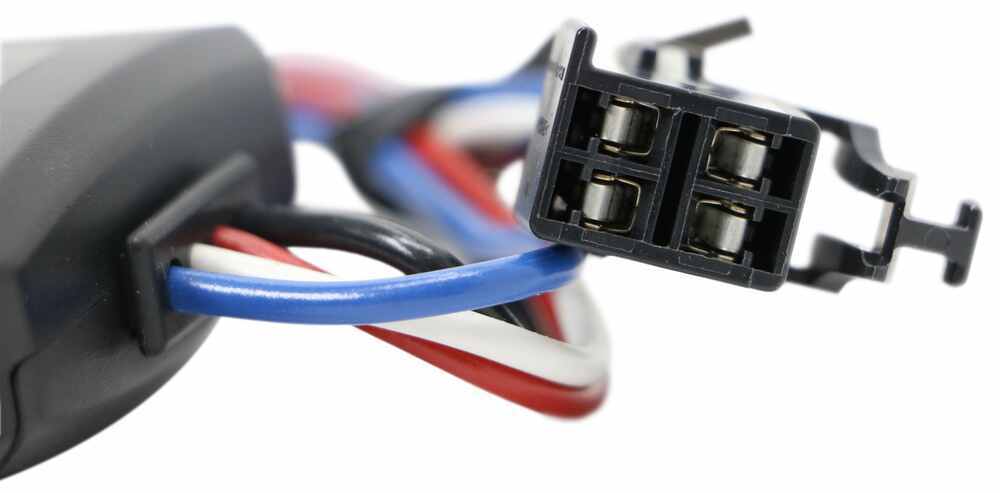
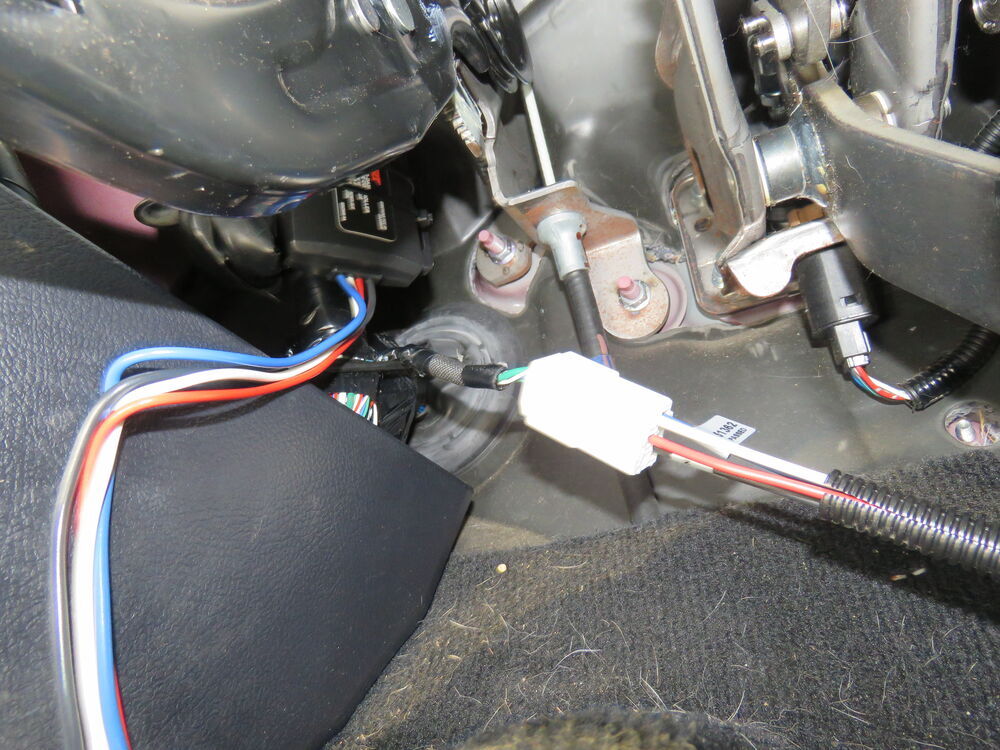
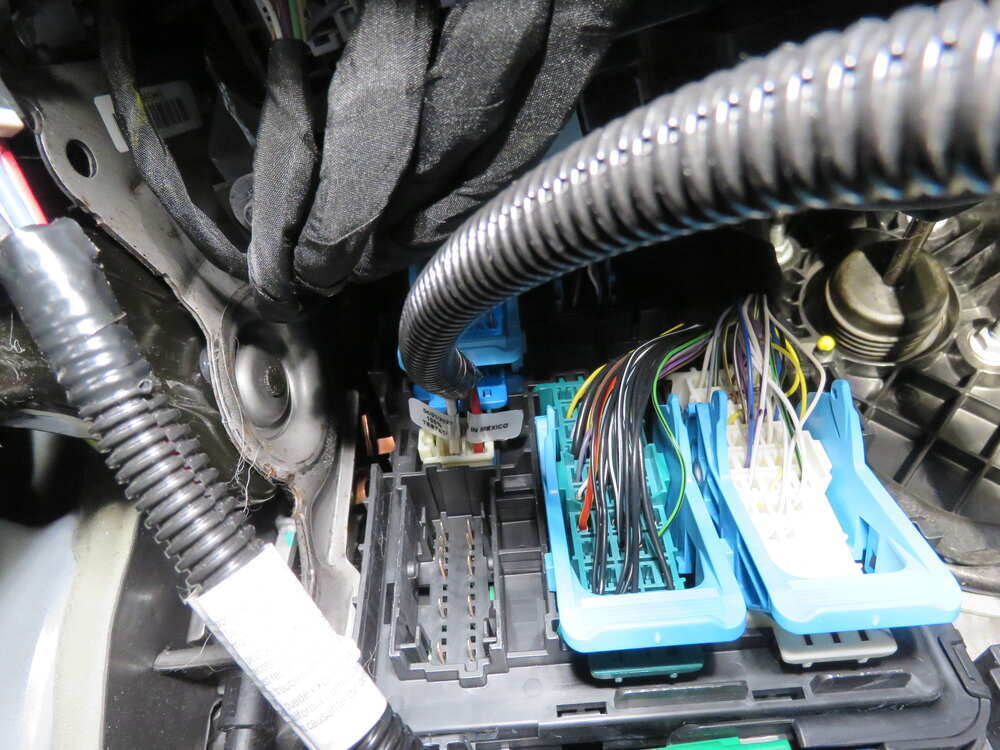
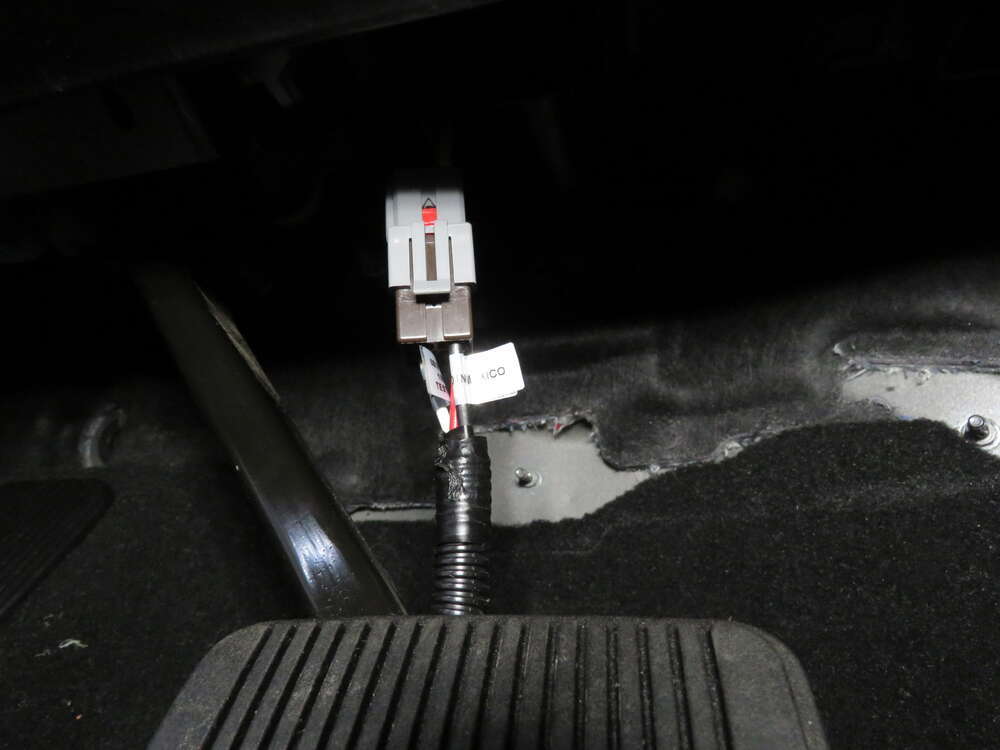
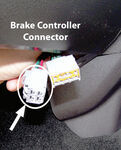
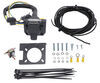
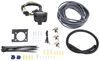
No wire splicing or custom wiring needed. A plug-in harness connects directly to the built-in brake control wiring port under the dash, and included adhesive pads and zip ties make it easy to mount the controller box anywhere secure. Once paired with your phone via Bluetooth, the setup calibrates in seconds—just plug in the trailer’s 7-way connector and let it self-adjust automatically.
Controls Towing from Your Phone: OneControl App Integration
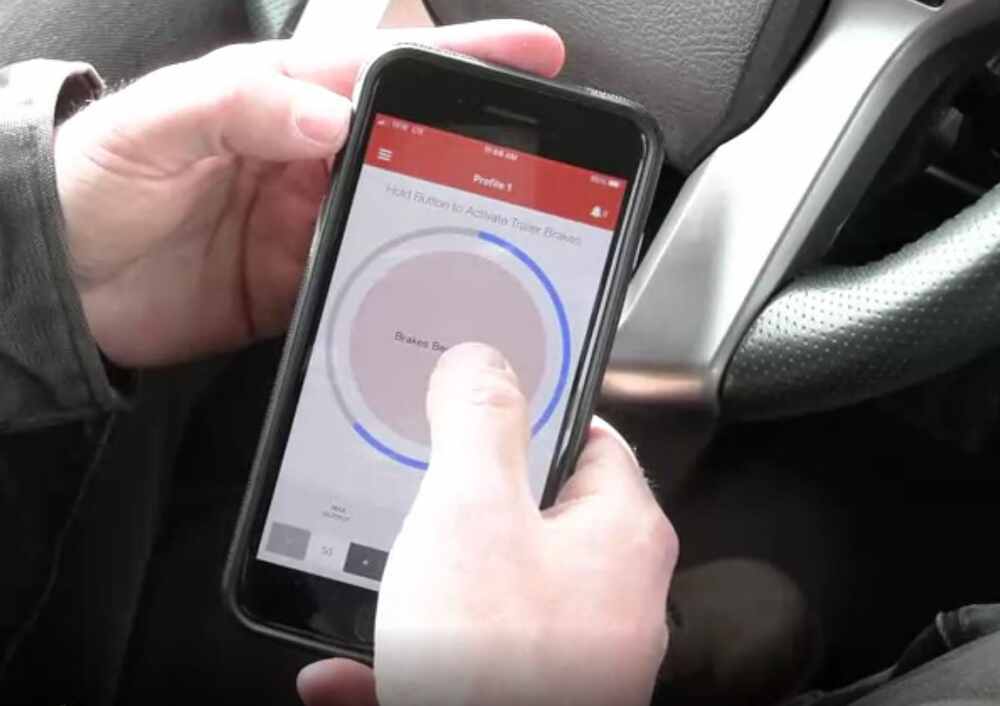
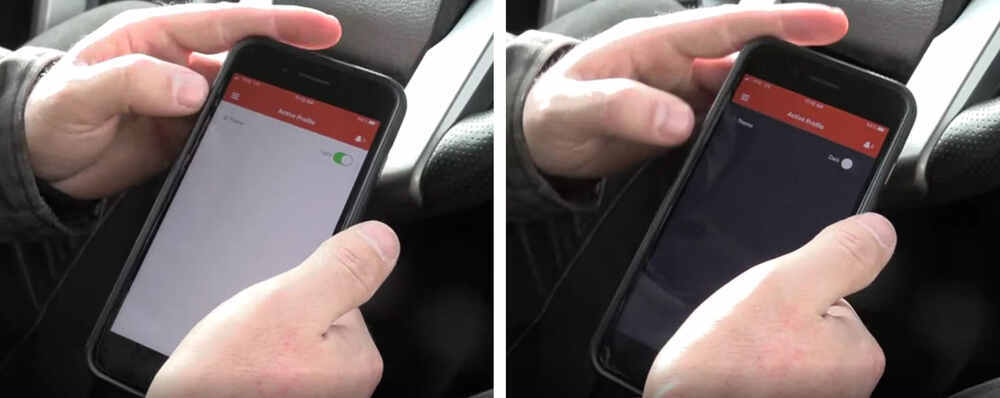
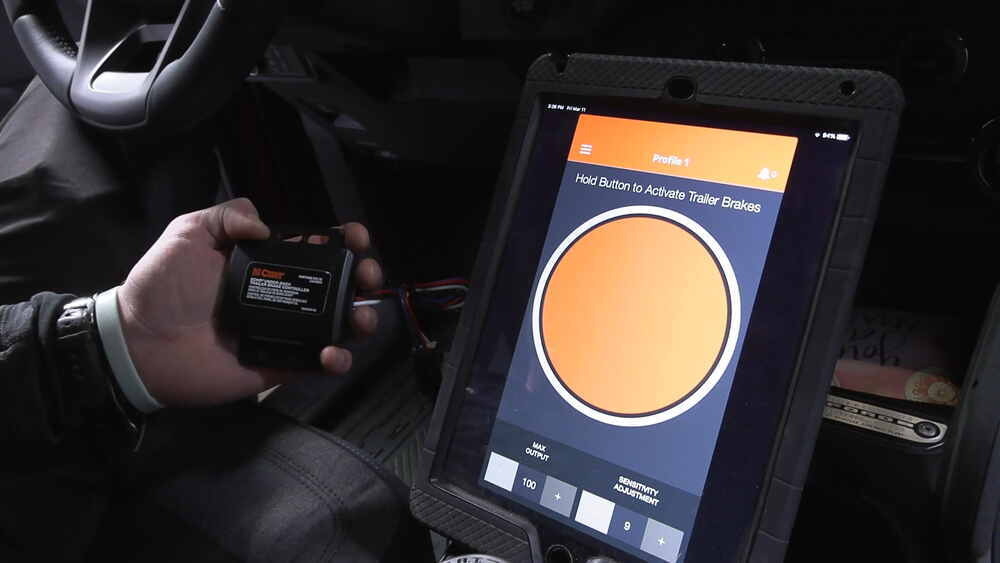
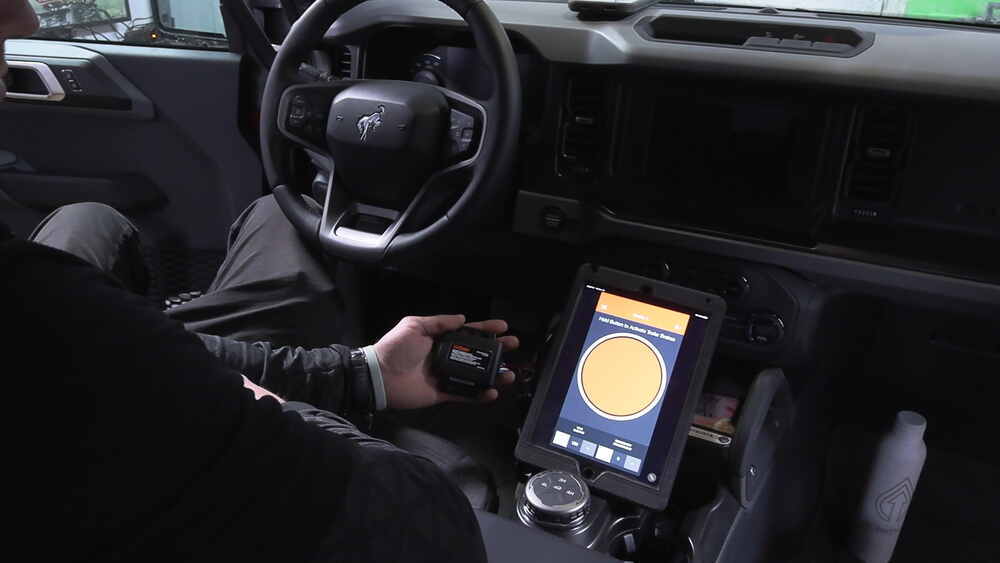
With Bluetooth connectivity, the Echo pairs with the OneControl app so all your settings are right at your fingertips. You can fine-tune maximum braking output, adjust sensitivity, apply manual override, or activate hazard light protection—all right on your screen. The app also saves multiple trailer profiles so you can switch between rigs without reprogramming each time. Even if the Bluetooth signal drops, the controller keeps working safely using your last saved settings.
Built for Reliability: Smart Protection and Solid Warranty
The system includes built-in reverse polarity and short circuit protection for safe operation under load. It’s covered by a limited lifetime warranty on the brake controller and a 1-year limited warranty on the wiring harness for peace of mind over the long haul.
Specs
Application
Application: trailers with 1 to 4 axles (8 brake assemblies)
Compatible with: electric trailer brakes
Dimensions
Main unit dimensions: 3-3/8" long x 3" wide x 7/8" thick
Smart Device Requirements
Apple OS requirements: 5.0 and newer
Android OS requirements: 4.3 and newer
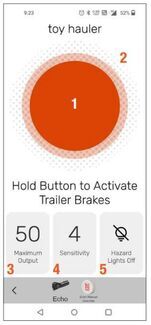
1. Manual Override: This big orange button in the middle of the app is your manual override. Press and hold the button, and the brake controller will smoothly apply the trailer brakes without applying your vehicle's brakes. This is perfect for stopping sway or controlling your trailer's momentum in an emergency.
2. Brake Output Indicator: The outer ring gives you a visual indicator of how much power is being applied to the trailer brakes. This is determined by your max output setting.
3. Max Output: Braking output is the maximum amount of power that will be applied to your trailer's brakes. How much braking output you need is determined by the weight of your trailer; a heavier trailer will need more power to bring it to a stop.
4. Sensitivity Level: This controls the aggressiveness of your trailer's braking, meaning how quickly the brakes reach the max output level.
5. Vehicle Hazard Lights: If you turn on your vehicle's hazard lights, there’s a chance the trailer brakes will pulse on and off as the lights flash. Turn this setting on any time you activate your hazard lights to prevent this problem.
Warranty
Brake controller: Limited lifetime
Wiring harness: Limited 1-year
Note
If Bluetooth connection is lost: The brake controller will continue to function safely, using the most recently programmed settings.
Compatibility note: This brake controller is not compatible, but will not interfere, with Apple CarPlay or Android Auto.
What is Proportional Braking?
Proportional braking means that your trailer brakes mimic your tow vehicle's brakes. If you slam on the brakes in your vehicle, your trailer brakes will activate with the same intensity; if you brake lightly, your trailer brakes lightly too. The trailer's braking is in proportion to your vehicle's braking. This saves wear and tear on the tires and the brakes on both your vehicle and trailer.
51190 Curt Echo Wireless Trailer Brake Controller - Under Dash - Smart Phone Bluetooth Connection - One Control App for Brake Controller - 1 to 4 Axles - Proportional
51535 Curt Quick Plug Brake Control Adaptor Harness
WARNING: This product can expose you to chemicals including Di(2-ethylhexyl) phthalate, which is known to the State of California to cause cancer, and Di-n-butyl phthalate, which is known to the State of California to cause birth defects or other reproductive harm. For more information go to www.p65warnings.ca.gov
Customers Who Purchased This Trailer Brake Controller Also Bought...
We had the chance to install a brake controller in a similar Ranger as your 2021 model and when using standard brake controller wiring like with the # C51515 to install the Curt Echo Mobile # C27JR the yellow/orange goes to the black wire, the blue wire is going to go to the blue wire, the white wire is going to go to the white wire, and the violet with white stripe goes to the red wire. view full answer...
Generally when the Curt Echo Under-Dash # C27JR says the 7-way is disconnected but it isn't, the issue is actually the 7-way is problematic, either on your vehicle or trailer. I'd check to make sure the 7-way on both does not have bent pins, or corroded or damaged in some way. view full answer...
Hi Robert; it looks like your 2023 Jeep Grand Cherokee 4xe doesn't have a brake controller port since you don't have the tow package. This means hard wiring the # C27JR is your only option for installation. If have a plug and play wiring harness I would return it to whoever you bought it from. view full answer...
Hey Arek, so it looks like Curt is the only brand of Bluetooth brake controllers but they do have two different types.
They have the super popular Curt Echo Wireless Brake Controller # C51180 which just plugs into a 7-way and is controlled via the app, or the Curt Echo Under-Dash Bluetooth Brake Controller w/ OneControl # C27JR with the adapter # C51515.
If neither of those interest you, the Redarc Tow-Pro Elite Brake Controller # RED44FR is what I'd get. This brake controller is a traditional... view full answer...
Hello Dan, thanks for reaching out. The best way to add a 7-way and brake controller to your 2017 Hyundai Santa Fe with an aftermarket 4-pin is by using the Universal Installation Kit # ETBC7. This kit contains everything you need to upgrade the 4-flat to a 7-way, including all of the necessary wires for a brake controller.
For the brake controller, the Tekonsha P3 # 90195 is what I recommend. It is easy to use and reliable. You can wire it in using the included universal pigtail.
What... view full answer...
The standard Curt Echo # C51180 does use the same technology as the Curt Echo Under-Dash # C27JR, but whenever I've heard about the pairing issue being a problem it causes settings to become erratic rather than just being a struggle to find the correct setting. You can try uninstalling and reinstalling the app to see if that makes a difference but I believe you'll see a better benefit from going into a parking lot with your Volvo XC90 and Airstream and testing out how different sensitivity... view full answer...
If you only bought the adapter the first thing you're going to need is an actual 4-way on your 2010 Honda Odyssey. The # 118438 will plug into the connection point in your rear cargo area. Once this is done, you can plug the 4-way end into your 7-way adapter to carry over the signal functions for your trailer.
After that, you will need the Wiring Kit for 2, 4, 6, and 8 Brake Electric Trailer Brake Controllers # 5506. This comes with everything you need to complete the installation of your... view full answer...
The Curt Echo Under-Dash Bluetooth Brake Controller # C27JR will provide you with one of the easiest installations as the Pigtail # C51446 will connect it to your factory wiring. And unlike other controllers there is no dash mounted controller or knob so everything simply gets secured under your dash. Then you will control the settings for it with your smart phone using the OneControl app. view full answer...
Yes, the Stealth Hitches Hidden Trailer Hitch Receiver w/ Towing Kit # SH25VR is a fit for your 2023 BMW X5 with the M Sport Package. This comes with the hitch, wiring, a ball mount for towing, and then the accessory receiver to use for a bike rack or cargo carrier-type accessory so you should be good to go!
If you let me know what you plan on using this for I can let you know if there is anything else you need for your application. view full answer...
Hey Brian, thanks for reaching out!
The Curt Echo Under-Dash Bluetooth Brake Controller # C27JR is a plug and play installation via the Wiring Adapter # C51455. The "play" part kind of depends on what your 2018 Toyota Tundra is equipped with.
If you have the factory 7-Way then you're good to go. If you have the factory 4-Way then you need the Hopkins # 37185, and if you don't have any factory wiring at the back of your truck you need the Wiring # ETBC7 kit.
Let me know if you have any... view full answer...
Hey Danny, thanks for reaching out!
I recommend using the Curt Echo Under-Dash Bluetooth Brake Controller # C27JR which will plug into your 2024 Mazda CX-50 using the Adapter # C32FV as long as your CX-50 has the factory tow package. I really like this brake controller because you adjust your settings via an app on your phone and then the controller remembers the settings and remains up under your dash so it doesn't affect the look of your vehicle at all.
If your vehicle doesn't have... view full answer...
Hey William glad the good word is getting out! So to add a brake controller you are going to need to first add the Universal Installation Kit for Trailer Brake Controller # ETBC7 which will utilize your existing 4-pole and add everything else needed to add a brake controller.
With that added, you're clear to pick a brake controller and get it installed. If you're not already set on a brake controller, I recommend going with the Redarc Trailer Brake Controller # RED24FR with the Universal... view full answer...
The Curt # C67JR and Draw-Tite # DT73RR and # DT94YR trailer hitches do all fit your 2022 Subaru Outback Wagon Wilderness but I actually recommend going with our etrailer version part # e25TR because it has the hidden crosstube for increased ground clearance like the other options, but more importantly it has a matte black finish that is more subtle but more durable than the classic glossy black finish the other options have.
For wiring we'll start with the T-One # 118467 for the basic... view full answer...
There are a couple key differences between the Curt Echo Mobile part # C51180 and the Echo Under Dash # C27JR with the install harness part # C77BR. If you wanted the absolute easiest install that literally takes seconds go with the Echo Mobile as it just plugs into an active 7-way. That's it's biggest strength. The downside is that it's reception isn't as solid as the other option and it's a little more vulnerable being just plugged in outside of your vehicle.
If you don't mind a slightly... view full answer...
Hey Jon, so in theory the inline Echo Mobile part # C51180 and the under dash part # C27JR should perform the same but we have found that the under dash version works a lot better so it would be the way to go. Overall performance and connectivity just is more consistent. It's also not easy for a thief to potentially steal like the C51180. Which to install it in your 2023 Honda Ridgeline all you would need is the part # C51392 and you'd be set. view full answer...
I can understand your hesitation about drilling a hole in your brand new dash, I'd be a little leery of that myself.
If you have a smart phone, we have the perfect solution for you. Curt recently released the Under Dash Echo wireless brake controller, part # C27JR. The control unit installs under the dash, out of sight using the # C51458 brake controller harness that plugs into the tow package connector under the dash. The connector is located to the right of the steering column, above... view full answer...
It sounds as though the Curt Echo # C51180 along with the power draw from your trailer is overloading the circuit on your 2023 VW Atlas with the factory tow package. You may be able to resolve your issues by checking to see what other circuits are drawing power from your 7-way and disconnecting those that are not necessary.
As an alternative since you are able to use a Wiring Adapter # C29JR to install a brake controller you can mount the Curt TriFlex # C94MV to your dash. Or we do have... view full answer...
We have exactly what you need so you can tow your trailer with the 7-Way using your 2017 Honda CR-V!
It sounds like you have something like the T-One Wiring # 118741 already on your CR-V which has a 4-Way flat connector that provides the basic light functions for a trailer.
To add a 7-Way connection we have a few different options and it all boils down to what exactly you're needing; whether you just need the 7-Way and only the trailer light functions, whether you need the 7-Way with... view full answer...
I highly recommend going with the Curt Echo Under-Dash # C27JR for your 2023 Honda Passport since it installs with the Custom Wiring Adapter # C51392 under your dash and then you use an app on your phone to monitor and adjust your trailer brakes.
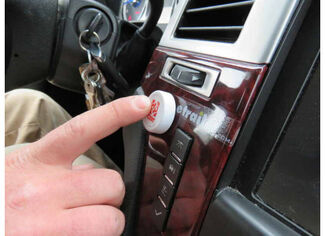
I also recommend picking up the Manual Override Button # C83HR so you can tow your trailer phone-free and still maintain access to the manual override function of the controller in the event of an emergency.
Attached are some review videos for... view full answer...
Absolutely!
When the Curt Echo Wireless Brake Controller # C51180 was first announced I was a little skeptical of the Bluetooth connection myself. The release actually went fairly smoothly and while they've had a few issues since then, I'm confident in promoting this controller as Curt has been able to iron out any bugs with their app.
Once you have all of the settings in place the controller works on it's own, and the only thing you need the phone/app for is the manual override, but... view full answer...
There currently are no plug and play kits available for your 2016 Porsche Cayenne. We do offer the ZCI Circuit Protected Vehicle Wiring Harness w/ 4-Pole Flat # 119250KIT. This won't require you to splice into your taillight connections as it utilizes sensors to detect the activation of the light. You will be required to run power and ground wires as well for this 4-Way kit.
If you are towing and require a 7-Way the Stealth Hitches Hidden Trailer Hitch Receiver w/ Towing Kit # SH57FRT... view full answer...
It sounds like you might be interested in a trailer brake controller for your 2023 Honda Ridgeline and if that's the case we have some great options. I recommend the Curt Echo Under-Dash Wireless Brake Controller part # C27JR since it just simply plugs in under the dash so there is no drilling into the dash or knocking your knees each time you get into the truck. It would make for a plug-in-play installation when using the Curt Custom Wiring Adapter for Trailer Brake Controllers part #... view full answer...
For a basic but great brake controller the Brake EVN # TK63VR would work well in your 2013 Nissan Frontier. It would install to the factory wiring of your vehicle with the part # 3050-P which plugs in under the dash. It comes with hardware to easily attach to the console as well.
For a brake controller with an even smaller foot print that installs with just a small knob on the dash of the vehicle the Redarc Tow Pro Liberty part # RED24FR would be a great option that would install with... view full answer...
I recommend the Redarc Tow-Pro Elite Brake Controller # RED44FR for your 2022 Ram 2500. This will connect with the Plug and Play Wiring Harness # 331-TPH-020 to the under dash connector. I prefer this controller over the Curt Echo # C27JR with the Adapter # C51458 and factory options as it gives you more adjustability and is easily controlled with the dash mounted control knob.
While the Curt is easy to install you have to control everything from your smart phone including adjusting braking... view full answer...
Hey Patrick! Where is that connector located? It looks like the factory connector on your Sprinter is under the driver seat. Are you sure it is the right connector? Tekonsha has a wiring harness as well, it uses the exact came connector.
Redarc brake controllers like the # RED44FR you looked at are really reliable, and what I recommend the most, but the only option would be to splice in or find the right connector in the vehicle. If you find the one that matches the Curt # C34GJ you have... view full answer...
Thanks for all the information Daniel! The Redarc Tow-Pro Elite is one of the best brake controllers on the market. I would not recommend a different controller. It has a super low profile installation method that hides the main unit. The ease of adjusting the settings from the convenient dash knob and the offroad features put it in a class of it's own.
For your 2019 Mercedes-Benz Sprinter 2500, you will need the following parts:
Redarc Tow-Pro Elite Brake Controller item # RED44FR
Redarc... view full answer...
At etrailer we provide the best information available about the products we sell. We take the quality of our information seriously so that you can get the right part the first time. Let us know if anything is missing or if you have any questions.







 Alternate Instructions















Thank you! Your comment has been submitted successfully. You should be able to view your question/comment here within a few days.
Error submitting comment. Please try again momentarily.