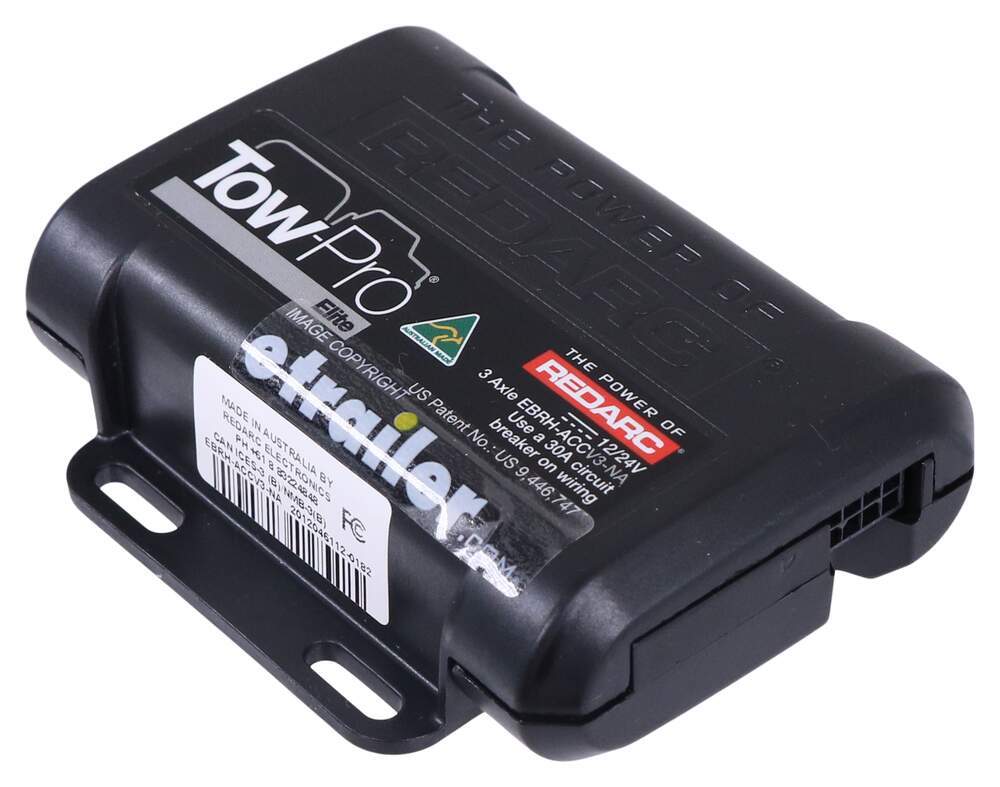
To see if this custom-fit item will work for you please tell us what vehicle you'll use it with.
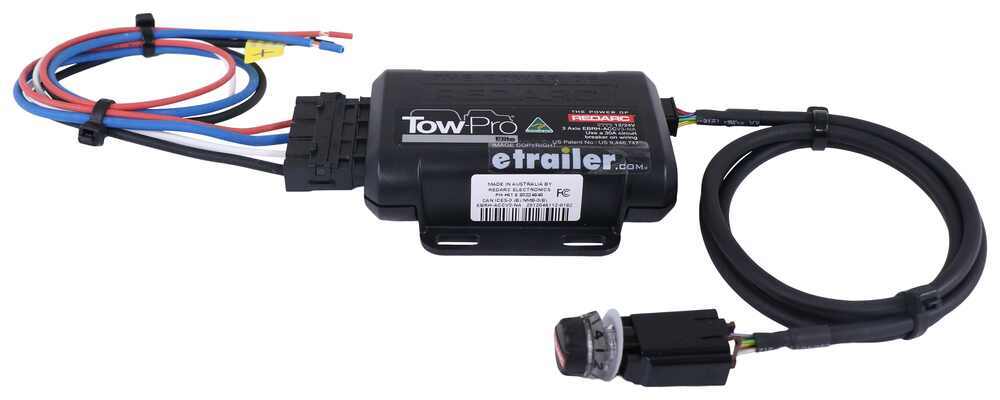
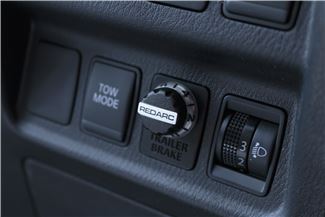
This is one of our favorite brake controllers, with flawless braking and a tiny dash knob that looks like it came straight from the factory. Its unique off-roading mode helps you handle rough conditions, so get out there and get towing.
Features:
Specs:
The off-road mode is a unique feature of the Redarc Tow-Pro Elite. In this mode, the brake controller will apply your trailer's brakes with a preset amount of power, independent of what your tow vehicle is doing. This is ideal for off-roading or challenging conditions. Set the power low if you're towing through sand or mud so that the trailer doesn't stop with too much force and act as an anchor. If navigating a steep descent, set the power to a higher level to ensure that the trailer doesn't push against the tow vehicle.
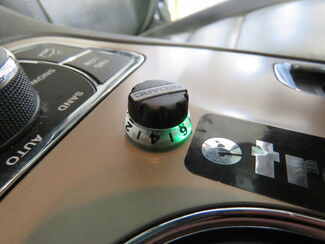
To activate the off-road mode, rotate the knob counterclockwise and apply your vehicle's brakes. Push down on the knob twice (2 times within 1 second) and release the brakes. The knob will turn green to let you know that the mode has been activated.
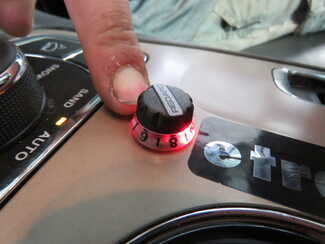
Use the knob to set the braking output -- the maximum amount of power that will be applied to your trailer's brakes. To get more power output, rotate the knob clockwise toward 10. To decrease the power output, rotate it counterclockwise toward 0.
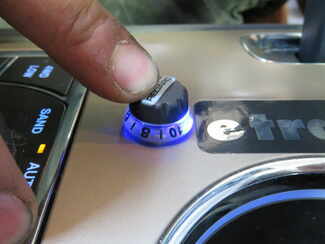
When you apply the tow vehicle's brakes, the knob will change from blue to red to signal that the trailer brakes are being activated. The higher the braking power output, the deeper the red that you will see.
To engage manual override, simply press the control knob. This will activate the trailer's brakes and brake lights independent of your tow vehicle, great for stopping sway or controlling your trailer's momentum in an emergency.
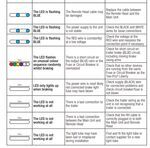
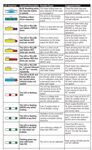
When you are calibrating the brake controller for the first time, the LED lights will signal your progress.
You'll start by braking 20 times or so to let the unit learn its orientation and the direction of travel. You don't need to have a trailer connected for it to calibrate; the only difference is that the knob won't illuminate at all. If your trailer is connected, the LED light will flash green/blue as it calibrates. When the display turns solid blue, initial calibration is complete.
Once done, the unit will remain calibrated. If recalibration is required, it will happen automatically and without LED indication.
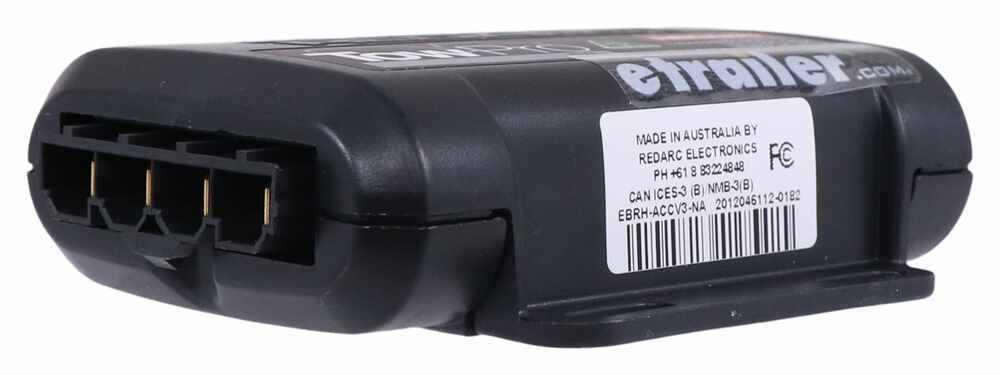
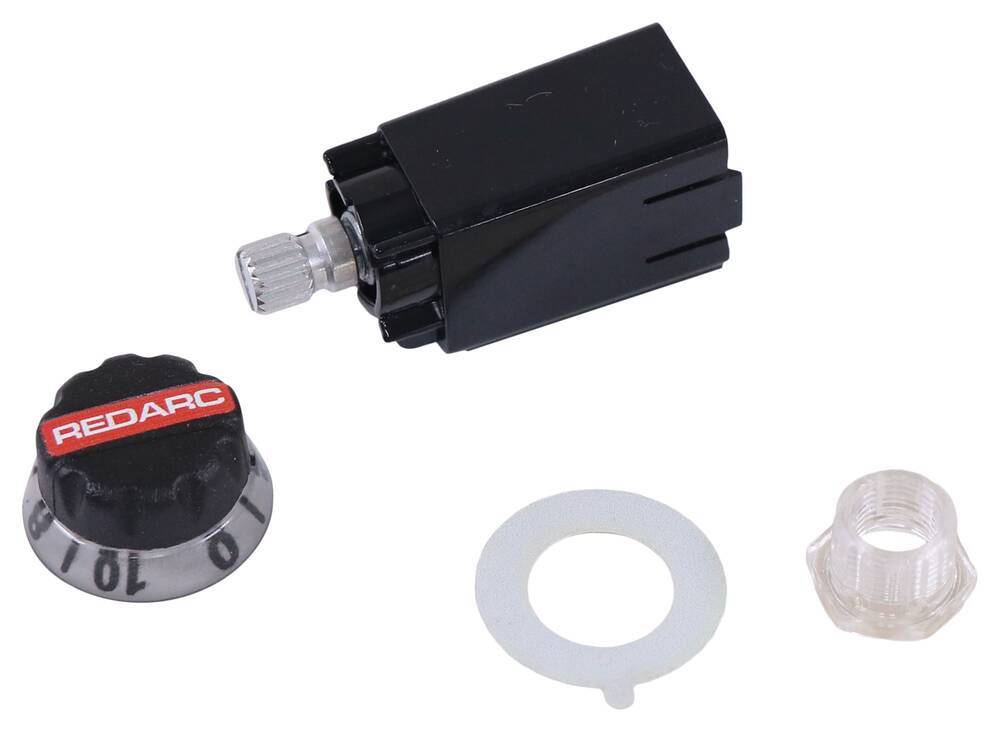
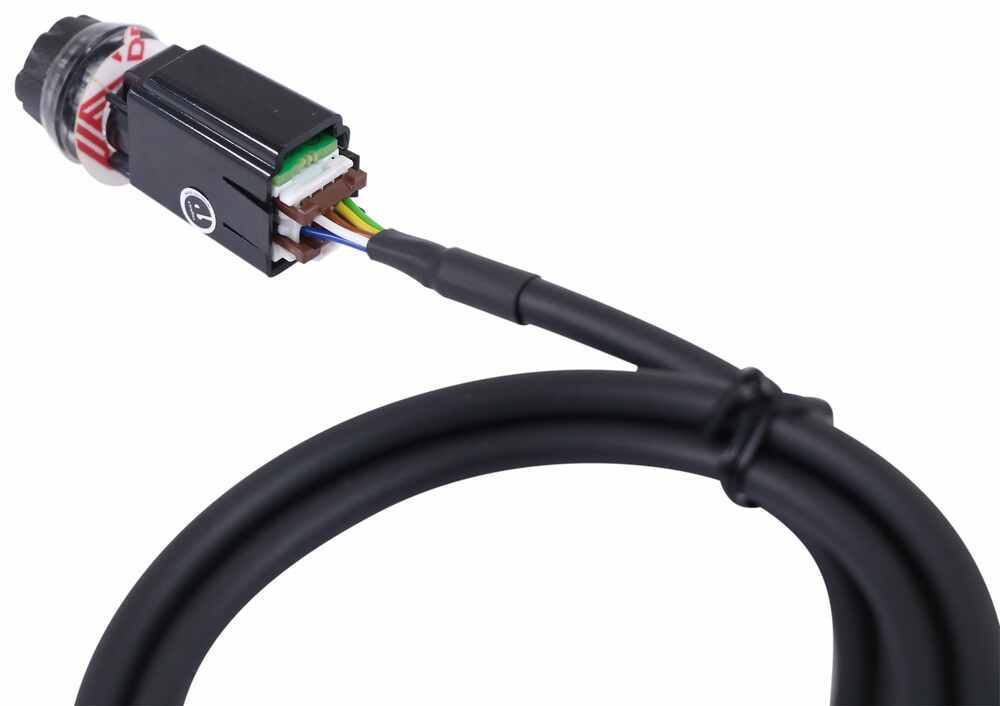
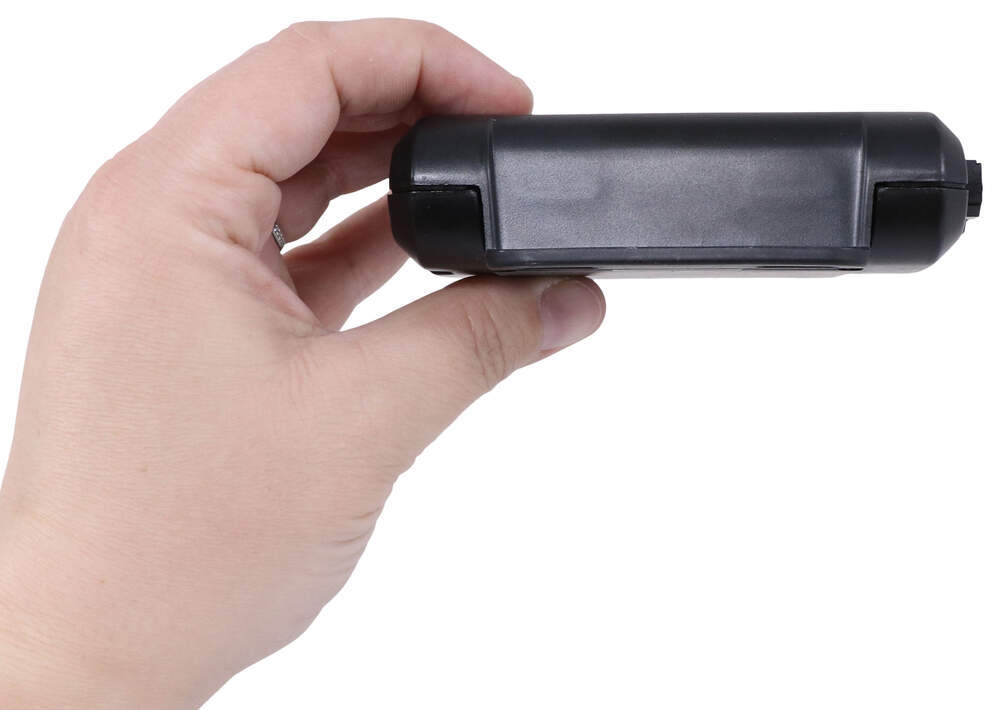
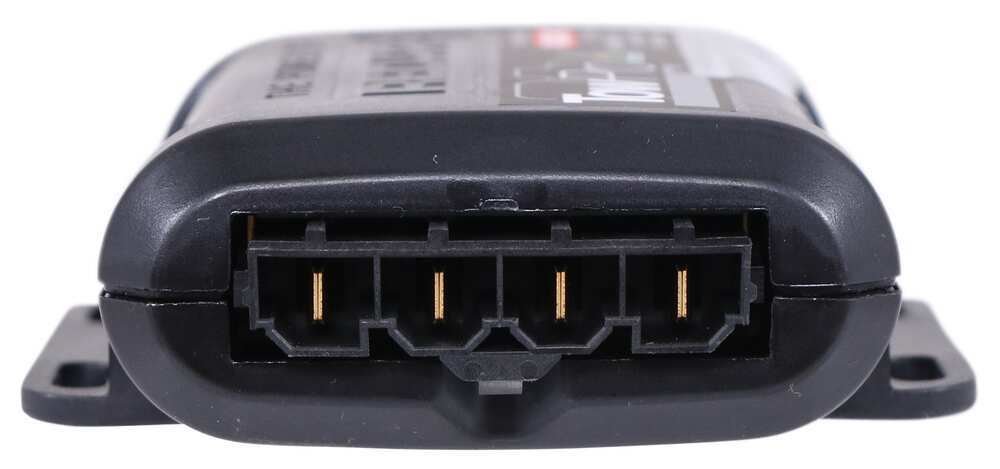
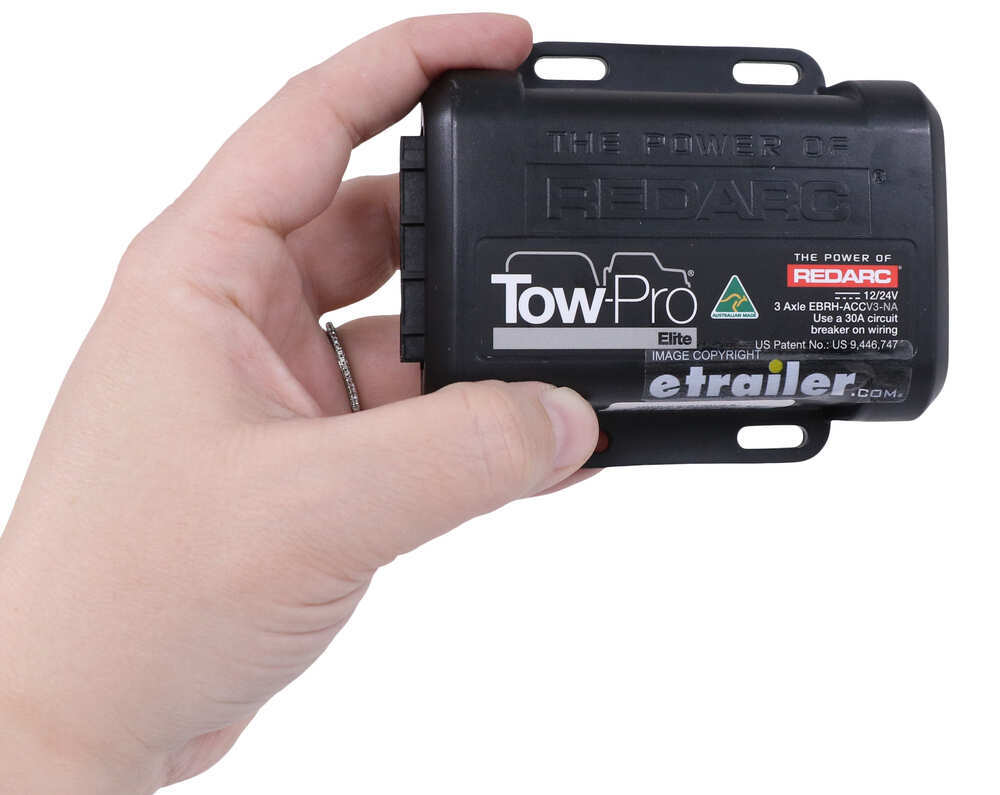
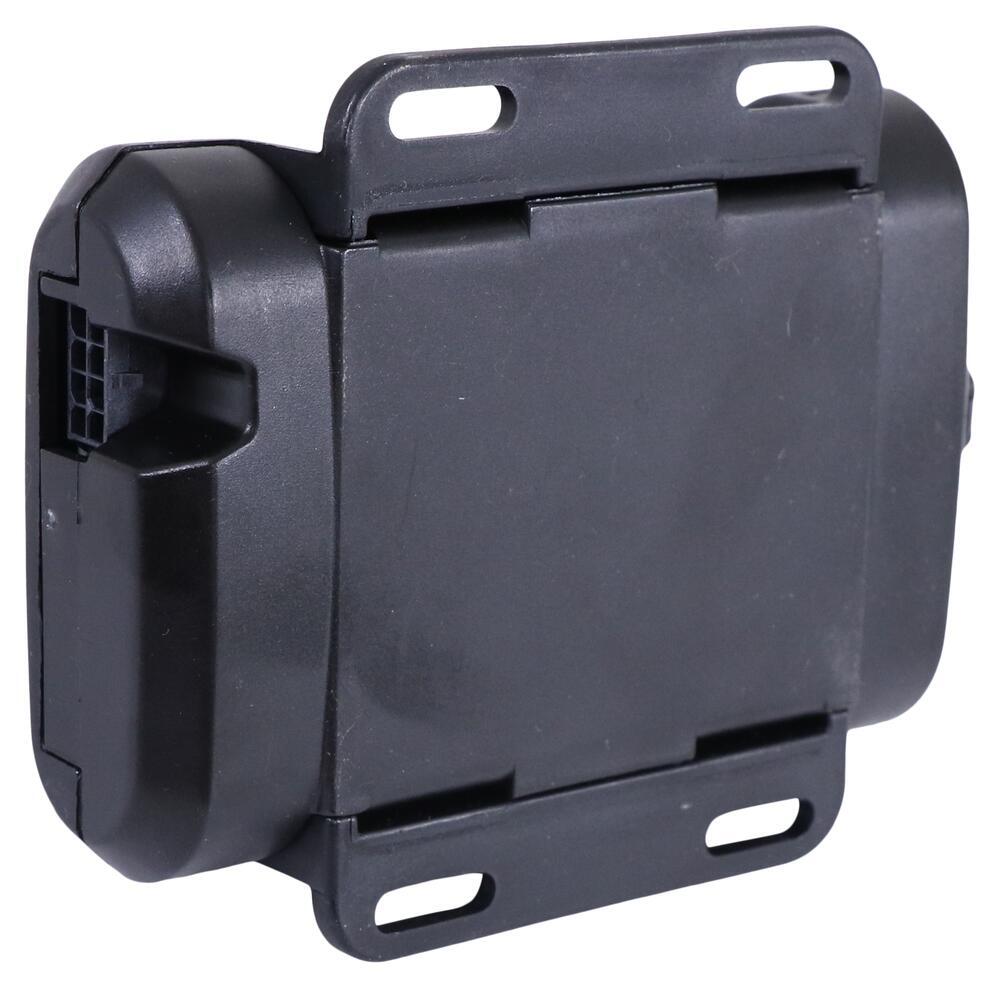
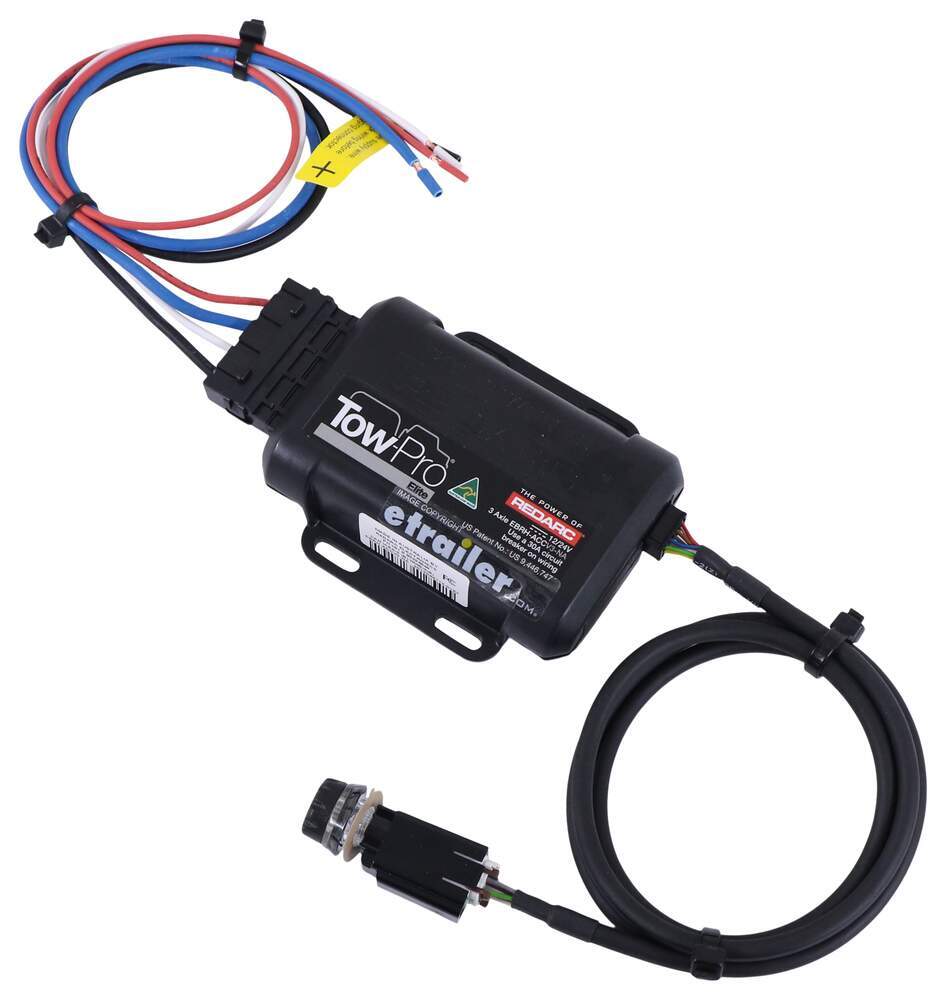
The Tow-Pro Elite has almost no mounting restrictions. It comes in 2 pieces: the main unit and the control knob. The main unit can be mounted out of sight and out of the way. You don't have to worry about dinging your knee on a bulky brake controller or interfering with your vehicle's airbags.
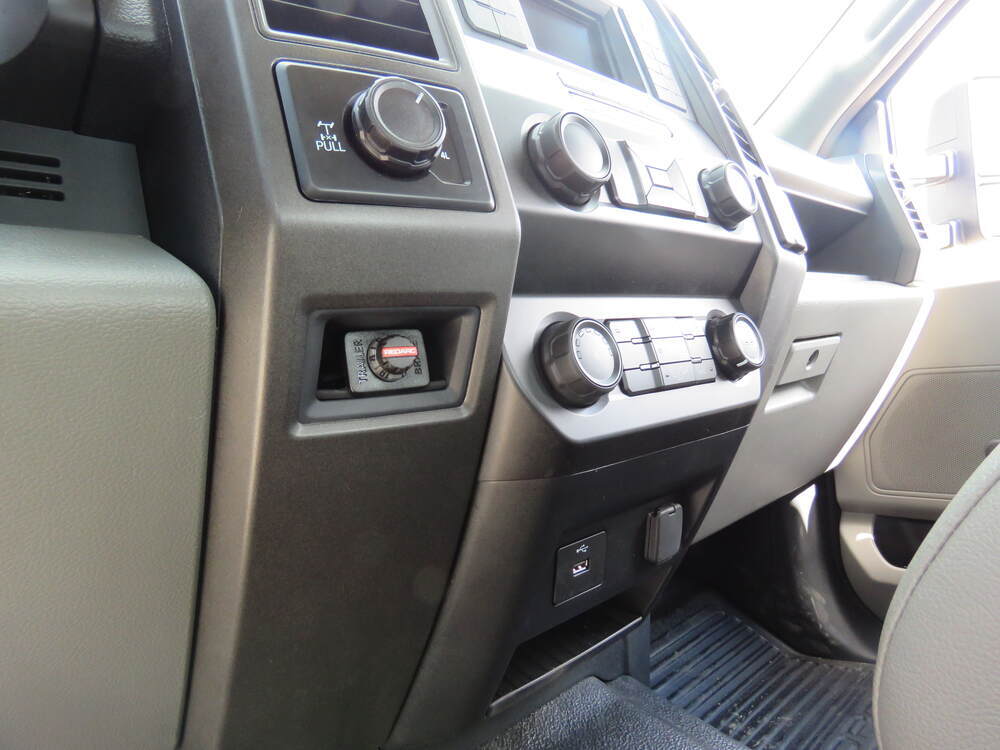
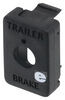
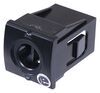
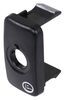
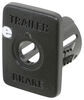
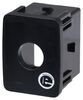
The control knob can be installed in any convenient spot that's easy for you to see and access. This can be a blank switch panel, an open spot on your center console, or wherever there's space on your dashboard. A universal mounting panel is included to ensure a clean, from-the-factory look. Custom-fit panels are available for certain vehicles as well. Before you do any drilling, be sure there's enough clearance behind the dash for the entire knob to install!
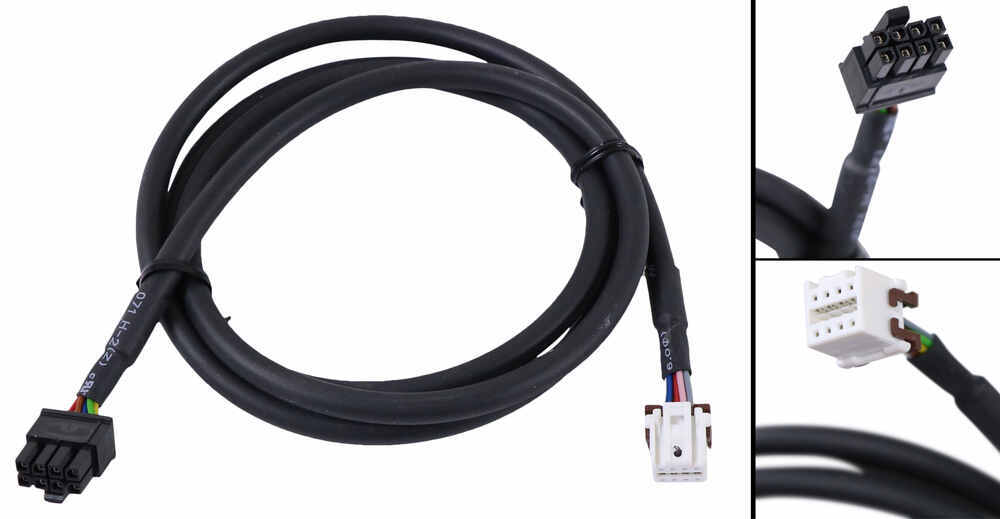
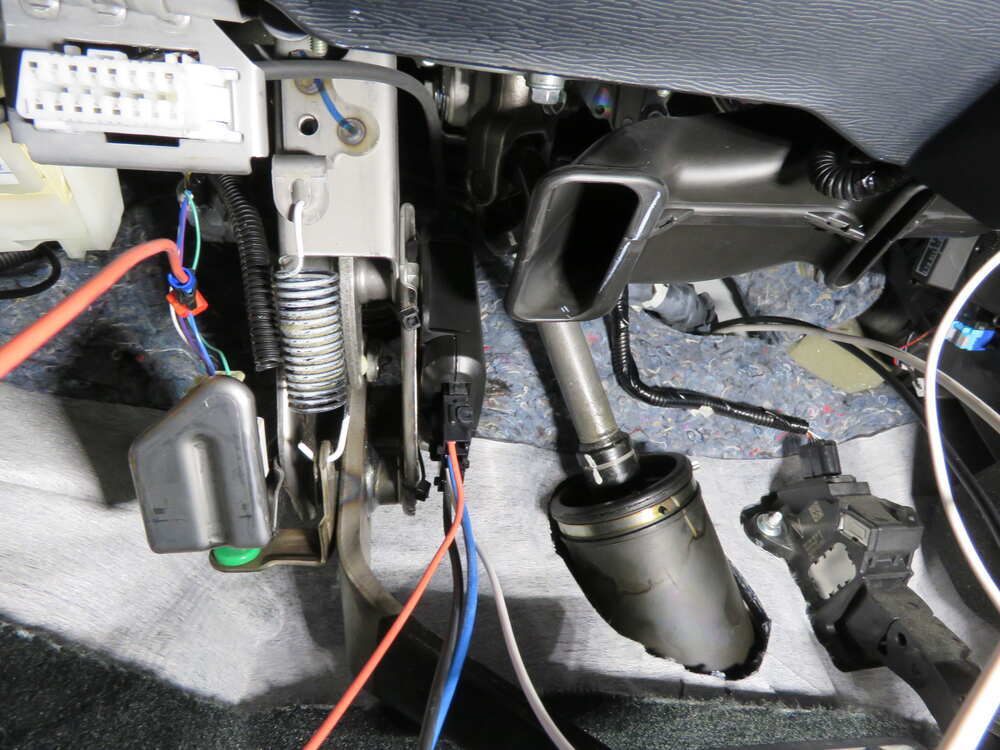
Once you've decided where you want to put the control knob, you'll need to find a good place to install the main unit. Your only restriction is the 3' cable connecting the main unit and the control knob. Securely mount the box using screws, double-sided tape, or zip-ties (not included). A mounting kit (RE67FR - sold separately) is also available for the Tow-Pro Elite. Do not attach the module to wiring or cables that can shift as you drive!
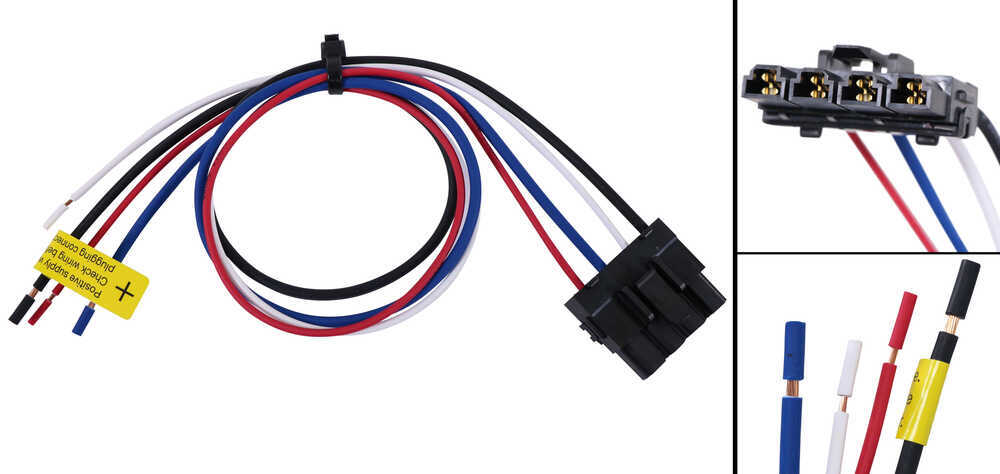
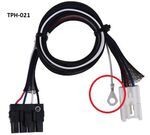
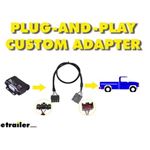
Then plug the custom-fit harness right into your vehicle and the brake controller and you're done!
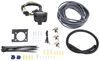
If you don't already have a 7-way plug at the back of your vehicle, take a look at our exclusive 7- and 4-way brake-control installation kit (ETBC7 - sold separately). A 30-amp circuit breaker kit (331-CBK30-EB - sold separately) may also be required for installation.
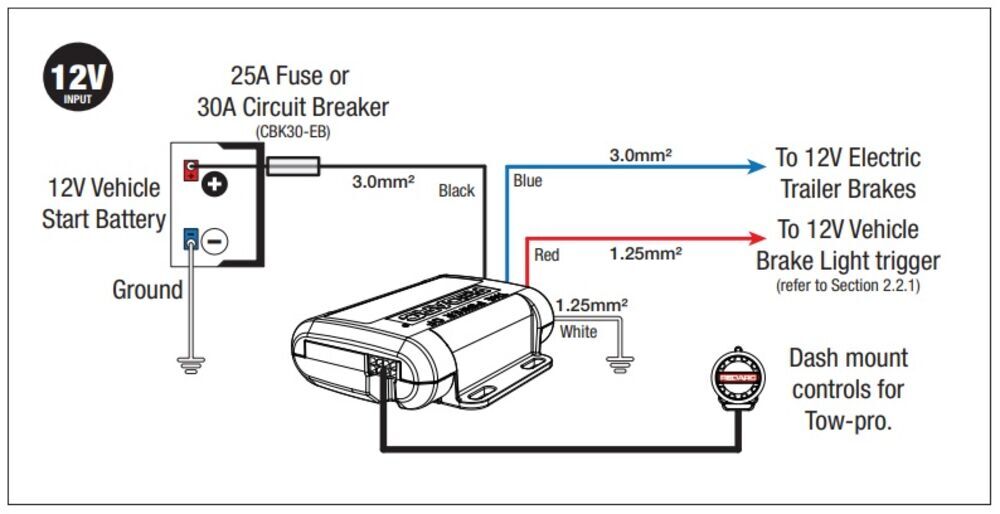
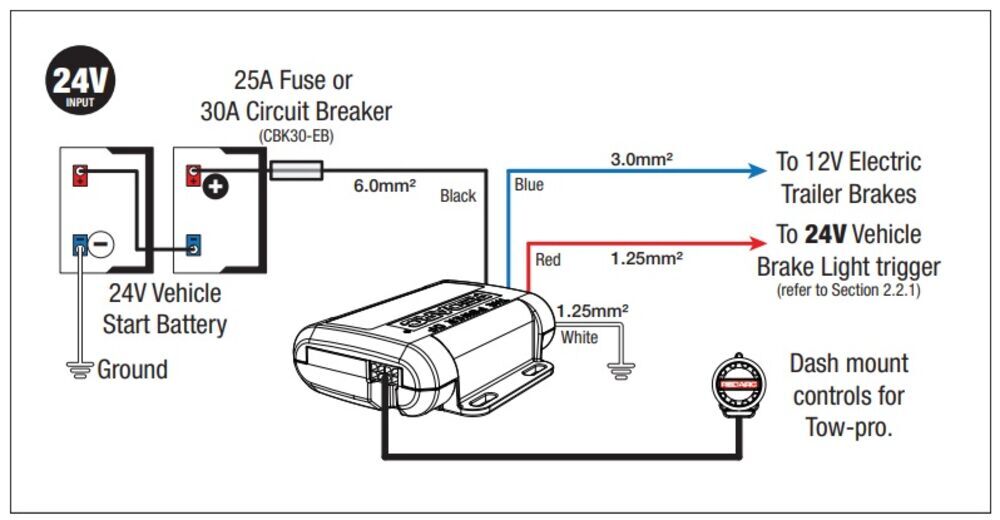
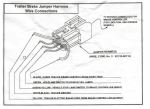
For assistance in properly wiring the Tow-Pro Elite, please refer to the diagrams below:
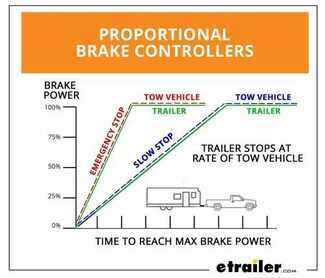
Proportional braking means that your trailer brakes mimic your tow vehicle's brakes. If you slam on the brakes in your vehicle, your trailer brakes will activate with the same intensity; if you brake lightly, your trailer brakes lightly too. The trailer's braking is in proportion to your vehicle's braking. This saves wear and tear on the tires and the brakes on both your vehicle and trailer.
The Tow-Pro Elite uses an internal 3-axis accelerometer to sense how your vehicle is braking so it can send the right amount of braking power to your trailer. It measures the inertia of your tow vehicle and activates the trailer's brakes to slow at the same rate. The result is uniform braking across your towing setup. No push-pull action - just smooth, proportional braking every time.
California residents: click here
Videos are provided as a guide only. Refer to manufacturer installation instructions and specs for complete information.
Hi there, Toyota owners, today on your 2018 Toyota Highlander we're going to be taking a look at and showing you how to install Redarc's tow pro elite brake controller. Some pre-existing wiring is going to be necessary. Your vehicle does need to have a prep package installed for brake controller. This is not a factory prep package this is something you'd have to do yourself. We sell these here at Etrailer, we're using Tekansha's custom fit harness and this gives you a fully functioning seven way at the back, and it also provides you with a connector that's routed inside that has all the wiring that's necessary to operate a brake controller. Now, this is what our brake controller looks like when it's installed.
It's a small little button here that controls everything. It's a fully proportional brake controller. So, you'll have all the same benefits that your high-end traditional brake controllers would. It also has a second mode. So, you could go into a user control mode.
This is similar to time delay but it is Redarc's own specialized system. This is more for off-road applications when you're on user control cause that way, when you hit the brakes they're going to apply at the back. So, that way you can dig into the mud and stop instead of just sliding in and it never really applying the brakes as it doesn't detect stopping. Proportional's good for when you're on the road, it's going to give you a nice smooth transition as you stop. And the output is going to be based on the number here on the slider.
The button can be pushed in and when you press it on it, it does a manual activation just like the manual slider would on a traditional brake controller. My favorite part about it is that we don't have a big old brake controller hanging down here. The module is mounted behind the dash where you can't see it. And we just got the small button. So, for somebody who's tall like me you can see my knees right now and I'm just sitting here every time I get in and out I hate brake controllers cause my knees bang up on them.
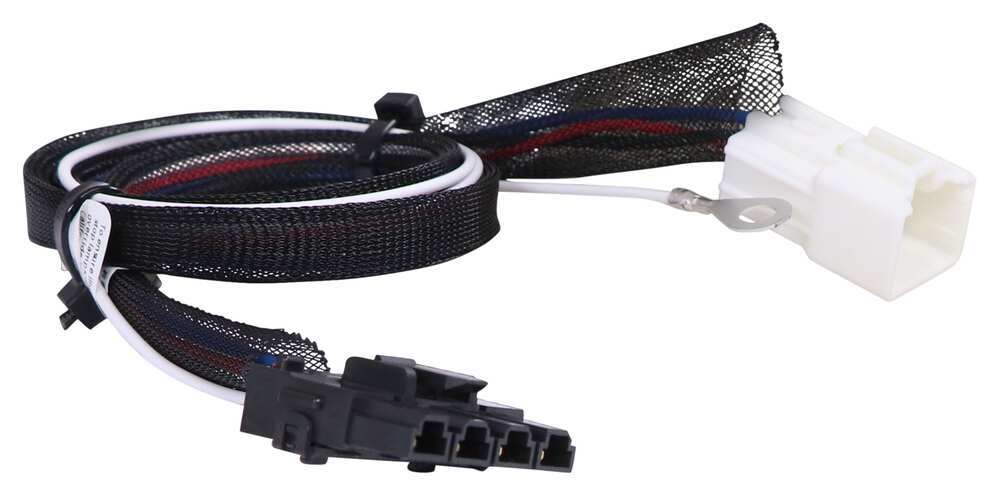
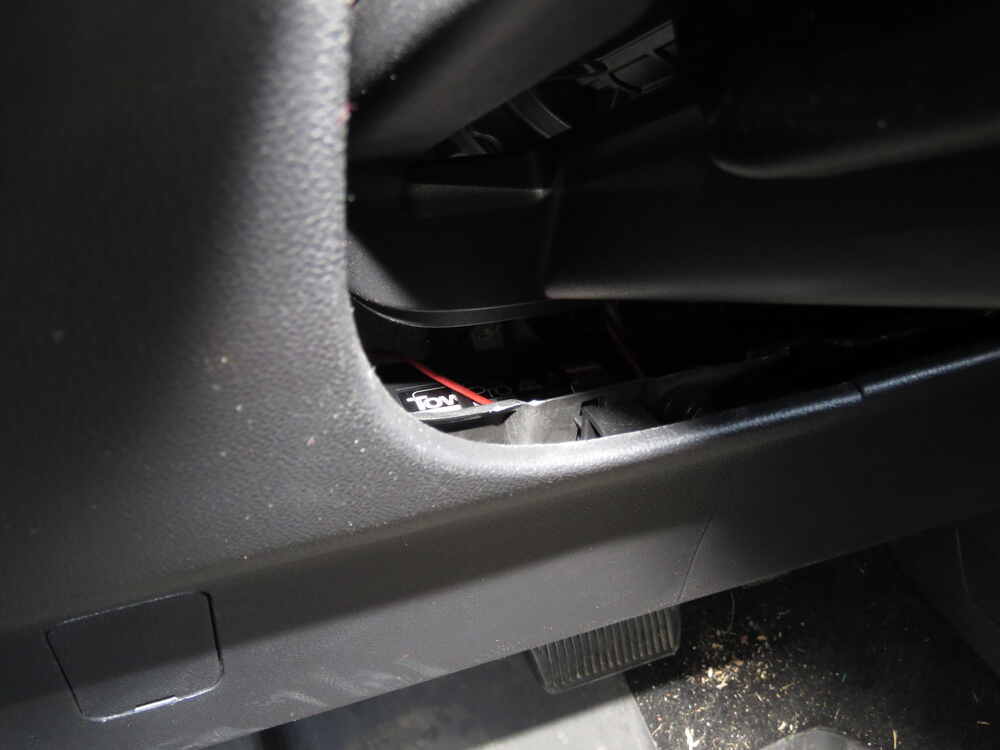
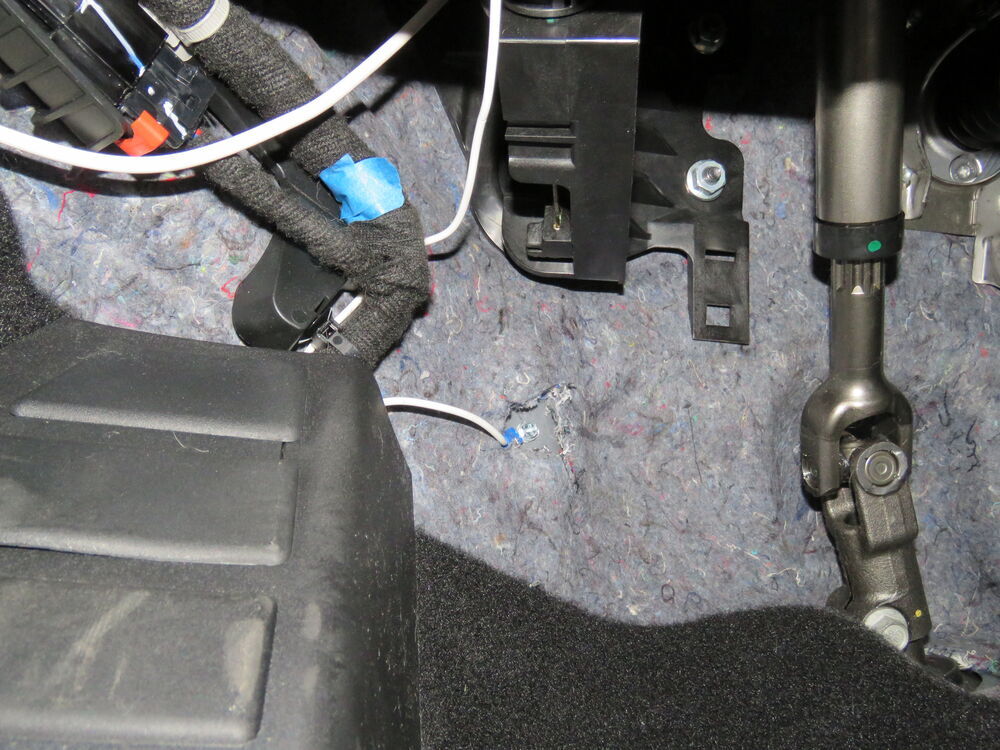
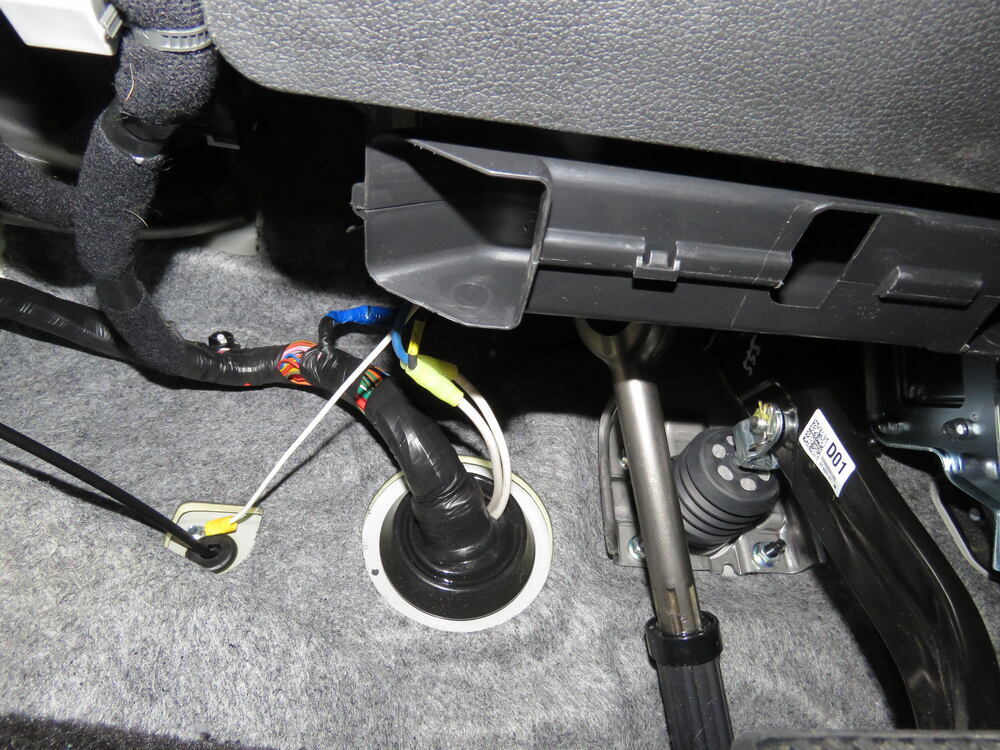
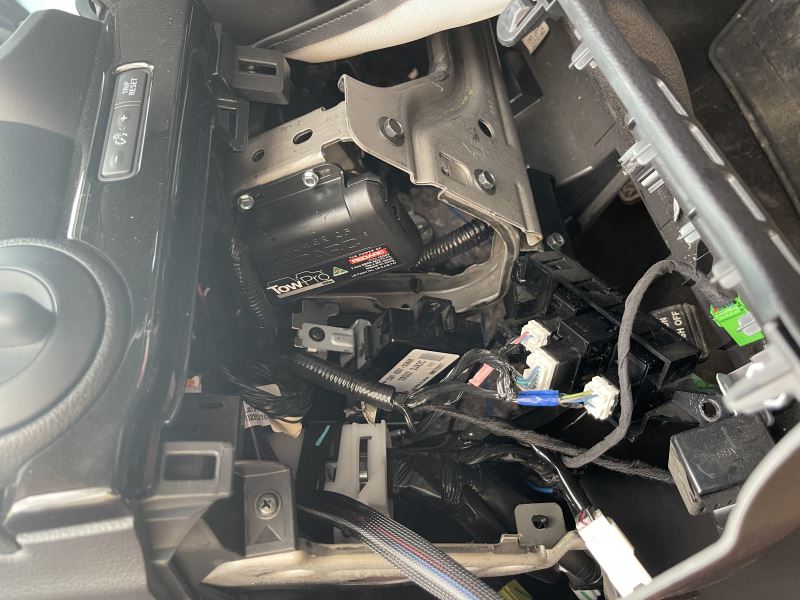
I'm either breaking a controller or breaking my knee. But with these, no, sir. We'll begin our installation at the back of the vehicle with our lift gate open we need to access the connectors that are along the threshold here at the back. So, we're going to remove some panels here. This one just lifts up. We can set this one aside. Also want to lift up on our side panel and if you've got the cover here go ahead and take the cover out of the way, set that aside. And now we can remove the compartment located here on the left. Just give this a pull upwards and it just pops out of there. We'll then remove the one nut that's located underneath of it using a 10 millimeter socket. We can now pull up our panel. There are a bunch of tabs here that connects it to the fabric. You can remove those if you want to take this panel all the way out, but in a lot of cases I like to just flip it over and I'll just leave it in. Just going to work our way pulling it up, work our way across, and once we've got it loose you can just take it and we can just flip it up like that. Can even use your seatbelts to kind of help keep it out of the way. And it's not a bad idea to maybe grab like a bungee cord or something and just keep it up there. If you want it to keep it out of the way and you could remove all of those and pull the whole thing out. But, I find it a lot quicker if you just put something under here to hold this thing up. I'll probably just stick a hammer underneath of it to hold it up like that. Here we have our new harness that we're going to be installing. On the module here, if we follow the wiring down, you're going to go to a large connector here. This large connector will plug into the factory connector located underneath the panel we just removed. So, we're just gonna pull this connector over and plug our module in. Next, we'll get our module mounted up. We're just going to be mounting it over here on the side. We'll zip tie our wiring over there and we'll mount it on the paneling here on the side. We're going to be using the adhesive pad that comes in the kit to just stick it onto the area over here. So, we're just gonna clean off the area over here where we're going to be sticking our module. Just going to clean off this whole area so we can figure out the best location for it based on the length of the wires or just do some alcohol on a rag to do that. So, we're just going to hold it over here and see facing the length of our wire. Looks like the far walls a little bit too far. So, we're going to be putting it on the back wall here. So, we'll take our adhesive that comes in our kit. We're going to peel off one side we'll affix it to the backside of our module, we'll peel off the other adhesive backing, and then we can affix the module in the location over here. And we're going to hold on there for about 20 to 25 seconds to ensure good adhesion. And then you can move on to attaching the ground wire. For our ground wire we're just gonna hook it to the stud located right here. So, this was the nut that we had removed earlier. If we go to the right and then towards the front a little, there it is. Just going to remove that nut. Here's our ground wire coming off of our module. We're going to take the ring terminal, slide it over the stud and then just reinstall the nut. Next, we need to route our wires to the correct location. We're going to start by accessing the grommet. Our module's located right here on the back wall, so straight below it we'll have a grommet there, you can use a flat-bladed screwdriver or a trim panel tool you can either push the grommet straight through or you can pull it up. It really doesn't matter. There is a panel underneath of it on the bottom side of the car. You may or may not need to remove that panel if you push it through to access it and also to get to your wiring. But, you do have to trim that panel when you put your hitch on. So, there is a chance that you've trimmed out a hole that you can reach there to grab it. So, we're going to take the wire loom here. It's a pretty short length of wire and there's just bare wires taped up here. This is our seven pole wiring. That's going to poke down through the grommet and then we're going to poke it in there until we get our new grommet that's part of our harness seated down in there. Now, we've got our wiring to this point we need to start routing a lot of the wires. You'll have taped up wires here, this needs to route towards your engine compartment. And you're also going to have a single blue wire. And we're going to route this up towards our lift gate here. So, I'm going to go ahead and route those wires now and then I'll show you the path I took to get it there. We're going to start back right where we started at the grommet here. I did it to make a slight change there because the length of wire wasn't long enough to go from the grommet over to the hitch to put the seven way in at least a decent location that's not way over on the side here. So, in order to make it look nice we gave ourselves some extra wire by removing the factory grommet. So, I just cut it and pulled it off of there. And this is the factory grommet that we put took off the vehicle. So, I cut off the one that came with our harness just cut it right off of there and then the factory grommet that we pulled out of this hole, I cut out a hole in the center, just use my snips to do that. And you can see that there's two harnesses here. This is the harness that wraps up to the engine compartment. We poked it down through the hole to cause we also had issues with length there. And then this is the seven way wiring that we fed down before it's running over that you can see now we can push our wire even further down in there giving us an extra few inches that really does make the difference on getting your seven way connector over near towards the center of your hitch and rather a way off on the side of your vehicle. We can then just re-install the grommet sometimes it's a little easier if you pull the little wiring up a little bit till you find that nice spot for it there. And then we'll continue on our path of routing our wiring. We're going to start with one of the wires we didn't right outside. This is the single small blue wire that's in your kit. It's going to be closer to the fuse harness that you have here. So, we're going to take that wire and all we did is I just poked it underneath here and then if you pull this back, you can see all we did we just poked it underneath the weatherstripping going all the way up. Just kind of working it underneath that weatherstripping until we get to our headliner here. Once you get to the headliner you can kind of dig your hands under there and pull it down pop down a couple of these connectors here. And that will let us route that blue wire over up into the opening here for where our wires go into the tailgate, the rubber here, I just pulled this back so we could expose the wires here. And then we needed to find the wire that our blue wire is going to attach to. We're going to connect it to the red wire in the harness. Now, you might be thinking to yourself, "Hey, whoa, there's a lot of red wires in this harness." And you're right, there are, there are several red wires in here. However, the smaller red wire, the tiniest ones, you can see those right here. You're going to have a lot of these little itty bitty red ones. It's not the super small ones, it's this medium size one. Here you can see this one's thicker than the really small one. And you're also going to have a twisted pair of wires in here. If we can find it. There it is the twisted pair that also has a red wire and it's slightly larger than this one here. So, we want this medium sized wire that's smaller than the red twisted pair wire, but larger than the several little itty-bitty red wires you have here. And you can test this with a test light. If you poke into the wire and have it have a helper put the vehicle in reverse, make sure they've got their foot on the brake, if you set that parking brake, you don't want it backing into ya. And this wire should eliminate your test light only when you're in reverse. So, we know we got the right wire. We're going to take the excess wire that we've got here. We're going to trim it off. I always like to leave just a little bit excess so we can move the wire around or make future repairs and things like that. We'll then take the quick splice that comes in our kit. That's this right here. We're going to slide it over our red wire. Then we're going to slide our blue wire that we routed up into the other opening and then once you've got those slid on make sure that they are in the appropriate channels. Make sure that your blue wire is fed all the way in and then just take a pair of pliers, or I like channel locks a little bit better, and just squeezed down that centerpiece and that's going to connect our two wires together. So, then we can just take the lock tab here, fold it over and you can just take the grommet here, we can put this back up. I like to wait to put all the panels back up until we've tested out the system. So, we're going to leave it at this point but this is basically ready to go back together. So, we're going to move on now to the wires that we routed towards the front. The rest are going to go through that grommet. So, we're going to be underneath the vehicle from here. So, both of our wires come down just above the under shield here on the driver's side. If you've got a hitch installed you've probably got it cut out already to where the hitch will fit through so we can pass our wires down through there. We're going to pull the seven way wiring here and run it over towards the center so we can get that mounted up there. And then the three remaining wires that are in the small harness here, I actually routed to the front of this panel and then we come out the front of the panel here, we stay above our rear suspension because we want to avoid any moving objects like our suspension and anything excessively hot, like our exhaust. We come out on top of the other side of our suspension and here's our wire here and it just runs down next to the fuel tank. Zip tied it to the parking brake cable and from here, we just stay above these panels all the way forward till we get up to the front of those panels and our wire here, we'll just cross over, and then it routes up into our engine compartment from there. To get it up there we used a pull wire and we used a piece of airline tubing to drop it down from the engine compartment, wrap some electrical tape on it and then pulled it back up. A metal coat hanger also works very well if you're doing this at home. Now, that we've got our wire pulled up here this is going to be our power wire for our module and then we've got the brake output from the brake controller and the brake signal as well right here. These two wires are going to hook to circuits that go to our brake controller and this one will hook directly to our battery. We do get another harness in our kit and that's our brake controller harness. It's for a to Tekansha brake controller, this harness is extra long, which is nice, so even if you have a different brand of brake controller I highly recommend using the Tekonsha harness as well due to the extra length of wires. I've already run this one as well. This one runs down and it goes through the grommet where our steering shaft comes through cause the grommet's pretty large so you can just head to the outside edge of that grommet, use a screwdriver and just poke a little hole in it and then you can pass your wires through. This needs to be done from the inside going out because the connector is attached on the other side on the inside. So, we're routing out the bare ends here. These bare ends do come pre-stripped. I cut off all the pre-stripped ends because the wires tend to fold over and it makes it really hard to get it routed through any type of type of small opening. We can strip them again, once we're done. And here you can see our wires where they pass through the grommet just to the outside of our steering column shaft there. So, now we can start making our connections here at the front. The black wires are going to be our power wires. So, we're going to go ahead and separate those out first here. Get those kind of routed over towards our battery. We've got a ton of extra wire here, so you can trim off the excess, we're probably going to do that here as well. We're going to trim it off to about, I'd say about here should be okay and then we'll just strip back some of this sheathing here so we can access our wires once again. So, we've gone ahead and lifted up on the cover here. It just lifts up. That's going to expose the nut where we're going to be installing our power wires and you've got these separated out. So, we're going to strip back both the black wires, the one that comes off of our module harness, and also the one that's coming from the Tekonsha brake controller harness. These are going to connect to our fuse harnesses that come in our kit. The one wire here by itself that comes from our brake controller harness is going to have, see here where it's labeled, brake control power fuse. So, we've got this one here. These are pre-stripped as well. You can go ahead and pull that off of there. I like to strip back just a little bit more just to make the crimping a little bit easier. So, we're going to attach a heat shrink butt connector to one side of this harness. We'll then slide our black wire in on the other side here and then connect it together. These heat shrink butt connectors, come with your kit as well as well as these harnesses, nicely labeled. We'll be shrinking down that butt connector in a minute but let's go ahead and hook up our other fuse harness here. This one is going to be labeled seven way harness and these are both 30 amp style. So, we're going to go ahead and do the same thing. We're going to pull this back and use a heat shrink butt connector to get this attached to the power wire that's in the loom here. And then we'll shrink down our butt connectors. We'll use our heat gun to do so. On the other side of our fuse harnesses we're going to be putting ring terminals on those. Again, they do come pre-stripped but I just like to put a little bit more on there, stripper a little bit more off. Slide our ring terminal on, and then crimp it on. Then we'll do the same thing with the other fuse harness. We can then go ahead and connect those to our battery positive. We're going to use a 12 millimeter socket to remove the nut. . And then we are simply just going to take our fuse harnesses, slide them on, and then re-install the nut. Another thing you might notice is that I've got the fuse harnesses opened up and there are no fuses inserted and it's important that we have it like that right now because we have not finished connecting all of our wiring and you could potentially cause a short if you've got your fuse in, the fuse will just open but then it's just aggravating to have to deal with that, so keep those fuses out until the very end. The white wire coming off of our brake controller harness is our ground wire for the brake controller. We're just gonna hook that directly to ground, that's right here. We'll remove the nut with a 12 millimeter socket and it's just like we did on the power side except for it's ground now. Then we're going to take our blue and our red wires from our brake controller harness and we're going to attach those to the blue and red wires from the module harness here. We're just going to go color for color and we're also going to use heat shrink butt connectors once again. So, we'll make these connections and then we'll shrink these down. We'll now need to build our connector. You'll want to be looking at the connector from the backside of it. So, this is where it plugs into the seven way. This is where we're going to focus our attention. This is the backside, it's easiest if you put your release tab here at the top, because if you're looking at it just like this, there's a diagram in your instructions that outlines which colors go on what as long as you're holding it in this particular orientation. So, now we're just going to put in the wires inserting them one at a time. So, we'll just start with the white ones and since that's our large wire, you can see it's got a larger hole wire, poke the wire in until it is fully inserted. It should click into place just like that and then you'll just follow the diagram in your instructions to insert the rest of them. I always just like to double check, make sure it doesn't pull out and if we look in there we can see the pin is inserted. Once you've got your wires inserted you can then take the lock tab that comes in your kit. We're going to slide this over the wires and then push it down into place. It can be a little tight, you got to get everything to line up, you can see the ears here will click down into those pieces there. Next, you'll need to have a location where you're planning on putting your seven way. One doesn't come included with your kit. You'll don't have to choose wherever you want to put it. We're going to be mounting ours onto our hitch using a no-drill bracket and a seven way bracket. And you can pick up both of those here at Etrailer. The no-drill clamps around our hitch. We then just mounted the seven way connector that comes in our kit to the bracket. The hardware came included with the bracket. Our connector here, we're going to put dielectric grease on. I like to put it on the female side and you want to be pretty generous with this. This'll keep out any moisture to ensure a long lasting corrosion-free connection. We'll then just plug the two pieces together, just line up the tabs, make sure it clicks in all the way. So, now we've got our harness completely installed we're ready to install our fuses, they're 30 amp fuses. They come in your kit and then they just poke in. Then we'll remove the cover to our fuse box here on our vehicle. You'll get a 10 amp fuse in your kit. You're going to insert that right here. This is our towing few slot it's between the two seven and a half amp fuses right there. So, just slide the 10 amp fuse down in there. This is the module box. This is really the main magic of the brake controller but you're never going to see this. We're going to put this behind the dash and that's what's so cool about the Redarc kit is that you can completely hide this and you can mount it in any orientation. I'm going to be mounting under the dash just using some zip ties, you can slide them into the slots here, and I'm going to be zip tying it to the side of the module that's located down there. It's pretty tight for two people to fit under there. So, I'm gonna go ahead and zip tight in place and then we're going to give you an image of what it looks like. But, first we need to get access to that module under the dash there where we're going to be mounting it to. You'll have an under shield here, little kick panel, we're going to remove this first. It's just two screws. There's one over here on the far left. It's just in between your fuel door and hood release and then one over here on the right. There's a little bit of it, where it is as well. Once you get both the screws removed there's a tab in the center, that's right about here, you just want to push in on the little tab there, we're just pushing in on it and then it'll drop down. We can pull it towards a slightly but we do have an electrical connector here that we're going to need to disconnect. So, we're just going to push it on the release tab, disconnect the connector and then we're also going to pop it off of these panels here. I'm just going to pull those off of there and then we'll set our panel aside. So, here you can see the module, it's zip tied to the bracket that the factory body control module is mounted to. And I just ran a zip tie through the slots, I slid it through an opening. There's a little, like kind of like a, triangular shaped hole in the bracket there. I slid it through the bracket. So, it's between the bracket and the factory body control module. And I just come around the other side I go around the harness and the bottom I go through the slit on the other side of the module I did have to use a second zip tie to make it long enough. So, I just attached a second zip tied to the first zip tie and on the other end of the second zip tie I attached right back to the original zip tie. And I just pull them down tight, did that twice. And that mounts, our modular nice and secure here. And you can see it's in a good location where it's out of the way and we can easily access the connectors. We're going to be mounting the rest of our system right here onto one of the factory buttons. Cause our brake controller is hidden underneath there but we still need a way to adjust it for the sensitivity and whatnot. And it has your little remote button that does all that those functions. The dummy plug that's located right here, there's not an actual real button here, the rest of these have real buttons. We're going to be removing the one that has nothing in it. Just going to stick our little flat-bladed screwdriver in there and just kind of pry up. That's going to pop it out of there and then we can just slide that on out. You can see there's nothing in there but you can see how deep this is. It's got plenty of depth for our switch and that's one of the important things we need to check to make sure that we've got enough clearance behind where we're planning on mounting our switch. We do sell, here at Etrailer, a replacement knockout that goes in where we just removed this and this is specific for Toyota vehicles, it's designed to go right in there. So, that way rather than taking the one that we removed here and trying to modify this, cause you can see it's there's no way our switch would fit in there. It'd be a lot of modifications to make this usable. So, we'll just toss that aside. We'll grab our switch. We're going to pull off the knob. This is just going to slide in the back just like that, lines up. And then what you'll want to do is take your knob, turn it all the way counter-clockwise. Once you've got your switch inserted then take the nut that comes in your kit and thread it on. This is going to go from the outside of the switch and it's just going to thread into place. This is a plastic nut so you do want to be careful when tightening it down. We're not actually going to use any tools. We're just going to tighten it down by hand, just like that and we're going to call that good. You do also get a little sticker in your kit. This is really for if you're not using this Highlander switch, you'll get this so you can stick it on to cover up any holes that you made if you're just going to mount it directly to a panel. And you do also get a switch mount, however, this is not compatible with our Toyota switches so it's not doing us any good. So, we're just going to set those aside. We'll then make sure our switches turned fully counter-clockwise, which would be the lowest position. We'll then take our knob and we're just going to slide it on with the zero up at the top cause we are at the full counter-clockwise position. And if you don't get it quite lined up, it just pulls off of there until you get it to where that's at the top. Full clockwise should give a 10, full counter should be zero. Before we insert it back into the slot you want to grab your wire harness that comes in your kit. Here's our harness. The ends are going to be specific, the larger one here is going to plug into the module that we mounted down below and the small white connector here is going to plug into our switch. So, we're just going to align this up, click it in and then this way we can drop our wire down and grab it as we're feeding it down when we go to put our switch back in this will just make things a little easier on us when it comes to routing. Then our switch, we're just going to put it in place and click it in and there we go. Make sure your button depresses, clicks just like that and it should work just fine because we are using that Redarc adapter mount here for this Toyota. It makes it nice, clean and good operation. So, now we need to plug in the connectors to our module. The one that's come from your switch, is going to plug into the small connector end and the other end which is going to be this larger four-pole connector here. This one here, we need to splice into the four pole we've got here because our harness that we have here that gives us all of our seven way and everything that's necessary for a brake controller, this has a different manufacturers connector end on it. So, we're just going to be splicing these on color for color to make it match up to our Redarc brake controller. Now, when we make these connections your harness here could be live, the black one here is a live wire, if you've got the fuse installed. So, you either want to remove your fuse or you could just do the wires one at a time just cut it off one at a time and splice it on. That way you can minimize the chances of causing any shorts. If you need some butt connectors you can get some at Etrailer here so you can make your connections. And we're just using regular butt connectors with this since we're inside the vehicle. And now we're just gonna continue doing that one at a time color for color. So, we've made our connections here. I'm just going to put the loom that was on our harness back over it to cover everything up, can put some electrical tape on it as well to make it look nicer. Now, we didn't color for color because ours had Tekonsha wiring run on it. If you did not use the Tekonsha harness that we suggested, if you don't have a seven way or anything, then you may not have the same colors here. So, you want to make sure you've got the wires connected to the correct one. So, we're just gonna give you the output on which, each one of these are. So, on our Redarc harness here that plugs into our module, our black wire's our power wire that powers up the module. The white wire's, the ground wire. So, you get your power and ground right there. The blue wire is the output from the brake controller that goes to the seven way at the back that applies the brakes on your trailer and the red wire here is the brake signal from the vehicle to let the brake controller know when you're pressing the brakes. Now, I'm just gonna put a little tape on it to clean it up. Now, we can take both of our wires, we've got the big four one that's going to plug into our module, then we've got the small one that comes from our switch. Both of these are just going to plug into the module. This plugs into one side and this plugs into the opposite side. So, you can see here our four flat that we had plugged into the front side of our module and then the small one plugged in the back. Now, I just took the wires and I folded them up and zip tied them up out of the way. So, that way your feet's not hitting them, everything looks nice and clean. So, we've gone ahead and plugged in our test or you can also plug in your trailer but I do recommend the tester. We want to make sure our seven wastes fully functioning. So, make sure you have your left turn signal, right turn signal, tail lamps, and brake lamps. You should also see that one of those lights is always illuminated. That's our charge line circuit. We also hooked up reverse, so we're going to pull it in reverse. See that we have our reverse light circuit and lastly, we have the output for our brake controller and I'm just pushing on the manual activation on the brake controller. So, now that we've verified working properly here the Redarc needs to be programmed before it will function as it's supposed to. And this is because it's designed to mount in any orientation. So, you just take it out, you drive it, and just go in a straight line and then hit the brakes and every time you start and stop it's detects that inertia movement and that way it's able to learn what orientation it's currently in. And once it finishes its calibration process your controller will be up and running. If you have a trailer hooked up you'll see that it'll be flashing between blue and green. That means it needs to be programmed and the quickness that it flashes will get faster as it gets closer and closer to the programed. Once it's finally programmed it'll turn blue. And that completes our installation of Redarc's tow pro elite brake controller on our 2018 Toyota Highlander..
Do you have a question about this Trailer Brake Controller?
Info for this part was:
At etrailer we provide the best information available about the products we sell. We take the quality of our information seriously so that you can get the right part the first time. Let us know if anything is missing or if you have any questions.


Thank you! Your comment has been submitted successfully. You should be able to view your question/comment here within a few days.
Error submitting comment. Please try again momentarily.