To see if this custom-fit item will work for you please tell us what vehicle you'll use it with.
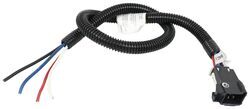
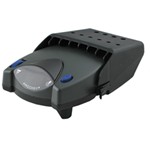
The Tekonsha P3 is a brake controller beloved for its reliability and useability. You're able to save your settings and multiple profiles. It's easy to install, and with the custom harness, it's plug-and-play.
Features:
Specs:
Braking output is the maximum amount of power that will be applied to your trailer's brakes. How much braking output you need is determined by the weight of your trailer; a heavier trailer will need more power to bring it to a stop. You want to go as high as you can without the trailer brakes locking up.
Use the arrow buttons on the front of the module to set the output.
The boost setting controls the aggressiveness of your trailer's braking, meaning how quickly the brakes reach the maximum braking level. If your vehicle takes too long to come to a stop, increase the setting. If it stops too abruptly, decrease the setting.
Depending on the level of boost, your trailer brakes can start at either 13 percent or 25 percent of the set braking output. So instead of starting at 0, the brakes will start at 25 percent and get to 100 percent sooner. This keeps the trailer from pushing your tow vehicle forward.
Boost Levels:
| Approximate Gross Trailer Weight | Boost Level | Increase in Initial Power Output |
|---|---|---|
| Less than tow vehicle GVW | B1 | 13% |
| Equal to tow vehicle GVW | B1 or B2 | 13% or 25% |
| Up to 25% more than tow vehicle GVW | B2 or B3* | 25% |
| Up to 40% more than tow vehicle GVW | B3* | 25% |
*Both B2 and B3 offer a 25-percent boost in initial power. But the braking curve for B3 is more aggressive than that of B2. This means that, even though you will start out with the same intensity when using these boost levels, you will get an overall more aggressive braking experience with the higher level. So if you use B3, you will reach maximum braking sooner than if you use B2.
To engage the manual override, twist the rotary-style lever from right to left. This will activate the trailer's brakes and brake lights independently of your vehicle, great for stopping sway or controlling your trailer's momentum in an emergency.
The P3 is able to store your settings in multiple profiles so that you can have them ready to go for different trailers and drivers. Even the display is super customizable: you can change the screen color, brightness, and language to make it easy to use.
The P3 makes it easy to troubleshoot problems as they come up, with comprehensible and detailed diagnostics displayed on the screen.
Diagnostic troubleshooting messages include:
Diagnostic warning signs include:
The Prodigy P3 offers advanced safety features to prevent damage to various components of your towing setup.
-Integrated reverse battery protection shields the brake controller and your trailer's breakaway system from shorts.
-When the P3 is not in use, it draws only 3.6 milliamps, minimizing drain on your vehicle's battery.
-Any time your vehicle and trailer are at a standstill with the brakes applied for more than 5 seconds, the hold feature will kick on and reduce power to just 25 percent. This will keep your trailer in place without your brakes overheating.
Installing the P3 is incredibly simple. You'll mount the bracket to your dashboard then mount the unit to the bracket. Plug the custom harness into your vehicle and into the unit. Done!
Keep in mind that the P3 must be horizontally level and parallel with the direction of travel to work correctly.
With a replacement wiring harness (sold separately) and replacement bracket (TK5906 - sold separately), you can even transfer the Prodigy P3 to another vehicle.
Note: If you don't already have a 7-way plug at the back of your vehicle, take a look at our exclusive 7- and 4-way brake controller installation kit (ETBC7 - sold separately).
Proportional braking means that your trailer brakes mimic your tow vehicle's brakes. If you slam on the brakes, your trailer brakes will activate with the same intensity; if you brake lightly, your trailer brakes lightly too. The trailer's braking is in proportion to your vehicle and trailer.
The Prodigy P3 uses an internal inertia sensor to detect how your vehicle is braking so it can send the right amount of braking power to your trailer. It measures the inertia of your tow vehicle and activates the trailer's brakes to slow at the same rate. The result is uniform braking across your towing setup. No push-pull action - just smooth, proportional braking every time.
California residents: click here
Videos are provided as a guide only. Refer to manufacturer installation instructions and specs for complete information.
Ryan: Hey everybody, Ryan here at etrailer. Today on our 2020 Ford Transit 250, we're going to be taking a look at and showing you how to install the Tekonsha Prodigy P3 brake controller. We're going to be installing this in conjunction with the Tekonsha OEM replacement vehicle wiring harness.So, the P3 is a brake controller that I personally really like. It's when you really can't go wrong with, especially for a vehicle like a Transit. Really capable and have a lot of different uses. So whether you're towing multiple different types of trailers for work or even on the weekend whenever you go out and play, this brake controller is going to be easily adjusted and fine tuned for that particular trailer that you're pulling that day.So one of the best things about this is that it is a proportional style brake controller.
And in my opinion, that's really the only style that I personally would ever go with. It's just going to give you a lot smoother and more predictable braking. So what that proportional means is the harder you apply the brakes in your Transit, the trailer's going to match it. So kind of give you an example, say if you're just cruising through town, had a red light, you come to a rolling stop, you just lightly hit the brakes, the trailer is going to do the same thing.But let's say if you're on the highway cruising and maybe there's an accident up ahead, something like that, you really need to come to an emergency stop and really stand on them brakes, the trailer's going to do the same thing. And so, that's just going to make your whole experience that much more pleasant knowing that the trailer is stopping behind you nice and smooth.And I talked about a minute ago how versatile the Transit it is.
You're going to want a brake controller that is going to be the same way, good matchup. And this one is going to offer us all those settings. One of them being the boost setting. So you're going to have three boost settings, and the setting where the boost is turned off, which here it is right now. So with the boost off, you'd typically have it turned off whenever you're pulling a trailer that is lighter than your vehicle.
Trailer about the same weight, maybe a little heavier, push that button, boost level one comes on and it gives you a little icon here to, to give you an idea. That's ready to use boost one. Really heavy trailer, you can crank it up to boost two. And for something extremely heavy, which in most cases in the Transit, you're probably not going to be able to pull something that heavier, that large. But if the time comes, you can turn it on to boost level three.So what's great about those easy boost settings is what that's going to do is change how aggressive your brakes are applied.
So obviously with a heavier load, you're going to want them brakes to come on a little bit stronger. And again, that's going to provide you with that nice, smooth, predictable stop. And so instead of having to worry about it or change your driving habits, you can select the boost to match your trailer and it's going to really do all the work for you. You're not going to have to think about messing around with the settings too much or changing your driving style.You can also adjust the power level. So if you come to these arrows, if you push down, it goes all the way from minimal voltage if you run it all the way down to zero and goes all the way up to 14. Now, this is a setting you're probably going to only have to adjust once. But what you would do is hook up to your trailer and pull it down the road and apply the brakes. And if the brakes lock up or drag a little bit, you can turn that power down. If they are coming on a little bit slower than you like or not as hard, you can also turn the power up, but a good rule of thumb is to start about halfway and work from there to figure out where you need to be.And from there, we do have a couple more neat settings. Push this bottom right button. It'll give us display and brake type and then a little help menu, but break type. We can choose from electric or hydraulic, and it can also change the display. So you can go through your brightness, different types of colors. So you can set everything up how you like it and personalize it to make it your own.The bottom side of the brake controller is going to be a little lever here, and that's going to be your manual override. So whenever you hit this leverage, just going to apply your trailer brakes, and that's good to have. You could use that in the event of say a sway situation. If the trailer starts to get away from you a little bit, you can hit the manual override. It'll apply those brakes and get it back in order and straighten it out behind your Transit.So at the end of the day, a very good option for the Transit. It mounts up nice and looks good. It's going to be really easy to use and have all those functions and that adjustability that you need whenever you're operating a vehicle like this.So now that we kind of talked a little bit about the brake controller, let's go ahead and talk about some of the features and how the harness is going to work with it. The best thing about this kit is it's going to give us the capability to use a brake controller. And that's something you don't find too often for the most part with one kit. A lot of times you'd have to piece together multiple different components and search for different parts and pieces, and really think about what you're doing to make everything work properly. This one, the bones are all there. There is a couple little things you will have to grab like a bracket for example. Doesn't come included with it. Maybe an extra buck connector or zip tie, but the majority of it is all there. And you really don't have to think about anything else other than setting up your harness and getting it all hooked up.The kit is going to have a power output of 4.2 amps per circuit for your stop and turn signals and 7.5 amps per circuit for your tail lights. So more or less, what that means is it's going to provide us with plenty of power, whether we have older type incandescent bulbs or those newer style LEDs. With that being said, the seven way is going to give us all of our lighting functions, our brake controller output and another function, which is the 12 volt auxiliary power.So now inside of our Transit, we can take a look at that brake controller adapter plug. So this is going to give us the capability to plug into a brake controller and have everything worked the way it should. This type of plug will work with many different types of popular brake controllers. Now, as far as installing the brake controller itself, really easy. More or less this plugs right in and bolts up. Now, the wiring harness that we have to run to be able to do that does take a little bit of time, but it really isn't too crazy. It's pretty easy to figure out. Speaking of which, let's go ahead and do that together now.To begin our install, we're going to be here at the back of our transit. You'll swing your doors open and we're going to need to remove our tail lights. So we're going to have two Torx bit screws. So, I grab a T25 and get those removed. Let me the tail light and work it around, pull it back towards you. And so you have it pulled out here. We're going to disconnect it here at this connector. You just push that tab in and release it. And then we're going to repeat the same process over on the other side.On each side, we're going to have this little plastic panel here we need to get out of the way. Really straight forward. You just grab the top of it and pull it out a little bit and up, and that'll release it. Now, over here on the driver's side, we're going to have this grommet here that has our factory tail light connector. We're going to squeeze that together and push it in. You can pull it out of this little opening, inaudible 00:08:37 panels covering up. And what we're going to do is grab our new wiring harness and the T-connector here with the yellow, brown and white wires. The site here will plug into the factory connector like that.In this side, that has this wiring on it and this grommet, what you're going to do is take this connector in, push it back in through that factory opening and out of the hole, pass that grommet through and then we can pull back to seat that grommet. Now we can do is grab our tail light and plug it back in. And we can just go ahead and re-install it the opposite way that we removed it.What we can do now is take our whole harness and we're going to put it through this opening and feed it down to the bottom side of our transit. So, I'll just push maybe a foot or so in and to make it easier, we're going to go underneath. There's a rubber grommet down there that we can pull out. That way, we have a ton of room to be able to pull everything down underneath.So here, underneath, this is that rubber grommet I was talking about. So, we'll get that removed. Let's take a flathead screwdriver and pry underneath it, pop it out. And the other side is going to have the exact same grommets. We'll pull that one out over there too. Once you get it out, reach in and grab your wiring and work it down. You may have to go back up and feed it as we go or have maybe a friend up there helping pull the wiring along as we bring it down to the bottom.We're going to go ahead and secure our box. We're going to use this two sided sticky tape. So, we'll peel one side off. And before you do this, you want to make sure everything's nice and clean. I'll put it on the box, peel off this other side. And I'm going to put this right up in this pocket, that way it's out of the weather, on this flat surface here. Let's just line everything up and push it into place.We're going to ground out our wire here. It's going to be white with a pre-attached ring terminal. We're going to secure that to the metal body of our vehicle. And so I think I'm going to go right here in this area and I'm going to use a self-tapping screw to get it secured. So, I went ahead and started to run some of our wiring, brought the main loop up and over this brace here. The really long bundle of wire, this is eventually going to get ran towards the front of our Transit. So, I just took that and started running it a foot or so that way, and for an hour, just going to let it hang out.The other connector here that will go to our seven way, has all this tape on it. Just ran it over here close to the center of our hitch where we're eventually going to mount our seven way plug. And the T-connector here, this is going to go into the passenger side tail light pocket. So, I just kept everything tied up with some zip ties. And here's that opening just like the driver's side. What I'm going to do is feed this up into the tail light pocket that way we can get it plugged in.So now that we're done under here working with our openings, what you can do is just cut a little square out in that grommet for wires to pass through on both sides, and then just to help keep everything sealed up, I'm going to take some silicone that you could find here at etrailer and just fill the gap.Over on the passenger side, we're going to do the same thing with our T-connector that we did on the driver's side. You can push in on that factory grommet where it plugs into our tail light. Feed that connector through. Plug our T-connector into the factory one. Going to take this end with the grommet on it and run it back through. That way we can plug our tail light back in.Now, we can wire up our seven way connector. So, this is the end of the wiring that had all the tape on it. So you peel off that tape and it'll expose all these wires. If you grab the back of our plug, each one of these is going to plug into that, but there is a particular pattern that we need to plug those in. So, we'll go over that now. We'll start over here with this larger hole, the white wires, they plug into that. And then if we move down, below it, our blue wire, we'll go there. Brown wire will go there. Right here, the black wire we'll plug into. Above that, the green wire will get plugged into it. Right here, the red wire will go and in the center, the yellow wire, we'll plug into it.So if you flip it around, we'll do the yellow wire for example. You can take the connector, push it into place, and it'll snap in there and be completely seated. It won't easily be able to pull out and that's how you know it's connected. So, I'll do that same thing to get the remaining wires all plugged in. So here's what all of our wires look like once we have them plugged in to the connector, and once we have them in there, we're going to take this gray retaining clip and feed it through the wires and just pop it down into place. From there, we pull this back some, might help with our bracket. We can take our seven way connector and plug that together.So, I went ahead and just secured our seven way plug to the brackets here. Now, brackets don't come included with the kit, but there is a ton of different styles available here at etrailer that will allow you to mount this up in a very similar fashion. So, that big bundle of wire that we just let hang earlier, I went ahead and routed that to our battery box underneath the front driver's seat. And the way I did it, this is followed up along through here, securing it along the way with some zip ties. And when you route this, you want to do your best to avoid any hot or moving parts. I just followed some of this factory wiring. It goes on along the side of our fuel tank right here. And this is where it goes up into our battery box.And I know this area is our battery box because this right here, since the battery is inside, it has to be vented. So this is a battery vent tube. So what you want to do is get underneath the driver's seat, look in the battery box and find a spot that's real open, close to the vent tube. You're going to want to drill a small pilot hole to get it to come out of the bottom. And then you can use a larger drill bit to drill a hole big enough to feed your wiring up through there.Now, I did use a bushing or a grommet that pops in there to help keep the wires from rubbing on that bare metal. And then I went ahead and used some silicone as well to . layered over that to keep everything sealed up. So now here inside or underneath our driver's seat where our battery box is and this is where our wires come up. So we have a blue one, a black one, and a red one. We're going to just set this blue one aside for now and we're going to focus on hooking up the black and the red.So these are going to go to the positive terminal on our battery. So the red wire, so they get connected to the positive battery terminal, which is right back there. So, I'm going to just eyeball the length here that we need. So, I'll go ahead and cut it. And you want to hold on to the remaining wires, the extra length there. But we're going to strip this installation back, give the wires a twist, that ensures a good connection. And we're going to hook it up to a fuse holder. The fuse holder that you want to connect it to will be labeled tow harness, power module, power fuse, 15 amp max. And so, take your fuse holder, pull that installation off.One end of the fuse holder is going to receive a ring terminal. We'll slide that over and crimp it down. The other end of the fuse holder is going to receive a heat shrink butt connector. So we'll put that in and crimp it down too. And simply the other end of the butt connector here, the open end, this will get connected to our red wire. So that'll slide in, get crimped down. And once we have it connected, we can grab a heat source. I'm using a heat gun and seal up those ends.So, I went ahead and cut our black wire that come up into the battery box and connected a fuse holder to it the same way we did our red one, except this time I used the fuse holder that's labeled seven way harness power fuse 30 amp max. And then I took that piece of black wire, that extra wiring that I cut to put our fuse holder on, tuck it and connected a fuse holder to one end of it. Same way, butt connector ring terminal, in the fuse holder I connected it. It is labeled brake control power fuse 30 amp max.So what I'm going to do now is connect our ring terminals to the positive battery terminal. Now, before you do that, you want to make sure that the fuse caps are opened up and the fuses are not installed. We'll put those fuses in at the very end once we have everything hooked up. So on that positive battery terminal, that is not here, you can remove using a 10 mm wrench and we can take our ring terminals, place them over that stud and holding them in place, and then re-tighten our nut to secure everything.So what we need to do now is that blue wire that we have left over as well as the extra length of black wire that we had capped and put a fuse holder on, we need to route these up underneath the front of a dashboard. So where we're at right now is the front driver's seat. So on the face or the front of our seat towards the door jam, there's going to be a small little opening there. And what you can do is just take a drill bit and drill into the plastic battery box, and take that blue and black wire and feed them through that opening. So, what I'm going to do now is just to try to conceal these and give us a clean install look is just start tucking them underneath some of our trim work and floor. And I'm going to route them over here towards the center of our dashboard area.So right here under the dash is where our blue and black wire dropped down and you put butt connectors on each one. And these are going to get matched up color for color on our brake controller harness here. The brake controller harness has this little square plug and four wires coming out of it. So straight forward, the blue one goes to the blue and the black one goes to the black. Now that we have these hooked up, we can work on getting the white wire and red wire squared away.So the first wire we're going to focus on here will be the red one, and this is going to get connected to the cold side of our brake switch. So if you come here to this panel, we can pull that off, kind of just pops off and that'll give us a better look at our brake switch, which is located right here. And I went ahead and tested the wires. And what you're looking for is the wire that has no power until you push down the brake pedal. Once you push that brake pedal down and you want that wire to see about 12 volts. So, I checked that wiring and found out that this purple wire with a white stripe here on the end closest to the driver's side door, that's going to be the wire that we're working with.So what we're going to do is take our red wire and we're going to quick splice the two together. This is what that quick splice looks like. And there where it's open, it'll slide onto the purple wire. And then we can push the red wire into the other end. We'll grab a pair of needle-nose pliers when the wires are both inside and push that down to crimp them together. Once you push that tab down, that will connect the two together. Then you can just close up the cover.And for our white wire, really straight forward. It's just going to be a ground wire. So, I'm just inaudible 00:24:39 it up into here, and there's going to be a big metal brace right there. And so you attach a ring terminal to the white wire and secure it to a brace using a self-tapping screw. Now we can grab our brake controller and get it mounted to our dash. So, I kind of just like to eyeball everything to make sure it's going to line up good and put a little mark here. And I think that's where I'm going to secure it. It's easy to reach, but still up and out of the way. So, I'm going to use this little bracket. And what we're going to do is take the screws that come included, put them through our bracket and secure this bracket to our dashboard.Now, before we actually secure our brake controller to that bracket, it's easier to just plug it end down here. And at this point, we can actually take our brake controller and secure it to the bracket. I did pull back on this panel, gives you a lot more room to work to thread these screws in on each side and just makes life a little bit easier.So, I went ahead and bundled up and secured our wiring underneath the dash and see what it looks like. Now, whenever you do this, you just want to be sure to avoid any of those moving parts. And now with everything hooked up, we can come back to our fuse holders and install the corresponding fuses into position. And don't forget to close up them dust covers too.Now that we have our brake controller hooked up, it's a good idea to test it so you can hook up your trailer or use a tester like this here to make that happen. So go ahead and hit my manual override and make sure that power is indeed getting sent back. And that'll finish up our look at and our installation of the Tekonsha Prodigy P3 brake controller on our 2020 Ford Transit 250.
Do you have a question about this Trailer Brake Controller?
Info for this part was:
At etrailer we provide the best information available about the products we sell. We take the quality of our information seriously so that you can get the right part the first time. Let us know if anything is missing or if you have any questions.


Thank you! Your comment has been submitted successfully. You should be able to view your question/comment here within a few days.
Error submitting comment. Please try again momentarily.