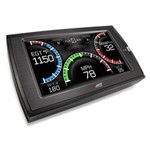
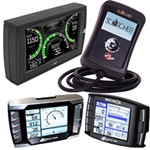
Want to give your vehicle an extra boost? Install a performance module by Edge to increase your vehicle's power, performance and fuel economy. Available easy to read monitor places everything at your fingertips, making the module easy to adapt to your specific needs. Many performance modules multi-task, so not only do you gain the extra torque and horsepower you want, you are also able to utilize the modules built in GPS and backup camera! The power levels on the performance module match fueling with any upgrades you have made, making an Edge programmer the perfect final touch!
We offer many styles of performance chips for many of the most popular vehicle manufacturers, including Ford, Dodge, Chevy and GMC. Find the right fit for your vehicle by entering the year on the left.
What our customers are saying:
Outstanding service and followup. Thank you
Paul
Dry Ridge, KY
Edge Products Evolution Performance Chip Demo
Edge Products, the premier name for after market performance electronics presents the new Evolution CS and CTS. With unmatched power, control, and style the all new Evolution full color screen and color touch screen offer the most advanced technology in engine tuning available today. The Evolution CS and CTS programmers offer many of the same great features and benefits users have come to expect from Edge Products along with a whole host of exciting additional features. Some of the great new features include full color screens, multiple power programming options, monitoring data from your vehicles computer with an in cabin color display, reading and clearing check engine lights, graphed performance tests such as 0 to 60 and quarter mile time runs, custom tuning options, back up camera, customized accessories, state-of-the-art mounting options, and Internet updatability. To get just some of these features individually you would need to buy a power programmer, diagnostic tool or scan tool, gauges, mounts, and more costing you more than double the price of the Evolution CS or CTS. 01:10
Edge Insight CS Guage Display Installation - 1999 Dodge Ram
Edge Insight CTS Gauge Display Review
Today we are going to review the Edge insight CTS pamper hitch gauge display, part number EP83830. This is a gauge system that's going to tie to the OBD two port on your truck. It will use data that the computer is collecting to provide information about your track systems while you are driving. It will not actually alter the tune or settings on the computer. Inside the packaging, you will find these items here. Here is the user guide and quick install guide.
Edge Insight CTS Gauge Display Installation - 2006 Ford F-250
Today in our 2006 Ford F250 Diesel, we're going to be installing the Edge insight CTS comprehension gauge display system, Part # EP83830. The first thing we need to do is locate our OBD 2 port. Next, we can mount our display up on our windshield where we want it. We'll use the alcohol wipe to clean the glass before we attach the suction cup mount. With the glass clean we can go ahead and secure our suction cup mount. Next we'll connect our cable to the back of the CTS monitor.
Edge Dash Pod Adapter Kit Installation - 2003 Ford F-250
Today on our 2003 Ford F-250 Super Duty, we're going to be installing the Edge Performance products dash pod adapter, part number EP98003. We already have the dash pod installed upon our dash. It's designed to work with the older Edge Evolution programmers. However, on this truck we have an Edge CTS. So well need to use this adapter to adapt the CTS or even the CS models to our currently installed dash pod. Next, well take the adapter and slide it onto the back of our Edge CTS or CS programmer.
Edge Dash Pod Installation - 2003 Ford F-250
Today on this 2003 Ford F250 Super Duty, we're going to be installing the Edge Performance Products Dash Pod Mount for Edge Tuners, part number EP18300. The first thing we need to do is take our Dash Mount Pod and set it up on top of our dash and figure out where it's going to be placed. Once we have it in position, we'll use some masking tape to tape around it to indicate where we need to reset it when we go to adhere it later. With our mount in position, we'll take some more tape and secure it to our dash temporarily. We'll get the brackets that came with the kit, and make sure that they are angled properly to fit the contours of the pod as well as our dash. We're going to mark the indentations on the inside on the inside of our pod so that we can see them a little bit easier.
Superchips Performance Chip Review
Today we are going to review the Superchips VIVID LINQ Performance Tuner System. Part Number SU128650. This system is designed for GM gas motor applications, but there are other applications available for different makes and different motor configurations.First we are going to go over everything that comes with the package. There is the VIVID LINQ box itself which will plug into our OVD2 port on our vehicle. This box is what will establish a connection between our Android powered device in the vehicle computer. There is also a pair of USB cables so you can connect the device to your computer to update the software on the VIVID LINQ box.
Edge Racing Evolution CTS Performance Chip Review
Today on this 2002 Chevrolet Silverado 2500 we are going to show you how to use an Edge Evolution CTS programmer. Before you start using the Edge Evolution CTS, we strongly recommend that you read through the user guide a couple of times to become familiar with the Evolution and what it can do. In our previous video, we showed you how to install the Edge Evolution CTS. At the end of the video, the programmer requests the activation key. The owner of the truck went on Edges website, registered the unit and acquired the activation key so that we can unlock the Evolution CTS and set it up. Once you have activated the Evolution, you are going to head to the main menu where you are going to start putting some information about your vehicle into the system. We have a Chevrolet Silverado 2500 so we will Chevy. And it is now prompting us to make sure that our key is in the on position. Do not start the motor. Just turn the key until your accessories come on. With our key on, we are verifying that we are indeed in a GM/Chevrolet truck. Select yes. The Evolution is going to go through some processes here of checking the computer and reading some information so it knows how to tune. 1:10
Edge Performance Chip Installation - 2002 Chevy Silverado 2500
Today on this 2002 Chevrolet Silverado 2500 we are going to be installing the Edge Evolution CTS programmer, part number EP85700. The Edge Evolution CTS mounts to your vehicles dash or windshield and provides a way to not only tune and adjust the computer settings of your vehicle but also provide feedback on different engine parameters. This particular Evolution is designed for off-road racing applications only. This Evolution CTS will reprogram the computer on our Silverado and offer seven different power levels, for up to 180 horsepower and 385 foot pounds of torque gained. Included with the Evolution CTS is an information packet that contains your owners manual, registration instructions, as well as software for connecting the Evolution to your computer. There is an OBD2 cable that connects to the back of the Edge Evolution programmer as well as the OBD2 port on your vehicle. 0:59
Performance Chips and Modules