
Tekonsha Prodigy P3 Trailer Brake Controller w/ Custom Harness - Up to 4 Axles - Proportional


To see if this custom-fit item will work for you please tell us what vehicle you'll use it with.


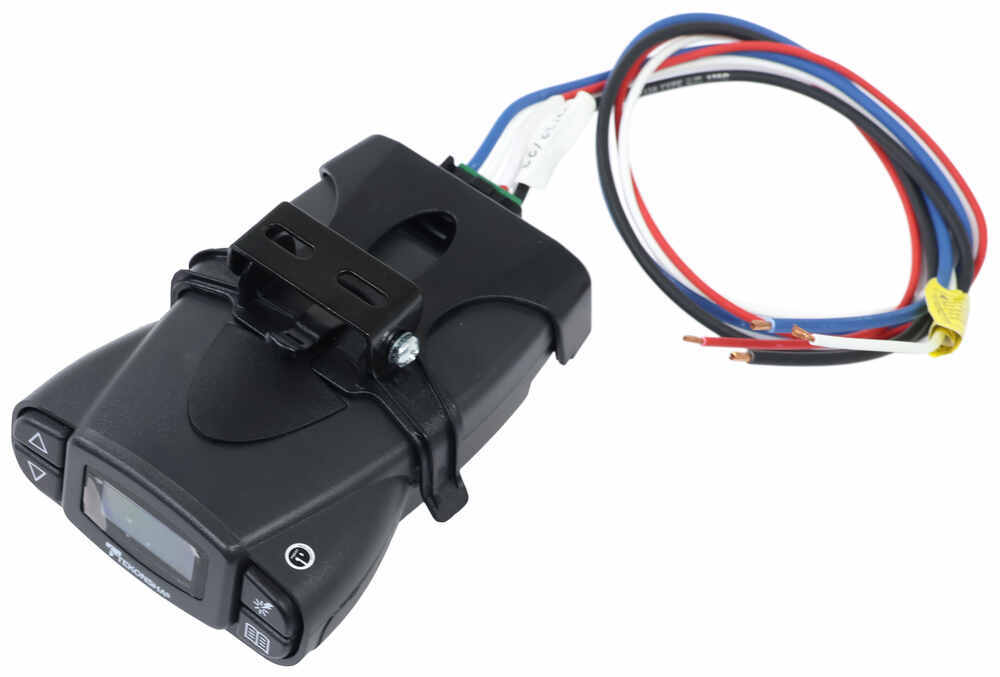


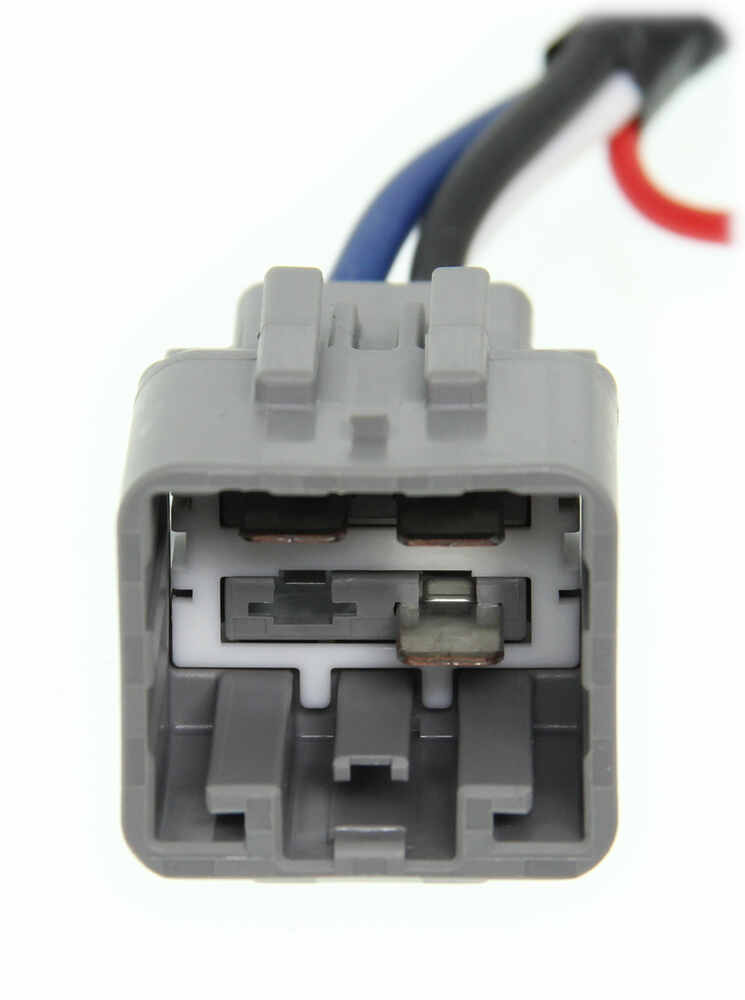
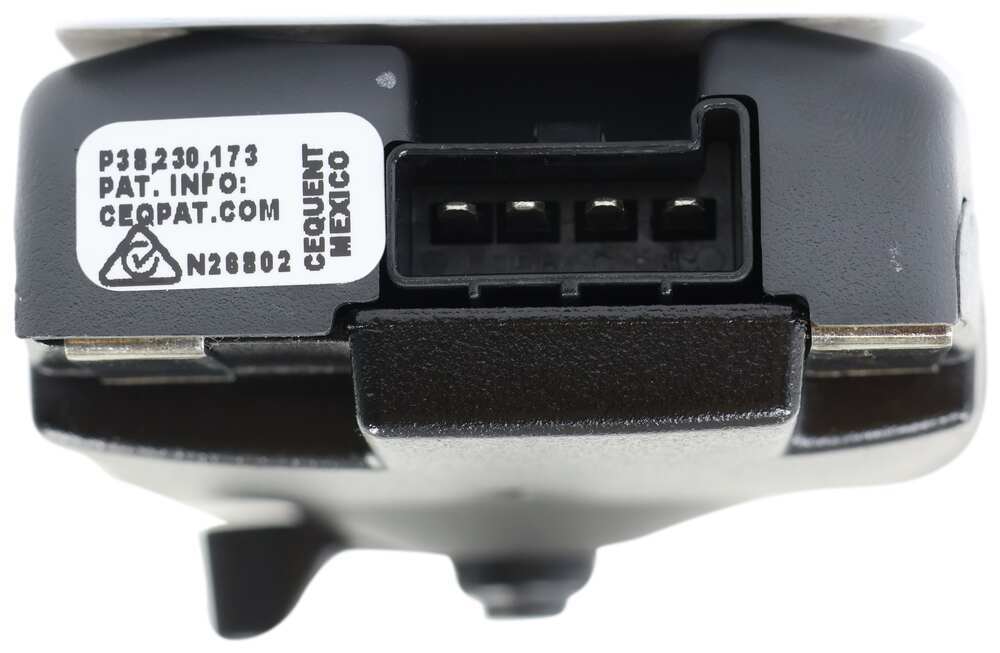
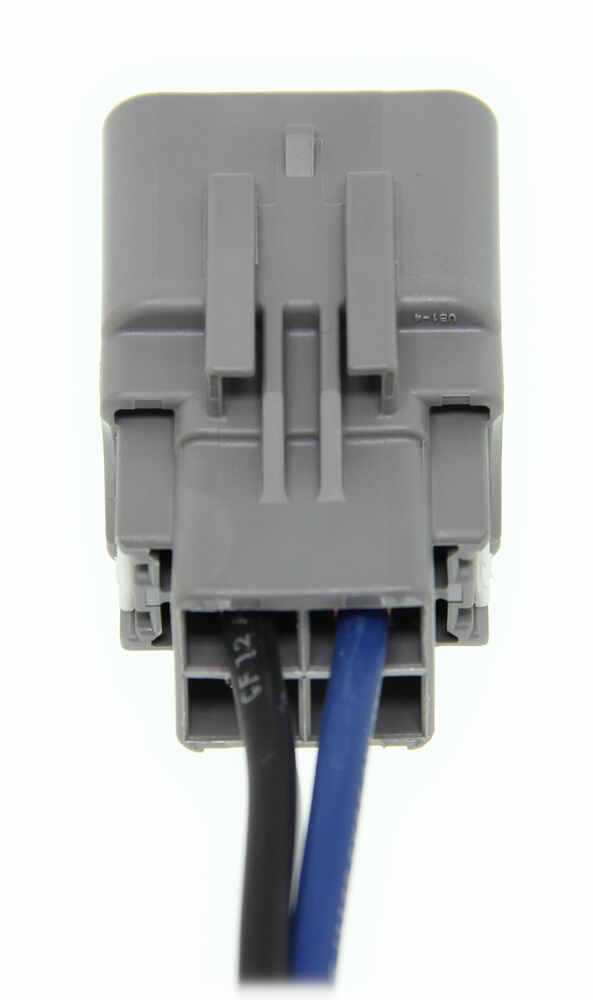

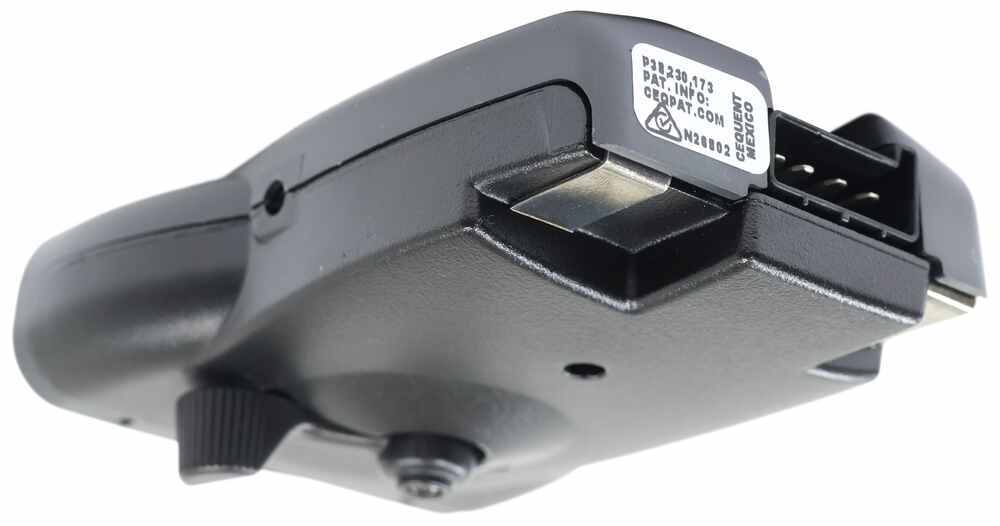

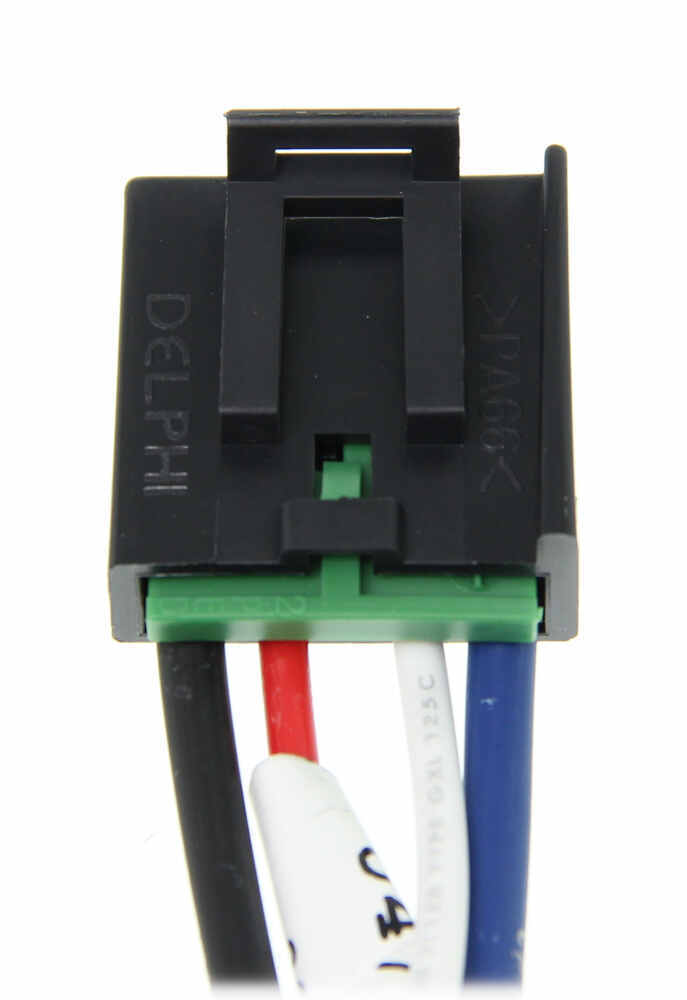

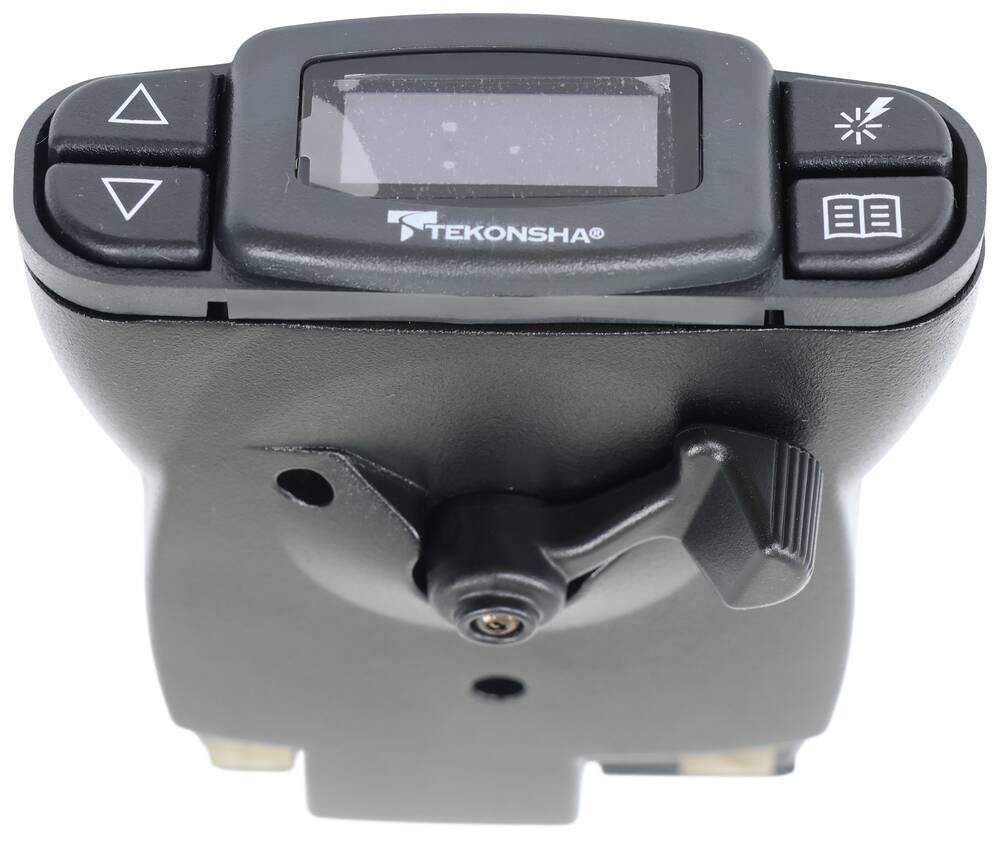
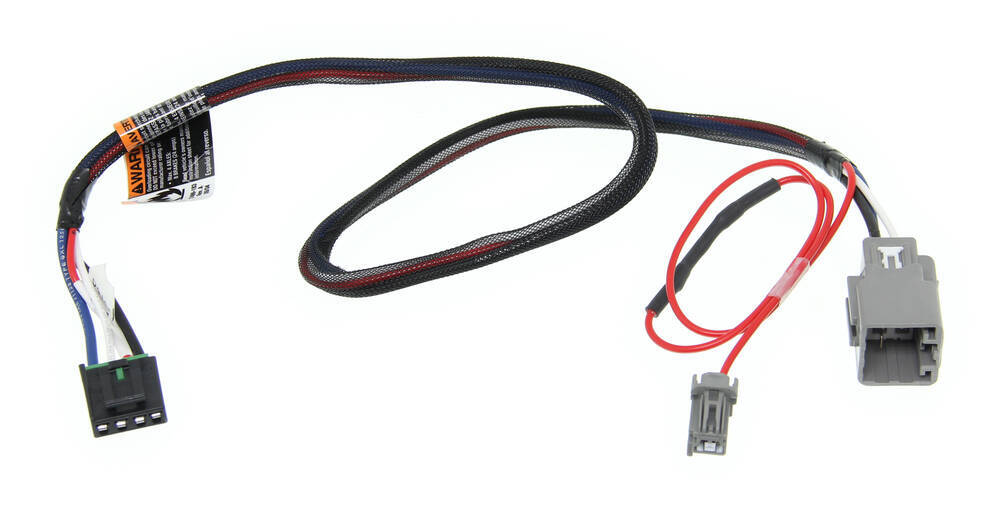


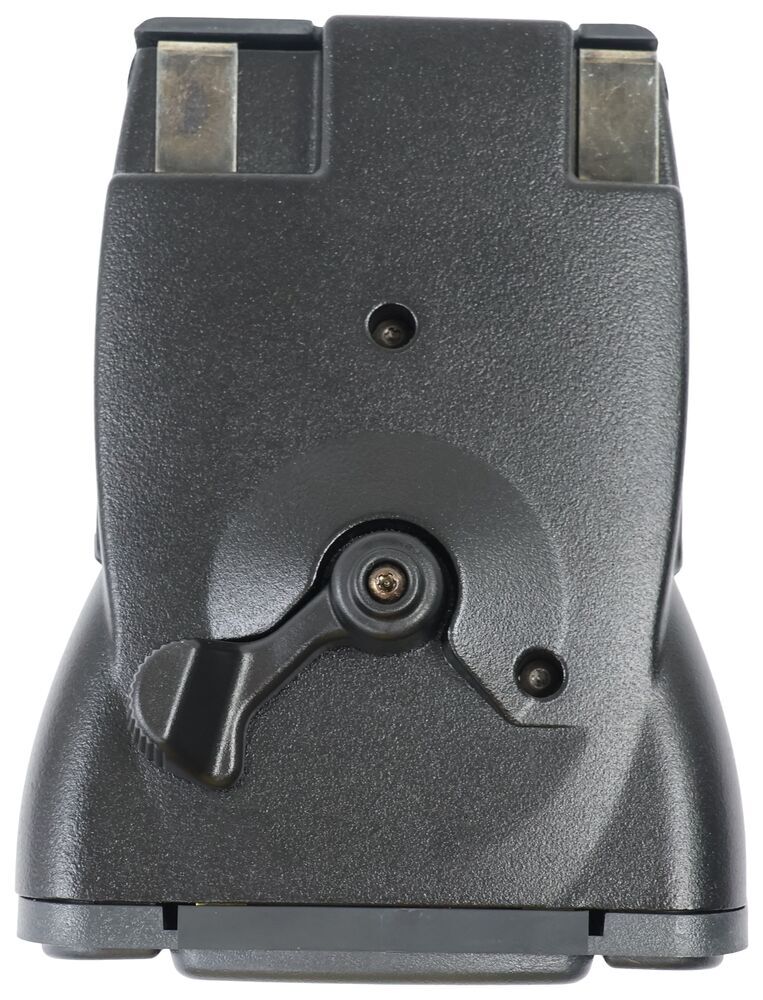


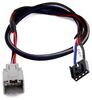
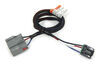
The Tekonsha P3 is a brake controller beloved for its reliability and useability. You're able to save your settings and multiple profiles. It's easy to install, and with the custom harness, it's plug-and-play.
Features:
Specs:
Braking output is the maximum amount of power that will be applied to your trailer's brakes. How much braking output you need is determined by the weight of your trailer; a heavier trailer will need more power to bring it to a stop. You want to go as high as you can without the trailer brakes locking up.
Use the arrow buttons on the front of the module to set the output.
The boost setting controls the aggressiveness of your trailer's braking, meaning how quickly the brakes reach the maximum braking level. If your vehicle takes too long to come to a stop, increase the setting. If it stops too abruptly, decrease the setting.
Depending on the level of boost, your trailer brakes can start at either 13 percent or 25 percent of the set braking output. So instead of starting at 0, the brakes will start at 25 percent and get to 100 percent sooner. This keeps the trailer from pushing your tow vehicle forward.
Boost Levels:
| Approximate Gross Trailer Weight | Boost Level | Increase in Initial Power Output |
|---|---|---|
| Less than tow vehicle GVW | B1 | 13% |
| Equal to tow vehicle GVW | B1 or B2 | 13% or 25% |
| Up to 25% more than tow vehicle GVW | B2 or B3* | 25% |
| Up to 40% more than tow vehicle GVW | B3* | 25% |
*Both B2 and B3 offer a 25-percent boost in initial power. But the braking curve for B3 is more aggressive than that of B2. This means that, even though you will start out with the same intensity when using these boost levels, you will get an overall more aggressive braking experience with the higher level. So if you use B3, you will reach maximum braking sooner than if you use B2.
To engage the manual override, twist the rotary-style lever from right to left. This will activate the trailer's brakes and brake lights independently of your vehicle, great for stopping sway or controlling your trailer's momentum in an emergency.
The P3 is able to store your settings in multiple profiles so that you can have them ready to go for different trailers and drivers. Even the display is super customizable: you can change the screen color, brightness, and language to make it easy to use.
The P3 makes it easy to troubleshoot problems as they come up, with comprehensible and detailed diagnostics displayed on the screen.
Diagnostic troubleshooting messages include:
Diagnostic warning signs include:
The Prodigy P3 offers advanced safety features to prevent damage to various components of your towing setup.
-Integrated reverse battery protection shields the brake controller and your trailer's breakaway system from shorts.
-When the P3 is not in use, it draws only 3.6 milliamps, minimizing drain on your vehicle's battery.
-Any time your vehicle and trailer are at a standstill with the brakes applied for more than 5 seconds, the hold feature will kick on and reduce power to just 25 percent. This will keep your trailer in place without your brakes overheating.
Installing the P3 is incredibly simple. You'll mount the bracket to your dashboard then mount the unit to the bracket. Plug the custom harness into your vehicle and into the unit. Done!
Keep in mind that the P3 must be horizontally level and parallel with the direction of travel to work correctly.
With a replacement wiring harness (sold separately) and replacement bracket (TK5906 - sold separately), you can even transfer the Prodigy P3 to another vehicle.
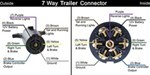
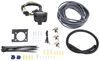
Note: If you don't already have a 7-way plug at the back of your vehicle, take a look at our exclusive 7- and 4-way brake controller installation kit (ETBC7 - sold separately).
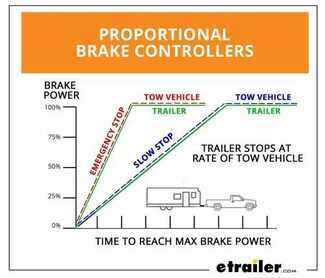
Proportional braking means that your trailer brakes mimic your tow vehicle's brakes. If you slam on the brakes, your trailer brakes will activate with the same intensity; if you brake lightly, your trailer brakes lightly too. The trailer's braking is in proportion to your vehicle and trailer.
The Prodigy P3 uses an internal inertia sensor to detect how your vehicle is braking so it can send the right amount of braking power to your trailer. It measures the inertia of your tow vehicle and activates the trailer's brakes to slow at the same rate. The result is uniform braking across your towing setup. No push-pull action - just smooth, proportional braking every time.
 Alternate Instructions
California residents: click here
Videos are provided as a guide only. Refer to manufacturer installation instructions and specs for complete information.
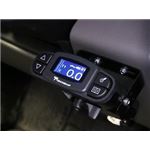
On this 2016 Ford Edge, we're going to review and install the Tekonska Prodigy P3 Trailer Brake Controller, part number 90195. Now to help us with our install, we'll be using a couple additional part numbers. We'll be using ETBC7, that'll provide our 7-pole connector out the back of the vehicle, and our connection up front up to the battery and for our brake controller. Also to help us mount our 7-pole connector at the back, we'll be using part number 18136, the universal mounting bracket. This is what the P3 brake controller looks like when it's installed on our Ford Edge. We have this in a typical location right here. Now you can move it anywhere you like, as long as it's in easy reach of it when you need to use it.
Now this brake controller is great for any controller that's out there, whether it's a single axle brake trailer or two-wheel trailer with brakes, which would go great with this small vehicle right here, up to being used in vehicles that are larger like a full size pickup or a one ton pickup. For our application here, this is going to be more than enough brake controller for this vehicle. Let's go ahead and check out some of the features. Let's go ahead and take a look at the screen here. You'll notice it shows two zeros when it's not being used. If I use the brake pedal, you can see it goes up to 2.2 and back down again.
That's actually showing us that the boost setting's actually working. Also, there's a little icon of a small truck and trailer here, and B1. We have actually four boost settings. Right now we're on B1, and to change them we push this button right here. B2 shows a different combination of truck and trailer.
If I hit the brake pedal, you can see it sends out a little more power and right then it backs right off. Now on the B3 setting, it actually puts out the same amount of voltage initially. I hold it just a little bit longer compared to B2. Now if we do it one more time, we can actually set the boost off. You can see it shows a very simple pick up and a very small trailer.
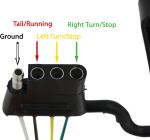
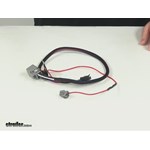
If you have a small trailer, that's really light and has brakes and you don't really need them, and hauling it empty, you can leave it just like this. Now there's two buttons on the side adjust the power on our brake controller. Initially it goes up to fourteen volts and we go down to zero. This button right here acts as a menu button, so when we're done with our setting, we hit OK. Now this is an inertia activated brake controller, so it turns on only when you hit your brake pedal, and then it notices how hard you're hitting your brakes and sends power and proportion out to your trailer. With the boost setting, that actually sends out a more immediate power right off the bat. It helps lead the brakes on the trailer before the vehicle brakes work, to give you a more immediate feel. You can change the boost settings and set it up the way you want. After the initial boost settings, it actually goes back to typical inertia and goes right back down, as you can see how the voltage goes down. You notice on the bottom here there's a lever. If I move it over, this actually applies the trailer brakes by themselves. You can test your brakes by using the manual override, make sure they're working correctly. Also in certain situations where you driving down the road, you can end up with a little bit of sway, sometimes it might be a good idea to apply just a little bit of brake to help straighten it out. Now with this brake controller you can actually save up to five individual settings, depending on the trailer you're pulling. If you have multiple trailers, you can program this brake controller to work instantly with whatever trailer you have. Just select the trailer you want and it's good to go. On the installation side of things, this is really nice because you can mount this brake controller in almost a three hundred and sixty degree fashion. You don't have any limits on how you install it. It's self leveling on the inside. As long as our brake controller is going in a straight line this way, and as little side to side, you can install this brake controller. Next we'll show you how we install the Prodigy P3 brake controller on our Ford Edge. Let's go ahead and look for our universal bracket right here. We're going use it to do a little bit of custom work here. You notice that our Ford Edge here has a factory hitch built into it already, and here's our factory 4-pole. It actually fits into this bracket right here, and you just simply pull it out and out of the way. We're going to take a long bracket, and we're actually going to use some extra hardware, that doesn't come with either kits, and we're going to attach this to the bracket right here after we drill a couple of holes. I've used a couple of clamps right here to help hold it in place and just flush with the bottom of those tabs that are hanging down. There's a couple of ridges that stick up. I can use that as an alignment point for me to drill my holes. I'm simply going to drill two quarter inch holes. All right, now to put these two together, I'm using some simple quarter inch hardware that you can get from any hardware store. A quarter inch bolt, flat washer, lock washer and a nut. We'll tighten these guys down using a seven sixteenths wrench. Next we'll go ahead and install our bracket that comes with the ETBC7 kit. Traditionally it usually mounts like this, or like this. However I'm going to rotate mine, to keep it as recessed, as close to the bumper as possible. Using the hardware that comes with this kit here, I'll go ahead and attach the two together. These little nuts will tighten down with a Philips head screwdriver on top. All right now let's install the 7-pole connector and the hardware that comes with the ETBC7 kit. Just enough clearance with the bumper. This hardware, we can tighten down with a flat face screwdriver. Now let's go ahead and start work from our electrical connections. We'll go ahead and take our wires and just kind of stretch them out, make them a little easier to work with, and we'll separate them. We'll start with our easiest one first. This would be our 4-pole flat connector. This adapts to pre-existing 4-pole flat on our vehicle to go up to a 7-pole connector. All we're going to do is just take the cap off of it and we can go ahead and plug the two together. Now it's a good idea to apply some dielectric grease on here to help protect the connections. In this case the vehicle is pretty new and it already has it on there. If you need it, you can use part number 11755 from LubriMatic, and their contact grease. Let's push these two together. This is a pretty tight fit. I also like to run a zip tie through the wires and around to make sure it doesn't ever come off, and secure it. We can move on to our next connections. We're going to work with the blue and the black wires here. These guys are going to be connected to our grey cable here with the black and white wires. We'll go ahead and get this cable ready to install. We'll cut back the sheath using a knife, straight down the middle, peel it back, cut off our excess. Using the wire strippers, we'll go ahead and strip back our wires. Now our pre-existing wires have some butt connectors that are previously installed, however I like to change it up a little bit. When the wires are kind of low to the ground and more exposed to the elements, I like to replace those guys with some heat shrink butt connectors. They install just like normal and use some crimpers to hold it in place. We'll remove the old ones and put the wires on the other side. We'll hook ours up black to black and white to blue. All right, now we'll go ahead and use the heat gun to shrink our connectors. Now you could use a lighter or something like that, but this is much more civilized, and you can control the heat better. All right, next we'll go ahead and work with our white and purple wires. The white wire is a ground for the whole assembly out back here. Our purple wire is typically used for reverse light circuit. Now our tow package doesn't have a provision for the reverse light circuit, so this will not be used. You'll simply keep it with it, with the white wire, and we'll bundle this all up loosely, and then run it towards the inside edge of the bumper. I'm just going to use some electrical tape for now, help tidy up the wires and bundle them up. Now I'm going to take my gray cable and run it through the opening right here, and out to the side, and just pull it all back out. We'll use a bumper cover here to help hold our wires up and out of the way. Now to help hide the color of our wires, I'm going to use some of the provided loom material that comes with the ETBC7 kit. This clips to the wire and holds itself in place. Let's go ahead and work for our white wire from ground. I'm going to attach it to the sheet metal right here, basically part of our frame. Push our wire back in a little bit, and then we'll use a self-tapping screw that does come with the ETBC7 kit. You'll need a three-eighths nut driver kit to install it. Next, we'll go ahead and take our gray cable, run it towards the front of our vehicle and up through the engine compartment up top. Now everybody's going to run our wires a little bit different, but this is how we did it. First off, here's our wires right here, and where I could, where there's some plastic, I just used a quarter inch drill bit and just made a hole for me, and I could go ahead and attach a zip tie to help hold the wire up. Went through the bracket for the exhaust hanger right here, and went over top the rear sub frame suspension, and then I zip tied to this wire harness here and just kept going down, across, and went over the fuel tank filler tube right here, went alongside the gas tank and on this plastic guard right here, I drilled another hole for a zip tie. Then I ran a wire inside this guard right here to help hold it up for me. Very simple fasteners using a 10mm socket. You can remove these guys, pull it down, and reach in and pull it out to get access to your wire. I'm just going to let this protect it, let it lay in there. Two fasteners here and here is all I removed. Following these fuel lines going up the front and zip tied wherever I could. Next we'll take our wires and run up the top. Now when we do this, we want to stay away from anything that's moving like suspension components or steering components, as well as a hot exhaust. You can tell, I'm on a lift doing this, however it might be a good idea if you're on the ground to put one side of the vehicle on jack stands to help lift it up and make it a little bit easier to work with. Now to pull our wire up from the bottom to the top here, we need a pull wire. My pull wire in this case is an old piece of airline tubing, where it's flexible and you can run it down there. This also could be the classic coat hanger or any piece of material you can route down there to the bottom. Basically I want it between the battery and the cable here, so the ground and just aim for that, all the way down. Now here's our pull wire at the bottom here. Now we've got plenty of room to work with down here, so if you need to make adjustments you can do it down here at the bottom too. Just going to connect the two together using electric tape. Go ahead and push our wire up, and we'll go ahead and pull it up from the top. Pull it up and make sure to take up all the slack. I'll zip tie to a power cable right here to help hold it up and out of the way. Let's go ahead and set our cable out of the way for awhile now. Let's go ahead and work on something different. We'll go ahead and install two circuit breakers. We're going to install a 40 amp circuit breaker which will provide our 12 volt power going out to a 7-pole connector for whatever your trailer needs it for. We're also going to install a 20 amp circuit breaker for the brake controller itself. Now the kit does come with three circuit breakers. You'll either use a 20 or a 30 depending on the needs of the brake controller. Typically you're going to use a heavy duty circuit breaker on full size pickups or SUV's that can handle that kind of load. These two circuit breakers, we're going to install in this classic component right here. We'll use the three supplied self-tapping screws, and we'll need a quarter inch nut driver for that. We'll go ahead and overlap them, install the next screw. Now, next we'll get back to our gray cable here. We'll go ahead and shorten it because these two wires we just ran inside this cable, one needs to stay to the outside to our 40 amp circuit breaker, and our white one needs to go to the inside of the vehicle. I'm going to gauge my length of my wire from the circuit breakers all the way out to where underneath the dash would be, and I'll cut off my excess. Now let's take this wire and strip it all the way back. All right, now let's get inside the vehicle and find our access point where we can run our wires from the outside to the inside. We're going to look underneath the dashboard right here, above the carpet where the insulation is. If we look up in here, it's kind of hidden, I have it pulled out right now, but there's a little section you can pull out, a little plastic cover right here, we can drill that to get to the outside. Now to drill through it, I'm using a step bit so it's not too long, where I don't have to worry about drilling through and damaging anything on the other side. We're going to use the same pull wire like last time and run it from the inside to the outside. Now we just drilled out the hole, maybe just under a half inch, just to give us enough room for our three wires. Let's go ahead and connect our single, white wire to our pull wire. Make sure that's secure. Then the rest of our gray cable that we cut off earlier, connect behind that. We'll pull that on back through. Here's our wires. Let's go ahead and free up our wires one more time from our pull wire. Go ahead and strip the wires back like we did before. This time, we'll use butt connectors that come with the ETBC7 kit. They're perfect for inside the vehicle. All right, now this is the wire harness that comes with the P3 brake controller. I'm going to take a moment and I'm going to go ahead and just cover up the wires with electrical tape. It'll make it a little bit easier to route the wires down towards the bottom. Now eventually our brake controller is going to sit in this general area right here, so we'll go ahead and take our wire harness that we taped up, and we're going to run it right through this gap right here. Run it out the back and down towards the bottom. All right, at this point, we'll go ahead and hook up some wires that we can. Already stripped back, so we'll go ahead and match up, basically color for color with the gray cable. Black to black, and white to white. Now our single white wire, if you remember, hooked up to the 7-pole connector out back, and that hooked up to the blue wire, so we'll go back to blue on our wire harness going to the brake controller. Now our last remaining wire will be a red wire. This has to hook up to the cold side of the brake switch, so when you hit your brake pedal, brake lights come on. That's when we need this. We need that same signal to turn on our brake controller when it's needed. To make things a little bit easier to connect up to, I'm going to actually lengthen my red wire here. I'll be using one of the small butt connectors that comes with the brake controller. Now, our wire for our brake switch, we discovered is a purple wire with a white stripe. We locate it right here. We test fit it at the brake switch and then traced that color down. Now we'll go ahead and use provided quick splice connector to make our connection to it. Now you can see how our quick splice connector connected it up to our wire, and we're ready to move on. Let's go ahead and figure out our final location for our brake controller. This is it right here. We'll go ahead and snap on this provided bracket for it. Make sure these little points go into the holes that are built into it. The smaller bracket goes on top here. We'll loosely put that into place. Again, this is a personal preference where you put this at. In this case, we're going to use this location right here. We'll go ahead and put our bracket up into place and attach it with the provided screws. Once again, we'll need our quarter inch nut driver. Also, we want our brackets going in a straight line with the vehicle, as close as possible and as little left to right as possible. We'll put our brake controller in position. This is where it's going to get tight. We'll use two more sheet metal screws, but a quarter inch ratcheting wrench will help us get in that tight situation. While we're here, we'll go ahead and plug up our brake controller to our cord. Just line it up and it snaps into place. Pull out some length that we need and we'll go ahead and put our brake controller back into the bracket. All right, at this point, we'll go ahead and take a moment to get our wires up and out of the way, safe and secure underneath the dash. Now also, while we're underneath the dashboard, we'll go ahead and apply some silicon sealant to the wires that pass through the firewall. We'll be using part number LT37467 from Loctite. The RTV598 high performance silicon gasket maker. Let's go ahead and make our final connections underneath the hood. These two wires in the sheath here is for our brake controller, I'll just leave that off to the side for now. Our white wire that comes off our brake controller will go straight through here so we don't need to worry about that guy. This one black wire, this sheath here, that came with our 7-pole connector, remember that goes to our 12 volt power supply, so we'll run that to our 40 amp circuit breaker right here, and double back towards our battery. Let's go ahead and cut our wire in half, strip them back and add the provided ring terminals. They'll be the small ones that come with the kit. We'll go ahead and remove the nuts on our circuit breaker. Now we need to put the right wires on the correct posts. They're actually labelled, one for battery, and one for auxiliary circuit, so our lead that will eventually go to our battery, we'll go ahead and put that wire on there, and our wire from our 7-pole connector will go on the other side. We can tighten those down using a three eighths socket. Let's take the other end of our wire that goes to our battery, we'll cut it short and add one of the larger ring terminals to it, that comes with the kit. Now I have one more wire to add to our battery here, so I'm just going to leave this connection and put those two on last. Now let's go ahead and work with our cable that still has a sheath on it. I'm actually going to cut that loose. Remember this goes to our brake controller. Black wire, once again will go to the positive side, and our white wire will actually go the ground this time. Now if we look at it, we have actually two different manufacturing circuit breakers. You notice that this one actually has a copper side and a silver side. The copper side always goes towards the battery, and the silver side always goes towards your accessory. Go ahead and put our wire onto our battery and our accessory wire. Now from our battery connection on that circuit breaker, we'll go ahead and add one more large ring terminal to the other side of the wire. Now we can take these two leads and attach them to our battery. Using a 10 mm socket, we'll go ahead and loosen up the clamp here on the battery terminal, add our two wires in and reinstall the nut. Put our cover back in place, and work for our last wire which will be ground. Go ahead and cut that to length, add a large ring terminal to it. Now using an 11 mm socket, we'll go ahead and hook up our ground here. Okay at this point, all our electrical connections are done. Once again, we'll go ahead and bundle up our wires and tidy them up. With everything hooked up, let's go ahead and try it out. We've go a simple little tester to make sure all our sockets work. Running lights circuit, left turn, right turn and brake. Now we'll do our brake controller. We should see our two brake lights come on as well as our output from our brake controller. We should have one remaining light on that shows we have a twelve volt power supply for our battery. With that, that will finish it for Tekonska Prodigy P3 Trailer Brake Controller, part number 90195 on this 2016 Ford Edge.


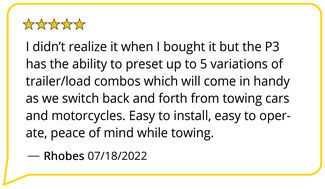
Very easy install and excellent customer service


Do you have a question about this Trailer Brake Controller?
Info for this part was:
At etrailer we provide the best information available about the products we sell. We take the quality of our information seriously so that you can get the right part the first time. Let us know if anything is missing or if you have any questions.

























Thank you! Your comment has been submitted successfully. You should be able to view your question/comment here within a few days.
Error submitting comment. Please try again momentarily.