bing tracking image
  1. Trailer Brake Controller
  2. Draw-Tite
  3. Electric
  4. Time Delayed Controller
  5. Up to 4 Axles
  6. Under-Dash
THIS ITEM IS NOT A FIT FOR
2019 Ford Mustang
Draw-Tite

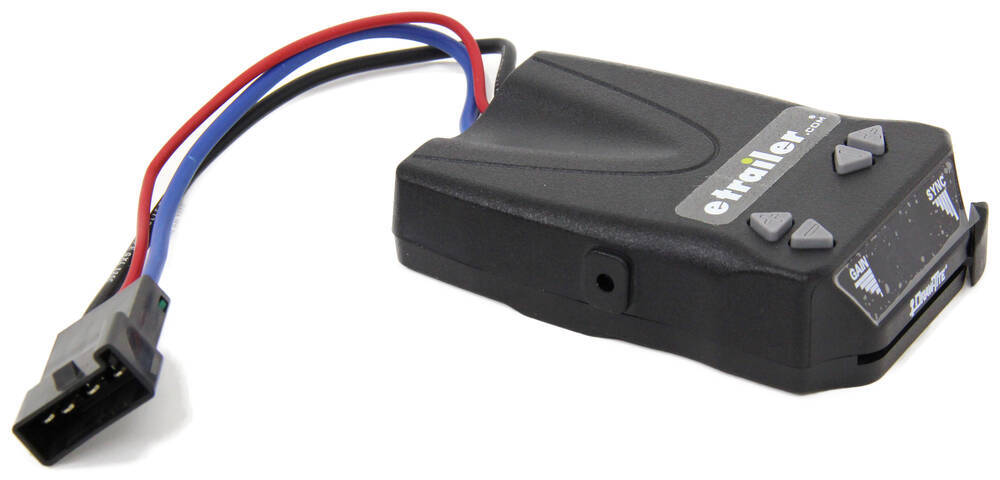
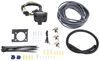
Draw-Tite Activator IV Trailer Brake Controller w/ Custom Harness - 1 to 4 Axles - Time Delayed

Part Number: DT72AV
In Stock
$78.82
Trailer Brake Controller
Not Confirmed to Fit

2019 Ford Mustang

Will this fit?

To see if this custom-fit item will work for you please tell us what vehicle you'll use it with.

zoom in icon
slider vertical icon
zoom out icon
Comment field cannot be left empty.
Name field cannot be left empty.

Thank you! Your comment has been submitted successfully. You should be able to view your question/comment here within a few days.

Error submitting comment. Please try again momentarily.

Product Images

In Use/Installed

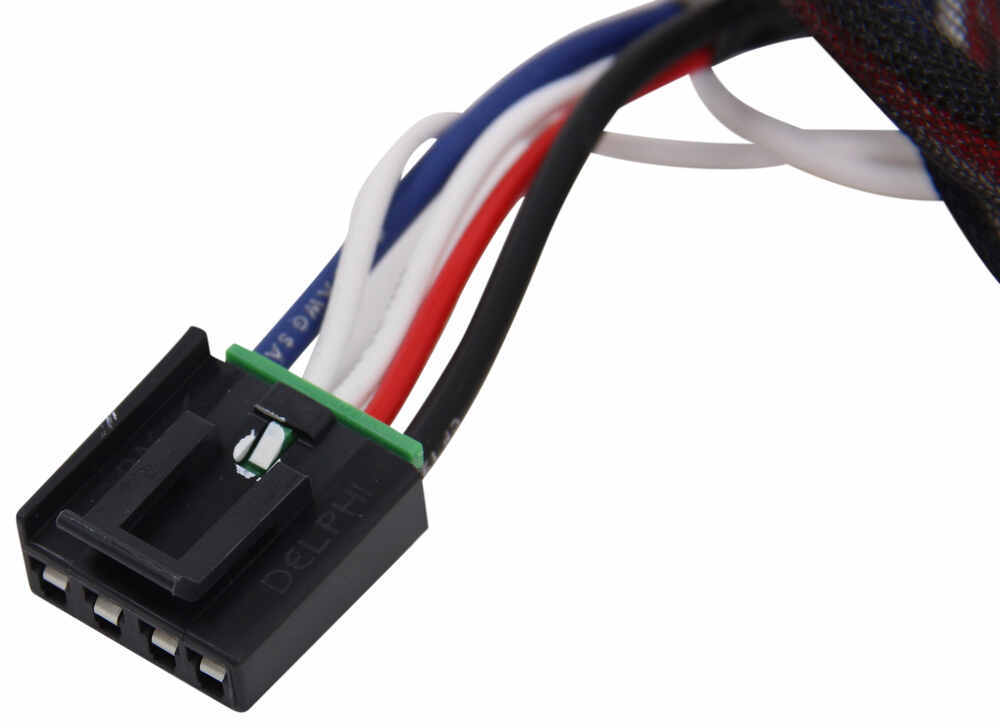
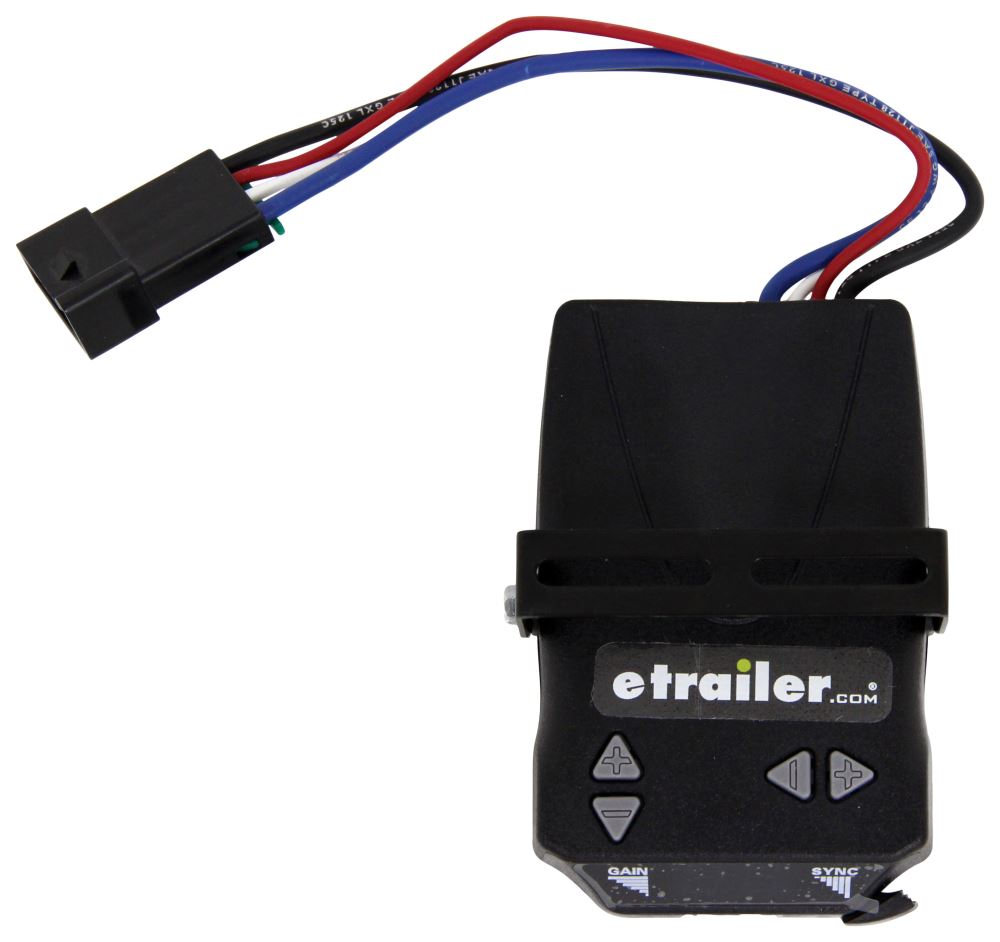
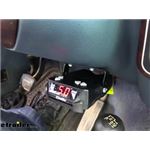
This stout brake controller has easy-to-reach button controls up front and a simple slide-lever manual override. The digital display is large and easy to read. And the included harness lets you just plug the controller right into your vehicle. Great Prices for the best trailer brake controller from Draw-Tite. Draw-Tite Activator IV Trailer Brake Controller w/ Custom Harness - 1 to 4 Axles - Time Delayed part number DT72AV can be ordered online at etrailer.com or call 1-800-940-8924 for expert service.
  • All Info
  • Reviews (357)
  • Q & A (0)
  • Videos (14)
  • Photos

Draw-Tite Trailer Brake Controller - DT72AV

  • Electric
  • Time Delayed Controller
  • Up to 4 Axles
  • Draw-Tite
  • Under-Dash
  • Plug-In
  • Under-Dash Box
  • Single Trailer Only
  • LED Display

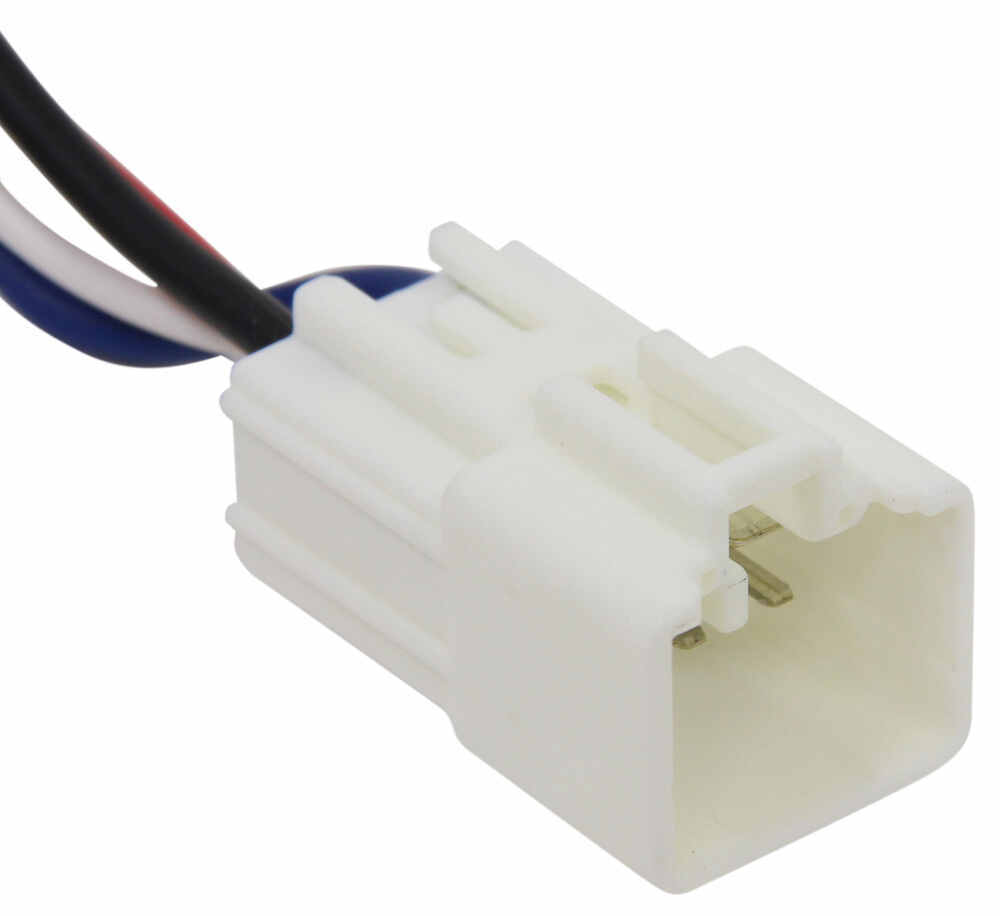
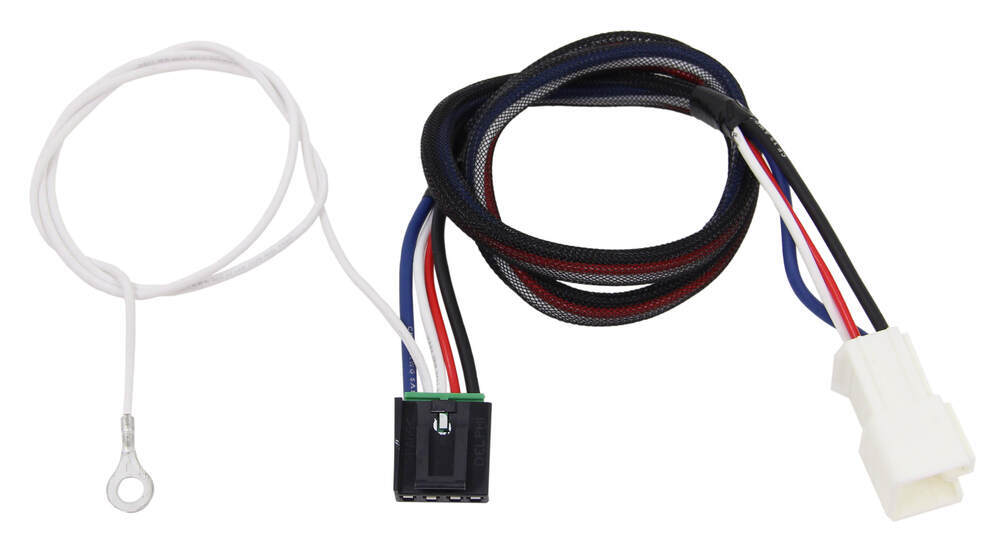
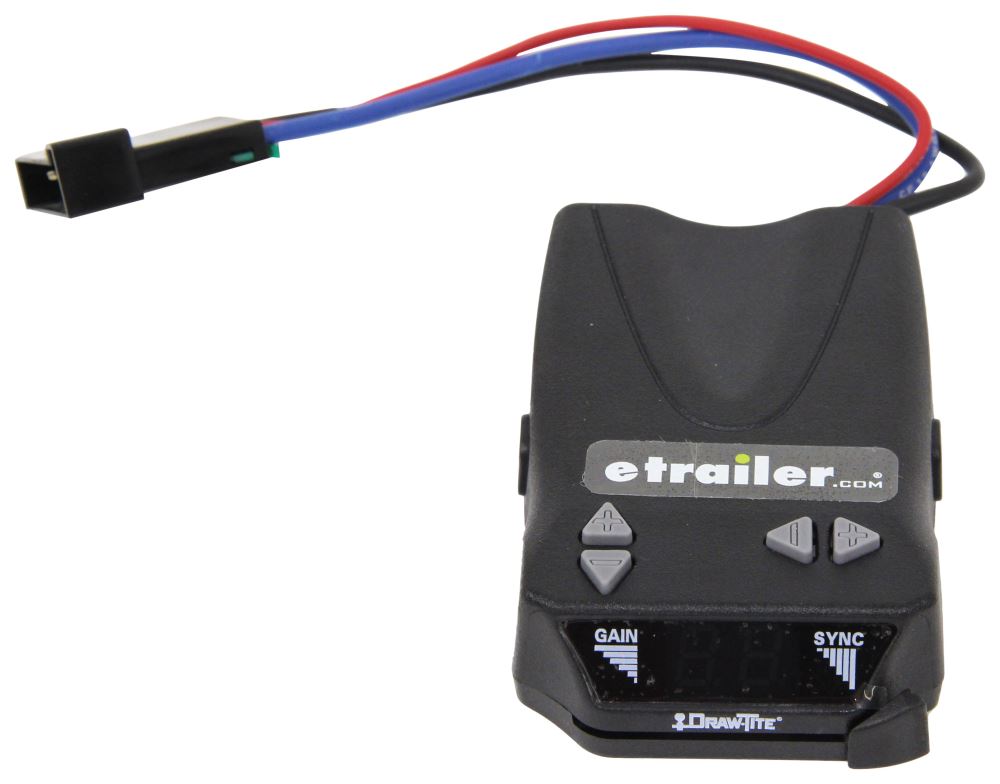
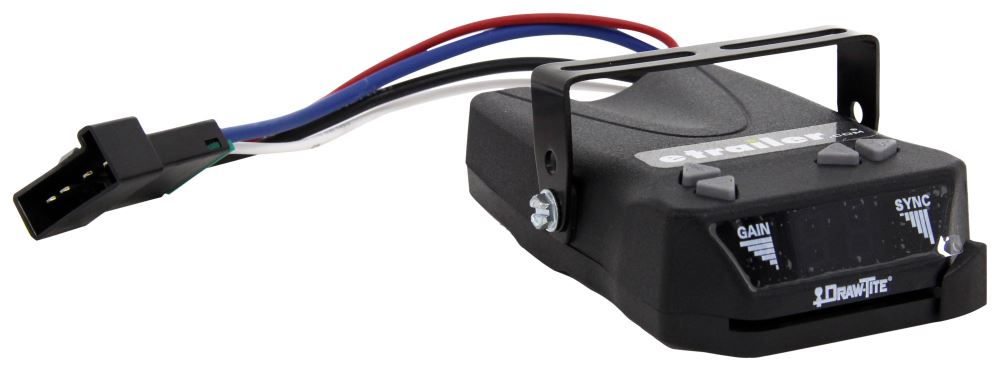
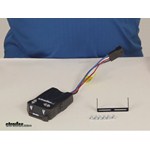
This stout brake controller has easy-to-reach button controls up front and a simple slide-lever manual override. The digital display is large and easy to read. And the included harness lets you just plug the controller right into your vehicle.


Features:

  • Time delayed: activates trailer brakes with preset intensity
  • Convenient buttons adjust power output and sync settings
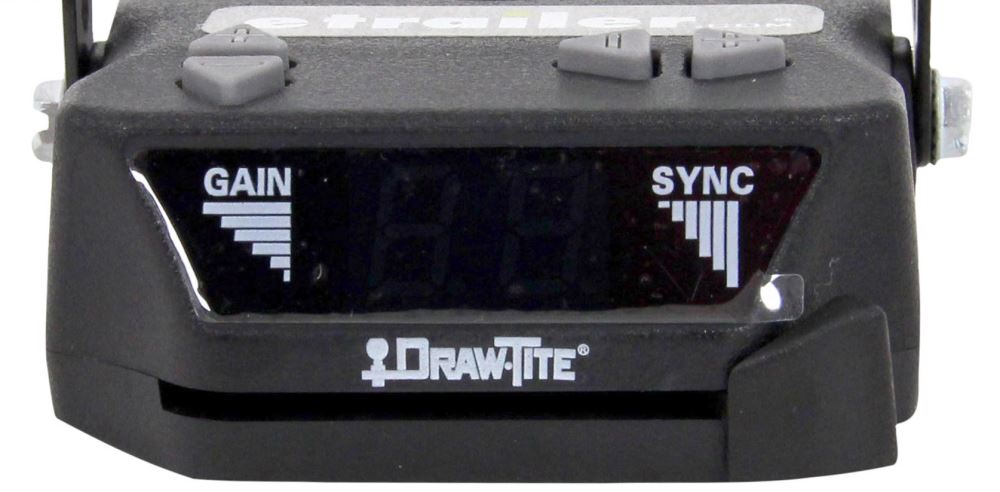
  • LED digital display shows you the output setting, sync setting, and error codes
  • Slide lever manual override is within easy reach
  • Built-in short circuit protection keeps your vehicle, trailer, and controller safe
  • No mounting restrictions
    • Installs at any angle
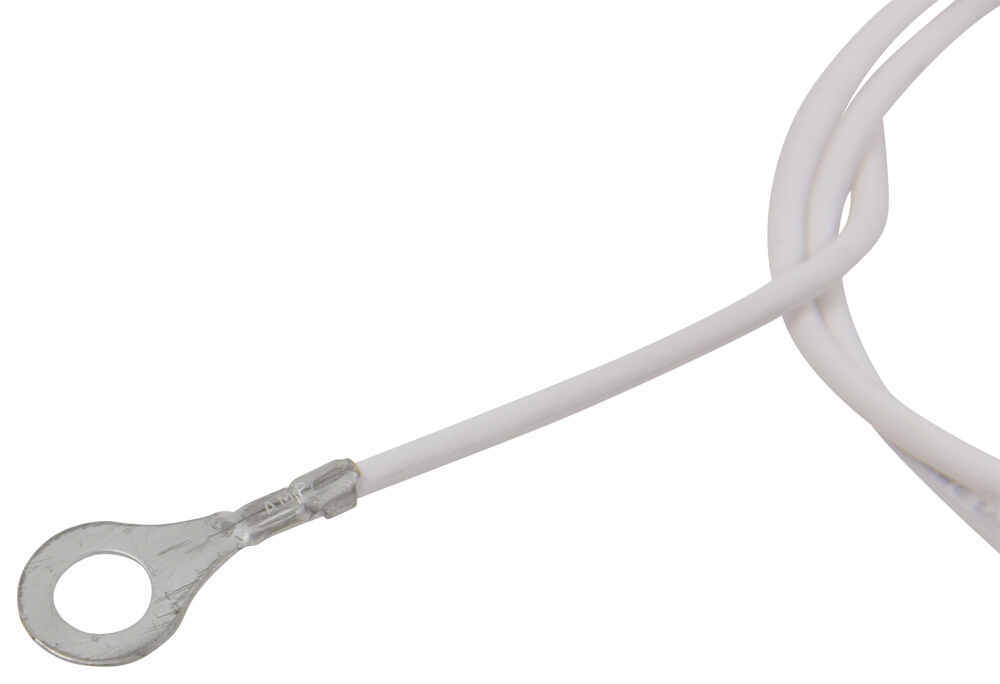
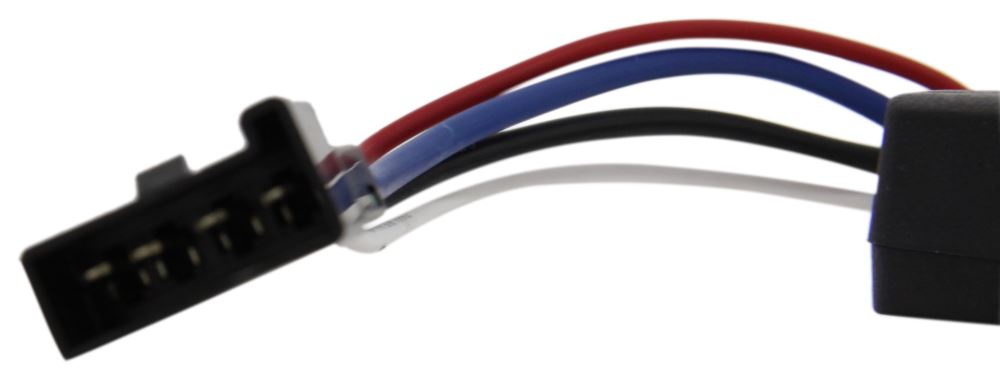
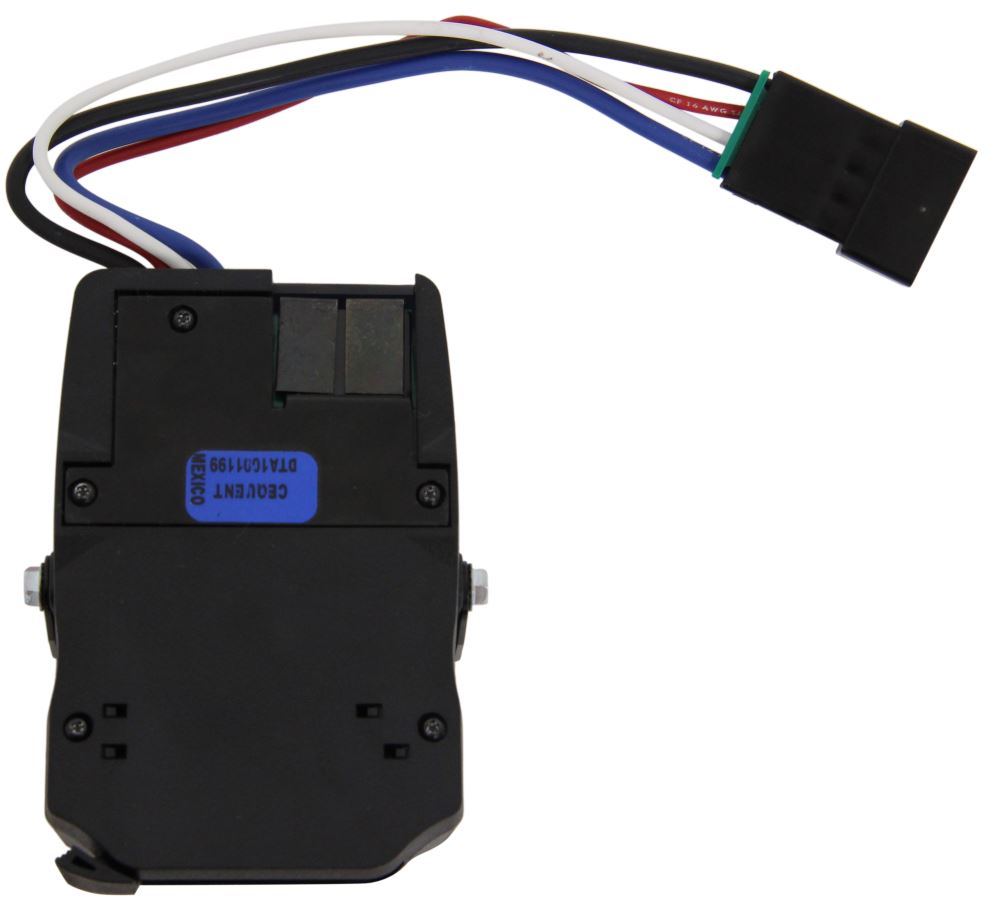
    • Includes mounting bracket, hardware, and custom wiring harness


Specs:

  • Application: trailers with up to 4 axles (8 brake assemblies)
    • Compatible with electric brakes only
  • Dimensions: 4-3/16" long x 2-3/4" wide x 1" tall
  • Harness length: 8"
  • Limited lifetime warranty


Power Output and Sync Adjustment

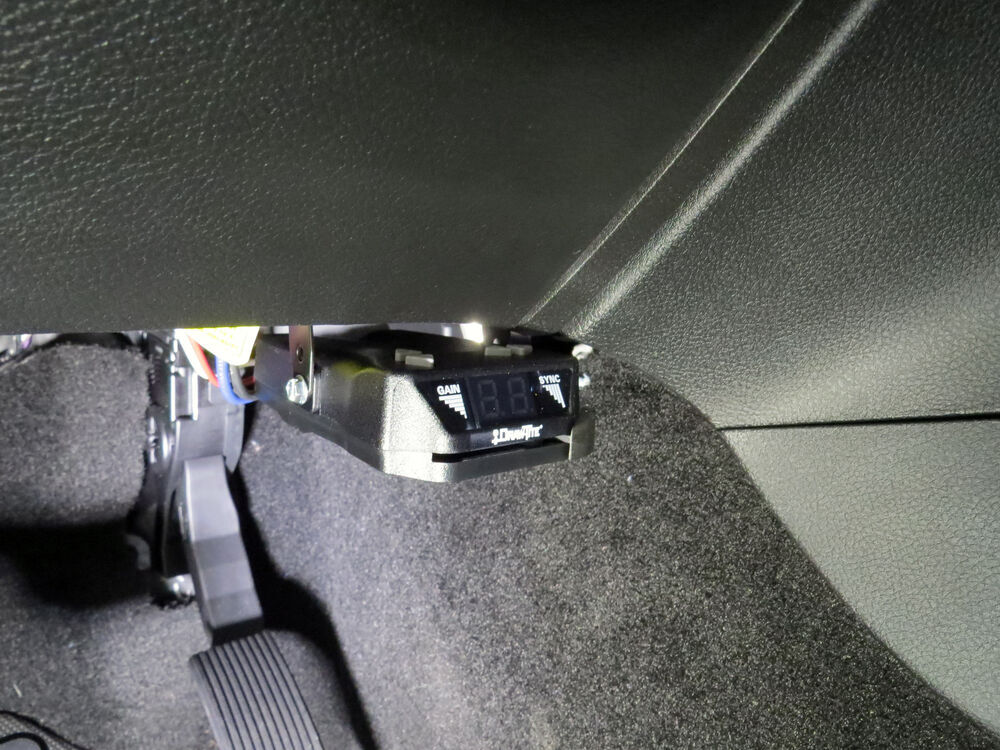
Draw-Tite Activator IV Controls and LED Display

Power output is the maximum amount of power that will be applied to your trailer's brakes. How much braking output you need is determined by the weight of your trailer; a heavier trailer will need more power to bring it to a stop. You want to go as high as you can without the trailer brakes locking up. It adjusts on a scale of 0 to 10.


Once you have the power output set, you can fine-tune your braking by adjusting the sync control. This controls the aggressiveness of your trailer's braking, meaning how quickly the brakes reach the maximum braking level. If your vehicle takes too long to come to a stop, increase the setting. If it stops too abruptly, decrease the setting. The sync setting is shown as a number followed by the letter "o" to differentiate it from the output reading. The least aggressive sync setting is 0o and the most aggressive is 9o.


LED Display

The Activator IV displays the power settings as you adjust them. While braking, the unit will display the power output setting. To see or adjust the sync setting, step on your brake pedal and press either the plus or minus button to increase or decrease the setting.


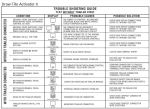
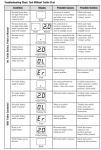
The display will also show trouble codes to alert you to any potential problems, such as short circuits or overloads, or if there is an internal problem with the controller.


Installation

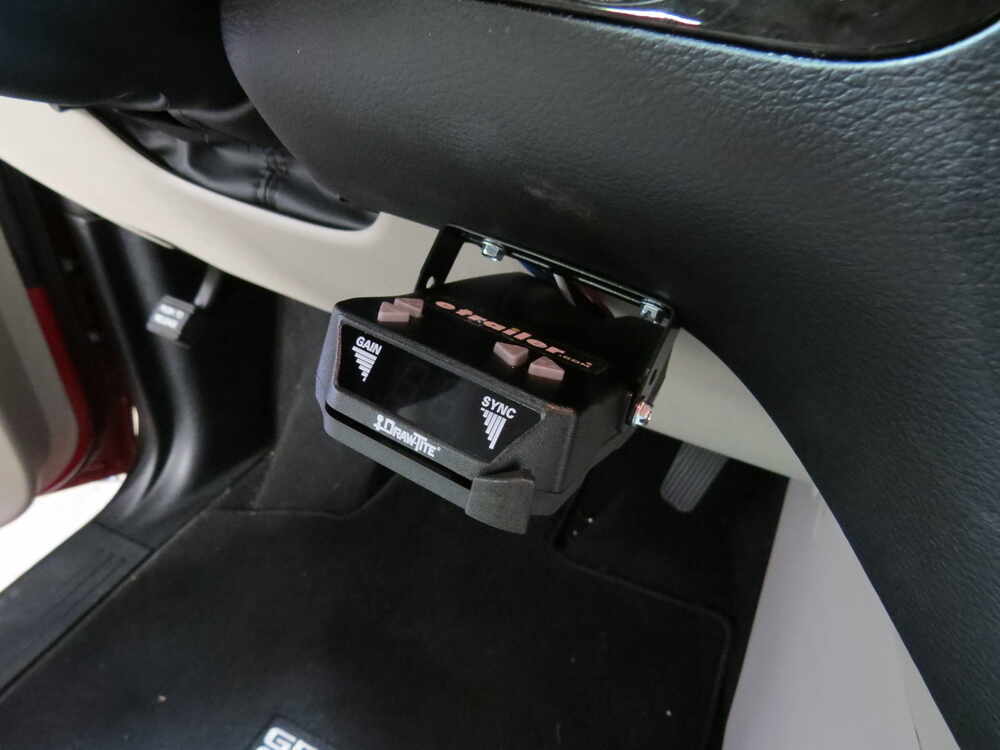
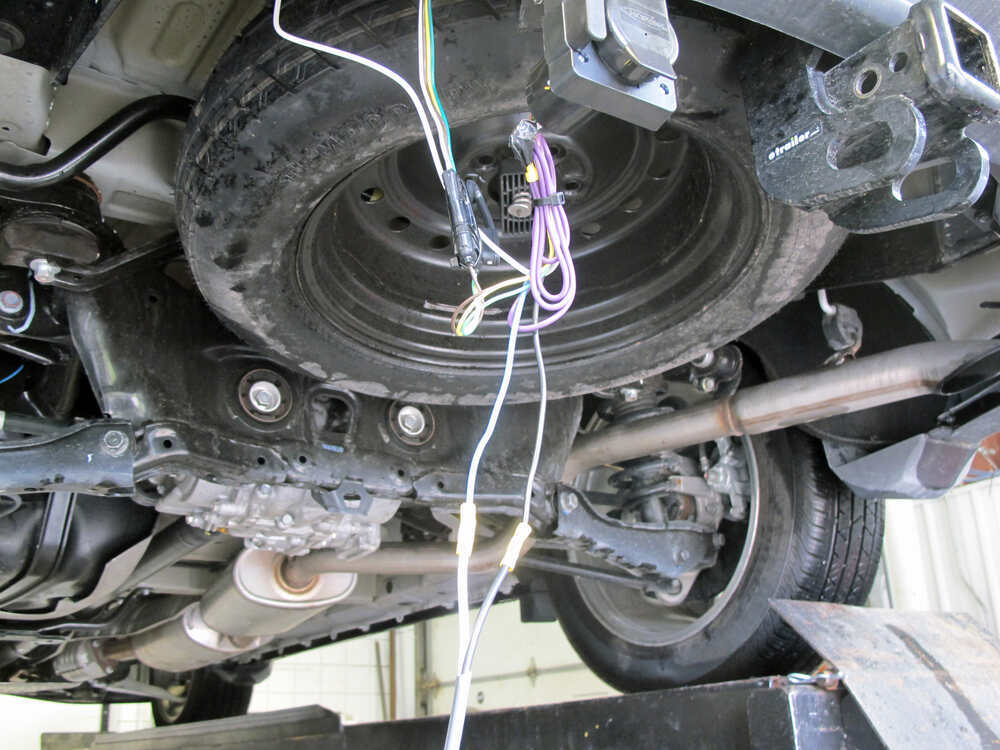
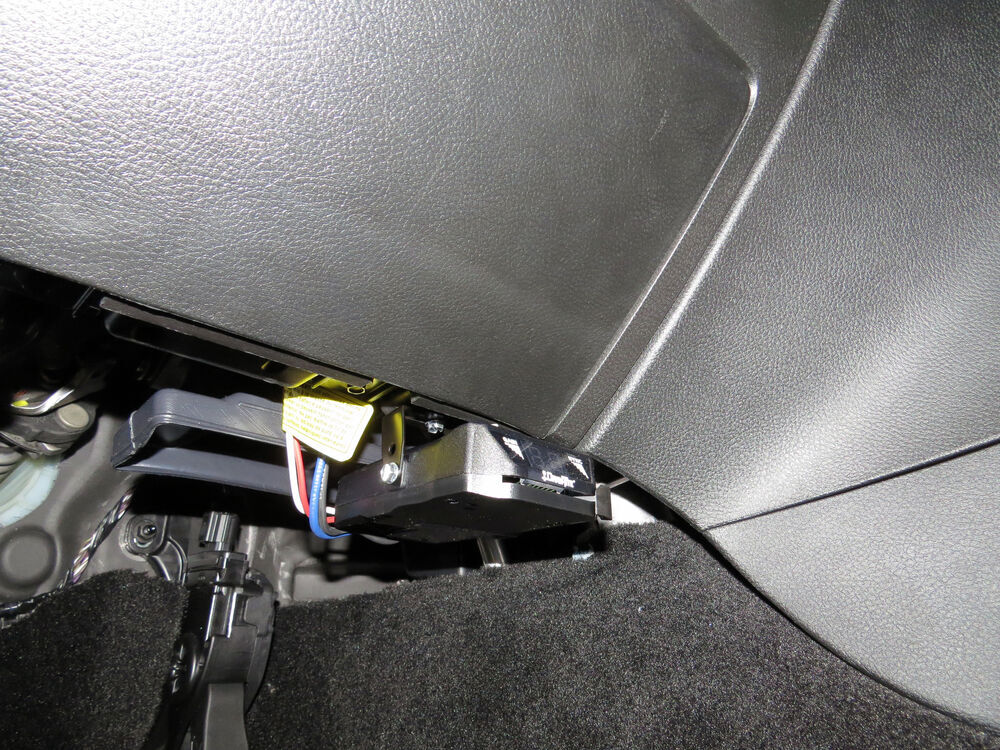
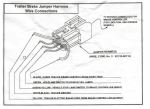
Because inertia plays no role in the functioning of this controller, you do not have to mount the unit at any particular angle. Your mounting options are limitless, so long as you can still easily access the controller and manual override. And because the included wiring harness is custom fit for your vehicle, you can just plug the controller in. No cutting or splicing needed!


Note: If you don't already have a 7-way plug at the back of your vehicle, take a look at our exclusive 7- and 4-way brake control installation kit (ETBC7 - sold separately).


Time-Delayed Braking

What is time-delayed braking

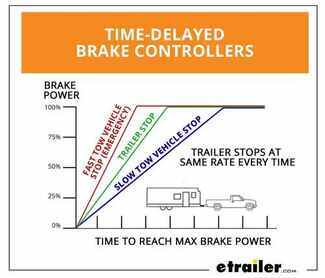
Time-delayed braking means that when you apply the brakes in your vehicle, the controller activates the trailer brakes at a pre-set intensity and rate. Both the amount of braking power (gain) and rate of application (load) can be adjusted to suit your preference, the road conditions, the type of trailer, and the weight of your load. To determine which levels are best for your application, test your towing setup and choose what feels right.


5504 Draw-Tite Act IV Electric Trailer Brake Controller - Time Based

Replaces 5500

304100 Tekonsha Brake Control Wiring Adapter with 2 Plugs

Replaces Tekonsha 3041-P

Installation Details DT72AV Installation instructions


California residents: click here


Video of Draw-Tite Activator IV Trailer Brake Controller w/ Custom Harness - 1 to 4 Axles - Time Delayed

Videos are provided as a guide only. Refer to manufacturer installation instructions and specs for complete information.


Video Transcript for DIY 2014 Dodge Durango Installation for the Draw-Tite Activator IV Trailer Brake Controller

Today on our 2014 Dodge Durango, we're going to take a look at and also show you how to install the Draw-tite Activator 4. This is a time delayed, trailer brake controller that'll work for one of the four axles. Part number is 5504. We're also going to be using the Tekonsha Plug-In Wiring Adapter, part number 3045-P. The Draw-tite Activator 4 is going to be a time delayed brake controller set up. What that means is when we hit the brakes on our vehicle the brake controller is going to pick up on that and it's going to bring up the brakes on our trailer in a specified kind of a time.

We're going to time delay it fast and so it's slowly going to ramp that up. That speed is going to be dependent on how we got our sink set. You can see we've got two buttons up here in the top, plus and minus. The higher we go on that sink setting, the quicker and more aggressively our brakes are going to engage. See we can bring that down. That allows us to fine tune this for the trailer itself.

Basically, the size and the weight of the trailer in relation to the size and weight of your vehicle. We also have a gain adjustment here. You can see those are adjustable in half number increments. That allows us to fine tune for the terrain. It also allows us to fine tune the amount of braking power that we're sending back to our trailer.

On lighter trailers we want our gain to be adjusted lower. If we're on flat terrain we want our gain to be adjusted lower. As we start to raise that gain, our trailer weight is going to get heavier and heavier and our terrain is going to become more hilly. That's the amount of power being sent back to the trailer. You want to be just enough where it's not going to actually lock up the tires on the trailer, which can cause flat spotting. Get a nice manual override lever here.

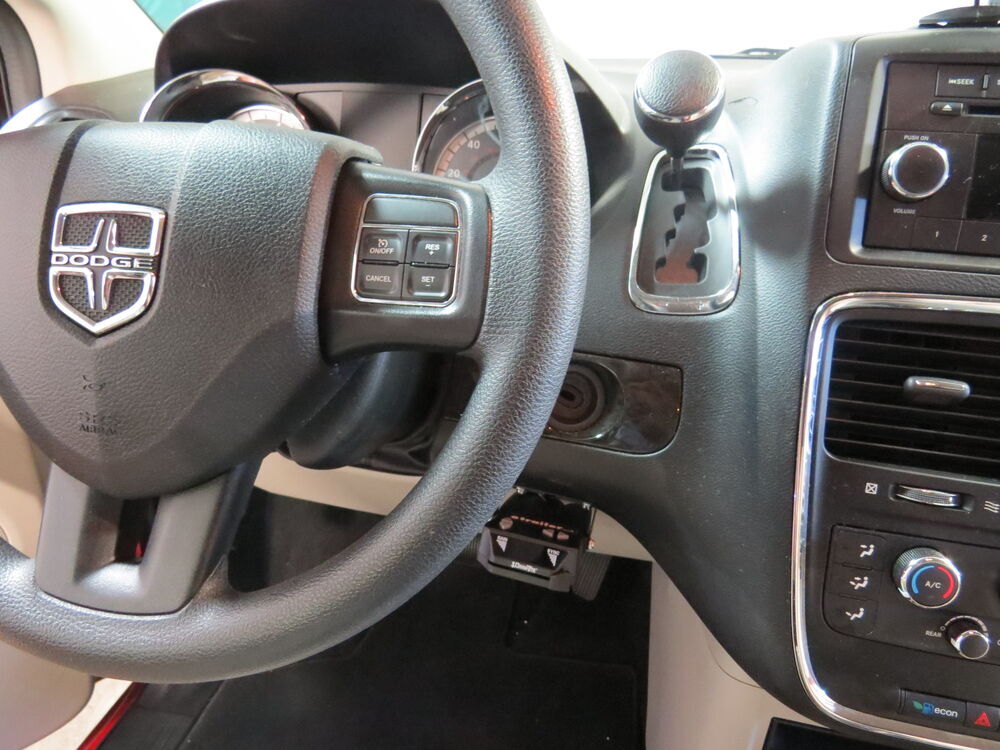
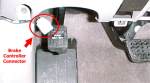
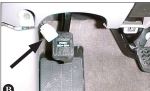
As you can see we bring that all the way over maxed out and it's going to go right up to whatever we've got the maximum gain set up. In an emergency if we need to apply those trailer brake without applying the brakes in the car, we can pull that over. It's going to go right up to what we've got set and that's going to prevent us overpowering the tires on the trailer and locking them up. Another benefit of a time delayed brake controller is that you don't have to worry about mounting angles. These could be mounted in any position in any configuration. You just really want to keep in mind, you want it to be close enough where it's in arms reach and you can operate your manual override. For the first step in our installation is going to find the plug underneath the dashboard that matches our 3045-P. As you can see this is going to have a plug that will go right into the connection in the brake controller. It's going to come right from our factory connector, which this will plug into. To find that we need to look up here behind the emergency brake petal. Some vehicles are going to have a felt panel down here. You can kind of see it here. We're going to get this pulled down and out of the way. We've got two push fasteners. We've got one located right here. If we come over there would be another one right here in this area. To remove these I'm going to use a trim panel tool. You can also use a screw driver. You just want to get in behind the head of it there. Just pull down. See there. We'll pull that down and out of the way. May have a little plug here for the light. Just take that off. We'll set this aside for now. If you look right back there, it's going to be our plug. There's a zip tie holding it in place there. Let's trim that so we can get it angled up here, so we can work with it. There we go. On the back side of that plug, or right above where that plug as located, that's our brake pedal arm. We don't want to get anything back behind there so we're going to run our plug. Our brake controller's going to be going over here on the right side the steering wheel so we know we want our plug over in this location. I'm going to run this up over a few of the braces that are up here on the dashboard that way you'll have plenty of support. Got a few things we can zip tie too off of up here. That floor vent would be a good area to use there. Back on this side we're just going to plug in our two connectors. Then I'm going to bring it up and we can zip tie it off right to this wire loop. We'll bring out as much as we need here of our pig tail to make a connection with our brake controller an then we can zip tie it off right underneath here so the vent for the floor heat or for the heat that hits your feet. I'm going to go right around that using a pretty good length of zip tie and once we have that where we can get to it you see we can pull out some or be able to bring out back just depending on how our connection needs to be. We'll want that to come out there and then we can put the panel back in that we removed out earlier. All right that should work out real well for us. This is what our bracket is going to look like that we'll use to install the brake controller on our dashboard. Here's where the previous brake controller was installed. You want to kind of stay over on the right side of the dashboard. You can mount it on the left side, but when you get in and out, you run the risk of bumping your leg on it. We're going to mount right up there where the old one was. There's a little bit of a difference in those panels, so we're going to be using those small, flat washers to help accommodate for that. Then we can take our provided hardware or self-tapping screws. We can get those started there and thread it in. Now they give us a great, solid attachment point. At that point we'll bring in our brake controller. You'll have to decide whether you want it to be on the bottom set of holes or on the top set of holes. It looks like the upper set of mounting holes here give us just enough room to slide our fingers in there and get to those adjustments, so I'm going to set it there to keep it as far away from our legs as possible. Your application may be a little bit different. What I like to do is a use a little bit of electrical tape here and just wrap up the wires coming out of the controller. That's going to give us a cleaner look rather than having four different color wires, we'll just have one black wire running down. You want to simply plug those together. Just touch your manual override lever there. Make sure it's working. Then we can tuck these right back up underneath that panel. With everything working as it should, that's going to complete our installation of the Draw-tite Activator 4 trailer brake controller part number 5504. Also using the Tekonsha Plug-In Wiring Adapter, part number 3054-P, both on our 2014 Dodge Durango.

Ratings & Reviews

4.9

357 reviews
This stout brake controller has easy-to-reach button controls up front and a simple slide-lever manual override. The digital display is large and easy to read. And the included harness lets you just plug the controller right into your vehicle.

by:


by:


by:


by:

Worked great!


by:

It plugged in and worked as advertised,Thank you so much,


by:

Fantastic brake controller. Even better website.


by:

Great controller, we install it on almost every system we do.


by:

Good overall product. Meets needs and is inexpensive.


by:

this controller is great. etrailer delivery, packaging, pricing were ALL great...


by:

Love it.... Installed in my 2011 chevy in about 5 min and it works great. Recommend to anyone


by:

Love the digital display! Digital display is now a requirement when I order a brake controller. It is amazing how much better brake control I have knowing before hand how much brake will be applied.


by:

Works great, very easy to use, and very easy to install thanks


by:

The item appears to be well made and as expected. I'm having some difficulties, but with my camper, not with the unit.

Probably not a really useful review.


by:

Very easy to install. Works very well. I like the digital number readout to show power level being applied to brakes.


by:

Top notch products,Service and Customer service help line.
You guys know your stuff.
Thank you so much for the help everything went flawless and works perfect.

Thank you so much.

Terry


by:

Installing this into my 2005 Tahoe was a breeze. If you just follow the directions and check out etrailers videos you should have no problem. I went from a small popup to a bigger hybrid so I had to get the EBC system. This sure beats taking it to the RV or Dealer store and paying retail plus labor. Thanks etrailer.com


by:

Easy to install. simple instructions, I have it wired up but just have not towed anything yet to get the settings set for my application.


by:

Quality product. The video of how to install clinches the deal. Setup instructions worked perfectly.


by:

Nice product, easy to useEasy to use an upgrade from my Activator I unit. Has the same manual brake control that failed on the Activator I unit. Hopefully this one does not fail.


by:

thank you for the fast delivery ,and for the easy installation vid

was a breeze,ty


by:

Great Product, VERY Easy to install. The only thing I would change is the length of the pig tail. The short length of the pigtail limits your options of product placement.


by:

Great prices, quality products, great customer service and reasonable shipping!!!


by:

ordered on a monday afternoon, received my order on wed after 3 pm...everything was in good condition..these are really good people...thank you so much for the fast service......max


by:

Easy installation works great, great pr ice


by:

Installed in Frontiier quickly with no problems,us the recommended adapter .Good product,quick shipping and great company to work with.
25
495
Show More Reviews

See what our Experts say about this Draw-Tite Trailer Brake Controller

  • DrawTite Activator Brake Controller 5504 Flashing Error Code
    It sounds like you installed the Draw-Tite Activator Trailer Brake Controller 5100 in a vehicle with an integrated factory brake controller. If that is the case, installing an aftermarket brake controller like the Activator will cause the instrument cluster to flash the error code you mentioned. While this can be annoying to look at, it does not interfere with proper functioning of the aftermarket brake controller. The only way to clear the code is to take the vehicle to your local dealer...
    view full answer...
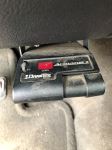
    Image 1 for
  • Troubleshooting a Draw Tite Activator Brake Controller part # 5504 that Only Displays a Dot
    Sounds like the problem lies somewhere in the brake output circuit. When a trailer is connected to the Draw Tite Activator Brake Controller part # 5504 and all that is displayed is a decimal point it means that the controller is not sensing a trailer being connected. Typically the problem lies in the trailer connectors. Usually there is corrosion on this circuit that prevents the circuit from being completed. Check both the inside and outside of the connector for corrosion or exposed...
    view full answer...
  • Troubleshooting ER Code on Draw Tite Activator Brake Controller
    I wish I had better news, but the ER code means that there is an internal problem on the Draw Tite Activator part # 5504 and that it needs to be replaced. For a new brake controller I would recommend the Prodigy P2 Brake Controller part # 90885. This is our best selling brake controller because of how well it works and how easy it is to setup. This is a proportional brake controller that senses the amount of braking the tow vehicle is applying and applies a proportionate amount to the...
    view full answer...
  • Factory Brake Controller Port Location on 2017 Nissan Titan
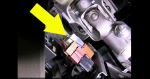
    To install the Draw-Tite Activator Trailer Brake Controller # 5504 that you referenced to your 2017 Nissan Titan, all you will need is the Plug-In Wiring Adapter # 3050-P if the truck is equipped with the factory 7-Way. One end of the harness will plug into the brake controller itself, while the other end will connect directly to the factory port on your Nissan Titan. The factory brake controller port should be located behind the dash, on the left hand side by the emergency brake pedal....
    view full answer...
    Image 1 for
  • Where Is Factory Brake Controller Plug Located On 2010 Ford Explorer Sport Trac
    On your 2010 Ford Explorer Sport Trac the factory plug for your brake controller will be located under the dash, on the left side of the steering wheel, just above your left leg. The wiring adapter you will need to connect the Draw-Tite Brake Controller # 5504 to your vehicle is the Draw-Tite Brake Control Wiring Adapter # 3035-S. This adapter will have a 6-pin plug that will connect to your factory brake controller plug and the 4 wires on the other end will be butt-connected to the 4...
    view full answer...
  • Troubleshooting A Draw-Tite Activator IV Trailer Brake Controller That Won't Sense The Trailer
    Hey Phil, Are you hitting the manual override when you're testing the output of your Draw-Tite Activator IV Trailer Brake Controller # 5504 or are you just hitting the brake pedal? Is the decimal point always on the display or only while you're pressing down on the brake pedal. If you are seeing the decimal point all the time then you have the red wire from the brake controller harness spliced into the wrong wire for the sold side of the brake light switch. LED lights don't really have...
    view full answer...
  • Why is my Brake Controller Reading Overload and How Can I Find Where the Problem is?
    If your controller, item # 5504, is reading overload without the trailer connected then that means there is a short in the blue trailer feed wire on the vehicle. If the controller is reading overload only when the trailer is connected then there is a short or overload in the trailer wiring or breaks. Use a circuit tester, item # 3808 if you need one, to test the wiring to find out where the short is. If it is on the trailer end and you cannot find a wiring problem then the problem may...
    view full answer...
  • Where is the Brake Switch Wire on a 2014 GMC Savana Van to Install a Brake Controller
    I can tell you were to access the correct brake switch wire to install a brake controller on your 2014 GMC Savana Van. You will need to access the wire behind the BCM (body control module) located behind the dash on the passenger's side of the vehicle. There should be a brown connector coming out of the back of the BCM. At that connector you should find a light blue/white wire. This is the wire that carriers the dedicated brake light signal. Use a circuit tester such as # PTW2993 to confirm...
    view full answer...
    Image 1 for
  • Troubleshooting Trailer Wiring That Stopped Working on 2005 Chevy Silverado
    I'd check the backside of the connector for the condition of the wiring. Most likely something damaged some wiring if several of the circuits just stopped but one is left working. Another possibility is corrosion on the pins of your 7-way. You can try cleaning them with sandpaper. Or you can also check the trailer wiring fuses underhood to see if you can find any blown fuses.
    view full answer...
  • Best Brake Controller & Harness For A 2017 Chevrolet Silverado 3500
    Yes, the Trailer Brake Control Harness part # 3016 4-pin connector is a direct plug-and-play fit for your 2017 Chevrolet Silverado 3500 HD and compatible with all Tekonsha brake controllers. The pigtail harness is located underneath your drivers side kick panel. The next step in choosing a brake controller is to decide between a proportional and time-delayed brake controller. A timed delay controller functions with a slight delay between the time that you initially apply the brakes in...
    view full answer...
  • Replacement for Malfunctioning Draw-Tite Activator Trailer Brake Controller
    Based on your description of the problem with your Draw-Tite brake controller I suspect an internal fault within the controller itself. There is a chance that the red input signal wire could be loose, and this would cause the unit to stop generating output, but it would not explain the varying power level displayed. That specific issue makes me think that the internal circuitry has finally given up the ghost and the controller needs to be replaced. I recommend the # 5504 in its place....
    view full answer...
    Image 1 for
  • Locating The brake Switch Wire To Install A Brake Controller On 2009 Nissan Murano
    When trying to locate the correct wire on the brake switch to install your # 5504, you will need a circuit tester like part # PTW2993. You will need to find the wire that shows power only when the brake pedal is depressed. The colors of the wires may vary which is why we always recommend using a circuit tester to find the right wire. It sounds like the manufacturer may have used the same color wire for multiple locations. I have attached a photo of the switch located under the dash at...
    view full answer...
    Image 1 for
  • What Does ER Error on an Activator Brake Controller Indicate
    It sounds like you meant to type the ER code that would be on an Activator IV part # 5504. That indicates that there is an internal problem and the controller would need to be replaced. For a brake controller replacement I would recommend the Prodigy P2 Brake Controller part # 90885. This is our best selling brake controller because of how well it works and how easy it is to setup. This is a proportional brake controller that senses the amount of braking the tow vehicle is applying and...
    view full answer...
  • What is the Red Wire Function on an Electric Trailer Brake Controller
    The red wire on the brake controller connects to the stop light wire on the brake switch located above the brake pedal. You will need to use a circuit tester like # PTW2993 to probe the wires. You need the one that shows a signal ONLY when the brake pedal is pressed. If you find a wire that has a signal when the headlights are on or when the turn signals are engaged, it is not the correct wire. Brake Controller Wire Colors and Functions: The white wire is ground The blue wire is output...
    view full answer...
  • Brake Controller for Motorcycle
    Hi David; are you using this for some kind of side car or are you towing a trailer? If you're towing a small trailer I would use the Autowbrake Electric Brake Controller # 3430001 since it mounts on the trailer. This means you don't have to worry about finding a spot for it on the motorcycle. It uses a small wireless remote you could mount anywhere with ease. If it is for the side car I would use a time delayed controller like # 5504. It would be difficult to properly mount a proportional...
    view full answer...
  • Display of the Draw-Tite Activator II Brake Controller When Not Connected to a Trailer
    The Draw-Tite Activator II Brake Controller, # 5500, will not display numbers under any function when the trailer is not connected. You should only see a single decimal on the display. Check out the video that I made showing you how the brake controller should function without a trailer connected. If you do not have any signal on the display, then there could be an electrical issue that is preventing power from reaching the brake controller. If this is the case, I would recommend using...
    view full answer...
    Image 1 for
  • What Does Sync Control On Brake Controller Do For Trailer With Electric Brakes
    Setting the sync on a Draw-Tite Brake Controller # 5504 allows you to set the amount of power the brake controller will put out. If you set the sync power low it does not matter how hard you hit the brakes, as they will be applied with the amount of pressure you set the controller at. If you are traveling where there is gravel or loose rock or even in the rain you may wish to set it a bit lower so that the brakes do not lock up on the trailer when you press the pedal. If you are on the...
    view full answer...
  • Draw-Tite Activator 2 Diagnosing Decimal/Period Error Code
    If the trailer is connected to the vehicle when this happens, it means "NO CONNECTION BETWEEN BRAKE CONTROL AND BRAKES - BLUE WIRE CIRCUIT", possible solution is "CONFIRM CONNECTION TO TRAILER CONNECTOR, CONFIRM CONNECTOR TERMINAL POSITIONS, CHECK TRAILER". In other words, there is possibly a connection issue somewhere between the brake controller and the trailer's brakes, which is all along the blue wire. If the trailer is NOT connected to the vehicle when this happens, it means "RED...
    view full answer...
  • Troubleshooting Poor Brake Performance and Low Brake Output Voltage
    First thing I would check is the blue wire that is at the rear of your vehicle for voltage when you apply the brakes and when you slide the manual override of this controller. You could also try sliding the manual override a few times and adjusting the gain knob up and down to help clear the contact points. I attached a link to the manufacturers instructions for your Draw-Tite Brake Controller, part # 5504, below for you to check out also. If all this checks out it sounds like the problem...
    view full answer...
  • Troubleshooting Brakes Not Working on One Side in Mountains
    Hi Vincent; have you tried checking the voltage at the brakes with a circuit tester # PTW2993? Perhaps one side has a weak ground compared to the other or for whatever other reason isn't getting the same amount of power. Since the brake controller sends power down a single brake output line and the brakes function I don't think the brake controller is your issue. However, it wouldn't hurt to check the brake output line just to be sure. It sounds like you're getting more braking force...
    view full answer...
  • Troubleshooting a Tekonsha Draw-Tite Activator
    It sounds like there is either a problem with the wiring of your Activator Brake Controller # 5504, the wiring of your vehicle/trailer 7-way or the # 5504 is bad. The first thing to check will be the 7-way of your vehicle. You will want to visually inspect the front and back of the connector looking for loose wiring or corrosion and fix as necessary. Next, you will want to test the brake output circuit of the 7-way with a circuit tester, like our # PT89ZR, for the correct voltage when...
    view full answer...
  • 5th Wheel Trailer Hitch and Install Bracket Kit for a 1995 Chevrolet 1500 with 6-1/2 Foot Bed
    I do have a solution for you but the Curt E16 Fifth Wheel Trailer Hitch with Universal Install Kit # C16616 is not confirmed to fit your 1995 Chevrolet 1500. The E16 hitch will work just fine for you. It's a sliding hitch which will help with turning clearance since you have a short bed truck. For the hitch use # 16516. Then you need a bracket install kit with base rails. A universal it that does fit your truck is # RP30035. This fits just fine with the Curt hitch. You may also want...
    view full answer...
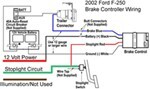
  • Wire Diagram for Installing a Voyager Brake Controller on a 2002 Ford F-250
    On your 2002 Ford F-250 you will need to connect the Red wire to the Black wire on the brake controller for +12 Volts power and the Light Green wire to the Red Stoplight wire on the brake controller. The Dark Blue wire is connected to the Blue wire from the brake controller to send power to the Trailer Brakes, and the White wires are connected to each other providing a ground for the brake controller. I posted a diagram with your wire colors added to it for you, see drawing at right. The...
    view full answer...
    Image 1 for
  • Meaning of Flashing OL Code on Draw-Tite Activator Brake Controller
    The OL code on your Draw Tite Activator # 5504 has a different meaning depending on if the trailer is connected or not, but in both situations it indicates an overload or a short on a wire. If the OL code is flashing without the trailer connected, then the short is in the Blue wire from the back of the controller. You'll want to trace this wire starting at the brake controller back to your vehicle's 7-Way to find the damaged or pinched section of wire that is causing the short and repair...
    view full answer...
    Image 1 for
  • Troubleshooting Prodigy P3 that Doesnt Turn On
    Are you using the # 3041-P adapter? It's the correct one for your 2018 Toyota 4Runner. Test the connector under the 4Runner's dashboard with a circuit tester, like part #PTW2992, to test for power. If there's no power start by checking the fuses. If there's power at the plug reconnect the harness to the vehicle and test the pins on the other side of the harness. Check the pins at all the connectors and make sure none are bent. They're fairly thin so they get bent pretty easily. They...
    view full answer...
  • Installing Redarc Tow-Pro Elite in 2018 Toyota 4Runner Using Tekonsha Wiring Harness
    For the Redarc Tow-Pro Elite Trailer Brake Controller # RED44FR is an easy installation with the Tekonsha Wiring Harness # 3041-P. You will just use the white connector of the harness along with the wire length and cut off the other end of the connector in order to use butt connectors provided with the Redarc system and it's harness. It is simply color matching and securing the ground to a metal screw utilizing the eyelet. You can see this installation in the attached video and you will...
    view full answer...
    Image 1 for
  • 2016 Toyota 4runner Trailer Brake Controller and Install Harness Recommendation
    Your 2016 Toyota 4Runner has a factory 7-way harness to control the trailer lights currently. All you need is to install a brake controller and you will be able to control the lighting and the brakes. For a brake controller I would recommend the Prodigy P2 Brake Controller part # 90885. This is our best selling brake controller because of how well it works and how easy it is to setup. This is a proportional brake controller that senses the amount of braking the tow vehicle is applying...
    view full answer...
  • Is 2016 Toyota 4Runner Pre Wired for a Brake Controller
    If it has the factory 7-way trailer connector, your 4Runner will indeed be pre-wired at the factory for a brake controller. The Tekonsha Primus, part # TK90160 you'd looked at is an excellent brake controller that would work very well for you. You'll also need the # 3041-P brake controller wiring adapter, which would plug into the factory connector as shown in the installation video I've linked for you.
    view full answer...
  • Wiring Harness to Install Hopkins Impulse Brake Controller in a 2018 Toyota 4Runner w/Tow Package
    I did some checking and the 2018 Toyota 4Runner uses the same brake controller wiring harness as the previous 2 model years. That means you can use # HM47815 with your Impulse brake controller. But, I actually recommend a different approach because the factory ground on the Toyota tow packages where a brake controller plugs in has proven to be insufficient for many brake controllers. I propose using harness # 3041-P which has a separate ground wire to combat that issue. You would have...
    view full answer...
  • Parts Needed to Install Brake Controller on 2025 Toyota 4Runner
    Hey Paul! Does your 2025 Toyota 4Runner have the factory tow package? If it does, there is a brake controller port you can use for plug and play installation. If you're using the Tekonsha POD # TK92UR you got before then you need the Tekonsha Custom Wiring Adapter # 3041-P. If you need a new brake controller I do recommend upgrading to a proportional like the P3 # 90195. If you don't have the factory tow package with the brake controller port you will need to install a 7-way and then splice...
    view full answer...
  • Recommended Plug and Play Brake Controller for a 2016 Toyota 4Runner
    Yes, it is Barbara. And if your 2016 Toyota 4Runner has the factory tow package you can use the Tekonsha Custom Wiring Adapter item # 3041-P to install the Primus IQ item # TK90160 without cutting or splicing wires. The connector you are looking for is white and located to the left of the emergency brake. I have linked an installation video below and if you skip ahead to the 7:53 mark you'll see exactly where this connector is. Please note if you do not have this connector the Primus...
    view full answer...
  • What Vehicle Specific Pigtail do I Need for My Tekonsha IQ in My 2024 Toyota 4Runner?
    Hello T, Yes, the Tekonsha Custom Wiring Adapter for Trailer Brake Controllers - Toyota # 3041-P is the correct vehicle specific pigtail to get your Tekonsha IQ brake controller hooked up into your 2024 Toyota 4Runner. What will you be towing with your 4Runner?
    view full answer...
  • Recommended Hub and Drum Assembly, Brakes, and Brake Controller for 2018 Cargo Craft 6 x 9 Trailer
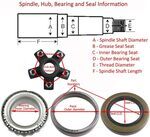
    In order to find out which hub and drum assembly fits your 3,500 lb axle on your Cargo Craft trailer you will need to know which bearings are on your axle. If you have a serial number on the axle you can probably get this information from the manufacturer. If not, you will need to look for part numbers stamped in your existing bearings or take some measurements. I recommend using a digital caliper like the # PTW80157. Assuming you have the most common bearings on your 3,500 lb axle, and...
    view full answer...
    Image 1 for
  • Prodigy P2 and P3 vs Curt Triflex Controller Comparison
    We have the best luck with the Prodigy P3 # 90195 and P2 part # 90885. There isn't a controller out there more reliable and better performing that these. The Curt Triflex part # C24VV isn't a bad controller but it's just not quite the same. One aspect is the mounting flexibility is much more limited for the Curt. The Prodigies allow for 360 degrees of mounting rotation as long as the controller faces the rear, but the Curt has a much smaller range. We find too that the Curt controllers...
    view full answer...
  • Brake Controller Install Harness for 2016 Toyota 4Runner
    Since your 2016 Toyota 4Runner has a factory 7-way there is a brake controller connector port by the emergency brake pedal. If you check out the picture I attached you can see where the connector is located. The part # 3041-P is the connector that would plug right into it.
    view full answer...
    Image 1 for
  • Is The Tekonsha 3040-P Wiring Adapter Supposed To Have A Ground Strap Like The 3041-P?
    The Tekonsha Plug-In Wiring Adapter # 3040-P is supposed to have the additional ground strap for your 2019 Toyota Sequoia. This was something that was not always on the harness but was added some time ago as the factory wiring ground was insufficient. This will allow you to properly connect your Tekonsha Prodigy P3 Controller # 90195 to your Sequoia. While it will look similar to the Tekonsha # 3041-P they are not interchangeable as they terminals are different.
    view full answer...
  • Where to Find Brake Controller Install Port for 2017 Toyota 4Runner with Tow Package
    The correct brake controller install harness for your 2017 Toyota 4Runner is the part # 3041-P which installs by connecting to a white plug near the emergency brake pedal. I attached a picture that shows where you'll find the connector near the pedal. For a brake controller I would recommend the Prodigy P3 Brake Controller part # 90195. This is our best selling brake controller because of how well it works and how easy it is to setup. This is a proportional brake controller that senses...
    view full answer...
    Image 1 for
  • Does 2020 Toyota 4Runner With 7-Way Need Brake Controller to Power Trailer Brakes
    There will be no default power going to your trailer's brakes without a brake controller on your 2020 Toyota 4Runner with the factory 7-way. So in order to activate your the brakes, you do need to have a working brake controller; thankfully, with your '20 4Runner with the 7-way, these are just plug and play so installation is simple. The brake controllers I recommend checking out are the Tekonsha Prodigy P3 for the best overall brake controller, or the Draw-Tite I-Command for the best...
    view full answer...
  • Where to Ground Brake Controller Wiring Adapter 3041-P in 2019 Toyota 4Runner
    I have added a photo from the linked installation video of a brake controller install on a 4Runner that shows where you can ground the Tekonsha Custom Wiring Adapter for Trailer Brake Controllers # 3041-P. This is on a '17 4Runner but the grounding point will be the same for your 2019 Toyota 4Runner, under the dash. If you go to about the 3:45 mark of the video you can see this taking place, and you will be using the adapter's self-tapping screw.
    view full answer...
    Image 1 for
  • Solution for Trailer Brake Controller Causing ABS Error Message on 2015 Toyota 4Runner
    The issue you described when using a brake controller isn't too uncommon on certain late model Toyota vehicles like your 2015 4Runner. These particular vehicles are more sensitive to the controller's red wire backfeeding to the stop light switch, which is what triggers the ABS error message. The only way to prevent this is to use the a diode with the harness and the Pigtail Harness # 7865 that you mentioned offers a perfect solution as it features a diode on the red wire. The Plug-In...
    view full answer...
  • Recommended Brake Controller for a 2020 Toyota 4Runner
    It's my understanding that your 2020 Toyota 4Runner should have come with a connector already installed up and behind the emergency brake pedal. If all you found was a bundle of wires and then a connector in your glove box then you should be able to either install that connector so that you can use an adapter, or you can possibly bypass the harness you found if the wiring under your dash is long enough. I can make some recommendations for both options but I will say that I don't know what...
    view full answer...
  • Recommended Weight Distribution for 2016 Toyota 4Runner and Flagstaff Travel Trailer
    I can help you get a easy to use weight distribution for your 2016 Toyota 4Runner and Flagstaff Travel Trailer. To choose the right weight distribution it will be based on loaded tongue weight which is typically between 10-15% of the trailer gross weight and anything in addition to that loaded behind the rear axle of the tow vehicle. With a weight of 5,350lbs max this can be anywhere from 418-802lbs of tongue weight. I have linked a Help Article on how to determine your loaded tongue weight....
    view full answer...
  • Brake Controller and Wiring Harness for a 2016 Toyota 4Runner with Factory Tow Package
    Since your 2016 Toyota 4Runner already has the factory tow package and trailer connector then adding a brake controller will be easy. I recommend the Tekonsha P3 brake controller # 90195 because it has multiple presets for towing different trailers, a boost feature, works with electric over hydraulic and electric braking systems, and has easy to understand diagnostic messages. The only other part you will need is wiring harness # 3041-P to plug it directly into your 4Runner. I have linked...
    view full answer...
  • How To Fix ABS Error On 2016 Toyota 4Runner with Tekonsha Trailer Brake Controller
    The solution to fixing the ABS Error on a 2016 Toyota 4Runner with trailer brake controller like the Tekonsha Primus IQ Trailer Brake Controller part # TK90160 is to combine the Tekonsha Custom Wiring Adapter for Trailer Brake Controllers part # 3041-P and Pigtail Wiring Harness with Diode part # 7865. Just cut the brake controller end off the first harness and splice on the one from the second. You need a diode on the red wire to stop back feeding which is what is causing the error message...
    view full answer...
  • Brake Switch Wire to Connect Brake Control on 2010 Ford Escape and 2015 Toyota 4Runner
    On your 2010 Ford Escape the brake switch wire you will need is a purple wire with a white stripe. This is the wire that connects to the red brake controller wire. I have linked a video that will help. Go to about the 10 minute, 35 second mark for the brake switch connection. Your 2015 Toyota 4Runner should have come with a factory installed 7-Way which means the brake controller can just be plugged in using the appropriate wiring harness. For a Tekonsha brake controller use # 3041-P....
    view full answer...
  • Wiring Harness and Switch Needed to Install a Redarc Tow-Pro Elite on a 2014 Toyota 4Runner
    To complete the installation of a Redarc Tow-Pro Elite Trailer Brake Controller # RED44FR in your 2014 Toyota 4Runner you can use the following parts: # 3041-P - 2014 Toyota 4Runner vehicle specific custom brake controller wiring harness # 331-TPH-017 - Redarc Tow-Pro adapter for Tekonsha brake controller harness # 331-TPSI-001 - Universal control knob mounting bracket The installation would be to plug the white end of # 3041-P into the OEM connector behind the parking brake on your...
    view full answer...
  • Installing A Redarc Tow Pro Liberty Brake Controller In A 2018 Toyota Sequoia Platinum
    Hi Steve, 1. # RED24FR is going to be just the brake controller and would still require a wire harness to connect to the vehicle. The # RED49FR is a custom-fit wire harness designed for your Sequoia that will make for an easy installation. 2. The # RED49FR is going to be the only wire harness you need and would plug directly into a connector hidden behind the kick plate to the left of your e-brake. I've attached a video below where Brad installs the other version of this brake controller...
    view full answer...
  • Easy to Install Brake Controller Recommendation for 2019 Toyota 4Runner
    For your 2019 Toyota 4Runner with a factory 7-way I have a really easy brake controller solution that does not require you to find the brake controller install port under your vehicle dash. The easiest to install brake controller that also works really well is the Curt Echo Mobile part # C51180. Basically this just plugs into an active 7-way and once you sync it to your phone it's ready to go. This brake controller is proportional which means it senses the amount of deceleration your...
    view full answer...


< Previous


Do you have a question about this Trailer Brake Controller?


Info for this part was:

Employee Lindsey S
Edited by:
Lindsey S
Employee Wilson B
Updated by:
Wilson B
Employee Amanda K
Written by:
Amanda K

At etrailer we provide the best information available about the products we sell. We take the quality of our information seriously so that you can get the right part the first time. Let us know if anything is missing or if you have any questions.


Product Experts Available Now!
Call 1-800-940-8924
<