


Troubleshooting a Furrion Vision S Camera Model FOS05TADS Not Staying Connected
Updated 01/28/2026 | Published 01/24/2026
Products Featured in This Question
Question:
Furrion Vision S Camera Model FOS05TADS signal only connects when we drive under bridges and trees. We have a 2001 Dodge RAM and a 22 ft trailer. Will this part help us? We have checked the wiring and reset the camera and the monitor many times with no success.
asked by: Dawn L
Expert Reply:
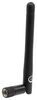
Hey Dawn. That might be the solution but I want you to check your antenna first. Make sure it's tightened down as much as it can be. Then move your monitor as close to it as possible. You may need to park your truck closer or use a second vehicle. If you still can't stay connected you may need to replace the antenna with the Replacement Antenna for Furrion Vision 1, 2, and S Wireless RV Camera Systems item # 772577.
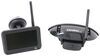
As far as installing the item # VGR64VR goes. Is the blue light on, on your Furrion Vision S Wireless RV Backup Camera like item # FOS43TASF? If it isn't coming on then you aren't receiving enough power or it has some kind of internal malfunction.
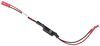
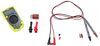
I recommend checking the power at the camera with a multimeter like item # PT89ZR to see how much voltage it's actually getting. If you aren't receiving 12v of power at the camera you can also install the PWM Filter item # VGR64VR to get the correct amount of voltage.
If you are getting 12v at the camera and it still will not turn on then your camera could have an internal malfunction and will need to be replaced. The antenna wouldn't cause this issue.
If you have any additional questions, go ahead and click on the box that says Add Comment and I'll be happy to answer them.


(click to enlarge)
Myron
1/28/2026
Dawn I have a have a 2024 GMC Sierra 2500HD Duramax and a Outdoor RV Trailer. Just before I winterized and stored the trailer for the winter, I installed a Furrion Vision S Camera package, (1-rear camera, 2-side camera & Screen) and the system would not connect to the 7" display screen located in the cab of my truck. I was prepared to purchase both the 7 pin adaptor and the 12v PWM filler not knowing which one would work, but i decided to try the 12v PWM filter first and it did "Corrected connectivity problem ". Before storing my trailer, I tested the connectivity a few times and all three cameras displayed clearly on the screen. Hope this helps

Product Page this Question was Asked From
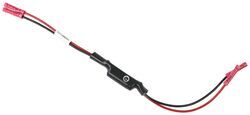
12V PWM Filter for RV Backup Camera Systems - Hardwire

- Accessories and Parts
- Backup Camera
- RV Camera System
- Cables and Cords
- Power Line Filter
- Voyager
more information >

Continue Researching
- Article: Wiring Trailer Lights with a 7-Way Plug (It's Easier Than You Think)
- Q&A: Troubleshooting Furrion Vision Blank Monitor When Blue Light Is On For The Camera
- Video: Review of Camco Portable Grills and Fire Pits - Fire Pits - CAM58041
- Video: All You Need to Know About the Ignik FireCan Portable Propane Fire Pit
- Video: Camco Big Red Portable Gas Campfire w/ 10' Long Hose Review
- Shop: 12V PWM Filter for RV Backup Camera Systems - Hardwire
- Shop: Camco RV Portable Propane Campfire w/ Storage Bag, Regulator, and 8' Long Hose
- Shop: Ignik FireCan Portable Propane Fire Pit - 38,000 Btu
- Shop: Camco Big Red Portable Gas Campfire w/ 10' Long Hose
- Shop: Mud Flaps
- Q&A: Does 2025 Chevy Silverado 2500HD Require Power Adapter for Install of Furrion Vision S+ System
- Q&A: How To Power A Furrion Vision S RV Camera Monitor In A Vehicle Without A Cigarette Lighter Port
- Shop: Replacement Antenna for Furrion Vision 1, 2, and S Wireless RV Camera Systems
- Q&A: Recommended Adapter to Power a Camera System on a 2023 Chevy Silverado 2500
- Q&A: Can Does Furrion Vision S Monitor Get Power if No Cigarette Lighter Adapter
- Shop: Furrion Vision S+ Wireless RV Observation System w/ 3 Cameras - 7" Screen
- Shop: AC to DC Adapter for Swift Hitch Wireless Camera System
- Q&A: How to Power a Furrion Camera System w/ a 2024 Chevrolet Silverado 3500
- Q&A: Can I use an AC to DC Adapter to Power my Furrion Monitor
- Search Results: trailer hitch
- Shop: Trailer Hitch
- Video: Firestone Ride-Rite Air Bags with Easy Mount Compressor Feature Breakdown
- Article: Trailer Wiring Diagrams
- Article: Brake Controller 7- and 4-Way Installation Kit (ETBC7)
- Search Results: trailer tires and wheels
- Video: How to Choose a Trailer Brake Controller
- Shop: Trailer Wiring
- Article: How to Measure for Trailer Hitch Drop
- Shop: Suspension Enhancement
- Video: A Look at the Power Mountain Tallboy 6 Ton Off-Road Bottle Jack with a Military Cargo Trailer

on Accessories and Parts

















Keith C.
1/27/2026
Dawn, I have a 2024 Chevy 2500 Duramax and the camera did not work on mine because the newer Chevy’s send an intermittent 12 volt pulse to the trailing harness. I bought the 12v PWM filter that installed on the camera— it didn’t work so I bought the 7 pin PWM pig tail that adapts to the plug in the back of the truck. It worked. I don’t believe 2001 trucks used this intermittent pulse to conserve power. And it appears that newer Chevy’s may be the only trucks with this ridiculous problem . It certainly sounds like a signal reception problem . Very strange that it only receives signal under bridges and trees. However you do have to have constant 12 volt power to the camera as Jared said.