Troubleshooting A Furrion Vision S Monitor Not Powering On
Updated 06/16/2021 | Published 06/14/2021
Products Featured in This Question
Question:
Camera hooked up to back of trailer from factory blue light on ! All good Monitor not coming in ! Took power plug apart checked fuse good stretched spring a tad plugged in monitor came on camera working good!! Unplugged tried again nope want come on can it be power plug?? Checked power source in truck works with other chargers so that’s not the problem. Thanks
asked by: Steve T
Helpful Expert Reply:

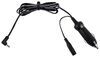
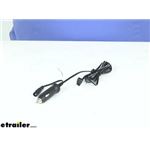
Since you've already check the power in the 12v outlet in your truck and it was good the issue has to lie with the plug or the fuse inside the plug. You can start by replacing the 2 amp 125v slow blow fuse with a new one from your local hardware store. If replacing the fuse doesn't work the wires inside the power cable may have an brake somewhere internally. You can replace the cable with the Replacement Furrion Monitor Power Cable Item # C-FOS07TAPK-006.
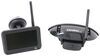
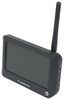
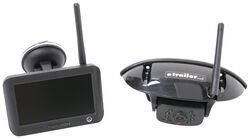
If none of this works the monitor on your Furrion Vision S Wireless RV Backup Camera System w/ Night Vision - Rear Mount - 4.3" Screen # FOS43TASF may be bad and need to be replaced with the Replacement 4.3" Monitor for Furrion Vision S Wireless RV Camera System Item # FR77FR.
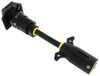
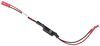
If you get all powered up and experience any issues with signal strength the 7-Way Vehicle Power Adapter w/ Power Switch for Furrion RV Observation Camera Item # FR87PR or the PWM Filter # VGR64VR will boost power to the camera to increase the signal.


Product Page this Question was Asked From
Furrion Vision S Wireless RV Backup Camera System w/ Night Vision - Rear Mount - 4.3" Screen

- RV Camera System
- Backup Camera
- Observation Camera
- Built-In Microphone
- Touch Screen
- Anti-Glare
- Mirrored Image
- Night Vision
- Motion Detecting
- Waterproof
- Pre-Wired RVs
- Wireless
- Standard View
- Dashboard Mounting Bracket
- Suction Cup Mount
- Rear
- 4.3 Inch Display
- 1 Camera
- Furrion
more information >
Featured Help Information
Instructions
Miscellaneous Media




Continue Researching
- Search Results: backup camera
- Search Results: rv camera
- Shop: Replacement 4.3" Monitor for Furrion Vision S Wireless RV Camera System
- Q&A: Troubleshooting A Furrion Vision S Monitor That Won't Turn On
- Shop: Furrion Vision S+ Wireless RV Backup System w/ 1 Camera - 7" Screen
- Search Results: furrion replacement monitor
- Search Results: backup camera accessories and parts
- Search Results: back up cameras
- Search Results: backup cameras
- Shop: Furrion Vision S+ Wireless RV Observation System w/ 3 Cameras - 7" Screen
- Q&A: No Signal And PWM Fix For Furrion Vision S Camera System Connected To 2022 GMC
- Shop: 12V PWM Filter for RV Backup Camera Systems - Hardwire
- Shop: Replacement Furrion Monitor Power Cable
- Search Results: power trailer jack
- Shop: Drive Wireless RV Backup Camera System w/ Night Vision - Rear Mount - 7" Screen
- Shop: Voyager WiSight 2.0 Wireless RV Backup Camera System w/ Night Vision - Rear Mount - 7" Screen
- Shop: Mud Flaps
- Q&A: Troubleshooting Furrion Vision S Monitor and Camera Not Pairing
- Q&A: Troubleshooting a Furrion Vision S Camera Model FOS05TADS Not Staying Connected
- Q&A: Does 2025 Chevy Silverado 2500HD Require Power Adapter for Install of Furrion Vision S+ System
- Q&A: How To Power A Furrion Vision S RV Camera Monitor In A Vehicle Without A Cigarette Lighter Port
- Q&A: Should Dielectric Grease be Used on 7-Way Plug
- Shop: Brake Controller
- Video: How to Choose a Trailer Brake Controller
- Shop: Trailer Hitch
- Article: Trailer Wiring Diagrams
- Shop: Trailer Wiring
- Video: Firestone Ride-Rite Air Bags with Easy Mount Compressor Feature Breakdown
- Article: Brake Controller 7- and 4-Way Installation Kit (ETBC7)
- Shop: Suspension Enhancement

on RV Camera System