


How to Configure Remote Control on Lippert RV Leveling System
Updated 02/10/2020 | Published 04/14/2017
Products Featured in This Question
Question:
How do you program remote to operate jacks? No problem with slides and awning.
asked by: Jesse A
Expert Reply:
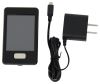
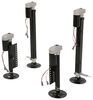
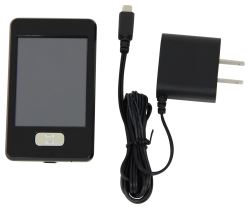
On the Lippert Ground Control leveling system # LC358590 to use the remote # LC358601 you may need to configure it to the touch pad. Here is the procedure to follow:
1. Enter the Leveler app on the LINC Remote.
2. Turn the remote on by pressing and releasing the large silver button at the bottom of the unit.
3. Press the “OK” button on the touch screen to access the Function Menu.
4. Press the Leveler App button.
5. With the interface turned off, press LEFT 5 times and then RIGHT 5 times.
6. The LCD on the interface should read “Wireless Configuration”.
7. Click any button on the LINC remote in the Leveler App.
8. The LCD on the interface should read “Successful!” Your wireless Level-Up system is now ready to use.


Product Page this Question was Asked From
Replacement Touchscreen Remote w/ Charger for Lippert Ground Control 3.0 Electric Leveling System

- Accessories and Parts
- Camper Jacks
- Trailer Jack
- Controllers
- Remote Control
- Lippert
more information >
Featured Help Information
Instructions

Continue Researching
- Search Results: lippert remote
- Shop: Replacement Touchscreen Remote w/ Charger for Lippert Ground Control 3.0 Electric Leveling System
- Video: Progressive Dynamics 4500 Series Inteli-Power Converter: The Breakdown
- Shop: Replacement 8-Function Receiver for Lippert MyRV Electronic Control System
- Shop: Replacement 5-Function Remote Receiver with Replaceable Fuses
- Q&A: Can Replacement Control Panel Touchpad for Lippert Ground Control 3.0 Install Outiside RV
- Video: Lippert Components Trailer Jack LC358601 Review
- Shop: Progressive Dynamics REL 90A 4500 Series Inteli-Power Converter Section
- Shop: Progressive Dynamics 1000 Watt Inverter w/ Transfer Switch
- Shop: Progressive Dynamics 2000 Watt Inverter w/ Transfer Switch
- Shop: RV City Water Inlet with Brass Check Valve - 1/2" MPT - Plastic Flange - Surface Mount - White
- Q&A: How to Configure New Remote to Lippert Ground Control 3.0 Stabilizer Jacks
- Q&A: Configuring Remote and Linking Remote to Touch Pad on Lippert Ground Control System
- Q&A: How to Sync the Lippert Remote Part # LC358601 to the Multi-Function Pad
- Search Results: trailer hitch
- Q&A: Recommended Bike Rack and Dual Hitch Adapter for Carrying E-Bikes While Flat Towing
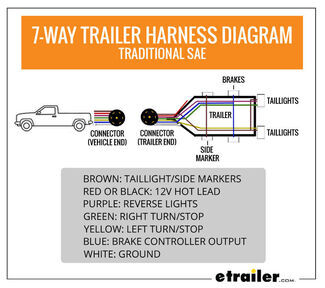
- Article: Trailer Wiring Diagrams
- Shop: Trailer Hitch
- Shop: Trailer Wiring
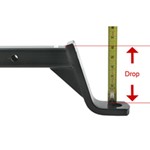
- Article: How to Measure for Trailer Hitch Drop
- Search Results: trailer wiring
- Q&A: How to Replace a Lance 6-Pin Plug w/ a Standard 7-Way Connector
- Q&A: Recommended Flat Tow Setup for a 2026 Ford Maverick
- Search Results: trailer tires and wheels
- Article: Wiring Trailer Lights with a 7-Way Plug (It's Easier Than You Think)
- Shop: Brake Controller
- Video: Clean Up Your Trailer Wiring
- Article: How to Measure Your Trailer Wheel Bolt Pattern
- Search Results: trailer jack
- Search Results: trailer hitch ball mount

on Accessories and Parts




Richard H.
2/7/2020
Got a used travel trailer with remote and do not know the password to use fob.