


How to Sync the Lippert Remote Part # LC358601 to the Multi-Function Pad
Updated 09/21/2020 | Published 05/29/2018
Question:
I had got a replacement remote from e-trailer and I am having a hard time programming it it. I got the leveler system working but I have to program the rest, slides, awning, lights, and so on but when I try to get it to sync I can not get the OK button to come up like you have on fig. 57a on your instruction sheet. It is telling me to enter the leveler app and turn the remote on by pressing the large silver button but it is already on when I put it in the leveler app. This is a replacement remote for a 2015 327res Keystone Cougar so I know all these functions should work. Any help would be appreciated. Thanks
asked by: Tom
Expert Reply:
In order to sync the Replacement Touchscreen Remote part # LC358601 with the multi-function pad on your 2015 Keystone Cougar 327RES you are going to want to complete the following:
1) To begin syncing the remote to the receiver, both the receiver and the remote must have power (12V DC for the receiver and the battery in the remote must have a charge).
2) Push and hold the black button on the receiver (Fig. 6A). While the black button is depressed, push and release the “Light” button on the remote (Fig. 5A).
Note) If close enough to the receiver, an audible “click” can be heard verifying the receiver is programmed to the remote.
3) To sync a second remote to the receiver, repeat Steps 2 and 3. Only sync two remotes per receiver.
I have attached a photo of these steps for you as well.


Jeremy
7/11/2020
how do you find the location of the muliti function controll board (ref 2013 fuzion 3990



Peter
8/3/2020
How do I get back to the main screen on the remote


Product Page this Question was Asked From
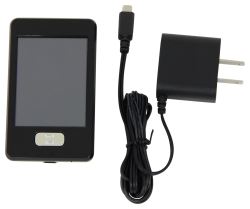
Replacement Touchscreen Remote w/ Charger for Lippert Ground Control 3.0 Electric Leveling System

- Accessories and Parts
- Camper Jacks
- Trailer Jack
- Controllers
- Remote Control
- Lippert
more information >
Featured Help Information
Instructions

Continue Researching
- Shop: Replacement Touchscreen Remote w/ Charger for Lippert Ground Control 3.0 Electric Leveling System
- Video: Setting Up the Roadmaster Stop Light Switch Kit - 2025 Ford Maverick
- Video: Roadmaster InvisiBrake Flat Tow Brake System Install Guide - 2025 Ford Maverick
- Video: Lippert Components Trailer Jack LC358601 Review
- Search Results: ssrv3t3
- Search Results: soft start
- Search Results: ss401
- Search Results: fact11ca2~ps~am
- Search Results: underbelly panels
- Search Results: wheel simulator
- Shop: Safe-T-Plus Steering Stabilizer
- Shop: SumoSprings Maxim Custom Helper Springs - Rear Axle
- Q&A: Touchscreen Remote for 2026 Forest River Sierra
- Search Results: starter solenoid
- Q&A: Looking For Replacement Door For B and B Water Center
- Shop: Replacement New-Style Linc Analog Remote - 5 Function
- Shop: etrailer 12V Power RV Patio Awning - 10' Wide - 8' Projection - 4-Layer Vinyl - Black Fade
- Shop: Replacement Docking Station Door for B&B Molders Water Center - Black
- Q&A: Replacement Lippert Remote for LCI 18570 Board
- Shop: Dometic Connect Essential RV-C and CMC Digital Thermostat - Single and Multizone - 12V
- Q&A: Picking Out Replacement Lippert Remote for IDS 18570 Number from Lippert
- Q&A: Connecting 3rd Brake Light on 2026 Ford Maverick With Snug Cap
- Q&A: Replacement Motor for Klauber Slide Out Motor K01431B300
- Q&A: Replacement Klauber Slide Out Motor A-300 K01336A300 for RV
- Video: Review of Demco Replacement Spacer Demco Hijacker Autoslide Locking Plate MOR-ryde Pin Box - DM77VR
- Video: Lippert Ground Control Leveling System Control Panel Review
- Video: MAXXAIR MaxxFan Mini Plus Manual RV Roof Vent Installation - 2022 Grand Design Imagine Travel Traile
- Video: DIY Install: LaSalle Bristol RV Roof Replacement Kit w/ XTRM Membrane on your 2005 K-Z New Vision
- Shop: Suspension Enhancement
- Shop: Trailer Wiring
Dawn P.
6/20/2020
replaced remote on 2014 bighorn . how do you get all functions in order , such as bedroom slide , main slide , landing gear , etc