Configuring Remote and Linking Remote to Touch Pad on Lippert Ground Control System
Updated 10/07/2015 | Published 10/06/2015
Question:
How do you link the remote control to the touch pad or controller for the Lippert Ground Control 3.0
asked by: Blan P
Expert Reply:
To configure the remote to the touch pad on a Lippert Ground Control system, # LC358590, you first need to configure the remote as follows:
1. Turn the remote on by pressing and releasing the large silver button at the bottom of the unit. If the remote has never been configured, it will display the Configuration button immediately after it is turned on. To access the Configuration button after the initial programming, push the silver button 5 times.
2. Press the “Config” button on the touch screen to begin configuring the remote.
3. Using the arrow buttons at the bottom of the screen, navigate to the specific items the remote will control.
4. When the name of the item appears in the middle of the screen, press the large “Select” button.
5. Assign an item or “None” to each of the function spaces available.
NOTE: If the unit does not have an LCI Multifunction wireless system installed, each function (Steps 1-7) will read as “NONE.”
6. Press the select button at each screen. Without an LCI Multifunction Wireless system installed on the unit, no other functions will be able to be programmed on the remote.
7. The last option will be "Configure Leveler?" Click "Yes."
8. A confirmation screen will appear on the screen showing all of the configured functions. If the unit does not have an LCI Multifunction Wireless system installed, the screen will show "NONE" for functions (Steps 1-7) and then "Leveler: Yes." Press “OK” to save the configuration or “Cancel” to edit the functions.
Then, to configure the remote to the touch pad take the following steps:
1. Enter the Leveler app on the LINC Remote.
2. Turn the remote on by pressing and releasing the large silver button at the bottom of the unit.
3. Press the “OK” button on the touch screen to access the Function Menu.
4. Press the Leveler App button.
5. With the interface turned off, press LEFT five times, and then RIGHT five times.
6. The LCD on the interface should read “Wireless Configuration”.
7. Click any button on the LINC remote in the Leveler App.
8. The LCD on the interface should read “Successful!” Your wireless Level-Up system is now ready to use.


Product Page this Question was Asked From
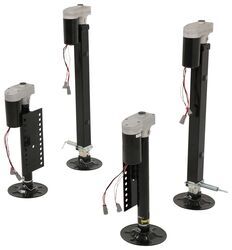
Lippert Ground Control 3.0 Electric 5th Wheel RV Leveling System w Touchpad - 4-Point Set

- Camper Jacks
- 5th Wheel Camper
- Stabilizer Jacks
- Steel
- 10001 lbs or More
- Electric Jack
- 36 Inch Lift
- Bolt-On
- 4 Jacks
- Lippert
more information >
Featured Help Information
Instructions

Continue Researching
- Shop: Replacement Touchscreen Remote w/ Charger for Lippert Ground Control 3.0 Electric Leveling System
- Video: Lippert Components Trailer Jack LC358601 Review
- Video: Comprehensive Review: Replacement New-Style Linc Analog Remote
- Search Results: anderson hitch
- Shop: SnapPad Base for RV Plastic Leveling Blocks or Leveling Buckets
- Q&A: How Would the SnapPad Base Install Onto Andersen Jack Blocks?
- Shop: Trailer Wiring
- Q&A: How to Sync the Lippert Remote Part # LC358601 to the Multi-Function Pad
- Q&A: Replacement Ground Control 3.0 Remote is not Operating Other Electronics.
- Shop: SnapPad StakPad Universal Leveling Block and Jack Pad for RVs and Trailers - Pink - Qty 1
- Shop: Replacement New-Style Linc Analog Remote - 5 Function
- Shop: Classic Accessories Cover for 5th Wheel Trailer Hitch - 24" x 24" x 18" - Black
- Q&A: How To Remove/Replace The Remote Latch Cable For The Andersen Ultimate Connection 5th Wheel Hitch
- Shop: B&W Companion Gooseneck-to-5th-Wheel Trailer Hitch Adapter - Dual Jaw - 20,000 lbs
- Shop: TireMinder i10 TPMS for RVs and Trailers w/ Signal Booster - 4 Flow Through Tire Sensors
- Q&A: What is the Difference Between a Class II and a Class III Hitch?
- Article: Trailer Wiring Diagrams
- Shop: Trailer Hitch
- Search Results: trailer hitch
- Video: Firestone Ride-Rite Air Bags with Easy Mount Compressor Feature Breakdown
- Q&A: What is the Difference Between a 4-Way and 7-Way Trailer Connector
- Article: Brake Controller 7- and 4-Way Installation Kit (ETBC7)
- Search Results: trailer wiring
- Q&A: Lug Nut Torque Chart for Trailer Wheels
- Article: How to Measure for Trailer Hitch Drop
- Search Results: trailer tires and wheels
- Video: How to Choose a Trailer Brake Controller
- Shop: Suspension Enhancement
- Video: Curt T-Connector Vehicle Wiring Harness Review C56040
- Search Results: trailer jack

on Camper Jacks