
 Product Experts Available Now!
Call 1-800-940-8924


Thank you! Your comment has been submitted successfully. You should be able to view your question/comment here within a few days.
Error submitting comment. Please try again momentarily.


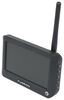
Replaces the 5" monitor for your Furrion Vision S wireless RV camera system.
Features:
Specs:
Videos are provided as a guide only. Refer to manufacturer installation instructions and specs for complete information.
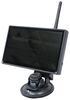
Hi there. I'm Michael with etrailer.com. Today, we're going to take a quick look at the replacement five inch monitor for your Furrion Vision S Wireless RV Camera System. This is going to replace the monitor for both your RV wireless RV backup camera system and your RV observation camera system that you see on the screen there. So if you are needing a new monitor for either one of those systems, this is the piece that you're going to want, because it is a Furrion product. You can trust that it is going to integrate seamlessly into your system.
You're not going to have to worry about any sort of adapters or anything like that. It is the exact same monitor that came with your original system.Just like your original monitor, it does have a screen size of five inches, when measured diagonally like that, as you do with all your television monitors and those sort of things. Our overall dimensions, we're going to be right about five and five eighths of an inch wide. So just over five and a half inches. Our height, we're looking at about three and three quarters of an inch.
And then our depth, we're at about one and an eighth, if I could get this lined up for you to see better when we include this back portion where our mount is going to fit. Be right about one and an eighth, just over one inch.Now this is just the monitor. It's not going to come with the mount or the power cord or anything like that. So hopefully you already have those from your original setup, but if you do need those, we do sell those separately as well. So get you all set up with whatever you need, but overall, I think this is going to be an easy way of being able to use your RV monitoring system or backup camera.
If you're needing that monitor, this is what you're going to need.So that's going to complete our look at the replacement five inch monitor for your Furrion Vision S Wireless RV Camera System. Again, I'm Michael with etrailer.com. Thanks for watching.
Customer Satisfaction Score:
85% were satisfied with this product
15% of customers were not satisfied
Ratings & Reviews




Jenny N.
3/5/2024
Typically, replacement parts like these do not come with a manual. I have linked the manual for the whole system below. On page 19 of the manual, it will show how to install the monitor. You can use it to install the monitor. If you have any further questions, please feel free to reach out.
Helpful Links
John

4/26/2022
Works great. I use it continuously when pulling

Pj Z.
5/17/2024
Screen is clear and is a great help to watching traffic in the rear of the camper

Heather A.
3/15/2022
It sounds like your monitor has an intermittent signal so it goes on and off. I recommend to make sure the antenna is secured all of the way. You can also try to reduce to distance between the camera and the monitor because it sounds like a signal issue. If these two suggestions do not help, try to unpair and pair the monitor and camera. If the monitor is showing a blue LED, then the monitor may not be hooked up to receive constant power.

Nick S.
12/1/2025
I am sorry to hear the connection with the cameras is wishy washy. I would recommend checking that the camera is receiving a constant 12v power, and that the connections between the monitor and cameras are stable. If that doesn't change let me know and I will continue to troubleshoot for you.

Do you have a question about this Accessories and Part?
Info for this part was:
At etrailer we provide the best information available about the products we sell. We take the quality of our information seriously so that you can get the right part the first time. Let us know if anything is missing or if you have any questions.


























Lazer S.
6/8/2026
Sorry to hear that, John. Guessing this monitor was a replacement for the original one? Did it get everything working again? Also, when you power down the display and power it back up does it go to the loading screen? And did you try unmounting the camera to plug it into the display monitors power cable pigtail to test if the camera is ok? I haven't heard of a software update being needed for something like this.