


Troubleshooting Furrion Wireless Observation System Has No Power to Pair the System
Updated 01/16/2020 | Published 03/18/2018
Question:
I plugged my Furrion monitor and camera in for the first time to pair the system. I do not have power to either. I unplugged them, plugged in my phone charger and I have power to the lighter. Why do I not have power? Am I doing something wrong?
asked by: Tonya W
Expert Reply:
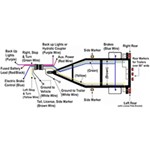
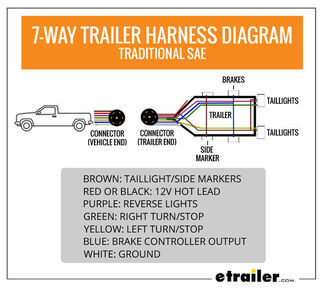
Since you have power at the 12V outlet, you will to make sure you have power getting to the camera itself. When using a system like the # FOS43TASF you will need to make sure your camera is getting 12V power. If you have the prewired RV Trailer, the power to the camera will only be sent when you are shifted into reverse. That camera is wired into the reverse light function of your trailer. You can change this to the running light if you want to splice into that wiring for function anytime your running lights are on your trailer.


Product Page this Question was Asked From
Furrion Vision S Wireless RV Backup Camera System w/ Night Vision - Rear Mount - 4.3" Screen
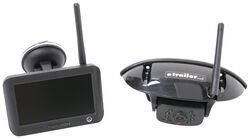

- RV Camera System
- Backup Camera
- Observation Camera
- Built-In Microphone
- Touch Screen
- Anti-Glare
- Mirrored Image
- Night Vision
- Motion Detecting
- Waterproof
- Pre-Wired RVs
- Wireless
- Standard View
- Dashboard Mounting Bracket
- Suction Cup Mount
- Rear
- 4.3 Inch Display
- 1 Camera
- Furrion
more information >
Featured Help Information
Instructions
Miscellaneous Media


Continue Researching
- Search Results: furrion monitor
- Search Results: furrion monitor power cord
- Shop: Replacement 7" Monitor for Furrion Vision S+ Wireless RV Camera Systems
- Q&A: Can I Purchase Just the Furrion S Wireless Camera System Monitor By Itself?
- Q&A: Can I Replace Furrion Vision S Cameras With Furrion Vision S+ Cameras in Fifth Wheel
- Shop: Replacement Wireless Monitor for Brandmotion Wireless HD Observation Systems
- Video: Review of the Replacement Furrion Monitor Power Cable
- Shop: Replacement Camera and Monitor for Furrion Vision S Wireless RV Backup Camera System - Rear Mount
- Q&A: Will Furrion Vision S+ Wireless RV Backup System Fit Old Furrion Vision S Trailer Prep
- Q&A: Is Furrion Vision S+ Direct Replacement for Vision S
- Q&A: No Signal on Furrion Vision S Wireless RV Backup Camera System
- Q&A: Troubleshooting Furrion Vision S Monitor and Camera Not Pairing
- Shop: Replacement 12V Power Cord for Voyager WiSight 2.0 Monitor
- Shop: Replacement Furrion Monitor Power Cable
- Video: Firestone Ride-Rite Air Bags with Easy Mount Compressor Feature Breakdown
- Shop: Trailer Hitch
- Article: 30-Amp and 50-Amp RV Service: What's the Difference?
- Search Results: trailer hitch
- Article: What RV AC Will Work With Your Setup? Avoid Costly Mistakes Before You Order
- Shop: Trailer Wiring
- Shop: Universal Installation Kit for Trailer Brake Controller - 7-Way RV and 4-Way Flat - 10 Gauge Wires
- Video: Feature Review - Big Truck Big RV Trailer Jack Foot Scale with Tongue Weight Gauge
- Search Results: trailer tires and wheels
- Search Results: trailer jack
- Video: In-Depth Look at the B&W 5th Wheel to Gooseneck Pin Box
- Shop: Power Mountain Tallboy Off-Road Bottle Jack - 8-1/2" to 37-3/4" Lift - 6 Tons
- Shop: Suspension Enhancement
- Search Results: trailer lights
- Shop: Brake Controller
- Shop: Fifth Wheel Hitch

on RV Camera System






Jeff T.
1/13/2020
I have a furrion wireless back up camera on my 5th wheel. Lets start out with the camera worked good up until today. The screen will not power up. Checked screen power cord with dvom and getting 12.6 volt.s to screen unit. The light on left side is not lit up anymore and the unit does not come on ? The camera on the rear of the 5th wheel is powering up has blue lights lit. Is there a eternal battery in said screen unit? Or internal fuse? Any ideas or suggestions?Serial number on unit is 652v02-052015-1-00308