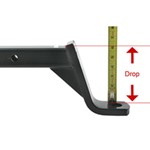
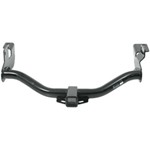
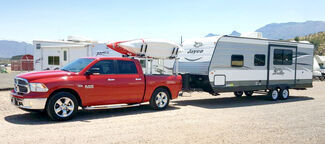
The difference between the Class II and Class III hitches has to do with their Gross Trailer Weight (GTW), their Tongue Weight (TW), and their Hitch Receiver Size. Class II trailer hitch receivers have a 1-1/4 inch receiver and can be rated up to…
Since the pin weight of your camper is 2.1k, I recommend going with the LoadLifter 5000 opposed to the 7500. While technically there is not reason you couldn't use the 7500 kit, it really is not necessary for a camper like yours. Generally the…
Hey Andrew! Yes, Furrion does have a Chill Cube model with a heat pump. This was actually just released for aftermarket sale. You will need a complete system to make the switch, new R32 units aren't backwards compatible with old R410A systems.…
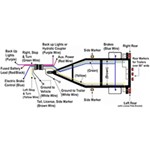
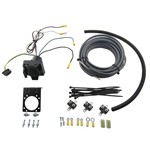
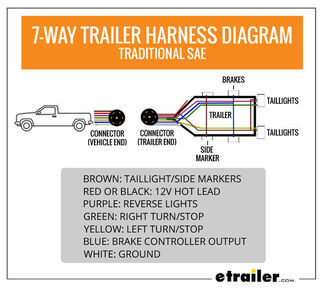
Yes, it will work. You'll just need to cut the Lance 6-pin connector out and rewire it into the etrailer Trailer Wiring 7-Way Upgrade Kit w/ Junction Box and RV Style Connector item #e99011. Here are the individual functions of that Lance 6-pin:…
Hey Jeff. There is definitely a correlation between weight and capacity. I've listed the weight of all three of the Power Mountain Tallboy Off-Road Bottle Jacks we have below: Power Mountain Tallboy Off-Road Bottle Jack - 7-15/16" to…
The difference between an load range C and load range D tire in the same size is the capacity and psi rating. The two tires will still have the same dimensions and fit on the same wheel. The D rated tire has a higher capacity. For a ST175/80D13 like…
Hey Tom, great question! Both products provide an easy way to measure tongue weight, but they excel in different situations. The BTBRV Trailer Jack Foot Scale #BTBRV014 measures tongue weight at the trailer jack, so you don't need to position a…
The differences between the Firestone Ride Rite #F2613 and the Red Label #F2709 for your 2023 GMC Sierra 3500 Crew Cab Long Bed is the air pressure and max weight capacity. The Ride-Rite #F2613 are rated for 5,000lbs and 100 PSI, where the Red Label…
Hi Duane, Air Springs are better for leveling loads and will typically give you a rougher unloaded ride quality so these might not be the best option for your setup depending on what your intended use is. Air springs are the best option when it comes…
For your 2015 GMC Sierra 3500 Denali DRW 4x4, I recommend using the Firestone Ride-Rite Red Label Extreme Duty Air Helper Springs part #F2709 over the Air Lift LoadLifter 7500 XL Air Helper Springs part #AL57538 for two reasons. The first reason is…
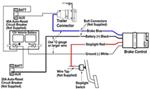
Hey Brad, thanks for reaching out. The factory brake controllers they put in the 2015 GMC trucks are largely incompatible with EOH brakes. That is one of the specific model years we see a lot of issues with since they don't have an EOH mode.…
If you're towing most of the time then I would go with the Timbren Rear Suspension Enhancement System #TGMRCK25D. These will provide the most support for your 2020 GMC Sierra 2500 while towing your 5th wheel. If you're more concerned about…
Capture drives and parking events with a mobile DVR that fits your rig. If remote viewing matters, choose a unit with WiFi so you can access it from a tablet or smart phone. For setups that use a yellow accessory wire, connect it to an ignition-switched fuse and supply 12v to both red and yellow leads; a listed fifth camera connection may be for an IP camera that doesn't physically plug in.
Yes, models with WiFi can be accessed from a tablet or smart phone. Check that WiFi capability is listed for the DVR you choose. If you plan remote viewing, confirm your device can connect to the DVR's WiFi.
Splice the yellow wire into an ignition-switched fuse so it powers when the vehicle is running and prevents battery drain when the vehicle isn't running. Ensure the red and yellow both receive 12v power in order to turn on. Use a fuse tap for a clean connection.
Verify both the red and yellow wire have 12v power in order to turn on. The yellow wire should be spliced into an ignition-switched fuse so the unit powers when the vehicle is running. Use a fuse tap to share power with the DVR, and recheck the inline fuse and ground.
The fifth camera connection can be for an IP Camera. This is another version of a Wifi or Bluetooth camera that wouldn't physically connect to the DVR. Check your DVR's inputs to see which ports are physical and which are for IP devices.


 Filters