


How to Operate a Lippert Ground Control 3.0 System Manually
Updated 11/07/2024 | Published 11/04/2024
Products Featured in This Question
Question:
3.0 Screen is solid green. Not displaying any characters. Unplugged unit and left over night. Reconnect and beeps, no change on LCD screen. Left button on four way flashes continuously. Also Is there a manual of how to properly use system manually as I do not care for auto level feature.
asked by: Noah K
Expert Reply:
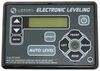
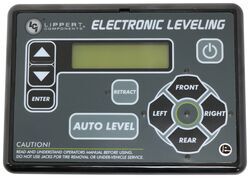
Hey Noah! As long as the control pad on your Lippert Ground Control 3.0 System like item # LC358590 is functioning correctly, what you're seeing with the flashing left side arrow is the system notifying you where the lowest point is.
I have attached a screenshot below from the instructions that will show you how to operate the jacks manually.


(click to enlarge)

Product Page this Question was Asked From
Replacement Control Panel for Lippert Ground Control 3.0 and Travel Trailer RV Leveling System

- Accessories and Parts
- Camper Jacks
- Trailer Jack
- Controllers
- Control Panel
- Lippert
more information >

Continue Researching
- Shop: Replacement Control Panel for Lippert Ground Control 3.0 and Travel Trailer RV Leveling System
- Video: Review of Lippert Components Trailer Camper Jack - Replacement Control Unit - LC421484
- Video: Lippert Ground Control Leveling System Control Panel Installation - 2019 Grand Design Reflection Fif
- Video: Lippert Ground Control 3.0 Electric Leveling System Replacement Control Module Review
- Q&A: Looking for Replacement Control Panel for Lippert Ground Control 3.0
- Video: Lippert Ground Control Leveling System Control Panel Review
- Q&A: Replacement Control Panel and Circuit Board for LCI Electronic Leveling System
- Shop: Trailer Wiring
- Shop: Replacement Control Module for Lippert Ground Control 3.0 Leveling System - Prepped 5th Wheel RV
- Shop: Replacement Control Module for Lippert Ground Control 2.0 Electric Leveling System
- Shop: Replacement Control Module for Lippert Ground Control 3.0 Electric Leveling System
- Video: Replacement Dome Assembly for Ventline Ventadome Trailer Roof Vent Spec Review
- Video: Replacement Dome Assembly for Ventline Ventadome Trailer Roof Vent: The Breakdown
- Shop: Replacement Control Touch Pad for Power Gear RV Auto Leveling System
- Video: Detailed Breakdown of the Hollywood Racks Destination E Bike Rack for 2 Electric Bikes
- Search Results: lippert control panel
- Search Results: lippert auto level
- Shop: Replacement User Interface for Norcold N15DC and N20DC Series RV Refrigerators
- Shop: Blind Spot Detection
- Shop: Furrion Arctic RV Refrigerator w/ Freezer - 8 cu ft - 12V - Black Glass Front - Right Opening Doors
- Q&A: Can I Install a 4-Point Control Module to a 6-Point Lippert Ground Control and Only Use Four Jacks?
- Q&A: How To Test for Bad Controller on Lippert Ground Control 3.0 Electric Leveling System
- Q&A: Correct Replacement Control Module for Lippert Ground Control 6 Jack Leveling System
- Q&A: Replacement Control Module For Lippert Ground Control 3.0 Leveling With 17410 Controller
- Q&A: Lippert Ground Control 3.0 Will Not Retract
- Shop: Gooseneck Hitch
- Shop: Fifth Wheel Hitch
- Search Results: trailer hitch
- Shop: Trailer Hitch
- Article: Trailer Wiring Diagrams

on Accessories and Parts














Noah K.
11/6/2024
Jerred, Screen does not change blank green state no matter what buttons in any sequence are pressed. Jacks are down and all at different levels.