


Wiring Guide For The Furrion RV Side Camera W/ Night Vision
Updated 07/13/2026 | Published 10/16/2021
Question:
The furrion side camera has 4 wires -camera red wire, traffic lamp Brown wire, trigger signal yellow wire and ground black wire. Which wires are connected together to hot wire and which wires to ground?
asked by: Guillermo V
Expert Reply:
For your LED Marker Light RV Side Cameras w/ Night Vision for Furrion Vision S Systems # FOS05TASF you will want to follow the wiring as provided below:
RED: Connects to positive wire on running lights circuit.
BROWN: Will connect to the positive wire on your vehicle's running lights circuit.
BLACK: Ground wire
YELLOW: Is the trigger wire, and is only used in LED versions.


(click to enlarge)

(click to enlarge)
Russell
12/14/2025
When you say "YELLOW: Is the trigger wire, and is only used in LED versions." Does this refer to the LED marker light?
Stephen
12/15/2025
Hi Bryce, Why connect both the red and brown wires to the running lights circuit? Is the brown wire specifically for the running lights and the red wire specifically to power the camera? Can the red wire be connected to a trailer hot wire so that the camera can be active at all times for security monitoring when disconnected from the tow vehicle? Furrion/Lippert tout the cameras as security monitoring devices when parked, but per your reply, the cameras will not be useable when the tow vehicle is disconnected, or connected with the running lights turned on, which no one would do.



Dan S.
2/11/2026
i have the furion side cameras on my new brinkley rv wired brown and red to running lights positive and black ground to black i have running lights and the blue light is on the camera showing power My issue is when paring i dont get a blinking parring light I have tried everything pusing button for 1 second 2,3,5,8,10,15 seconds and still no blinking light please help me thanks
Stephen
7/12/2026
This post is lacking information that I hopefully will explain better. I have a 2020 Forest river that was prewired for Furrion S not S+. I purchased the S+ anyways for the better quality images. The shark fin camera mounts and plugs in easy and is straight forward and a prewired Forest River camper. The 2 side marker light cameras took a bit of head scratching. The marker lights on my camper had only 2 wires. Running light + and ground. The confusing part is the instructions and also this website kept using the phrase (used only if equipped with LED) Well both the cameras and the camper are equipped with LED and that has nothing to do with anything that I can tell. After a bit of research and figuring I determined that if I wanted to use it as a security cams while inside the camper, I would need to run a hot + wire to the marker light/camera location and connect it to the POS+ wire on the cameras. This would make the cameras active full time. If I wanted to have the marker lights on the camera use the turn signal feature OR if I wanted to set the monitor up in the truck to switch to a full screen side view when the turn signal is activated, I would have to run an addition turn signal wire to each of the side cameras. For me, I am not concerned about security, so I just connected the + marker light wire on the camper to both the pos+ and the marker light (red and brown) wire on the camera and every time I turned on the running lights in my truck the camera's are activated along with the marker lights that are integrated with the side view cameras. The yellow trigger wire on the camera's was not connected. I just taped it and tucked it in the hole. In the future I may add the hot pos+ wire for security monitoring but see no reason for the turn signal/trigger wire to ever be used since I am pulling a fifth wheel and the location of the camera and light is forward the rear turn signal on my truck. I hope this is helpful to someone.


Product Page this Question was Asked From
Furrion Vision S Wireless RV Backup Camera System w/ Night Vision - Rear Mount - 5" Screen
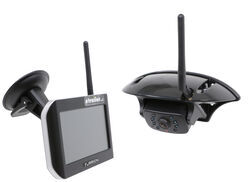

- RV Camera System
- Backup Camera
- Observation Camera
- Anti-Glare
- Mirrored Image
- Motion Detecting
- Night Vision
- Touch Screen
- Waterproof
- Pre-Wired RVs
- Wireless
- Wide View
- Dashboard Mounting Bracket
- Suction Cup Mount
- Side Marker
- 5 Inch Display
- 3 Cameras
- Furrion
more information >
Featured Help Information
Instructions
Miscellaneous Media



Continue Researching
- Video: Review of K Source Towing Mirrors - Snap-On Mirror - KS33NQ
- Search Results: furrion rv camera system
- Search Results: battery charger
- Search Results: noco battery charger
- Search Results: 12v battery charger
- Shop: Suspension Enhancement
- Search Results: lippert edge
- Search Results: happy jack
- Shop: Replacement 7" Monitor for Furrion Vision S+ Wireless RV Camera Systems
- Shop: Vehicle Sway Bars
- Search Results: furrion vision s monitor
- Shop: Furrion Vision S+ Wireless RV Backup System w/ 1 Camera - 7" Screen
- Q&A: Will 12V PWM Filter Fix Power Loss On Furrion Camera With 2026 Chevy Silverado 2500 Trail Boss Z71
- Shop: Power Mountain Tallboy Off-Road Bottle Jack - 8-1/2" to 37-3/4" Lift - 6 Tons
- Shop: Solera 12V Electric RV Awning Conversion Kit - 69" Arms - White
- Shop: Base Plate for Tow Bar
- Shop: Fifth Wheel Hitch
- Shop: Towing Mirrors
- Video: No Blind Spots, No Surprises: Furrion Explains Their RV Observation System
- Video: What to Know About the Furrion Vision S+ Wireless RV Backup System
- Shop: Big Truck Big RV Tongue Weight Scale for Trailers - 1,000 lbs - Fixed
- Shop: Replacement Flush Ball Seal for Dometic RV Toilet
- Shop: K-Source Snap & Zap Custom Towing Mirrors - Snap On - Driver and Passenger Side
- Shop: Brake Controller
- Shop: Truck Topper
- Q&A: Location of Factory Brake Controller Plug on 2023 Ford Explorer
- Video: Replacement Flush Ball Seal for Dometic RV Toilet Review
- Video: Step-By-Step Installation Furrion Vision S+ Wireless Backup System - 2017 Thor Freedom Elite Motorho
- Video: Optronics LED Trailer Lights | Straight from the Manufacturer
- Video: A Closer Look at the GloLight Uni-Lite LED Clearance or Side Marker Light with Grommet









Ronald M.
7/8/2024
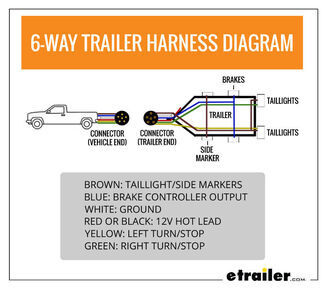
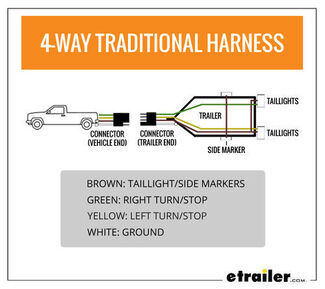
I only have 4 wires on my marker lights cant figure out how to wire 4.