


How to Change Camera Image on a Furrion Monitor
Updated 07/18/2020 | Published 10/08/2018
Question:
My left and right are switched on my monitor
asked by: Stacey F
Expert Reply:
You can easily switch the orientation of the monitor on your Furrion camera system like part # FOS43TASF.
If you press the "Menu" button on the side of your monitor you will then need to go to the "Setup" menu. In the Setup menu you will see the "Mirror" option. Highlight this and press the power button to enter. Using your up and down navigation keys allows you to rotate and flip the camera image to accommodate a wide variety of monitor situations. When you find the one that you want press the power button again to confirm this setting.
I have attached a picture for you to reference.



Floyd B.
4/20/2020
my FOS07TASF will not flip. What to do?


Shirley M.
7/18/2020
my FOS07TASF will not change image when I select mirror. The image is staying on normal camera. What am I doing wrong?
Product Page this Question was Asked From
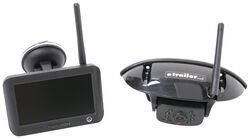
Furrion Vision S Wireless RV Backup Camera System w/ Night Vision - Rear Mount - 4.3" Screen

- RV Camera System
- Backup Camera
- Observation Camera
- Built-In Microphone
- Touch Screen
- Anti-Glare
- Mirrored Image
- Night Vision
- Motion Detecting
- Waterproof
- Pre-Wired RVs
- Wireless
- Standard View
- Dashboard Mounting Bracket
- Suction Cup Mount
- Rear
- 4.3 Inch Display
- 1 Camera
- Furrion
more information >
Featured Help Information
Instructions

Continue Researching
- Search Results: furrion 7 way adapter
- Search Results: accessories and parts
- Search Results: 12 volt cigarette lighter socket
- Video: Feature Review Replacement Clips for Curt Friction Sway Control
- Search Results: brake light vehicle lights
- Shop: Furrion Vision S+ Wireless RV Backup System w/ 1 Camera - 5" Screen
- Shop: Replacement L-Pin Clip for Fastway e2 Weight Distribution Systems
- Shop: Replacement Clips for Curt Friction Sway Control
- Shop: Optronics LED Trailer Light w/ Flange - Brake, Turn, Tail - Submersible - Surface Mount - Oval - Red
- Video: Let’s Check Out the LED Trailer Tail Light w/ Flange
- Q&A: Solar Panels for Charging BLUETTI AC200L in Travel Trailer
- Video: Hands-On with the LED Trailer Tail Light w/ Flange
- Q&A: Comparing MaxxFan 7500K And 6200K Models. Do I Need A Voltage Regulator?
- Video: What to Know About the A-Frame Trailer Coupler
- Shop: Replacement End Caps for Rhino-Rack Sportz Bar Roof Rack - Qty 4
- Q&A: What is the Difference Between a Class II and a Class III Hitch?
- Search Results: trailer hitch
- Article: Trailer Wiring Diagrams
- Shop: Trailer Hitch
- Article: Brake Controller 7- and 4-Way Installation Kit (ETBC7)
- Video: How to Choose a Trailer Brake Controller
- Shop: Trailer Wiring
- Q&A: Lug Nut Torque Chart for Trailer Wheels
- Search Results: trailer wiring
- Shop: Universal Installation Kit for Trailer Brake Controller - 7-Way RV and 4-Way Flat - 10 Gauge Wires
- Article: How to Measure for Trailer Hitch Drop
- Shop: Suspension Enhancement
- Search Results: trailer tires and wheels
- Shop: etrailer Anti-Rattle Hitch Collar for 2" Hitch Receivers
- Q&A: What is the Difference Between a 4-Way and 7-Way Trailer Connector

on RV Camera System





Gregg D.
1/13/2020
Currently my rear camera view gives me a view that is not true to the distance when backing up. Things appear further from the rear of the trailer then they actually are. Is there a way to change the vie so that I see the actual distance? On my truck back up camera, I can zoom in to see actual distance.Thanks, Gregg