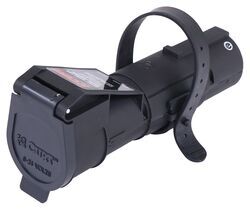
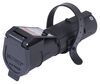
Towing? There's an app for that. This brakecontroller connects to your phone with Bluetooth so all your settings are right in your hand. The unit plugs into your 7-way for a one-step installation with no wiring.Manual Override This big orange button in the middle of the app is your manual override. Press and hold the button, and the brakecontroller will smoothly apply the trailerbrakes without applying your vehicle's brakes. This is perfect for stopping sway or controlling your trailer's momentum in an emergency.
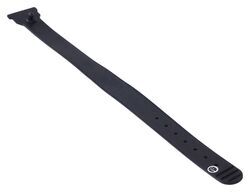
Replaces the rubber strap for your Curt Echo brakecontroller (51180). Secures your Echo to your 7-way connector.Features: Replaces the rubber strap for your Curt Echo brakecontroller (51180) Secures your Echo to your 7-way connector
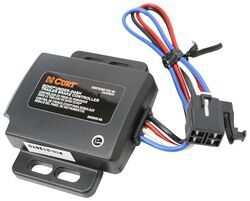
Towing? There's an app for that. This brakecontroller connects to your phone with Bluetooth so all your settings are right in your hand. The plug-and-play unit mounts under your dashboard, out of sight and out of your way.OneControl App Simple, intuitive, and user-friendly, the OneControl App makes it wicked easy to manage your settings and control your trailer. 1. Manual Override This big orange button in the middle of the app is your manual override. Press and hold the button, and the brakecontroller will smoothly apply the trailerbrakes without applying your vehicle's brakes.
Towing? There's an app for that. This brakecontroller connects to your phone with Bluetooth so all your settings are right in your hand. Plus, it's plug-and-play, so no splicing and no permanent alteration to your vehicle.OneControl App Simple, intuitive, and user-friendly, the OneControl App makes it wicked easy to manage your settings and control your trailer. 1. Manual Override This big orange button in the middle of the app is your manual override. Press and hold the button, and the brakecontroller will smoothly apply the trailerbrakes without applying your vehicle's brakes.
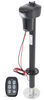
2,000-lb Capacity. Load up your gear or hitch a small trailer. This complete wireless air suspension kit with in-coil air bags, compressor, and smartphone control levels your stance and smooths every mile for a more stable, controlled drive.Working with your factory suspension, the system helps level your stance, improve control, and smooth out every mile. With the in-coil air bags, on demand compressor, and wireless ECU (electronic control unit) all working together, your headlights stay aimed where they should and your braking stays consistent.
2,000-lb Capacity. Load up your gear or hitch a small trailer. This complete wireless air suspension kit with in-coil air bags, compressor, and smartphone control levels your stance and smooths every mile for a more stable, controlled drive.Working with your factory suspension, the system helps level your stance, improve control, and smooth out every mile. With the in-coil air bags, on demand compressor, and wireless ECU (electronic control unit) all working together, your headlights stay aimed where they should and your braking stays consistent.
Towing? There's an app for that. This brakecontroller connects to your phone with Bluetooth so all your settings are right in your hand. The plug-and-play unit mounts under your dashboard, out of sight and out of your way.OneControl App Simple, intuitive, and user-friendly, the OneControl App makes it wicked easy to manage your settings and control your trailer. 1. Manual Override This big orange button in the middle of the app is your manual override. Press and hold the button, and the brakecontroller will smoothly apply the trailerbrakes without applying your vehicle's brakes.
Towing? There's an app for that. This brakecontroller connects to your phone with Bluetooth so all your settings are right in your hand. The plug-and-play unit mounts under your dashboard, out of sight and out of your way.OneControl App Simple, intuitive, and user-friendly, the OneControl App makes it wicked easy to manage your settings and control your trailer. 1. Manual Override This big orange button in the middle of the app is your manual override. Press and hold the button, and the brakecontroller will smoothly apply the trailerbrakes without applying your vehicle's brakes.
Towing? There's an app for that. This brakecontroller connects to your phone with Bluetooth so all your settings are right in your hand. The plug-and-play unit mounts under your dashboard, out of sight and out of your way.OneControl App Simple, intuitive, and user-friendly, the OneControl App makes it wicked easy to manage your settings and control your trailer. 1. Manual Override This big orange button in the middle of the app is your manual override. Press and hold the button, and the brakecontroller will smoothly apply the trailerbrakes without applying your vehicle's brakes.
Towing? There's an app for that. This brakecontroller connects to your phone with Bluetooth so all your settings are right in your hand. The plug-and-play unit mounts under your dashboard, out of sight and out of your way.OneControl App Simple, intuitive, and user-friendly, the OneControl App makes it wicked easy to manage your settings and control your trailer. 1. Manual Override This big orange button in the middle of the app is your manual override. Press and hold the button, and the brakecontroller will smoothly apply the trailerbrakes without applying your vehicle's brakes.
Towing? There's an app for that. This brakecontroller connects to your phone with Bluetooth so all your settings are right in your hand. The plug-and-play unit mounts under your dashboard, out of sight and out of your way.OneControl App Simple, intuitive, and user-friendly, the OneControl App makes it wicked easy to manage your settings and control your trailer. 1. Manual Override This big orange button in the middle of the app is your manual override. Press and hold the button, and the brakecontroller will smoothly apply the trailerbrakes without applying your vehicle's brakes.
Towing? There's an app for that. This brakecontroller connects to your phone with Bluetooth so all your settings are right in your hand. The plug-and-play unit mounts under your dashboard, out of sight and out of your way.OneControl App Simple, intuitive, and user-friendly, the OneControl App makes it wicked easy to manage your settings and control your trailer. 1. Manual Override This big orange button in the middle of the app is your manual override. Press and hold the button, and the brakecontroller will smoothly apply the trailerbrakes without applying your vehicle's brakes.
Towing? There's an app for that. This brakecontroller connects to your phone with Bluetooth so all your settings are right in your hand. The plug-and-play unit mounts under your dashboard, out of sight and out of your way.OneControl App Simple, intuitive, and user-friendly, the OneControl App makes it wicked easy to manage your settings and control your trailer. 1. Manual Override This big orange button in the middle of the app is your manual override. Press and hold the button, and the brakecontroller will smoothly apply the trailerbrakes without applying your vehicle's brakes.
Towing? There's an app for that. This brakecontroller connects to your phone with Bluetooth so all your settings are right in your hand. The plug-and-play unit mounts under your dashboard, out of sight and out of your way.OneControl App Simple, intuitive, and user-friendly, the OneControl App makes it wicked easy to manage your settings and control your trailer. 1. Manual Override This big orange button in the middle of the app is your manual override. Press and hold the button, and the brakecontroller will smoothly apply the trailerbrakes without applying your vehicle's brakes.
Towing? There's an app for that. This brakecontroller connects to your phone with Bluetooth so all your settings are right in your hand. The plug-and-play unit mounts under your dashboard, out of sight and out of your way.OneControl App Simple, intuitive, and user-friendly, the OneControl App makes it wicked easy to manage your settings and control your trailer. 1. Manual Override This big orange button in the middle of the app is your manual override. Press and hold the button, and the brakecontroller will smoothly apply the trailerbrakes without applying your vehicle's brakes.
Towing? There's an app for that. This brakecontroller connects to your phone with Bluetooth so all your settings are right in your hand. The plug-and-play unit mounts under your dashboard, out of sight and out of your way.OneControl App Simple, intuitive, and user-friendly, the OneControl App makes it wicked easy to manage your settings and control your trailer. 1. Manual Override This big orange button in the middle of the app is your manual override. Press and hold the button, and the brakecontroller will smoothly apply the trailerbrakes without applying your vehicle's brakes.
Towing? There's an app for that. This brakecontroller connects to your phone with Bluetooth so all your settings are right in your hand. The plug-and-play unit mounts under your dashboard, out of sight and out of your way.OneControl App Simple, intuitive, and user-friendly, the OneControl App makes it wicked easy to manage your settings and control your trailer. 1. Manual Override This big orange button in the middle of the app is your manual override. Press and hold the button, and the brakecontroller will smoothly apply the trailerbrakes without applying your vehicle's brakes.
Towing? There's an app for that. This brakecontroller connects to your phone with Bluetooth so all your settings are right in your hand. The plug-and-play unit mounts under your dashboard, out of sight and out of your way.OneControl App Simple, intuitive, and user-friendly, the OneControl App makes it wicked easy to manage your settings and control your trailer. 1. Manual Override This big orange button in the middle of the app is your manual override. Press and hold the button, and the brakecontroller will smoothly apply the trailerbrakes without applying your vehicle's brakes.
Towing? There's an app for that. This brakecontroller connects to your phone with Bluetooth so all your settings are right in your hand. The plug-and-play unit mounts under your dashboard, out of sight and out of your way.OneControl App Simple, intuitive, and user-friendly, the OneControl App makes it wicked easy to manage your settings and control your trailer. 1. Manual Override This big orange button in the middle of the app is your manual override. Press and hold the button, and the brakecontroller will smoothly apply the trailerbrakes without applying your vehicle's brakes.
Towing? There's an app for that. This brakecontroller connects to your phone with Bluetooth so all your settings are right in your hand. The plug-and-play unit mounts under your dashboard, out of sight and out of your way.OneControl App Simple, intuitive, and user-friendly, the OneControl App makes it wicked easy to manage your settings and control your trailer. 1. Manual Override This big orange button in the middle of the app is your manual override. Press and hold the button, and the brakecontroller will smoothly apply the trailerbrakes without applying your vehicle's brakes.
Towing? There's an app for that. This brakecontroller connects to your phone with Bluetooth so all your settings are right in your hand. The plug-and-play unit mounts under your dashboard, out of sight and out of your way.OneControl App Simple, intuitive, and user-friendly, the OneControl App makes it wicked easy to manage your settings and control your trailer. 1. Manual Override This big orange button in the middle of the app is your manual override. Press and hold the button, and the brakecontroller will smoothly apply the trailerbrakes without applying your vehicle's brakes.
Towing? There's an app for that. This brakecontroller connects to your phone with Bluetooth so all your settings are right in your hand. The plug-and-play unit mounts under your dashboard, out of sight and out of your way.OneControl App Simple, intuitive, and user-friendly, the OneControl App makes it wicked easy to manage your settings and control your trailer. 1. Manual Override This big orange button in the middle of the app is your manual override. Press and hold the button, and the brakecontroller will smoothly apply the trailerbrakes without applying your vehicle's brakes.
Towing? There's an app for that. This brakecontroller connects to your phone with Bluetooth so all your settings are right in your hand. The plug-and-play unit mounts under your dashboard, out of sight and out of your way.OneControl App Simple, intuitive, and user-friendly, the OneControl App makes it wicked easy to manage your settings and control your trailer. 1. Manual Override This big orange button in the middle of the app is your manual override. Press and hold the button, and the brakecontroller will smoothly apply the trailerbrakes without applying your vehicle's brakes.
Towing? There's an app for that. This brakecontroller connects to your phone with Bluetooth so all your settings are right in your hand. The plug-and-play unit mounts under your dashboard, out of sight and out of your way.OneControl App Simple, intuitive, and user-friendly, the OneControl App makes it wicked easy to manage your settings and control your trailer. 1. Manual Override This big orange button in the middle of the app is your manual override. Press and hold the button, and the brakecontroller will smoothly apply the trailerbrakes without applying your vehicle's brakes.








 Filters