


Troubleshooting Furrion Vision S+ Wireless Camera System That Won't Show Camera On Monitor
Updated 09/26/2026 | Published 09/22/2026
Question:
Ive purchased several RV products from e-trailer. I have been happy with the products and the customer service you provide, which is why I came to you for my need for a backup camera for my RV trailer. Most recently I purchased from you a Furrion Vision S+ Vehicle Observation System My Rig is a 2026 Forest River RPod 205 that came pre-wired for a Furion Backup Camera System. Yesterday I installed the camera and plugged it into the existing cable that was part of the Furrion pre-wired setup. Today I installed the monitor in my Ram 1500. The Ram is connected to the RPod and the seven pin connector connected. All 12 volt power in the RPod is on and working. The monitor powers up but the screen says No Signal so it is not recognizing the camera. I tried powering off and on several times and also tested the system with the engine running and the truck lights on. Still no signal from the camera. I did not install a microSD card in the monitor as recording was not a priority for me. Is a microSD card a necessary component to enable the monitor to receive a camera signal? What other problem solving actions should I take? How do I discover if the camera itself is defective? Thanks Ross Reinhold
asked by: Ross R
Expert Reply:
Hi there Ross.
Thanks for all the details. The microSD card is not required for the camera to work; it is only used for recording and firmware updates.
Since the monitor of the # FR39DF powers on but says “No Signal,” I would start by checking the camera itself. With the truck running, 7-way connected, and running lights on, check whether the LED on the rear camera is illuminated. Furrion recommends confirming that the camera is receiving power first.
If the camera has power, try pairing it manually. On the monitor go to Camera Profile ? Profile Setting ? Camera Pairing ? Pair. You will then have 30 seconds to press the red pairing button on the bottom of the camera. Hold that button for about 2 seconds. Since the camera and monitor came together as a system, they should have been paired from the factory, so if the camera has proper power and still will not pair, that would make me more suspicious of a problem with the camera itself.
If the camera LED does not come on, I would check for power at the Furrion prewire connection before replacing anything.
Let me know whether that camera LED comes on with everything connected and the running lights on, and we can narrow it down from there.


Product Page this Question was Asked From
Furrion Vision S+ Wireless RV Backup System w/ 1 Camera - 5" Screen


- RV Camera System
- Backup Camera
- Observation Camera
- Built-In Microphone
- Touch Screen
- Night Vision
- Motion Detecting
- Wireless
- Wide View
- Dashboard Mounting Bracket
- Suction Cup Mount
- Rear
- 5 Inch Display
- 1 Camera
- Furrion
more information >
Featured Help Information
Instructions

Continue Researching
- Shop: Furrion Vision S+ Wireless RV Backup System w/ 1 Camera - 5" Screen
- Q&A: Will Furrion Vision S+ Wireless RV Backup Camera Work With Vision S Mount
- Video: Step-By-Step Installation Furrion Vision S+ Wireless Backup System - 2017 Thor Freedom Elite Motorho
- Shop: RV Camera
- Shop: Furrion Vision S+ Wireless RV Backup System w/ 1 Camera - 7" Screen
- Video: Installing the Furrion Vision S+ Wireless RV Backup System on a 2025 Forest River Columbus 380RL Fif
- Shop: 7-Way Vehicle Power Adapter for Furrion RV Observation Camera
- Shop: Furrion Vision S+ Wireless RV Observation System w/ 4 Cameras - 7" Screen
- Video: Furrion Vision S+ Wireless RV Backup System DIY Install - 2014 Prime Time Tracer Travel Trailer
- Video: Review of Furrion RV Camera System - Backup Camera - FR57AD
- Video: No Blind Spots, No Surprises: Furrion Explains Their RV Observation System
- Video: What to Know About the Furrion Vision S+ Wireless RV Backup System
- Shop: Furrion Vision S Wireless RV Backup Camera System w/ Night Vision - Rear Mount - 5" Screen
- Shop: Furrion Vision S+ Wireless RV Backup Camera - Qty 1
- Video: How to Set Up Your 12V PWM Filter for RV Backup Camera Systems on a 2020 Taxa Mantis Travel Trailer
- Shop: 12V PWM Filter for RV Backup Camera Systems - Hardwire
- Q&A: Best Suspension Upgrade for 33" Tandem Axles: Road Armor vs Dexter EZ Flex for Ember 22ETS
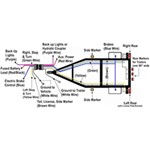
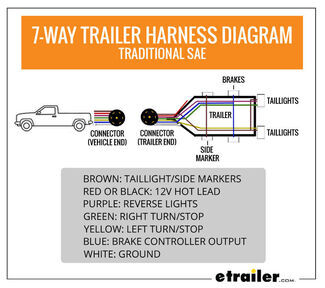
- Article: Trailer Wiring Diagrams
- Search Results: trailer hitch
- Shop: Trailer Hitch
- Q&A: Recommended Bike Rack and Dual Hitch Adapter for Carrying E-Bikes While Flat Towing
- Search Results: trailer tires and wheels
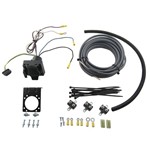
- Article: Brake Controller 7- and 4-Way Installation Kit (ETBC7)
- Shop: Trailer Wiring
- Shop: Suspension Enhancement
- Search Results: trailer wiring
- Q&A: Installation Time for Blue Ox BX1128 Flat Tow Base Plate Kit for 2016 Jeep Grand Cherokee
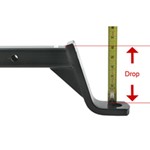
- Article: How to Measure for Trailer Hitch Drop
- Article: Wiring Trailer Lights with a 7-Way Plug (It's Easier Than You Think)
- Q&A: What Is An OEM Prep Package And How Do I Know If I Have It







Ross R.
9/25/2026
I tried the status checks you recommended: 1) "With the truck running, 7-way connected, and running lights on, check whether the LED on the rear camera is illuminated." What shows is a blue light in the bottom left hand corner of the camera. Is that the LED light you expected? I have a photo if I see a place to send it to you. 2) "If the camera has power, try pairing it manually. On the monitor go to Camera Profile ? Profile Setting ? Camera Pairing ? Pair. You will then have 30 seconds to press the red pairing button on the bottom of the camera. Hold that button for about 2 seconds." I tried to do this two times. It would not pair. You said "Since the camera and monitor came together as a system, they should have been paired from the factory," That was the case initially, when I first encountered the "No Signal" error. In trying to solve the problem I ended up "un-pairing" the camera and monitor. And then, like today, I was unable to "re-pair" the two. I suspect "pairing" is impossible due to the monitor not receiving a signal from the camera. So the status is: Camera shows a blue light - suggesting power is to the camera. But the monitor doesn't recognize any signal. FYI. My trailer is 25' feet long. What Next?