Troubleshooting A Bluetooth Remote Display And MPPT Charge Controller's Pairing And Setting Issues
Updated 07/12/2023 | Published 07/06/2023
Question:
Cannot connect to bluetooth? Bluetooth symbol shows on screen only a few seconds after you plug in the connector to the MPPT controller but then goes away? Wont connect by phone or by app? Also when I go to choose the battery which is Lithium it lets me choose the Li setting but then when I go to set the limit voltage for my lithium battery which is set to 14.6 according to the manufactures specs , it automatically switches to USER battery setting, it does not stay on LITHIUM! Why does this not work proper? I just bought this with the MPPT controller. I need to make sure I can set the specs according to the battery manufacturers suggested settings! Its a JITA 300Ah Lithium lifepo4. Any and all info and help is appreciated!
asked by: Timothy B
Expert Reply:
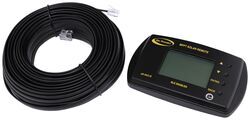
For Bluetooth pairing to function the Bluetooth Remote Display for Go Power MPPT Solar Charge Controllers # GP37MR would need to be wired to the Go Power MPPT Solar Charge Controller # GP72RR. The Bluetooth symbol should then pop up in the app and allow you to pair. You would not connect to it with your phone's Bluetooth settings like you would with wireless speakers.
If you change any other settings for the battery type it will switch the name from your initial Lithium setting to User since you're now using your own specific settings. You can ignore the name and change the settings to the requirements of your battery.


Product Page this Question was Asked From
Bluetooth Remote Display for Go Power MPPT Solar Charge Controllers

- Accessories and Parts
- Solar Charge Controllers
- Remote Control
- Go Power
more information >
Featured Help Information
Instructions

Continue Researching
- Search Results: snappad rv jack pads
- Search Results: vent cover rv vents and fans
- Search Results: tst tpms sensor
- Search Results: termination adapters rv sewer hose fittings
- Search Results: rv sewer hose fittings
- Search Results: rv sewer hoses
- Shop: MaxxAir FanMate RV and Trailer Roof Vent Cover - 26-1/2" x 18-1/8" x 10-1/4" - Black
- Shop: MaxxAir II RV and Trailer Roof Vent Cover w/ EZClip - Black
- Shop: MORryde Step Tread Pack for StepAbove Gen 2 - 23-1/2" Wide Treads - 4 Step
- Shop: TST TPMS for RVs - Color Display - Signal Booster - 4 Tire Sensors
- Video: Best Overall Suspension Enhancement Options on a 2014 GMC Sierra 2500
- Video: Hands-On with the EZ Flush Replacement RV Sewer Hose w/ 3" Rotating Bayonet Fitting
- Video: EZ Coupler Self-Threading RV Sewer Hose Coupler Spec Review
- Video: EZ Flush Replacement RV Sewer Hose: The Breakdown
- Video: Let’s Check Out the Camco RV Sewer Hose Straight Adapter w/ Bayonets
- Video: Camco HTS Heavy Duty RV Sewer Hose Review
- Video: Checking Out the EZ Flush Replacement RV Sewer Hose w/ 3" Rotating Bayonet Fitting
- Shop: EZ Flush Replacement RV Sewer Hose with 3" Bayonet Fitting - 20' Long - Blue Vinyl
- Shop: EZ Flush Replacement RV Sewer Hose - 20' Long x 3" Diameter - Silver Vinyl
- Shop: SewerSolution Macerator System for RV Waste Tanks - Bayonet Fitting and 4-in-1 Adapter - 10'
- Search Results: trailer hitch
- Shop: Trailer Hitch
- Article: Trailer Wiring Diagrams
- Q&A: Lug Nut Torque Chart for Trailer Wheels
- Shop: Trailer Wiring
- Article: Brake Controller 7- and 4-Way Installation Kit (ETBC7)
- Q&A: What is the Difference Between a Class II and a Class III Hitch?
- Q&A: Should I Get Loadlifter 5000 Or 7500 For Towing A 15K Fifth Wheel
- Article: Wiring Trailer Lights with a 7-Way Plug (It's Easier Than You Think)
- Q&A: Comparing Kenda KR03, KR35, And KR53 Tires

on Accessories and Parts