


How To Invert Image on Furrion Vision S RV Camera System
Updated 05/19/2020 | Published 05/15/2020
Question:
I hooked up the camera very easily, but it will only give a picture on the monitor with the headlights on and it also gives me a mirrored picture. Did I do something wrong or need to do something?
asked by: John H
Expert Reply:
As installed, the camera system can either be wired to activate with the reverse lamps by tying the power wire into that circuit, or into the running lamps so that the system turns on with the running lamps or headlights. This is normal. If you want to be able to turn on or off the camera independent of the running lamps, you'll need to power the system from a dedicated 12-volt circuit. You could power it from an ignition sourced circuit that will power down with the ignition switched off, or directly to the battery with a switch installed inline.
As far as seeing the mirrored or inverted image goes, make sure that the monitor is paired to Camera # 4, and not camera # 1. Once paired to # 4, you can go into 'settings', then 'camera' then 'mirror' where you can invert the image. You can't change that setting in camera 1, that's why it needs to be paired to 4.


Product Page this Question was Asked From
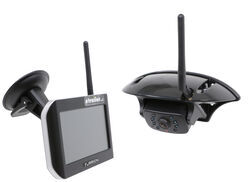
Furrion Vision S Wireless RV Backup Camera System w/ Night Vision - Rear Mount - 5" Screen

- RV Camera System
- Backup Camera
- Observation Camera
- Anti-Glare
- Mirrored Image
- Motion Detecting
- Night Vision
- Touch Screen
- Waterproof
- Pre-Wired RVs
- Wireless
- Wide View
- Dashboard Mounting Bracket
- Suction Cup Mount
- Side Marker
- 5 Inch Display
- 3 Cameras
- Furrion
more information >
Featured Help Information
Instructions
Miscellaneous Media


Continue Researching
- Q&A: Best Way To Prevent Battery From Dying While Flat Towing A 2020 Ford Ranger
- Q&A: Backup Camera for 2025 Forest River Rockwood Mini Lite 2205S
- Q&A: Is Furrion Vision S+ Direct Replacement for Vision S
- Q&A: Does 2025 Chevy Silverado 2500HD Require Power Adapter for Install of Furrion Vision S+ System
- Q&A: What is Best RV Backup Camera System
- Q&A: Can I Purchase Just the Furrion S Wireless Camera System Monitor By Itself?
- Q&A: Is There Furrion Vision S+ Observation System that Doesn't Have Side Cameras
- Article: Trailer Wiring Diagrams
- Article: RV AC Not Cooling? What's Normal, What to Check, and When to Replace
- Article: 4 Steps to Choosing Your 5th Wheel Pin Box
- Article: 30-Amp and 50-Amp RV Service: What's the Difference?
- Article: Top Weight Distribution Hitches for a Buttery Smooth Ride
- Article: Is It Illegal to Leave My Hitch on My Truck?
- Article: Holiday 2025 | RVers’ Favorite Gear & Road Picks