


How to Make Progressive Dynamics PD4575K18LS8 Without Output Mode Switch Lithium Compatible
Updated 07/28/2024 | Published 07/26/2024
Products Featured in This Question
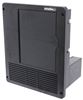
Question:
I have Progressive Power Converter PD4575K18LS8 and I currently have Lead acid batteries but I want to change to Lithium batteries but my unit does not have the dip switch to switch from lead acid to Lithium, or I cannot see it. I have looked at videos indicating where it should be and it is NOT their, I can send you pictures of my unit. It has dual fans also. I think Progressive must have screwed this unit up. How can I fix this issue. This unit was install by Vanliegh RV manufacturer in June of 2019, Any help would be appreciated
asked by: Gary M

(click to enlarge)
Expert Reply:
Hi Gary; it looks like your PD4575K18LS8 is a slightly older model from before they added the output mode switch. It is very clear that it is not there from your picture. Since there is no way to add the switch you have two options to make it lithium compatible.
The first is to swap out the converter section for the # PD4575LICSV. However, this will make it so it is only lithium compatible. The second is to replace the entire power center with # PD4575K18LS8. This will add the lithium capability but will also work with flooded lead acid, AGM, and gel batteries since it has the output mode switch.


Featured Help Information
Miscellaneous Media


Continue Researching
- Q&A: Will The Progressive Dynamics PD4575LICSV Work With Non-Lithium Batteries?
- Video: Review of Progressive Dynamics RV Converters - Replacement Converter Section - PD4575CSV
- Shop: Replacement Converter Section for Progressive Dynamics Inteli-Power 4500 Series 75 Amp Power Center
- Shop: Progressive Dynamics 4500 Series Inteli-Power Converter - 75 Amp
- Shop: Progressive Dynamics REL 60A 4500 Series Inteli-Power Converter Section
- Q&A: Replacement Converter For Progressive Dynamics PD4575K18L
- Shop: Suspension Enhancement
- Shop: MORryde I-Beam Mounted Stabilizer for 5th Wheels and Travel Trailers
- Video: A Closer Look at the MORryde I-Beam Mounted Stabilizer
- Search Results: airbags
- Search Results: firestone air bag compressor kit
- Search Results: morryde stabilizer
- Shop: Firestone Ride-Rite Air Bags w/ Easy Mount Compressor - Wireless Control - Single Path - 5,000 lbs
- Shop: Valterra RV Ceiling Vent w/ Dampers and Covered Screws - 5" Diameter - Medium White
- Q&A: Lithium Battery Compatible RV Power Converter to Replace Progressive Dynamics PD4575K18L
- Q&A: Replacement Progressive Dynamics Converter Section 4575 that Has Dual Fans
- Q&A: Can the Progressive Dynamics 4500 Series Charge a Lithium Battery Bank?
- Shop: Firestone Ride-Rite Air Helper Springs - Double Convoluted - Rear Axle
- Video: Review of Progressive Dynamics RV Converters - Smart System Included - PD4060K
- Video: Review of Progressive Dynamics - RV Converters - PD4060CSV
- Video: Review of Progressive Dynamics RV Converters - Replacement Converter Section - PD4045CSV
- Q&A: Recommended Lithium Compatible Replacement Converter For A PD4575K18L
- Q&A: Replacement Converter for a Progressive Dynamics PD4575K18L Lithium Compatible Converter
- Video: Hands-On with the Deka 2/0 Gauge Overmolded Battery Cable Harness Assembly
- Search Results: battery monitor
- Search Results: pd4575licsv
- Article: Trailer Wiring Diagrams
- Search Results: trailer hitch
- Shop: Trailer Hitch
- Video: Firestone Ride-Rite Air Bags with Easy Mount Compressor Feature Breakdown

on Accessories and Parts



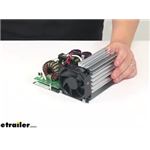














Gary M.
7/28/2024
According to Progressive Dynamic all I have to do is move the jumper block on the charger board WIZ/LI one pin over and unplug the 4 wire plug on charger board and this will convert it over to Lithium and if I ever want to go back to lead acid battery just reverse