


How To Add Apps Onto A Jensen Smart TV
Updated 08/26/2025 | Published 12/30/2022
Question:
How do I add apps onto my Jensen TV?
asked by: Anne C
Expert Reply:
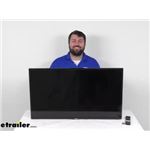
When adding apps onto your Jensen Smart TV # ASA98VR try the following sequence. Most TV's have the same universal route on downloading apps to there tvs.
1. Turn your Smart TV on and make sure it's connected to your home internet. Then, press the Home button on your remote control.
2. Select the more button.
3. In APPS, you'll see several categories appear on the screen. Choose the category that you're interested in to see what apps are available or select the Search icon in the top-right corner.
4. When you find an app you're interested in, select it. Then, select Install (or Add to Home for an older Smart TV). When you click install, it downloads the app to your home screen.
6. To get back to your home screen, press the Home button on your remote control. There, you can navigate to your newest app download and select it.
7. If prompted, log in to the app or create a new account.
If you have any further questions please feel free to reach back out to us and I would be more than happy to further assist you.


Featured Help Information
Miscellaneous Media

Continue Researching
- Search Results: jensen rv tv
- Search Results: rv tv
- Shop: Big Truck Big RV Tongue Weight Scale for Trailers with SnapPad Jack Stand Pad - 2,000 lbs
- Q&A: Maximum Tongue Weight for B&W Digital Tongue Weight Scale
- Search Results: wheel lock
- Search Results: snap pads
- Search Results: fan
- Search Results: rv cargo slides
- Search Results: snappad rv jack pads
- Video: Review of B and W Tongue Weight Scale - Digital Tongue Weight Scale LED Screen - BW34KR
- Shop: B&W Digital Tongue Weight Scale w/ LED Screen
- Shop: Big Truck Big RV Tongue Weight Scale for Trailers - 1,000 lbs - Fixed
- Shop: Trimax Adjustable Wheel Lock - 10" to 18" Wheels
- Shop: Trimax Trailer Wheel Chock and Lock - 12" to 16-1/2" Wheels
- Shop: SnapPad Mini Jack Pads for Class C Motorhomes and Travel Trailers w/ 6" Round Jack Feet - Qty 4
- Shop: MORryde RV Cargo Slide Tray - 48" x 23" - 1 Way Slide - 60 Percent Extension - 800 lbs
- Video: Hands-On Review with the Big Truck Big RV Trailer Tongue Weight Scale
- Video: etrailer and Big Truck Big RV Tongue Weight Scales Comparison
- Video: Comprehensive Review: Kenda Karrier ST205/75R14 Radial Tire w/ 14" Series T09 Aluminum Wheel
- Q&A: Will the Jensen LED RV Smart TV Work with the Amazon Prime App
- Q&A: How To Download Apps On A Jensen LED RV Smart TV
- Q&A: What is the Difference Between a Class II and a Class III Hitch?
- Article: Trailer Wiring Diagrams
- Shop: Trailer Hitch
- Q&A: Best Suspension Upgrade for 33" Tandem Axles: Road Armor vs Dexter EZ Flex for Ember 22ETS
- Shop: Trailer Wiring
- Video: A Look at the Power Mountain Tallboy 6 Ton Off-Road Bottle Jack with a Military Cargo Trailer
- Article: Brake Controller 7- and 4-Way Installation Kit (ETBC7)
- Article: How to Measure for Trailer Hitch Drop
- Q&A: Availability of Heat Strip or Heat Pump for Furrion Chill Cube RV AC

on RV TV















Stephen
6/30/2025
Noah... I'm a long time etrailer customer. I hope you can help me. I have a 2023 Lance 1985 with a Jensen JE 3221S Television. I'm trying to additional streaming services ie: Peacock, Paramount +, and YouTubetv. When I search the Apps and scroll to the right; the TV won't let me use the browse function. Says I'm unauthorized. What options do I have? Stephen