


Lippert Ground Control Leveling Jacks Will Not Retract and Reads ERROR
Updated 11/30/2015 | Published 11/28/2015
Question:
I have a 2014 Montana with 6 point auto leveling! Been at campground 3 months, went to leave today and cannot get jacks to retract. The leveling plate is reading ERROR AND HAS A BUZZING NOISE. MY HUSBAND HAS DISCONNECTED THE battery for 3 minutes, put the battery cable back onto battery, turned battery switch back on, ERROR MESSAGE AGAIN SHOWS UP. I am getting zero response from any of the buttons on the control panel.
asked by: Jacky
Expert Reply:
First it should be noted that the middle jacks can only be operated in error mode. To engage the middle jacks you will need to press the left and right buttons at the same time. Be sure though that the trailer is supported by being hitched to the truck.
The ERROR message could mean a lot of things but the first thing to check is the wiring harness for the system. A loose connection, corrosion, or damaged harness could cause this problem. There are several wiring harnesses to check so I included a picture showing the wiring set up for the 6-point system.
In a pinch, you can use the manual override on each jack leg (tops of the front jacks and bottoms of the motors on the leveling jacks). The front jacks require a 3/8 inch ratchet with NO socket. The rear takes a 5/16 inch socket.
It sounds like you may have to re-calibrate everything so that the system recognizes the jacks. To configure the remote follow these steps:
1. Turn the remote on by pressing and releasing the large silver button at the bottom of the unit. If the remote has never been configured, it will display the Configuration button immediately after it is turned on. To access the Configuration button after the initial programming, push the silver button 5 times.
2. Press the “Config” button on the touch screen to begin configuring the remote.
3. Using the arrow buttons at the bottom of the screen, navigate to the specific items the remote will control.
4. When the name of the item appears in the middle of the screen, press the large “Select” button. 5. Assign an item or “None” to each of the function spaces available.
If the unit does not have an LCI Multifunction wireless system installed, each function (Steps 1-7) will read as “NONE.”
6. Press the select button at each screen. Without an LCI Multifunction Wireless system installed on the unit, no other functions will be able to be programmed on the remote.
7. The last option will be "Configure Leveler?" Click "Yes."
8. A confirmation screen will appear on the screen showing all of the configured functions. If the unit does not have an LCI Multifunction Wireless system installed, the screen will show "NONE" for functions (Steps 1-7) and then "Leveler: Yes." Press “OK” to save the configuration or “Cancel” to edit the functions.
To configure the remote to the touch pad follow these steps:
1. Enter the Leveler app on the LINC Remote.
2. Turn the remote on by pressing and releasing the large silver button at the bottom of the unit.
3. Press the “OK” button on the touch screen to access the Function Menu.
4. Press the Leveler App button.
5. With the interface turned off, press LEFT five times, and then RIGHT five times.
6. The LCD on the interface should read “Wireless Configuration”.
7. Click any button on the LINC remote in the Leveler App.
8. The LCD on the interface should read “Successful!” Your wireless Level-Up system is now ready to use.



Product Page this Question was Asked From
Lippert Ground Control 3.0 Electric 5th Wheel RV Leveling System w Touchpad - 4-Point Set
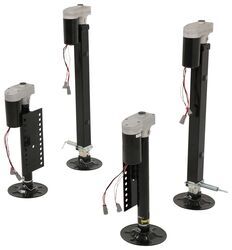

- Camper Jacks
- 5th Wheel Camper
- Stabilizer Jacks
- Steel
- 10001 lbs or More
- Electric Jack
- 36 Inch Lift
- Bolt-On
- 4 Jacks
- Lippert
more information >
Featured Help Information
Instructions
Miscellaneous Media


Continue Researching
- Search Results: rv clearance lights
- Search Results: clear sealant
- Search Results: rv marker lights
- Shop: Replacement MORryde Single Lower Step Tread - 19-1/2" x 7"
- Search Results: coleman~mach rv air conditioners
- Shop: Coleman-Mach Signature Mach 3 RV Air Conditioner - 13.5K Btu - Ducted/Non-Ducted - R32 -AC Unit Only
- Video: All About the 6-Leaf Double-Eye Spring for 7,000-lb Trailer Axles
- Search Results: trailer leaf springs
- Shop: Dexter Bronze Bushings - Qty 4
- Shop: 6-Leaf Double-Eye Spring for 7,000-lb Trailer Axles - 24-7/8" Long
- Shop: 6-Leaf Double-Eye Spring for 7,000-lb Trailer Axles - 24-7/8" Long
- Shop: U-Bolt Kit for Mounting 5,200-lb to 7,000-lb, Round Trailer Axles - 7" Long U-Bolts
- Shop: Suspension Enhancement
- Search Results: trailer suspension parts
- Q&A: Does etrailer Carry Andersen Ultimate Safety Chain Attachment
- Q&A: Can I Grease or Lube the Inside of My Lippert 3.0 landing Gear?
- Q&A: Can 5,500 RPM Landing Gear Motor for Camper be Upgraded to Faster Setup
- Q&A: Recommended Camera For 2017 Ram 1500 Factory Reverse Camera System
- Q&A: Upgraded Equalizers for Tandem Axle Trailer With Dexter 13-122
- Q&A: How Can I Lock My Watchdog Power Center Surge Protector and Voltage Booster to Pedestal?
- Article: 4 Steps to Choosing Your 5th Wheel Pin Box
- Q&A: Non-Combustible Backing Board Needed For Mounting A 3,000 Watt Inverter
- Article: What is a Fifth-Wheel Camper
- Article: Which Sway Control Hitch is Right For Your Trailer?
- Article: How to Replace Trailer Leaf Springs in 5 Steps
- Article: How to Measure for Travel Trailer and Fifth Wheel Steps
- Article: Trailer Wiring Diagrams
- Article: 30-Amp and 50-Amp RV Service: What's the Difference?