



What Fastener to Use for Installing Optronics Thin Line Series Light Mounting Bracket # A65PB
Updated 01/15/2021 | Published 03/29/2015
Products Featured in This Question
Question:
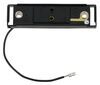
What size rivets should I use on the optronics thin line mounting base? I have one base that is broke on our horse trailer and figured I should replace them all at once and get it out of the way. Do you have these rivets?
asked by: Cody S
Expert Reply:
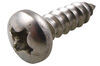
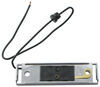
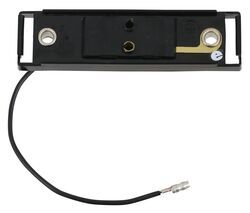
It is not necessary to use rivets for installation of the Optronics Thin Line Series Light Mounting Bracket # A65PB, or the chrome version # A67CB. You can use stainless steel sheet metal screws like # 1172904 or pretty much any hardware that suits your installation location. Both brackets use mounting holes on 3-inch centers and the holes are 1/4-inch in diameter.


Product Page this Question was Asked From
Black Bracket and Single Wire Plug for Thin Line Series Trailer Clearance and Side Marker Lights

- Accessories and Parts
- Trailer Lights
- Mounting Hardware
- Brackets
- Black
- Optronics
more information >

Continue Researching
- Search Results: trailer lights
- Search Results: wheel chock wheel chocks
- Search Results: a65pb
- Search Results: a65b
- Shop: Miro-Flex Thinline LED Trailer Clearance or Side Marker Light - Sumbersible - 4 Diodes - Amber Lens
- Search Results: trailer wheel
- Shop: Black Bracket and Single Wire Plug for Thin Line Series Trailer Clearance and Side Marker Lights
- Article: Trailer Wiring Diagrams
- Shop: Black Molded ABS Mounting Bracket for Thin Line Series Clearance, Side Marker Lights
- Shop: Vehicle Lights
- Q&A: How to Wire Trailer Clearance Lights with Black and Red Wires
- Search Results: rubber seal
- Search Results: trailer jack
- Shop: Thinline LED Trailer Clearance or Side Marker Light - Submerisble - 2 Diodes - Amber Lens
- Video: Miro-Flex Thinline LED Trailer Clearance or Side Marker Light: The Breakdown
- Video: Optronics Trailer Lights A65PB Review
- Video: Optronics Sealed Thin Line Two-Bulb Trailer Clearance Light Installation
- Video: A Closer Look at the Optronics Bracket and Single Wire Plug for Trailer Clearance and Side Marker Li
- Video: Feature Review Ramp Gate Seal Kit for Enclosed Trailer Ramp
- Q&A: How to Choose Correct Rubber Seal For Trailer Door
- Shop: Suspension Enhancement
- Shop: Identification Light Bar for Trailers over 80" Wide - Weatherproof - 9 Diodes - Red Lens
- Shop: Optronics LED Combination Trailer Tail Lights - Submersible - 40 Diodes - Driver and Passenger Side
- Shop: Identification Light Bar for Trailers over 80" Wide - Submersible - 3 Diodes - Red Lens
- Video: Ultimate Overview of the LED Trailer License Plate Light
- Q&A: Replacement 120 Cables for Trailer Ramp Door
- Q&A: Replacement Clearance Light for 1997 Champion Bass Boat
- Video: What to Know About the 1141/1003/1156 LED Bulb
- Q&A: What is the Candela Output of Optronics 6-1/2 Inch Incandescent and LED Tail Lights?
- Q&A: Mounting Bracket Options for Optronics Sealed, Thin Line Clearance Side Marker Light # MC65AB

on Accessories and Parts






Larry H.
1/11/2021
This comment is about the Glolight MCL165AB and the mounting bracket A65BP . I installed 8 of these this week on my 20'tiltbed Doolittle 14 K trailer. I must be really missing something regarding the 2 screws used mount this bracket. The lights are excellent. I like them a lot. However the mounting brackets I received have almost NO clearance between the back of the light and the mounting holes on the bracket. There is no room for the screw head. I could not use any round head or self tapping screw. If you do, you will not be able to click the light into the base. I had to use a #8 flathead machine screw with a nylon insert nut. Because of this, I ran a common ground wire with an individual ring connector to each light to ground light. I did not see any review about this. Maybe I am the only one who had this problem. Any screw which has a head of more that 1/16" above the mounting hole would not work. Maybe I ordered the wrong base, but it was the one listed on the page with the MCL165AB.