


Troubleshooting A Furrion Vision S RV Camera System That Won't Pair
Published 07/23/2022
Products Featured in This Question
Question:
my camera inside vehicle says not paired
asked by: Norman
Expert Reply:
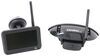
Typically the Furrion Vision S Wireless RV Backup Camera System w/ Night Vision # FOS43TASF is wired to the running light circuit on the trailer so it will only have power when the tow vehicle is hooked up and the headlights are on. You'll see the little blue light on the camera light up when powered (pictured below).
You'll want to ensure that the camera is powered up and then you can roll through the pairing steps on the monitor.
If it is powered and is still giving you trouble then it could be because of the power being sent to it. Newer vehicles, especially Chevy/GMC trucks, have PWM wiring which doesn't send enough power to the camera for it to properly operate. This can be solved two ways:
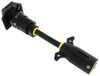
Option 1: By using the 7-Way Vehicle Power Adapter w/ Power Switch for Furrion RV Observation Camera # FR87PR. This adapter will send a steady current to the camera allowing you to receive a signal to your monitor. The male end will plug into the 7-way on your 2019 Chevy Silverado and you'll plug your trailer into the female end of this adapter.
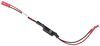
Option 2: By using the 12V PWM Filter for RV Backup Camera Systems # VGR64VR. This is a permanent fix that will just splice in-line right behind the camera and send a steady current to the camera to fixed the signal issues.
Of the two choices I personally recommend the # VGR64VR just because it's so easy to do and when it's done you don't have to do anything else. The # FR87PR would be one additional thing you'd have to do every time you want to tow your trailer.
I've attached some videos below where I'll will walk you through the installation of the camera and the adapters. If you have anymore questions please shoot us another question.


(click to enlarge)

Product Page this Question was Asked From
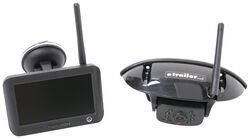
Furrion Vision S Wireless RV Backup Camera System w/ Night Vision - Rear Mount - 4.3" Screen

- RV Camera System
- Backup Camera
- Observation Camera
- Built-In Microphone
- Touch Screen
- Anti-Glare
- Mirrored Image
- Night Vision
- Motion Detecting
- Waterproof
- Pre-Wired RVs
- Wireless
- Standard View
- Dashboard Mounting Bracket
- Suction Cup Mount
- Rear
- 4.3 Inch Display
- 1 Camera
- Furrion
more information >
Featured Help Information
Instructions
Miscellaneous Media



Continue Researching
- Q&A: Can I Use a Voyager Back Up Camera Even If my RV is Prewired for a Furrion Camera
- Q&A: Is There Alternate Way to Mount Monitor of Furrion Vision S+
- Q&A: Can I Replace Furrion Vision S Cameras With Furrion Vision S+ Cameras in Fifth Wheel
- Q&A: Is Furrion Vision S+ Direct Replacement for Vision S
- Q&A: Is there a Furrion Camera that Will Hook Up to My Informative in My 2025 Silverado 3500?
- Q&A: Availability of Furrion Vision S+ With 5" Monitor
- Q&A: Furrion Camera Has Power but Won't Pair
- Article: Trailer Wiring Diagrams
- Article: 5 Things to Know About Weight Distribution Hitches
- Article: 30-Amp and 50-Amp RV Service: What's the Difference?
- Article: Best Hitches for Travel Trailers (2022) - For a Smooth, Sway-Free Ride
- Article: Wiring Trailer Lights with a 7-Way Plug (It's Easier Than You Think)
- Article: Trailer Tire Sizing
- Article: Our Team Picked The Best Camping Gear of the Year - Here Are Their Top Choices