


How to Use Lithium Batteries With a PD4060K Converter/Panel That Does Not Have the Li Switch
Updated 01/31/2026 | Published 05/12/2022
Products Featured in This Question
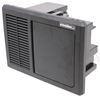
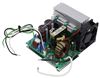
Question:
I own a 2016 Jayco Greyhawk 31DS. I want to swp out the Lead Acid battery for a LiFePo4 Lithium battery. All indications are that the PD4060K Converter in my unit has the capability to switch output modes to accommodate a Lithium battery. The video describing the use of the PD4060K describes a switch to slide from LA to LI for that conversion. My PD4060K does not have that switch. It has a designation that says H4: ON=Gel Cell OFF=Lead Acid. I cannot see a switch from my vantage point outside the converter. How can I change the H4 from OFF to ON to install a new Lithium 100Ah battery. Thanks so much.
asked by: Jody S
Expert Reply:
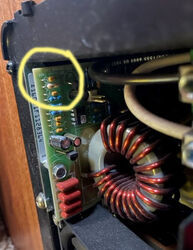
The current version of the Progressive Dynamics Mighty Mini AC/DC Panel and Converter/Smart Charger # PD4060K does have a switch that allows you to switch to lithium batteries. But this switch didn't get incorporated until 2020. From the picture of your PD4060K, it does not have the switch that you need to use lithium batteries.
You would need to upgrade your converter with the Replacement Converter Section for Progressive Dynamics 4000 Series RV Power Control Center # PD4060CSV which would have the updated switch.


(click to enlarge)
(click to enlarge)

Steve H.
9/9/2025
Scott S, I DO have a 4060k with the switch. Do I need to do anything with the jumper pins indicating no jumper for lead and jumper for gel?

Product Page this Question was Asked From
Progressive Dynamics 4000 Series RV Converter w/ Charge Wizard and AC/DC Distribution Panel - 60 Amp

- Power Converter
- Converter and AC/DC Panel
- Manual Switch
- 12V
- 60 Amps
- AC to DC
- AGM
- Gel
- Lead Acid
- Lithium
- RV
- Multi-Stage Charge
- Progressive Dynamics
more information >
Featured Help Information
Instructions

Continue Researching
- Shop: Replacement Converter Section for Progressive Dynamics Inteli-Power 4000 Series 60 Amp Power Center
- Shop: Progressive Dynamics 4000 Series RV Converter w/ Charge Wizard and AC/DC Distribution Panel - 60 Amp
- Video: Review of Progressive Dynamics - RV Converters - PD4060CSV
- Search Results: find a dealer
- Search Results: store locator
- Shop: Replacement Converter Section for Progressive Dynamics Inteli-Power 4000 Series 45 Amp Power Center
- Shop: Replacement Stainless Steel Trim Kit for Greystone Built-in Microwave
- Q&A: What SnapPads Fit a 2026 Keystone Montana Fifth Wheel?
- Search Results: dc to dc
- Search Results: 16058
- Shop: Brake Controller
- Search Results: etrack
- Search Results: 22292
- Search Results: 303600
- Q&A: How To Change The Progressive Dynamics PD4060K Power Center To A Lithium Charging Profile
- Shop: Trailer Hitch
- Shop: Victron Orion XS RV Converter - DC to DC - 12V/12V - 50 Amp
- Shop: Progressive Dynamics REL 60A 4500 Series Inteli-Power Converter Section
- Q&A: Can the Converter Section of a PD4045KA Be Upgraded to 60amps and Charge Lithium Batteries
- Shop: Vehicle Sway Bars
- Shop: Curt Spectrum Trailer Brake Controller w/ Plug-In Harness - Up to 4 Axles - Proportional
- Shop: Fifth Wheel Hitch
- Shop: Gooseneck Hitch
- Q&A: Which Brake Controller Install Harness Fits 2022 Ford E-450 Cutaway
- Q&A: Replacement Option For Norcold N306.3 RV Fridge
- Q&A: How To Measure To Make Sure The MORryde CRE3000 Equalizers Will Fit Your Trailer
- Shop: Vehicle Tow Bar Brake System
- Shop: Tonneau Cover
- Q&A: Replacement for 30A Power Converter on a 2015 Jayco Greyhawk Motorhome
- Video: How to Install the EcoHitch Hidden Trailer Hitch Receiver on a 2014 Mini Cooper
Pete S.
3/20/2024
Scott, My panel doesn’t look like either one of those pictures in the earlier conversation.. My rig is a 2020, with a PD4060 converter. Could you tell me if the switch on mine is what I need to switch to a LI charging mode? Thanks, Pete Actually, I can’t seem to attach my picture in this message for some reason. Any clues?