


Troubleshooting Furrion Vision S Wireless Back Up Camera Monitor Not Turning On or Having Blue Light
Updated 04/18/2022 | Published 04/15/2022
Products Featured in This Question
Question:
My Furrion Vision S monitor has power going to it but will not turn on. It has worked well in the past very well. It’s been stored for a few months and now can’t get the monitor to turn on/ blue light in front to light. The camera has a blue light and is ready to pair if I can get the monitor to work.
asked by: Mike
Expert Reply:
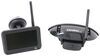
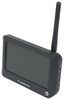
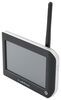
When troubleshooting the monitor for the Furrion Vision S Wireless RV Backup Camera System # FOS43TASF there are a few things to check when the camera is not turning on and you are not getting the blue light.
-Check the power cable is connected
-Check the cigarette lighter has 12-24V DC Output
-Check the fuse in the cigarette socket adapter
If you have done these steps and the monitor still won't come on, it could be that the monitor has gone bad and you would want to replace it with the Replacement 4.3" Monitor for Furrion Vision S Wireless RV Camera System # FR77FR.
There is also a 5" # FR97FR and 7" # FR47FR replacement monitor option available.


(click to enlarge)

Product Page this Question was Asked From
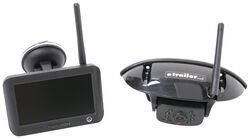
Furrion Vision S Wireless RV Backup Camera System w/ Night Vision - Rear Mount - 4.3" Screen

- RV Camera System
- Backup Camera
- Observation Camera
- Built-In Microphone
- Touch Screen
- Anti-Glare
- Mirrored Image
- Night Vision
- Motion Detecting
- Waterproof
- Pre-Wired RVs
- Wireless
- Standard View
- Dashboard Mounting Bracket
- Suction Cup Mount
- Rear
- 4.3 Inch Display
- 1 Camera
- Furrion
more information >
Featured Help Information
Instructions

Continue Researching
- Shop: SewerSolution Macerator System for RV Waste Tanks - Bayonet Fitting and 4-in-1 Adapter - 10'
- Video: Extension Hose for SewerSolution Macerator System Review
- Search Results: water meter
- Search Results: water flow meter
- Shop: Replacement Voyager WiSight 2.0 Wireless RV Backup Camera Monitor - 4.3" Screen
- Q&A: Can Furrion Vision S 4.3" Monitor Be Upgraded to 7" Monitor for Use with Side Cameras
- Q&A: Which Monitors Are Compatible With Furrion Vision S Wireless RV Backup Camera
- Q&A: Side Marker Camera Recommendation For A 2022 Jayco 166FBS That Is Prepped For Side Cameras
- Q&A: Can I Replace My 5" F0S05TASF Furrion Screen for the 7" Monitor for Furrion Vision S?
- Q&A: Parts Needed For A Furrion Camera System On A 2020 Keystone Sprinter Limited 5th Wheel Trailer
- Q&A: Troubleshooting A Furrion Vision S Wireless Backup Camera System That Won't Pair
- Search Results: furrion replacement monitor
- Q&A: Will a Furrion Monitor Work with a Haloview Camera System or What Options are There
- Shop: Clearsource Premier RV Water Filter System - 2 Canister - 0.2 Micron - Outdoor
- Article: Trailer Wiring Diagrams
- Shop: Trailer Hitch
- Search Results: trailer hitch
- Shop: Power Mountain Tallboy Off-Road Bottle Jack - 8-1/2" to 37-3/4" Lift - 6 Tons
- Search Results: trailer tires and wheels
- Article: Brake Controller 7- and 4-Way Installation Kit (ETBC7)
- Shop: Trailer Wiring
- Video: A Look at the Power Mountain Tallboy 6 Ton Off-Road Bottle Jack with a Military Cargo Trailer
- Shop: etrailer Anti-Rattle Hitch Collar for 2" Hitch Receivers
- Shop: Suspension Enhancement
- Shop: B&W Turnoverball Underbed Gooseneck Trailer Hitch w/ Custom Installation Kit - 30,000 lbs
- Search Results: trailer wiring
- Article: Wiring Trailer Lights with a 7-Way Plug (It's Easier Than You Think)
- Video: Firestone Ride-Rite Air Bags with Easy Mount Compressor Feature Breakdown
- Video: B&W Companion OEM 5th Wheel Hitch Manufacturer Breakdown
- Shop: B&W Turnoverball Underbed Gooseneck Trailer Hitch w/ Custom Installation Kit - 30,000 lbs

on RV Camera System













