


Troubleshooting A Furrion Vision S Wireless Backup Camera System That Won't Pair
Published 11/26/2021
Products Featured in This Question
Question:
We received a replacement camera after original kept cutting out Boyle simple will not pair. I have the lights on and have the camera inside the vehicle connected to the monitor cable and both have power. Help! We are leaving in the morning and need this plworking. Furrion customer care is not taking calls!
asked by: Mary
Expert Reply:
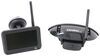
The steps for pairing the monitor and camera of the Furrion Vision S Wireless RV Backup Camera System w/ Night Vision - Rear Mount - 4.3" Screen # FOS43TASF are as follows:
First ensure 12v power is running to both the monitor and the camera and that the blue pairing light is displaying. You can press and hold the pairing button on the camera for 10-15 seconds to get it to activate.
1. Use UP or DOWN button to highlight PAIRING menu, then press the power button to enter the next page.
2. Press the “MONITOR PAIRING” button at the bottom of selected camera to pair.
3. Once paired successfully, a red icon will appear after the device list.
4. An X icon indicates pairing failed, repeat steps 2 and 3 to pair again.
Since you're powering the monitor and camera in the cab of your vehicle there should be no voltage issue like you could experience when the camera is powered through the 7-way connector. If you go through these steps and still can not pair your camera then the monitor may be the issue and will need to be replaced. You can replace it with the 4.3" monitor # FR77FR, 5" monitor # FR97FR, or 7" monitor # FR47FR.


Product Page this Question was Asked From
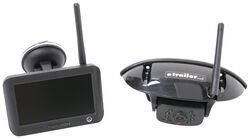
Furrion Vision S Wireless RV Backup Camera System w/ Night Vision - Rear Mount - 4.3" Screen

- RV Camera System
- Backup Camera
- Observation Camera
- Built-In Microphone
- Touch Screen
- Anti-Glare
- Mirrored Image
- Night Vision
- Motion Detecting
- Waterproof
- Pre-Wired RVs
- Wireless
- Standard View
- Dashboard Mounting Bracket
- Suction Cup Mount
- Rear
- 4.3 Inch Display
- 1 Camera
- Furrion
more information >
Featured Help Information
Instructions
Miscellaneous Media





Continue Researching
- Video: Extension Hose for SewerSolution Macerator System Review
- Shop: SewerSolution Macerator System for RV Waste Tanks - Bayonet Fitting and 4-in-1 Adapter - 10'
- Search Results: water meter
- Search Results: water flow meter
- Shop: Replacement Voyager WiSight 2.0 Wireless RV Backup Camera Monitor - 4.3" Screen
- Q&A: Troubleshooting Furrion Vision S Wireless Back Up Camera Monitor Not Turning On or Having Blue Light
- Q&A: Which Monitors Are Compatible With Furrion Vision S Wireless RV Backup Camera
- Q&A: Can Furrion Vision S 4.3" Monitor Be Upgraded to 7" Monitor for Use with Side Cameras
- Q&A: Can I Replace My 5" F0S05TASF Furrion Screen for the 7" Monitor for Furrion Vision S?
- Q&A: Parts Needed For A Furrion Camera System On A 2020 Keystone Sprinter Limited 5th Wheel Trailer
- Q&A: Side Marker Camera Recommendation For A 2022 Jayco 166FBS That Is Prepped For Side Cameras
- Search Results: furrion replacement monitor
- Q&A: Will a Furrion Monitor Work with a Haloview Camera System or What Options are There
- Shop: Clearsource Premier RV Water Filter System - 2 Canister - 0.2 Micron - Outdoor
- Shop: Power Mountain Tallboy Off-Road Bottle Jack - 8-1/2" to 37-3/4" Lift - 6 Tons
- Article: Trailer Wiring Diagrams
- Shop: Trailer Hitch
- Search Results: trailer hitch
- Search Results: trailer tires and wheels
- Video: A Look at the Power Mountain Tallboy 6 Ton Off-Road Bottle Jack with a Military Cargo Trailer
- Article: Brake Controller 7- and 4-Way Installation Kit (ETBC7)
- Shop: Trailer Wiring
- Shop: etrailer Anti-Rattle Hitch Collar for 2" Hitch Receivers
- Search Results: trailer wiring
- Article: Wiring Trailer Lights with a 7-Way Plug (It's Easier Than You Think)
- Shop: Suspension Enhancement
- Shop: B&W Turnoverball Underbed Gooseneck Trailer Hitch w/ Custom Installation Kit - 30,000 lbs
- Video: Firestone Ride-Rite Air Bags with Easy Mount Compressor Feature Breakdown
- Video: B&W Companion OEM 5th Wheel Hitch Manufacturer Breakdown
- Search Results: trailer leaf springs

on RV Camera System













