


Finding Reverse Light Circuit on 2011 Honda CR-V to Install Back-Up Camera
Updated 10/24/2025 | Published 12/30/2014
Question:
I have a Honda 2011 CRV EXL.I want to install a wireless backup camera and need a power source whenever the vehicle is in reverse. I understand it is a green black wire which goes to the backup lights.My guess it is in the rear right side so your video on accessing the area by removing the rear trim and the right rear body panel is useful. Is it possible the power source for a wireless backup camera is in the lift hatch tailgate near the licence plate light. How do I go about finding good information to minimize the panels I have to take out to install a camera near the licence plate light on the rear hatch lift door.
asked by: John M
Expert Reply:
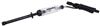
The reverse lamps for a 2011 CR-V are in the taillight assemblies, not on the liftgate. You can access the wiring harnesses that feed the taillight assemblies by removing the interior panel on either side of the cargo area. Use a circuit tester like part # PTW2993 to probe the wires in the harness, as a helper puts the car in reverse with the engine off. The correct circuit should be hot, so you shouldn't have any trouble finding the correct wire. I don't have any specific information on wire color, so I can't confirm that its a green/black wire.
You'll need to route the wire through the liftgate, following the wiring for the license plate light. I have linked you to a install video showing a reverse camera being installed on a PT Cruiser. It's a completely different vehicle, but because the procedure for routing the wiring through the liftgate would be similar, you should still find the video helpful.


Featured Help Information
Miscellaneous Media


Continue Researching
- Shop: Trailer Wiring
- Search Results: trailer hitch
- Shop: Trailer Hitch
- Shop: Brake Controller
- Video: Feature Breakdown: Universal Installation Kit for Trailer Brake Controller
- Shop: Universal Installation Kit for Trailer Brake Controller - 7-Way RV and 4-Way Flat - 10 Gauge Wires
- Search Results: rv trailer
- Video: Best 2013 Honda CR-V Trailer Hitch Options
- Q&A: Recommended 7-Way Connector for a 2013 Honda CR-V
- Q&A: How To Install A 7 Pole Connector And Brake Controller On A 2018 Honda CRV
- Q&A: My Vehicle has a 4-Pin Trailer Plug, but Trailer has 7-Pin Trailer Plug
- Shop: Redarc Tow-Pro Elite Brake Controller - Dash Knob - Off-Road Mode - Up to 3 Axles - Proportional
- Shop: Redarc Tow-Pro Liberty Brake Controller - Dash Knob - Up to 2 Axles - Proportional
- Shop: Curt T-Connector Vehicle Wiring Harness for Factory Tow Package - 7-Way Trailer Connector
- Shop: Curt Trailer Connector Adapter - 4-Way to 7-Way RV and 4-Way Flat
- Shop: Curt Echo In-Line Bluetooth Brake Controller w/ OneControl App - Up to 4 Axles - Proportional
- Article: Brake Controller Installation: Starting from Scratch
- Search Results: etbc7 kit
- Video: In-Depth Review of the Universal Installation Kit for Trailer Brake Controller
- Article: Brake Controller 7- and 4-Way Installation Kit (ETBC7)
- Search Results: brake controller
- Shop: Curt Trailer Connector Adapter with Backup Alarm - 4-Way to 7-Way RV and 4-Way Flat
- Search Results: storage rack
- Search Results: tire cover
- Search Results: trailer lock
- Q&A: How Long is the Cord # H20043?
- Q&A: What is the Difference Between a Class II and a Class III Hitch?
- Video: How to Choose a Trailer Brake Controller
- Q&A: What is the Difference Between a 4-Way and 7-Way Trailer Connector
- Article: Trailer Wiring Diagrams

on Custom Fit Vehicle Wiring














Allan A.
10/24/2025
Hi Mike, I’m actually installing a DVR/touchscreen on the dashboard of my mother in law’s 2014 CR-V. I mounted the screen on the dashboard in front of the current backup camera screen. I plan on running the wire towards the trunk area and the backup camera that is in this kit has an exposed red wire that is supposed to be attached to the backup white lights above the license plate.So to access this, would I need to pull off the back panel of the liftgate? Would there be a video you can forward me that could help install this? I can send you some photos of the kit I purchased - either way it’s a 11” screen with backup camera. I really appreciate your help. Thanks!