


What Monitor is a Direct Replacement for My Voyager VOM-784CT in My 2006 Holiday Rambler Ambassador?
Updated 05/15/2026 | Published 02/07/2026
Question:
We have a 2006 Holiday Rambler Ambassador and the backup camera/alladin display screen is about dead and hard to see. Is there a replacement available that maintains all the same functionality? Voyager VOM-784CT is the current display.
asked by: James G
Expert Reply:
Hello James,
I’m really glad you reached out, you’re not alone in dealing with a dim, fading Aladdin/backup screen, and the good news is there is a clean, reliable replacement that keeps the functionality you already rely on.
Your current Voyager VOM-784CT can be directly replaced with the Voyager RV LCD Observation Monitor – 7" Screen with 3 Video Inputs # VO34FR. This monitor is designed as a true drop-in upgrade, so you’re not looking at a messy adapter or wiring overhaul. It maintains all of the same Aladdin and camera functionality, while giving you a much brighter, clearer display that restores safe and confident visibility when backing up or driving.
What has been your favorite adventure in your Holiday Rambler Ambassador? Where did you go, what did you see? I want to hear all about it =)

John
2/11/2026
I bought one and had it installed about 8 months ago. It's lasted about 4 months, now it only works when I'm in reverse. The side camera no longer works at all. It turned out to be a waste of money unfortunately.


Kathyw
5/11/2026
Will this set up work to replace my Voyager VOM 783CT?

Product Page this Question was Asked From
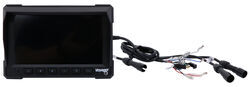
Voyager RV LCD Observation Monitor - 7" Screen - 3 Video Inputs

- Accessories and Parts
- RV Camera System
- Monitors
- Voyager
more information >
Featured Help Information
Instructions

Continue Researching
- Search Results: voyager
- Shop: Vehicle Tow Bar Brake System
- Search Results: class a motorhome windshield cover
- Search Results: windshield cover
- Search Results: flat tow jeep
- Search Results: flat tow wiring harness
- Shop: Voyager RV Backup Camera Monitor - 7" Screen - 4 Video Inputs
- Shop: Voyager RV LCD Observation Monitor - 7" Screen - 3 Video Inputs
- Shop: Roadmaster InvisiBrake Flat Tow Brake System - Preset
- Shop: Power Mountain Tallboy Off-Road Bottle Jack - 11-5/16" to 27-1/16" Lift - 12 Tons
- Video: Ultimate Overview of the Kwikee SuperSlide I RV Storage Slide Out Tray Assembly
- Video: Ultimate Overview of the Voyager RV LCD Observation Monitor
- Shop: Kwikee SuperSlide I RV Cargo Slide Tray Assembly - 70" Long - 1,000 lbs
- Shop: Demco Air Force One Flat Tow Brake System for 2020 and Newer Tiffin Chassis RVs w/Factory Air Brakes
- Shop: Demco Air Force One Flat Tow Brake System for RVs w/ Air Brakes - Wireless Monitoring - Proportional
- Shop: Vehicle Tow Bar Wiring
- Shop: Base Plate for Tow Bar
- Video: Checking Out the Voyager DIN to ASA Monitor Cable Adapter
- Shop: Trailer Hitch
- Article: Trailer Wiring Diagrams
- Q&A: What is the Difference Between a Class II and a Class III Hitch?
- Video: An In-Depth Look at the Roadmaster Battery Charge Line Kit for Towed Vehicles
- Search Results: trailer hitch
- Q&A: What is the Difference Between a 4-Way and 7-Way Trailer Connector
- Shop: Trailer Wiring
- Search Results: trailer wiring
- Video: Comparing Portable Flat Tow Braking Systems - Curt RVi and Blue Ox Patriot
- Article: Brake Controller 7- and 4-Way Installation Kit (ETBC7)
- Video: An In-Depth Look at the Roadmaster Diode 7-Wire to 6-Wire Flexo-Coil Wiring Kit
- Shop: Suspension Enhancement

on Accessories and Parts

















Craig
2/11/2026
James, I recently replaced my Voyager VOM-784CT with the LCD Voyager VO34FR in my 2007 Monaco Cayman MH. The color LCD display is so much better than the black and white CRT monitor. And since my VOM-784CT monitor died it was a no-brainer to make the swap. Before purchasing the Voyager VO34FR I forwarded some questions to the staff at etrailer and they quickly and accurately answered my questions in great detail. While swapping out the monitor I also swapped out the 3 cameras, as the replacement of these cameras is necessary for the new LCD monitor display images in color. Now, I did have 3 small issues that I encountered when I made these changes. The first issue that I had was the mounting of the LCD display. The older CRT monitor was installed in a panel in my dash. The physical size (height and width) of the CRT monitor was greater than that of the LCD monitor. I overcame this obstacle by designing and making an adapter plate that the LCD monitor was attached to. This adapter plate was made out of some flat PVC material that I had on hand. This adapter plate, with LCD monitor attached to it, was then attached to the dash panel. Problem solved. The second issue had to do with video cable connectors on the back of VOM-784CT monitor. The VOM-784CT monitor has 2 ASA connectors and one DIN connector (for the rear camera), while the VO34FR has 3 ASA connectors. To overcome this issue I had to purchase a DIN - ASA adapter cable. I couldn't find this particular adapter cable on etrailer's site (because of the gender of the connectors), but I located it elsewhere and solved issue #2. The 3rd issue should have been obvious to me once I encountered issue #2. The connector on the pig-tail cable on the old camera was a DIN connector, while the pig-tail connector on the new rear camera was ASA connector. This issue was again resolved with an adapter cable, which I did purchase from etrailer (Part Number VGR54FR). The 3 issues that I encountered was no fault of etrailer, as they have no way of knowing how the old VOM-784CT monitor and cameras was installed and configured within my Monaco. But be aware that your Holiday Rambler could have the same video connector issue. One last thing to share is that the new rear camera no longer has the tilt feature (don't know if you have this feature on your Holiday Rambler). Not a problem for me and the staff at etrailer informed me of this issue before I purchased the new system. Good luck, you'll appreciate the improvement.