


Thank you! Your comment has been submitted successfully. You should be able to view your question/comment here within a few days.
Error submitting comment. Please try again momentarily.


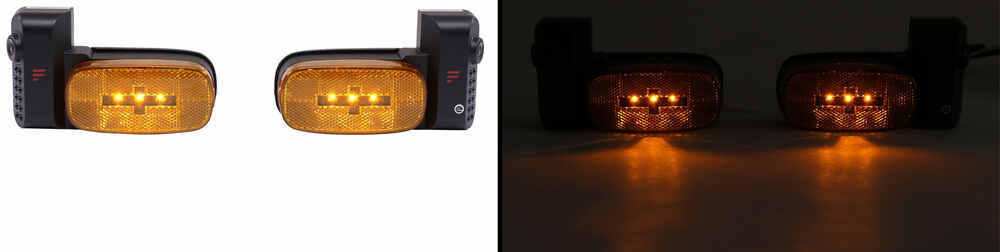

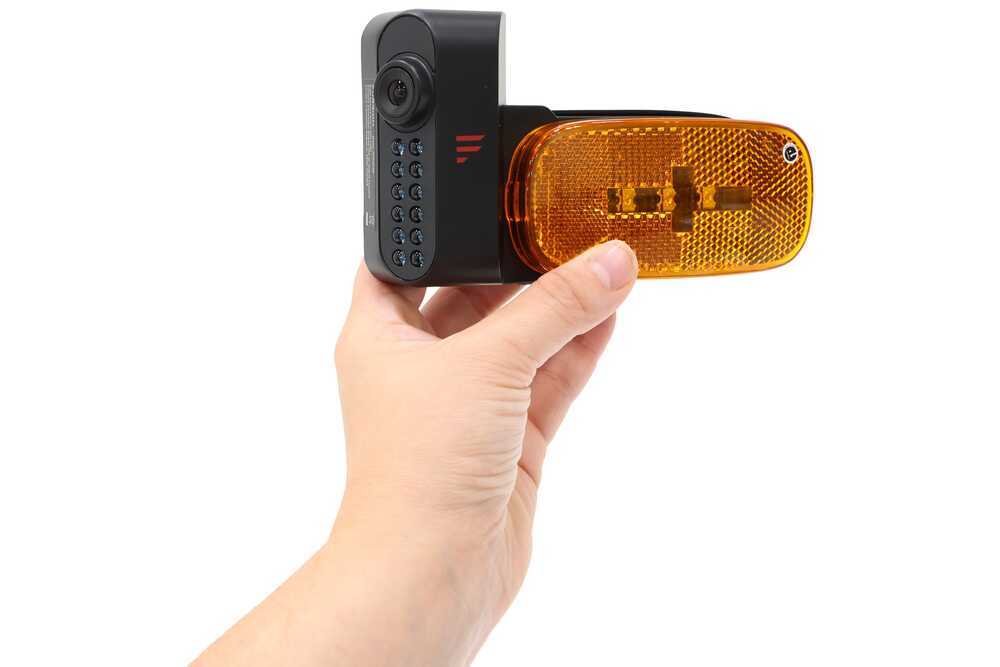


Whether you're driving, off hiking, or hanging out at camp, you'll always know what's outside your RV. Side and rear cameras cover blind spots while changing lanes and backing into a space, while the doorway camera records video at night.
Reversing a big rig into a tight campsite? No problem! The backup camera gives you a clear, top-down view while the built-in microphone lets you hear your spotter - no more yelling or frantic hand signals. Side cameras provide extra visibility in blind spots, so you can check for passing cars before merging or make sure youre not getting too close to that tree at the campground. And with built-in LED marker lights, you'll stay visible to others, even in low-light conditions.
No need to peek through the blinds the motion-activated door camera turns on the moment someone approaches your RV. Whether it's a late-night visitor, a curious critter, or an opportunistic thief, you'll get a clear view of your entryway right from your monitor. Infrared night vision keeps everything sharp after dark, so you're never left guessing who (or what) is outside. And you can record video with an SD card (not included) perfect for keeping an eye on things while out on a hike.
No more worrying about dropped signals, electrical interferences, or lagging video feeds! This wireless camera system delivers a stable, real-time view, even if you have a longer RV, motorhome, or box truck. It'll hold a steady connection for up to 100' as you're cruising down the highway and up to 492' once you've parked at the campsite.
Switch between camera views with a quick tap of a finger and get a clear, real-time look at what's around your RV. The anti-glare 7" screen supports up to 4 cameras and even lets you watch 3 angles at once to help you keep an eye on traffic merging onto the highway. Need help backing into your campsite? Rear park assist marker lines guide you right into place.
This setup comes with 2 monitor stands, a cigarette lighter charger, and a USB-C power cable. The side cameras swap right in for your existing marker lights, and the over-the-door camera mounts above your entryway or at the back of your RV. The monitor sticks to your windshield or sits on a tabletop wherever works best for you! And if your RV is already prepped for the Vision S+ system, you'll have an even easier time getting it all set up with little to no drilling.
Customer Satisfaction Score:
92% were satisfied with this product
8% of customers were not satisfied
Ratings & Reviews




Lazer S.
4/14/2026
Glad to hear it's working well for you, Kevan! And thanks for the tips as well! Definitely helpful. ^___^ What are you towing this with?

Kate F.
10/8/2025
How does it not work Randy? Need a little more information to help you get this working. Did you do the install, or have someone install it for you? Can you please respond directly to the email that you receive with pictures of the entire install so I can try to identify the issue? I appreciate your time!
Do you have a question about this RV Camera System?
Condition: Like New
Notes: May have damaged packaging or minor cosmetic blemishes.
Info for this part was:
At etrailer we provide the best information available about the products we sell. We take the quality of our information seriously so that you can get the right part the first time. Let us know if anything is missing or if you have any questions.















Heather A.
4/10/2026
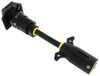
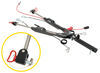
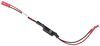
Really appreciate you taking the time to lay all that out, that’s some seriously thoughtful work on the install. That 7-way and switch setup is a really clever solution, I can see why they thought you were a genius. On the camera side, you’re spot on about how these systems are set up. The monitor is pretty limited by design, so you’re generally locked into either a single full-screen view or the fixed quad view, and unfortunately there isn’t a way to customize layouts, reorder cameras, or rename them. Swapping the cameras physically like you did is honestly the workaround we see most often when someone wants things to line up differently on the screen. The clearance light wiring limitation is also a common tradeoff. Your solution to give it constant power while driving is a really solid way around that, especially since it keeps everything clean and functional. Totally understand the frustration with the interface, but you definitely made the most of the system and improved it in a way a lot of people wouldn’t think of. Really helpful info for anyone looking at this setup.