


Why Does My RVibrake 3 Command Center Tablet Shut Down During Startup?
Updated 08/22/2026 | Published 08/15/2026
Question:
My Command Center shuts down while booting up. It gets to the second start up screen and then stops. Can you help me?
asked by: Bruce A
Expert Reply:
Hey Bruce, thanks for reaching out. If the RVibrake 3 Command Center tablet # C57DQ makes it to the second startup screen and then shuts down, I would start with the tablet power supply. These tablets draw more power once the screen and Wi-Fi start loading, so a weak USB cable, charger, or dash USB port can give it enough juice to start booting and then fall flat. Plug it into a 120V wall charger rated for at least 5V/1.5A, let it charge for a while, and then try starting it while it is still plugged in.
If it still shuts down at the exact same spot, try a different known-good USB cable and charger. If that does not change anything, I think you are looking at either a bad internal battery or a software problem with the tablet. CURT does have a factory reset procedure, but if the tablet cannot stay on long enough to get through startup, I recommend getting CURT/RVibrake involved for repair or replacement. The good news is the RVibrake 3 braking unit itself still operates without the Command Center tablet, so a tablet problem does not mean the entire braking system has failed.
Is this a new tablet? Or have you had it for a while?


(click to enlarge)

Product Page this Question was Asked From
Replacement Command Center Tablet for Curt RVibrake 3


- Accessories and Parts
- Flat Tow Brake System
- Controllers
- Tablet
- CURT
more information >

Continue Researching
- Search Results: tpms
- Video: TireMinder Smart TPMS for RVs Feature Review
- Video: Breaking Down the TireMinder Smart TPMS for RVs
- Search Results: tireminder i10
- Shop: Replacement Bullseye Wireless Monitor for RVi Flat Tow Brake System
- Shop: Tire Linc Pro TPMS for RVs and Trailers - 4 Tire Sensors w/ Repeater
- Shop: Tire Linc Pro TPMS for RVs and Trailers - 6 Tire Sensors w/ Repeater
- Q&A: Tire Monitor Recommendation for Motorhome and Trailer with 10 Total Tires
- Shop: Replacement Command Center Tablet for Curt RVibrake 3
- Shop: TireMinder i10 TPMS for RVs and Trailers w/ Signal Booster - 10 Tire Sensors
- Shop: TireMinder Smart TPMS for RVs - Signal Booster - 6 Tire Sensors
- Shop: TireMinder Smart TPMS for RVs - Signal Booster - 4 Tire Sensors
- Video: Review of CURT Replacement Bullseye Wireless Monitor - C69PQ
- Search Results: tst 770
- Search Results: guts
- Search Results: tireminder
- Search Results: rvi
- Search Results: rvi battery charger
- Video: Review of CURT Replacement Command Center Tablet RVibrake - C57DQ
- Q&A: Will The New Replacement Command Center Hub for Curt RVi Series 4 Work on a Series 3
- Q&A: Replacement Command Center Hub for the Curt RVi Series 3 Portable Flat Tow Braking System
- Q&A: How to Prevent TireMinder from Draining Battery of Tow Vehicle Potentially
- Q&A: Installation Location and Power for Tire Minder TM79FR System
- Q&A: Can The TireMinder i10 TPMS Signal Booster Be Installed Inside Of The Trailer
- Q&A: What is the Signal Distance of the TireMinder i10 TPMS for RVs and Trailers?
- Shop: Trailer Hitch
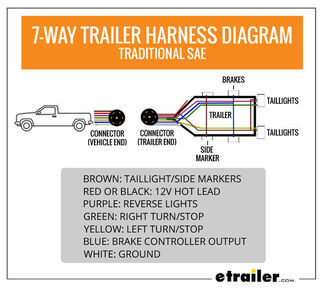
- Article: Trailer Wiring Diagrams
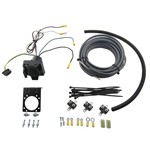
- Article: Brake Controller 7- and 4-Way Installation Kit (ETBC7)
- Shop: Trailer Wiring
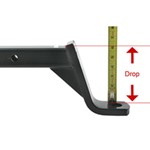
- Article: How to Measure for Trailer Hitch Drop

on Accessories and Parts







James S.
8/22/2026
Replacement Command /center Tablet for Curt RVi3 Replacement tablet works just like the original with a few technical additions. Have not had time to use it yet, but will soon!