


How Does the Portable Power Watchdog Surge Protector # HU42VR Connect to Wifi
Updated 08/07/2025 | Published 07/01/2025
Question:
Which WiFi does the device connect to? My iphone hotspot or the RV parks WiFi? If my iPhone is providing the wifi and I take it away from the device, I assume I lose the WiFi connection to the iPhone.Will it rollover to the parks wifi automatically? If the device is connected to the parks WiFi and I am away for the day, can I still login remotely to access the device and see how it is functioning? I am guessing that I can only access the device via WiFi if the device and the iPhone are on the same WiFi network? Is that correct? I have previously owned one of these surge suppressors and it was wonderful. It prevented me from connecting to an incorrectly wired pedestal. The answers to these questions will determine whether I need to have the wiFi function available in the unit I purchase. thanks
asked by: William M
Expert Reply:
Hey William, you would actually use your phone to connect to the wifi signal that the Portable Power Watchdog Surge Protector # HU42VR puts out so that it communicates with it directly. So there doesnt need to be a data plan on your phone for a hot spot or wifi nearby for this to connect to. If you weren't near the surge protector there wouldn't be a way to communicate with it and see how it's functioning.


Product Page this Question was Asked From
Portable Power Watchdog Surge Protector with Bluetooth, WiFi, and Emergency Shut Down - 30 Amp
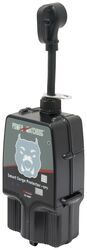

- RV Surge Protector
- Surge Protector
- 30 Amp
- Portable
- Automatic Shutoff
- Bluetooth Monitoring
- WiFi Monitoring
- Hughes Autoformers
more information >

Continue Researching
- Shop: Portable Power Watchdog Surge Protector with Bluetooth, WiFi, and Emergency Shut Down - 30 Amp
- Search Results: hughes watchdog
- Search Results: rv surge protectors
- Shop: Replacement Surge Protection Module for Gen 2 30 Amp Hughes Watchdog Surge Protector or Power Center
- Shop: Portable Power Watchdog Surge Protector with Bluetooth and Emergency Shut Down - 30 Amp
- Shop: Portable Power Watchdog Surge Protector with Bluetooth, WiFi, and Emergency Shut Down - 50 Amp
- Shop: Power Watchdog Surge Protector with Bluetooth, WiFi, and Emergency Shut Down - Hardwired - 30 Amp
- Shop: Replacement Surge Protection Module for Gen 2 50 Amp Hughes Watchdog Surge Protector or Power Center
- Shop: Portable Power Watchdog Surge Protector with Bluetooth and WiFi - 30 Amp
- Search Results: cable lock
- Search Results: rv surge protector
- Shop: Brake Controller
- Search Results: weight distribution hitch
- Search Results: brake controller
- Shop: Towing Mirrors
- Video: Review of Hughes Autoformers RV Surge Protectors - Surge Protector - HU42VR
- Q&A: Is The Power Watchdog Surge Protector App Free To Use?
- Search Results: tpms
- Video: Review of Hughes Autoformers RV Surge Protectors - Surge Protector - HU72VR
- Video: Hughes Autoformers Ground Neutral Bonded Plug for Generators Review
- Video: Hands-On with the Hughes Autoformers Ground Neutral Bonded Plug for Generators
- Q&A: What is the Joules Rating for the Watchdog Gen II Surge Protector
- Q&A: Replacement Surge Module for 30 Amp Power Watchdog Surge Protector
- Q&A: Do You Carry The Hughes Portable Power Watchdog Surge Protector PWD-30-EPO?
- Video: Comprehensive Review: Hughes Autoformers Cable Lock
- Video: Review of Hughes Autoformers RV Surge Protectors - Surge Protector - HU67FR
- Shop: Fifth Wheel Hitch
- Video: Let’s Check Out the Hollywood Racks Sport Rider SE Bike Rack w/ LED Bar for 2 Bikes
- Q&A: Where Should The RV Surge Protector Be Plugged In When Using An RV Power Cord Adapter
- Q&A: Dimensions of 30 Amp Portable Power Watchdog Surge Protector
Jameson C.
8/7/2025
Hey William, how did it work out using your phone to connect to the surge protector's WiFi signal? I'm curious to know if this setup met your needs, as it might help others in similar situations!