


Replacement For 4-Key Wall Control For MaxxFan Plus/Deluxe
Updated 08/22/2025 | Published 09/28/2024
Products Featured in This Question
Question:
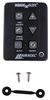
Will this work in replacement of a 4 button controller? My fan has the auto temp control on its control panel but not on the remote.
asked by: Jacob
0
Expert Reply:
Hi Jacob,
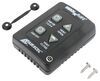
The # MA59FR won't work as a replacement for your MaxxFan Plus or Deluxe which uses the 4-button control. We do have the right replacement for you though, which is the following:
- Replacement Key Wall Control For MaxxFan Plus and Deluxe - 4 Key # MA00A03550K
This is for the MaxxFan Plus (4751KS or 4951KS) and MaxXFan Deluxe (8751K or 8951K) models.
expert reply by:
Kyle S

0

Product Page this Question was Asked From
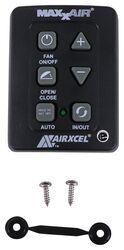
Replacement Wall Control Panel for MaxxAir MaxxFan Plus Roof Vent

- Accessories and Parts
- RV Vents and Fans
- Roof Vent
- Operator Parts
- MaxxFan Plus
- Wall Control
- MAXXAIR
more information >

Continue Researching
- Search Results: garnish ring
- Search Results: maxxshade
- Shop: Ceiling Garnish for MaxxAir MaxxFan RV Roof Vent - White
- Shop: Snap-In Plug for Lionshead Trailer Wheel Center Caps - Chrome
- Shop: Replacement Key Wall Control For MaxxFan Plus and Deluxe - 4 Key
- Shop: Trailer Wheel Center Cap Plug - Black
- Shop: Americana Trailer Wheel Center Cap - Stainless Steel - 4.88" to 4.90" Pilot
- Q&A: Looking for Replacement Fan Blade for Maxxair Plus 4751KS
- Shop: Suspension Enhancement
- Search Results: dometic ac
- Shop: Fifth Wheel Hitch
- Video: All About the Replacement Drive Head Pin for Solera Power RV Awnings
- Shop: Replacement Wall Control Panel for MaxxAir MaxxFan Plus Roof Vent
- Q&A: Can the Mach-C Everest Variable Speed RV Air Conditioner System CM35MR Be Used Top-Down?
- Q&A: Replacement RV AC Unit Recommendation for Coleman Mach 15
- Q&A: Replacement RV AC Unit Recommendation for Dometic Duo Therm
- Q&A: Parts Needed to Swap Coleman-Mach Mach-C Everest With Advent AC135
- Video: Best 2016 Ford F-150 Towing Mirror Options
- Q&A: Can Coleman Mach Everest Replace Mach 15 and Use Same Wiring
- Video: In-Depth Review of the Replacement Key Wall Control For MaxxFan Plus and Deluxe
- Video: Feature Breakdown: Replacement MaxxFan Plus 4-Speed Roof Vent with White Lid
- Q&A: Does Coleman-Mach Mach-C Everest Have Inverter-Driven Compressor Like Furrion Chill Cube
- Shop: Cabin Air Filter
- Shop: Tonneau Cover
- Shop: Towing Mirrors
- Shop: Air Lift LoadLifter 5000 Air Helper Springs - Rear Axle
- Shop: Gooseneck Hitch
- Search Results: lippert trailer jack
- Search Results: lippert awning parts
- Search Results: lippert tire linc
Cameron
8/16/2025
Hello Kyle, Thank you for helping all of us by answering Jacob's inquiry. Could we "unlock" (upgrade without replacing the entire fan unit) features by replacing the control board? I have two of the older plus models (4 button wall control) in my bathrooms. These lack 10 glorious speeds and vital reverse airflow. There are far too many campers who still chain smoke as a family. This prohibits ones ability to draw air in via the windows. Attempting to vent outthe ceiling with a few windows on one side still sucks the smoke in through slides and widow weep gaps. I assume the motor is identical - control board dictates speed and direction.(?). The thermostat feature on my full feature kitchen fan is rubbish. No wall controller or cable for this fan was installed by DRV. Otherwise I would test the control board swap theory on one of the bathroom fans. As the thermostat feature is rubbish I don't care that this feature would not function. I just want the speed control and reverse airflow on all three fans, all without replacing and tossing the two operational bathroom fans into an overflowing landfill. Cheers! Cameron