


How Would You Test A Voyager AOM711 Monitor To Determine If The Camera, Cable or Monitor is Bad?
Updated 03/14/2024 | Published 03/13/2024
Question:
Voyager AOM 711 WIN. Very poor picture. Is it possible to test system to see if camera, or monitor, or both need to be replaced? The cable looks okay. Replacing it would be well beyond my pay grade. Any trouble-shooting suggestions?
asked by: Rick
Helpful Expert Reply:

Really the only way to test your camera system is with known good components. While we do have a Replacement Monitor # VO34FR for your current Voyager AOM711 I would need to know what all camera components you also have. It might make more sense to change to a wireless system like the Furrion # FR98NR which will eliminate the need for replacing different cameras or trying to replace a damaged cable. All the cameras replace existing running lights to gain their power from the vehicle lighting and wirelessly transmit to the monitor.


Product Page this Question was Asked From
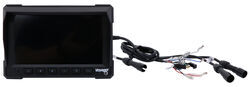
Voyager RV LCD Observation Monitor - 7" Screen - 3 Video Inputs

- Accessories and Parts
- RV Camera System
- Monitors
- Voyager
more information >
Featured Help Information
Instructions

Continue Researching
- Shop: Voyager Rear Camera with LED Low Light Assist - Black
- Shop: Voyager RV LCD Observation Monitor - 7" Screen - 3 Video Inputs
- Q&A: Replacement Camera And Monitor For A Voyager AOM 711
- Q&A: Replacement Monitor for Voyager AOM-711 RV Observation System
- Shop: Voyager RV Backup Camera Monitor - 7" Screen - 4 Video Inputs
- Video: Ultimate Overview of the Voyager RV LCD Observation Monitor
- Video: Feature Breakdown: Voyager Rear Camera with LED Low Light Assist
- Search Results: fr98nr
- Q&A: Replacement LP Gas Detector for a CCI 7770.2 / Pre Tell 22 Detector
- Shop: RV Backup Camera System - Rear mount - 7" Screen
- Shop: Rear View Safety Backup Camera System for Dodge ProMaster 2010 and Newer - 7" Mirror Monitor
- Shop: Rear View Safety Backup Camera System with Trailer Tow Quick Connect Kit
- Search Results: voyager rear camera
- Search Results: voyager monitor
- Shop: Trailer Hitch
- Search Results: trailer tires and wheels
- Search Results: trailer brake controller
- Shop: Trailer Wiring
- Search Results: gooseneck hitch
- Shop: Suspension Enhancement
- Shop: Voyager DIN to ASA Monitor Cable Adapter
- Search Results: fifth wheel hitch
- Shop: Brake Controller
- Shop: Base Plate for Tow Bar
- Shop: Fifth Wheel Hitch
- Shop: Vehicle Tow Bar Wiring
- Q&A: Replacement for Voyager AOM713WP Monitor
- Q&A: Correct Replacement for Voyager AOM713 Monitor
- Q&A: 7 Inch Monitor to Replace AOM713WP Monitor on Voyager RV Observation Camera System
- Q&A: Replacement Plug and Play Monitor for a Voyager AOM713
Rick
3/13/2024
Thanks for the very quick response. I'll look at the Furrion. I assume that the package comes with a camera. Would I need to install a receiving antenna with access to the dash?