


How to Change Battery Mode on Progressive Dynamics 9300 Series RV Converter Charger
Updated 06/04/2024 | Published 10/24/2023
Question:
How do I change the battery mode for the 9300?
asked by: Ken
0
Expert Reply:
To change the battery mode on the Progressive Dynamics 9300 Series RV Converter Charger # PD79RR you'll need to insert the included CLAW tool into the small opening next to the battery type indicator light. Press and hold that button (using the CLAW tool) for 3 seconds until you see the light change to the color that matches your battery type (see attached from manual).
expert reply by:
Jon G

0

How to Select Battery Type for Progressive Dynamics 9300 Series RV Converter Charger
(click to enlarge)
(click to enlarge)

Product Page this Question was Asked From
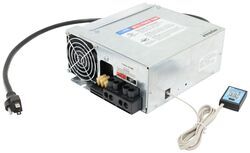
Progressive Dynamics 9300 Series RV Converter Charger - 12V - 60A

- Power Converter
- Converter Only
- Manual Switch
- 12V
- 60 Amps
- AC to DC
- AGM
- Lead Acid
- Lithium
- RV
- Single-Stage Charge
- Progressive Dynamics
more information >
Featured Help Information
Instructions
Miscellaneous Media


Continue Researching
- Shop: Progressive Dynamics 9300 Series RV Converter Charger - 12V - 60A
- Search Results: progressive dynamics
- Video: Review of Progressive Dynamics RV Power Converter - Standard Charge - PD79RR
- Search Results: rv power converter
- Shop: Progressive Dynamics 9300 Series RV Converter Charger - 12V - 45A
- Search Results: power converter
- Shop: Progressive Dynamics 9300 Series RV Converter Charger - 12V - 80A
- Search Results: progressive dynamics power converter
- Search Results: pd9160a
- Q&A: Lithium Compatible Converter To Replace WFCO WF-9855
- Search Results: bal
- Search Results: dc~dc charger
- Shop: Progressive Dynamics 9300 Series RV Converter Charger - 12V - 30A
- Shop: Waypoint RV Propane Gas and Carbon Monoxide Detector - 12/24 Volt - Black - PRE-ORDER
- Shop: Progressive Dynamics Converter Status Remote Pendant
- Shop: WFCO Auto-Detect RV Converter Charger - Deck Mount - 12V - 55 Amp
- Q&A: Replacement for WF-9855 In 5th Wheel Switching To Lithium Batteries
- Video: Review of Victron BMV-712 Smart Battery Monitor BLACK - VN54ZR
- Video: Review of Victron SmartShunt 500A Battery Monitor - VN43ZR
- Q&A: Will 60 Amp Progressive Dynamics 9300 Converter Charger Replace PD9260
- Video: In-Depth Review of the Progressive Dynamics Converter Status Remote Pendant
- Q&A: Progressive Dynamics PD9360 Replacement 60 Amp RV Converter Charger for Lithium Batteries
- Video: Detailed Breakdown of the RV Propane Gas and Carbon Monoxide Detector
- Video: Review of WFCO RV Power Converter - Converter Only - WF98FR
- Q&A: Best Option For Replacing WFCO 55amp Model WF-9855
- Q&A: Charger PD PD79RR for single 560ah lithium battery?
- Q&A: Will WFCO 55A Standalone Converter Charger Work Fine In Travel Trailer With 30A Shore Hookup?
- Video: Review of PowerMax RV Power Converter - AC To DC Converter Battery Charger - PM94VR
- Shop: Vehicle Tow Bar Brake System
- Shop: Suspension Enhancement
Alex C.
6/4/2024
Can this be done while it sits on the bench when only the 120v plug is connected?