


Where Do You Disconnect Power For The Lippert Ground Control Leveling System Control Panel?
Updated 04/19/2023 | Published 04/18/2023
Products Featured in This Question
Question:
How do I reset a lippert control panel, it says to unplug for 15 minutes and plug back in. Where do I unplug it from?
asked by: Polly O
0
Expert Reply:
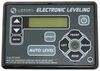
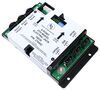
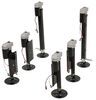
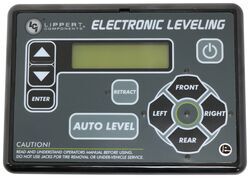
To reset the Contol Panel # LC421484 for your Lippert Ground Control # LC675817 you will want to disconnect power at the Controller # LC56VR which is typically found in the front storage compartment. If the power connection is to difficult to access you can follow the power wiring to it's circuit breaker and disconnect it at that point.
expert reply by:
Bud M

0

Product Page this Question was Asked From
Replacement Control Panel for Lippert Ground Control 3.0 and Travel Trailer RV Leveling System

- Accessories and Parts
- Camper Jacks
- Trailer Jack
- Controllers
- Control Panel
- Lippert
more information >

Continue Researching
- Shop: Replacement Lead Leg for Venture 5th Wheel RV Landing Gear
- Shop: Replacement Front Jack for Lippert Ground Control 3.0 Leveling System
- Video: Review of the Replacement Front Jack for Lippert Ground Control 3.0 Leveling System
- Shop: Replacement Lead Leg for Keystone Montana 5th Wheel Landing Gear
- Q&A: What Version is Replacement Touch Screen Control Panel For Lippert Ground Control TT LC83VR
- Q&A: Replacement Touch Screen for 2018 Columbus Palomino FK 385
- Q&A: Replacement Lippert OneControl Touchscreen Panel for 2019 Grand Design 399TH
- Q&A: Is There Any Way to Control The Middle Jacks On The Lippert Ground Control 3.0 Independently?
- Q&A: Does Replacement Touch Screen Control Panel for Lippert OneControl Use Bluetooth
- Q&A: Will Lippert Ground Control 2.0 Need Zero Point Calibration After Replacing the Controller
- Shop: Trailer Hitch
- Video: Replacement Front Jack for Lippert Ground Control 3.0 Leveling System Review
- Q&A: Will Replacement Front Jack for Lippert Ground Control 3.0 System Work On 2021 Open Range 5th Wheel?
- Shop: MORryde X-Factor Crossmember for Standard Frame Hangers
- Search Results: trailer hitch
- Search Results: trailer jack
- Shop: Trailer Wiring
- Shop: Furrion Variable Speed Chill Cube RV AC w/ Heat Pump & Ceiling Assembly - 18K Btu - Non-Ducted - R32
- Shop: Suspension Enhancement
- Shop: Furrion Chill Cube RV AC System w/ Air Distribution Box & Remote - 18K Btu - Ducted - Black - R32
- Search Results: trailer tires and wheels
- Search Results: rv air conditioners
- Video: Complete Breakdown of the Replacement Lead Leg for Venture 5th Wheel RV Landing Gear
- Shop: Brake Controller
- Shop: Fifth Wheel Hitch
- Search Results: trailer leaf springs
- Video: An In-Depth Look at the Replacement Lead Leg for Venture 5th Wheel RV Landing Gear
- Shop: Gooseneck Hitch
- Shop: Lippert Components 32" Lead 5th Wheel RV Landing Gear Drop Leg w/Snap Pin
- Search Results: fifth wheel hitch