



Installing Furrion Side Marker Light with Camera on 2019 Momentum 351M
Updated 05/28/2020 | Published 04/18/2019
Products Featured in This Question
Question:
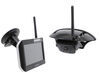
Furrion side marker cameras install on my new 2019 Momentum 351M I have coming out of old light a pair of white wires and a pair of White wire with green strip . The Furrion marker has a black wire , red wire and brown wire ....do I wire the white wires with the black and red then brown to white green stripe ?
asked by: Kenny
Expert Reply:
The Furrion Side marker lights with camera # FCE48TASL you will have the running light wire (brown) camera power (red) and ground (black). Because it sounds like you have two sets of wires, it is likely one set is running light power and the other is the ground. You can use a circuit tester like # PTW2993 to determine function. Once you have done so, the brown and red wires connect to the running light power and the black will connect to ground. This will give you camera power as long as your running lights are on.
I've attached a couple videos to assist.



Product Page this Question was Asked From
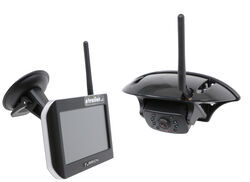
Furrion Vision S Wireless RV Backup Camera System w/ Night Vision - Rear Mount - 5" Screen

- RV Camera System
- Backup Camera
- Observation Camera
- Anti-Glare
- Mirrored Image
- Motion Detecting
- Night Vision
- Touch Screen
- Waterproof
- Pre-Wired RVs
- Wireless
- Wide View
- Dashboard Mounting Bracket
- Suction Cup Mount
- Side Marker
- 5 Inch Display
- 3 Cameras
- Furrion
more information >
Featured Help Information
Instructions
Miscellaneous Media




Continue Researching
- Shop: Guardian Comfort Impact Truck Bed Mat - Trucks w/ Bare Beds or Spray-In Liners - Thermoplastic
- Shop: K-Source Snap & Zap Custom Towing Mirrors - Snap On - Driver and Passenger Side
- Shop: Black Armour Heavy-Duty Custom Truck Bed Mat - Rubber - Black
- Shop: Towing Mirrors
- Q&A: How to Power Furrion Side Marker Camera to Pair With Monitor
- Q&A: P2 Trailer Brake Controller Tries to Apply Trailer Brakes without a Trailer Connected
- Q&A: Best Way To Prevent Battery From Dying While Flat Towing A 2020 Ford Ranger
- Q&A: Can I Use a Voyager Back Up Camera Even If my RV is Prewired for a Furrion Camera
- Q&A: What is Best RV Backup Camera System
- Q&A: Is Furrion Vision S+ Direct Replacement for Vision S
- Q&A: How To Power A Furrion Vision S RV Camera Monitor In A Vehicle Without A Cigarette Lighter Port
- Article: Top Weight Distribution Hitches for a Buttery Smooth Ride
- Article: RV AC Not Cooling? What's Normal, What to Check, and When to Replace
- Article: Trailer Wiring Diagrams
- Article: Big Truck Big RV
- Article: 30-Amp and 50-Amp RV Service: What's the Difference?
- Article: Is It Illegal to Leave My Hitch on My Truck?
- Article: Trailer Hitch Balls
Craig Y.
5/28/2020
Jason, WOW Thanks for this info, education, life saver. I have been trying for over a week to figure out what you described above. I got the 3 cameras up and running (there was no ground on one of the side markers