


Furrion Observation System Monitor Goes Blank With WiFi Signal Turned On
Published 02/20/2019
Products Featured in This Question
Question:
We bought a new 2018 Grand Design in the fall of 2017. The camera worked very well. In March of 2018 we bought a new Chevy Silverado with WIFI. WE were no longer able to get a picture on the monitor. There is a picture when the pickup is first turned on and wifi has not yet connected. Once the WIFI connects the picture is gone. I have tried unpairing and pairing again, but still no picture. Is there something that can be done to correct this problem? We are upgrading to a Grand Design Reflections and are wondering whether to keep our current camera and install on new 5th wheel or try another model?
asked by: Sandy
Expert Reply:
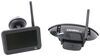
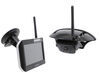
The reason you are having an issue with the Furrion RV Observation Camera System part # FOS43TASF while connected to WiFi in your Chevrolet Silverado is because they both operate off of radio waves that use the same frequency. Therefore, whenever you turn your truck on and the WiFi signal activates the monitor will lose signal because it picks up the radio frequency from the WiFi instead of the radio frequency from the camera.
In order to use the Furrion RV Observation Camera System with your Chevrolet Silverado you will need to disable the WiFi signal if applicable. If you do not wish to disable the WiFi signal then the only other option you have is to obtain a new camera system.
Furrion has adjusted for this and put out their Vision S system which is the upgraded system. I recommend the # FOS43TASF if you plan on only keeping the single camera, but if you want additional cameras, I recommend the 5 inch # FOS05TASF which will allow the quad view with the larger monitors that the 4.3 inch does not offer.


Product Page this Question was Asked From
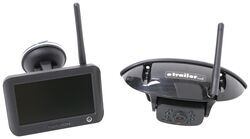
Furrion Vision S Wireless RV Backup Camera System w/ Night Vision - Rear Mount - 4.3" Screen

- RV Camera System
- Backup Camera
- Observation Camera
- Built-In Microphone
- Touch Screen
- Anti-Glare
- Mirrored Image
- Night Vision
- Motion Detecting
- Waterproof
- Pre-Wired RVs
- Wireless
- Standard View
- Dashboard Mounting Bracket
- Suction Cup Mount
- Rear
- 4.3 Inch Display
- 1 Camera
- Furrion
more information >
Featured Help Information
Instructions
Miscellaneous Media


Continue Researching
- Q&A: Can I Use a Voyager Back Up Camera Even If my RV is Prewired for a Furrion Camera
- Q&A: Camera Kit for RV that has Furrion Bracket Mounted on Rear # FRCBRKT-BL
- Q&A: Is There Alternate Way to Mount Monitor of Furrion Vision S+
- Q&A: Is Furrion Vision S+ Direct Replacement for Vision S
- Q&A: Can I Replace Furrion Vision S Cameras With Furrion Vision S+ Cameras in Fifth Wheel
- Q&A: Is there a Furrion Camera that Will Hook Up to My Informative in My 2025 Silverado 3500?
- Q&A: Furrion Camera Has Power but Won't Pair
- Article: Trailer Wiring Diagrams
- Article: 5 Things to Know About Weight Distribution Hitches
- Article: 30-Amp and 50-Amp RV Service: What's the Difference?
- Article: Wiring Trailer Lights with a 7-Way Plug (It's Easier Than You Think)
- Article: Trailer Tire Sizing
- Article: Our Team Picked The Best Camping Gear of the Year - Here Are Their Top Choices
- Article: How to Measure for Travel Trailer and Fifth Wheel Steps