


Options for Lippert Ground Control Touch Screen Remote that No Longer Charges
Updated 10/22/2018 | Published 10/21/2018
Products Featured in This Question
Question:
The battery on my LCI touchscreen rv remote will not charge. Will the analog LCI remote sync with the LCI receiver that my touchscreen remote syncs to?
asked by: Tony
0
Expert Reply:
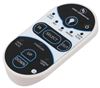
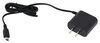
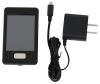
The only solutions we have would be a new charger like part # LC267401 for your Ground Control Remote or an all new remote and charger as part # LC358601. The remote part # LC292614 would not work for your RV unless it has the Linc system installed by the OEM which it sounds like you do not have.
expert reply by:
Jameson C

0

Product Page this Question was Asked From
Replacement New-Style Linc Analog Remote - 5 Function


- Accessories and Parts
- Camper Jacks
- Trailer Jack
- Controllers
- Remote Control
- Lippert
more information >

Continue Researching
- Q&A: How to Sync the Lippert Linc Analog Remote
- Q&A: Where is the "Momentary" Button on the LINC Remote?
- Q&A: Manual for Lippert Replacement New-Style Linc Analog Remote
- Q&A: Replacement Remote for 2012 Keystone Cougar 322QBS Leveling System
- Q&A: Replacing the Lippert Touchscreen Remote 358601 or the Analog Remote 292614
- Q&A: Can the Touchscreen Remote LC358601 Be Used to Replace a Lippert Components IDS Transmitter 329164
- Q&A: Does Install of Replacement 8-Function Receiver for Lippert MyRV Require Programming
- Article: The 5 Best Trailer Drop Hitches You Can Buy
- Article: 7 Steps to Clean Your RV Awning, Prevent Mold, and Save Money
- Article: Trailer Wiring Diagrams