


Brake Controller Display OL Overload Message When Brakes Are Applied
Updated 05/13/2015 | Published 05/11/2015
Question:
Hello when I press on my brake pedal I keep getting a code flashing OL. I just recently put new brakes on my trailer and I cant figure out whats going on. Sometimes they will work other times they wont. Seems like when I have the setting on a lower voltage itll work but on a higher voltage it wont. My right rear brake was not getting power to it so I fuxed it thinking that would fix it but evendently not. Please help thsnks
asked by: Wade S
Expert Reply:
If your Draw-Tite Activator II Brake Controller displays an overload message (OL) when your trailer is connected this usually indicates a fault in the trailer's brake wiring. If the same message appears with the trailer disconnected, then this usually indicates that there is a short somewhere in the vehicle's brake circuit wiring.
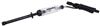
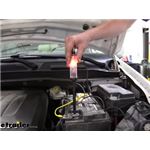
You can use a tester like # PTW2993 to test the brake circuit's output at your vehicle's trailer socket. Disconnect the trailer and apply the grounded tester to the pin for the brake circuit (this is the pin at the 5-o-clock position in a typical 7-way installation - see linked photo please). Adjust the controller for maximum output level. You should detect a 12V signal on this pin when the manual override on the controller is pressed. If the controller behaves properly and generates the correct signal, then you can move on to the trailer. If not, then check the wiring from the trailer socket as far back as you can trace it looking for signs of damaged or exposed wire.
Inspect each brake assembly for any signs of cracks, wear or damage to the insulation of all wires. Look especially at points where the wires have to make sharp bends and where they may rub against the trailer frame. Vibration during driving can cause abrasion of the insulation and lead to a short. Also check the trailer wiring from the trailer connector all the way back to the individual brake assemblies. Repair or replace any damaged wiring.
Make sure your brakes' ground wires are solidly attached to a clean bare metal surface on the trailer. It does not matter which brake wire is used for ground and which for +12V but each ground wire must make full solid contact. You can try sanding off any primer or paint from the grounding point or relocate the ground to a new clean surface.
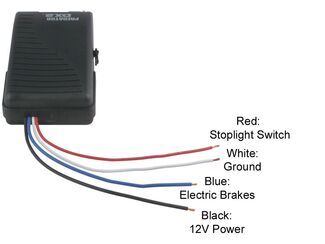
If you need a new controller I recommend the Prodigy P2 # 90885.


Featured Help Information
Miscellaneous Media

Continue Researching
- Shop: DeeMaxx Trailer Wheel Lug Nut - Zinc Plated - 9/16" - Qty 1
- Search Results: lug nuts
- Search Results: 9 16 trailer wheel lug nuts
- Search Results: wheel chocks
- Search Results: hitch block
- Search Results: etrack accessories
- Search Results: wireless dump trailer remote
- Search Results: wireless remote for dump trailer
- Article: Testing Trailer Brake Magnets for Proper Function
- Article: Testing Brake Controls
- Shop: 7-Way Round RV Style Trailer Connector - Trailer Side
- Shop: Replacement Center Cap for 15" Aluminum Viking Series Wheels - Gloss Black
- Shop: etrailer 2 Swivel Jacks w/ Bolt-On Mounting Plates - Sidewind - 15-1/2" Travel - 3,000 lbs
- Q&A: How to Test Brake Controller without Trailer Connected
- Q&A: Why is my Brake Controller Reading Overload and How Can I Find Where the Problem is?
- Shop: Dexter Electric Trailer Brakes - 10" - Left/Right Hand Assemblies - 3.5K
- Shop: Brake Controller
- Article: Brake Controller Installation: Starting from Scratch
- Article: Best Bike Racks for Electric Bikes
- Article: Towing a Trailer? Let's Talk About Brake Controllers
- Article: 2005-Current Volkswagen Touareg, Audi, or Porsche Cayenne
- Article: Brake Controller 7- and 4-Way Installation Kit (ETBC7)
- Q&A: Dexter Brake Assembly Recommendations to Replace Part Number 023-357-00