


Taking MaxxAir 10 Speed Vent Fan Out Of Auto Mode Without Remote
Updated 06/06/2023 | Published 06/05/2023
Products Featured in This Question

Question:
Hello....Our MaxxAir fan stops running when its pretty warm, and thats when we want it to run! We have already replaced the circuit board. We have a 10-speed fan, reversible, but no remote. How can I set it to manual mode? It seems to be in Auto mode. Thank you
asked by: Beth K
Expert Reply:
In order to take a MaxxAir 10 speed fan (such as # MA00-06200K) out of AUTO mode, simply push the ON/OFF button. This is true for all MAXXFAN Deluxe models: 5100K, 5101K, 5301K, 6200K, 6201K, 6401K, 7000K, 7001K, 7500K, 7501K, 8000K, 8001K, 8500K, 8501K, 8700K, 8751K, 8900K, 8951K.
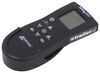
You can also buy the remote here - # MA00A01150K.
If you are still not able to keep the fan running, then you could have the wrong circuit board or a defective one, or the motor itself could be faulty. If you happen to have a different model than the ones listed above, please reply with the model number so I can assist you.


Product Page this Question was Asked From
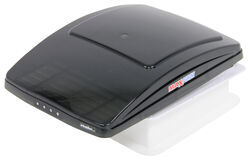
MaxxFan Deluxe Roof Vent w/ 12V Fan and Thermostat - Manual Lift - 10 Speed - Smoke

- RV Vents and Fans
- Vent
- Roof Vent
- Manual Lift
- 12V Fan
- Reversible Fan
- Plastic
- Tinted
- MAXXAIR
more information >
Featured Help Information
Instructions

Continue Researching
- Video: Ultimate Overview of the Camco Lights Out Retractable Shade for RV Roof Vents
- Video: In-Depth Review of the MaxxShade Retractable RV Roof Vent Shade
- Q&A: Does MaxxShade Retractable RV Roof Vent Shade part # MA00-03900 Have Vents
- Video: Detailed Breakdown of the Replacement Rain Sensor for MaxxAir RV or Trailer Roof Vent Fans
- Q&A: How To Switch A MaxxAir MaxxFan Out Of Auto Mode
- Shop: Reflective RV Window Shade - 62" Wide x 30" Tall
- Shop: Bauer Products Sun Out RV Roof Vent Shade - Retractable
- Shop: Camco Lights Out Retractable Shade for RV Roof Vents
- Shop: MaxxShade Retractable RV Roof Vent Shade - White
- Shop: Specialty Recreation Thermo Shield Shade for RV Skylights - 14" x 22"
- Shop: Specialty Recreation Thermo Shield Shade for RV Skylights - 14" x 14"
- Shop: Camco Insulator for RV Roof Vents - Removable Fleece Cover
- Search Results: trailer hitch
- Article: Trailer Wiring Diagrams
- Shop: Trailer Wiring
- Search Results: trailer tires and wheels
- Article: 30-Amp and 50-Amp RV Service: What's the Difference?
- Search Results: trailer wiring
- Search Results: trailer lights
- Shop: Brake Controller
- Search Results: trailer hitch ball mount
- Search Results: trailer hubs and drums
- Search Results: rv air conditioners
- Q&A: Looking for Reliable Replacement for Dometic RM2351 RV Fridge
- Q&A: Comparing MaxxFan 7500K And 6200K Models. Do I Need A Voltage Regulator?
- Q&A: Replacement Lithium Battery Compatible Fan for a MaxxFan 5100k
- Q&A: Recommended TorkLift Tiedowns for a 2018 Ford F-250 w/a 6-3/4' Bed and Factory Hitch
- Q&A: What MCD Innovations Shade Motor do I Need to Replace My Motor with mcd.sc.28-12v.1?
- Article: Best RV Roof Vents
- Article: Top Weight Distribution Hitches for a Buttery Smooth Ride