


Recommended PWM Filter to Address Running Light Error on Trailer Pulled by a GM Truck
Updated 12/29/2025 | Published 01/14/2023
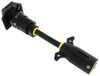
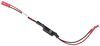
Products Featured in This Question
Question:
I have a 2022 GMC 2500 with the camera problem. I bought the Furrion adapter and the camera works but my screen still reads running light error. This Voyager part VGR64VR seems like it would work but unlike several of your installation videos I have a 2023 Grand Design Reflection. Do you have any idea if there would be anything prohibitive in the wall that would create installation problems?
asked by: Henry K
Expert Reply:
You are correct the 12V PWM Filter for RV Backup Camera Systems item # VGR64VR will solve your problem. The PWM Filter is basically a capacitor that provides your camera with the necessary power that GM has decided not to provide through their 7-Way connector.
I have not heard of any issues that would cause this filter to not work correctly with the new 2023 Grand Designs. I have linked an installation video we did on this part below. It's on a different trailer abut the steps will be the same.

James W.
12/28/2025
I bought a new 2025 Grand Design Influence 3503GK 5th Wheel and a 2026 GMC Denali Ultimate 2500HD to tow. The GD was wired for a rear view camera But no camera. I ordered a Furrion camera so I ordered one from Amazon. Installation was easy. Two problems surfaced. One is all Furrions are shipped with cigarette lighter plugs. The Denali’s have zero such plugs so that leaves you with USBC or standard USB connections for power. There are is a couple of USB ports and only one USBc port. I am not certain if either USB port in the truck is adequate to power camera monitor. Second problem I am just finding out is this GM PWM on some or all lights in trailer. After installing the camera and monitor, the camera would not sync. Tried lot of different things that did not work so I took the camera down and home and set it up using a 12V regulated power supply to power the camera and they synced quickly and easily. Took it back and reinstalled the camera and it does not work! Found a blurb on YouTube where a guy had a late model trailer late model Chevrolet 3/4 ton and had the same problem. He had a solution that involved installing a switch in the power to trailer line that essentially switched the battery line and the tail/clearance light wiring. Seemed reasonable, so I decided to try that only to find the junction box where the wire from the tow vehicle connects to the trailer is not accessible without taking the thing apart! So how is this problem addressed? Going on first longer trip next week and I am a bit nervous since we have n been running class a large diesel pushers all of which have rear view cameras! Thanks Dave



Product Page this Question was Asked From
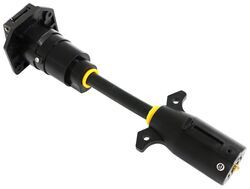
7-Way Vehicle Power Adapter for Furrion RV Observation Camera

- Accessories and Parts
- RV Camera System
- Camera Adapters
- Furrion
more information >
Featured Help Information
Miscellaneous Media

Continue Researching
- Shop: 12V PWM Filter for RV Backup Camera Systems - Hardwire
- Shop: 7-Way Vehicle Power Adapter for Furrion RV Observation Camera
- Search Results: air lift wireless
- Search Results: extendable towing mirrors
- Shop: Towing Mirrors
- Shop: Longview Custom Towing Mirrors - Slip On - Driver and Passenger Side
- Search Results: anderson jack block
- Search Results: cover
- Search Results: rv covers
- Q&A: Will Voyager 12V PWM Filter Allow Furrion Vision S to Work With 2025 GMC Sierra Denali
- Search Results: tpms sensor
- Shop: Air Lift WirelessAIR Compressor System for Air Helper Springs - Remote - Bluetooth
- Shop: Air Lift WirelessAIR Compressor System for Air Helper Springs - Bluetooth - EZ Mount
- Video: Setting up the CIPA Custom Towing Mirrors on your 2018 Chevrolet Silverado 1500
- Video: Setting up the 12V PWM Filter for RV Backup Camera Systems on a 2021 Thor Coleman Motorhome
- Shop: BOLT brand vehicle and hitch locks
- Video: In-Depth Review of the 7-Way Vehicle Power Adapter for Furrion RV Observation Camera
- Shop: CIPA Custom Towing Mirror - Driver Side
- Search Results: 12v pwm filter
- Shop: Trailer Wiring
- Video: A Closer Look at the 7-Way Trailer Adapter for Towing Trailers with LED Lights
- Shop: Replacement Mirrors
- Video: Review of Voyager RV Backup Camera - PWM Filter - VGR64VR
- Shop: 12 Volt Outlet Kit, 20 amps
- Q&A: Can I Tie the Furrion Camera into My Infotainment Screen in My 2025 GMC Sierra 2500?
- Shop: RV Covers
- Article: Trailer Wiring Diagrams
- Article: Holiday 2025 | Best Gifts for RVing
- Q&A: Troubleshooting Signal Issues With A Furrion Vision S RV Camera System
- Q&A: No Signal And PWM Fix For Furrion Vision S Camera System Connected To 2022 GMC
Todd
10/13/2025
So I installed a PWM filter in my junction box on the trailer to cover all 3 of my cameras that run on the running lights circuit. The cameras work great but my 2024 Silverado keeps telling me to check the running light wiring. Presumably because it doesn’t get a return signal due to the filter. Is there a fix or is that just a lesser of 2 evils problem? The running lights are working perfectly well.