


Troubleshooting A Furrion RV Camera System That Has No Power
Published 07/21/2022
Products Featured in This Question
Question:
My camera paired immediately and when I took it back to install it on the back of the camper it has not power.
asked by: Amy
Expert Reply:
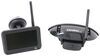
The Furrion Vision S Wireless RV Backup Camera # FOS43TASF is either wired to your running lights or your reverse lights, which means that the camera will only have power when your tow vehicle has the headlights on or when it's in reverse.
Most likely your camera is wired to the running light circuit so that you can activate it at any time by turning on your headlights.
Now if you were simply plugging the camera into the connector that's on the monitor power cord then you do have a bit of work to get your camera installed but I'll roll you through the steps below:
If your trailer isn't prewired for Furrion then you'll first need to determine the mounting location. Typically we wire these to the running light circuit and you'll usually see the a running light towards the top middle of the trailer. You'll want the camera towards the top middle of the back wall either above or below this running light. You'll drill a hole in the wall for the wiring to pass through and run your wire up or down to the light and pop the light off the trailer to get to the wiring.
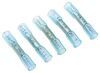
From there you can splice the positive and negative wires of the camera to the positive and negative wires of the light using some heat shrink butt connectors # DW05744-5. Once the wiring is complete you can reinstall the light and then push your camera wiring into the wall of the trailer.
Next you can mount the camera to the wall of the trailer, it will not include screws so you will need some self-tapping screws, which you can get at your local hardware store. Once it's mounted I always take some clear silicone over the top of the mount to ensure no water can get behind it.
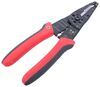
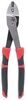
For tools all you should need is a ladder, wire strippers # PT43ZR, and wire crimps # PTW30764.
If you are prewired for Furrion then all need need to do is remove the cover on the mount and plug in your camera. I've attached a video of this process below to help walk you through it as well.


Product Page this Question was Asked From
Furrion Vision S Wireless RV Backup Camera System w/ Night Vision - Rear Mount - 4.3" Screen
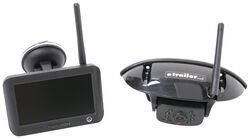

- RV Camera System
- Backup Camera
- Observation Camera
- Built-In Microphone
- Touch Screen
- Anti-Glare
- Mirrored Image
- Night Vision
- Motion Detecting
- Waterproof
- Pre-Wired RVs
- Wireless
- Standard View
- Dashboard Mounting Bracket
- Suction Cup Mount
- Rear
- 4.3 Inch Display
- 1 Camera
- Furrion
more information >
Featured Help Information
Instructions

Continue Researching
- Q&A: Can I Use a Voyager Back Up Camera Even If my RV is Prewired for a Furrion Camera
- Q&A: Is There Alternate Way to Mount Monitor of Furrion Vision S+
- Q&A: Can I Replace Furrion Vision S Cameras With Furrion Vision S+ Cameras in Fifth Wheel
- Q&A: Is Furrion Vision S+ Direct Replacement for Vision S
- Q&A: Is there a Furrion Camera that Will Hook Up to My Informative in My 2025 Silverado 3500?
- Q&A: Availability of Furrion Vision S+ With 5" Monitor
- Q&A: Furrion Camera Has Power but Won't Pair
- Article: Trailer Wiring Diagrams
- Article: 5 Things to Know About Weight Distribution Hitches
- Article: 30-Amp and 50-Amp RV Service: What's the Difference?
- Article: Best Hitches for Travel Trailers (2022) - For a Smooth, Sway-Free Ride
- Article: Wiring Trailer Lights with a 7-Way Plug (It's Easier Than You Think)
- Article: Trailer Tire Sizing
- Article: Our Team Picked The Best Camping Gear of the Year - Here Are Their Top Choices