How to Turn Off the Guidance Lines on the Custom Third Brake Light Camera
Updated 04/25/2022 | Published 04/23/2022
Question:
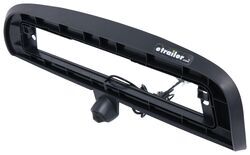
How do I turn off the guidance lines on the Custom Third Brake Light Camera # 3460010? And What is the small green and white wires for on the Custom Third Brake Light Camera # 3460010?
asked by: Delayne R
Expert Reply:
I contacted the manufacturer about the wires and turning off the guidance lines on the Custom Third Brake Light Camera for 8" Factory Monitor # 3460010. What they said was to go to the camera and the main cable coming off of it has 2 sets of small wires. Green and white. Locate the green wires, they should be separated. Strip back a small amount of plastic from each green wire and twist the tips together. Then cover the exposed edge. Go to the camera power and disconnect it for about 5 sec. The lines should go away.


Product Page this Question was Asked From
Custom Third Brake Light Camera for 8" Factory Monitor - Night Vision

- Accessories and Parts
- Backup Camera
- Third Brake Light
- Third Brake Light Camera
- For 8 Inch Factory Monitor
- GCH Automotive
more information >

Continue Researching
- Shop: Custom Third Brake Light Camera for 8" Factory Monitor - Night Vision
- Search Results: black friday sale
- Search Results: black friday
- Shop: Everchill RV Refrigerator w Freezer Drawers - French Doors - 16 cu ft - 115V - Black Stainless Steel
- Shop: Custom Third Brake Light Camera for 7" Factory Monitor - Night Vision
- Q&A: Troubleshooting Factory Backup Camera Quality Degraded Following Third Brake Light Camera Install
- Q&A: Installation Instructions for GCH Truck Bed Cargo Camera # 3460010
- Q&A: Is GCH Truck Bed Cargo Camera # 3460010 Camera Angle Adjustable
- Q&A: Installing GCH Truck Bed Cargo Camera # 3460010 on 2018 GMC Sierra 3500
- Shop: Rear View Safety Third Brake Light with Camera
- Search Results: rv tire covers
- Search Results: snap
- Search Results: backup camera
- Video: BringIt SwitchBack SOLO Down Tailgate Camera Spec Review
- Video: How to Install the Custom Third Brake Light Camera for 8" Factory Monitor on a 2018 GMC Sierra 3500
- Search Results: cargo camera
- Shop: Curt Helux 5th Wheel to Gooseneck Shock-Absorbing Pin Box Adapter - 20K GTW - 5,000 lbs TW
- Shop: SnapRing TireSavers RV Tire Covers for 30" to 32" Tires - Single Axle - Black - Qty 2
- Shop: Custom Third Brake Light Camera for Aftermarket Monitor - Night Vision
- Video: Firestone Ride-Rite Air Bags with Easy Mount Compressor Feature Breakdown
- Shop: Trailer Hitch
- Q&A: Does etrailer Carry Furrion Chill Cube w/ Heat Pump to Replace Dometic Duo-Therm
- Search Results: trailer hitch
- Article: Trailer Wiring Diagrams
- Video: A Look at the Power Mountain Tallboy 6 Ton Off-Road Bottle Jack with a Military Cargo Trailer
- Shop: Trailer Wiring
- Q&A: What Is An OEM Prep Package And How Do I Know If I Have It
- Article: 4 Steps to Choosing Your 5th Wheel Pin Box
- Shop: Suspension Enhancement
- Q&A: How to Replace a Lance 6-Pin Plug w/ a Standard 7-Way Connector

on Accessories and Parts