


Troubleshooting Pairing Camera and Monitor with Furrion Digital Wireless System
Updated 04/30/2021 | Published 05/11/2018
Question:
My uncle purchased the Furrion wireless backup camera system for his camper not longer ago and and paired the device while having the camera and base in close proximity inside his truck to ensure the device worked. However once he connected it to the camper the camera wont connect to the base station despite the blue light on the camera being on. Can someone please help?
asked by: Brandin R
Expert Reply:
The Furrion Digital Wireless Backup Camera w/ Color LCD Monitor and Mounting Bracket - 4.3" Screen FOS48TAPK-BL being a wireless system may be experiencing some interference on the transmitting signal. You will also want to make sure that the trailer wiring for the camera is getting the power. Some systems are wired to the reverse light power in which case your trailer would need to be connected while the tow vehicle is shifted into reverse to sync. If you have the power wired into the 12V running lights for constant power, you would need to make sure your running lights are on to sync the camera and monitor.
If you want to upgrade the system to the newer # FOS43TASF you will get a better transmission, resolution, and some upgraded features like motion detection as well.

Lois T.
7/6/2020
the camera worked while towing but we didn't know the camera had three position turning points-down, middle and up. after we adjusted the camera, we couldn't get the camera to work on the screen. thanks to this info site, the camera is connected to the running lights and only works when on and fyi, the trailer must be connected to the truck outlet too. thank you for this Q&A we know how to run our camera well and towing will be sooooo much better


Nicole
7/12/2020
So we have a 2nd furion camera now and still get no blue light when plugged into the trailer or our 2016 Toyota Tundra. We exchanged the 1st camera for the same reason. What are we doing wrong ? We're worried the trailer has something wrong but the truck isnt giving it power either .
Vic R.
7/31/2020
Our new Furrion Vision S won’t pair. “No signal” Does it need to access WiFi to pair? What is wrong?

Product Page this Question was Asked From
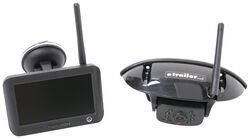
Furrion Vision S Wireless RV Backup Camera System w/ Night Vision - Rear Mount - 4.3" Screen

- RV Camera System
- Backup Camera
- Observation Camera
- Built-In Microphone
- Touch Screen
- Anti-Glare
- Mirrored Image
- Night Vision
- Motion Detecting
- Waterproof
- Pre-Wired RVs
- Wireless
- Standard View
- Dashboard Mounting Bracket
- Suction Cup Mount
- Rear
- 4.3 Inch Display
- 1 Camera
- Furrion
more information >
Featured Help Information
Instructions
Miscellaneous Media


Continue Researching
- Shop: Replacement Amber Lens for Furrion Vision S Side Marker Light RV Cameras - Qty 1
- Shop: Gen-Y Hitch Shock Absorbing 5th Wheel to Gooseneck Pin Box - Lippert 1621/1621HD - 30K GTW - 4.5K TW
- Search Results: gen~y hitch gooseneck
- Q&A: Is there a Furrion Camera that Will Hook Up to My Informative in My 2025 Silverado 3500?
- Q&A: Difference Between FOS43TASF and FOS05TASF Rear Cameras
- Q&A: Replacement Furrion Camera For FOC48TA-BL Installed on a 2016 Grand Design Image Travel Trailer
- Q&A: Is There an RV Roof Vent Assembly that Can be Thermostatically Controlled
- Q&A: Bolt Hole To King Pin Measurement For The Lippert 1716 5th Wheel Pin Box
- Q&A: Is Furrion Vision S+ Direct Replacement for Vision S
- Q&A: Recommended Longest Extended Pin Box for a Lippert 1621 Bolt Pattern
- Article: Trailer Wiring Diagrams
- Article: 30-Amp and 50-Amp RV Service: What's the Difference?
- Article: 5 Things to Know About Weight Distribution Hitches
- Article: Trailer Tire Sizing
- Article: How to Measure for Travel Trailer and Fifth Wheel Steps
- Article: How to Winterize & De-Winterize Your RV (Simple Guide)
- Article: Sidewinder with Rotating Turret for Short Bed Pickups
Ellen P.
1/13/2020
Please help. The rear camera paired but the view is upside down !