


Camera Upgrade for Voyager VBCS150
Updated 11/11/2026 | Published 11/09/2026
Question:
Id like to upgrade to this camera from a vbcs150 - the cable from the camera disappears into the back of the RV. How do I locate the connection inside the RV wall and change it to the new camera?
asked by: Larry

(click to enlarge)
Expert Reply:
Hey Larry!
Thanks for reaching out! The good news is that your Voyager VBCS150 camera uses a plug-in connection, so you shouldn't have to cut or splice any wires to replace it. The tricky part is going to be accessing that connection inside your RV's wall.
I'd start by removing the existing camera and its mounting bracket to see if you can access the opening where the cable enters the RV. There's a good chance that the connector is tucked just inside that opening. You may be able to gently pull some of the wiring out to expose it, but I wouldn't pull too hard since the cable could be secured inside the wall or the connector could get caught on something.
If you can't access the connection from outside, I'd check the interior wall directly behind the camera for a removable panel, cabinet, or other access point. Unfortunately, RV manufacturers don't all route their camera wiring the same way, so there's no guaranteed location for that connection.
If you still can't reach it, another option would be running a new Voyager camera cable from the monitor to the replacement camera. That's more involved, but it would eliminate the need to access the original connection inside the wall.
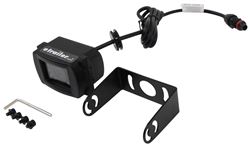
One other thing worth mentioning is that the Voyager Rear Camera # VCMS17B uses the same style of connector as your VBCS150, although you'll need to use the new camera's mounting bracket.
What year, make, and model is your RV, Larry? I may be able to help you narrow down where that connection is hiding before you start taking things apart!


Product Page this Question was Asked From
Voyager Rear Camera with LED Low Light Assist - Black

- Accessories and Parts
- Backup Camera
- Backup Camera
- Standard Camera
- Jensen
more information >

Continue Researching
- Q&A: Replacement Rear Backup Camera for a Voyager VBCS150 Camera
- Shop: Voyager Rear Camera with LED Low Light Assist - Black
- Q&A: Can Voyager Camera VCMS17B Replace VBCS 150
- Q&A: Looking for Replacement Camera for Voyager VCCS150
- Q&A: Replacement Rear Camera for a Voyager VBCS150
- Q&A: Replacement Voyager Color Side Cameras for New Voyager RV LCD Observation Color Monitors
- Q&A: Is There A Soft Start For The Dometic FreshJet 5 With Heat Pump FJX5557EHPWHCS?
- Q&A: Where Does the Voyager PWM Filter for RV Camera Systems part # VGR74VR Install?
- Article: How (and Where) to Connect an RV Propane Grill
- Article: Top Weight Distribution Hitches for a Buttery Smooth Ride
- Article: Converting Your RV Water Heater to Tankless
- Article: Must Have RV Accessories that Will Make or Break Your Trip
- Article: Trailer Wiring Diagrams
- Article: Using a Portable Generator on RV
- Article: Wiring Trailer Lights with a 4-Way Plug (It's Easier Than You Think)
Larry
11/10/2026
It's a 2005 Four Winds Siesta 24BB - an oldie but goodie.