


Can a Wireless Remote be Added to a Lippert 3.0 Ground Control Leveling System?
Updated 11/13/2026 | Published 11/07/2026
Products Featured in This Question
Question:
can I buy and add the wireless remote to existing wired jack control?
asked by: Traci W
Expert Reply:
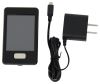
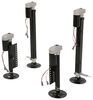
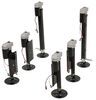
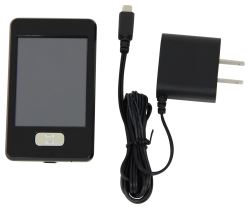
You sure can Traci and welcome back. The Replacement Touchscreen Remote w/ Charger item # LC358601 can be used to add wireless remote control abilities to a Lippert Ground Control 3.0 system like item # LC358590 or item # LC675817.
Once you receive the Replacement Wireless Touchscreen Remote item # LC358601, you will simply follow the steps listed out below to program it to your system.
1. Enter the Leveler app on the LINC Remote.
2. Turn the remote on by pressing and releasing the large silver button at the bottom of the unit.
3. Press the “OK” button on the touch screen to access the Function Menu.
4. Press the Leveler App button.
5. With the interface turned off, press LEFT 5 times and then RIGHT 5 times.
6. The LCD on the interface should read “Wireless Configuration”.
7. Click any button on the LINC remote in the Leveler App.
8. The LCD on the interface should read “Successful!” Your wireless Level-Up system is now ready to use
What kind of camping do you typically do with your Grand Design? Feel free to answer this and throw in any other questions you have, where it says Add Comment.


(click to enlarge)

Product Page this Question was Asked From
Replacement Touchscreen Remote w/ Charger for Lippert Ground Control 3.0 Electric Leveling System

- Accessories and Parts
- Camper Jacks
- Trailer Jack
- Controllers
- Remote Control
- Lippert
more information >
Featured Help Information
Instructions

Continue Researching
- Shop: Replacement Control Panel for Lippert Ground Control 3.0 and Travel Trailer RV Leveling System
- Shop: Replacement Touchscreen Remote w/ Charger for Lippert Ground Control 3.0 Electric Leveling System
- Q&A: Touchscreen Remote for 2026 Forest River Sierra
- Q&A: How to Sync the Lippert Remote Part # LC358601 to the Multi-Function Pad
- Q&A: Does Install of Replacement 8-Function Receiver for Lippert MyRV Require Programming
- Q&A: Replacement Eight Function Receiver for 2011 Keystone Cougar
- Q&A: Replacing the Lippert Touchscreen Remote 358601 or the Analog Remote 292614
- Q&A: What Lube Plate Should I Go With For A 25k 5th Wheel Hitch?
- Q&A: Can the Touchscreen Remote LC358601 Be Used to Replace a Lippert Components IDS Transmitter 329164
- Article: Can I Put Wallpaper in My RV?
- Article: Is It Illegal to Leave My Hitch on My Truck?
- Article: 5 Things to Know About Weight Distribution Hitches
- Article: Aftermarket Brake Control Wiring for 07-13 GM Full-Size Truck with Factory-Integrated Brake Control
- Article: 12V Systems For Extended Overland Travel
- Article: Our Team Picked The Best Camping Gear of the Year - Here Are Their Top Choices
- Article: Sidewinder with Rotating Turret for Short Bed Pickups
Traci W.
11/9/2026
I have the ground control #lc421484 just to confirm the wireless model will work with this? it's a lot of money and want to make sure? thanks